Sarrera
Welcome to the Greenlee DM-810A True RMS Digital Multimeter user manual. This document provides essential information for the safe and effective operation, maintenance, and troubleshooting of your device. The DM-810A is designed for accurate measurement of AC/DC voltage, AC/DC current, resistance, capacitance, frequency, and continuity, making it a versatile tool for electrical professionals.
Segurtasun Informazioa
Neurgailuaren funtzionamendua eta zerbitzua segurtasunez ziurtatzeko, jarraitu argibide hauek. Abisu hauek ez betetzeak lesio larriak edo heriotza eragin dezake.
- Always read and understand the entire instruction manual before using the meter.
- Ez gainditu funtzio bakar baterako sarrera-muga maximoak.
- Kontuz ibili voltag30V AC RMS, 42V peak edo 60V DC-tik gorakoak. Bolumen hauektagshock arriskua dakar.
- Always use the proper terminals, function, and range for your measurements. The DM-810A features a Beep-Jack audible and visible warning to guard against improper A and mA terminal plug-in.
- Inspect test leads for damaged insulation or exposed metal before each use. Replace if damaged.
- Ez erabili neurgailua hondatuta dagoela dirudi edo kaxa irekita badago.
- Ensure the battery cover is securely closed before operation.
- Adhere to local and national safety codes. Use personal protective equipment (PPE) such as approved safety glasses and electrically insulated gloves when necessary.
Produktua amaituview
This section identifies the key parts and controls of your Greenlee DM-810A multimeter.

1. irudia: Aurrealdea view of the Greenlee DM-810A Digital Multimeter, showing the display, function selector dial, and input jacks.
- Pantaila: Large LCD for clear readings, often with dual display capability.
- Funtzioen hautagailu-markagailua: Used to select the desired measurement function (e.g., V~, V-, A~, A-, Ω, CAP, Hz, Continuity).
- Sarrerako Jackak:
- COM: Neurketa guztietarako sarrera komuna (negatiboa).
- VΩHz: Bolumenaren sarrera positiboatage, erresistentzia, maiztasun eta kapazitantzia neurketak.
- mAμA: Positive input for milliampere eta mikroampegungo neurketak.
- A: Positive input for ampegungo neurketak.
- Botoiak:
- AUKERATU: Toggles between functions on a single dial position (e.g., AC/DC voltage, diodoa/jarraitasuna).
- GAMA: Manually selects measurement range or returns to auto-ranging.
- △: Delta function for relative measurements.
- EUTSI: Uneko pantailaren irakurketa izozten du.
Konfigurazioa
Bateriaren instalazioa
The Greenlee DM-810A requires batteries for operation. Refer to the back of the meter for the battery compartment. Use a screwdriver to open the compartment, insert the specified batteries (typically AA or 9V, check the compartment label), observing correct polarity, and then securely close the cover.
Probako puntak konektatzen
Always ensure test leads are properly connected before taking measurements.
- Sartu probako kable beltza COM (komuna) sarrera-jacka.
- Insert the red test lead into the appropriate positive input jack based on the measurement you intend to make:
- Liburukirakotage, resistance, capacitance, or frequency, use the VΩHz jack.
- Milirakoampere or microampere current, use the mAμA jack.
- Izan ere ampere current, use the A jack.
- The meter's Beep-Jack feature will provide an audible and visible alert if the function selector is set to a current measurement (A or mA) but the test lead is incorrectly plugged into a voltage/resistance jack, or vice-versa. This helps prevent damage to the meter and ensures correct setup.
Funtzionamendu-argibideak
This section details how to perform various measurements with your DM-810A multimeter.
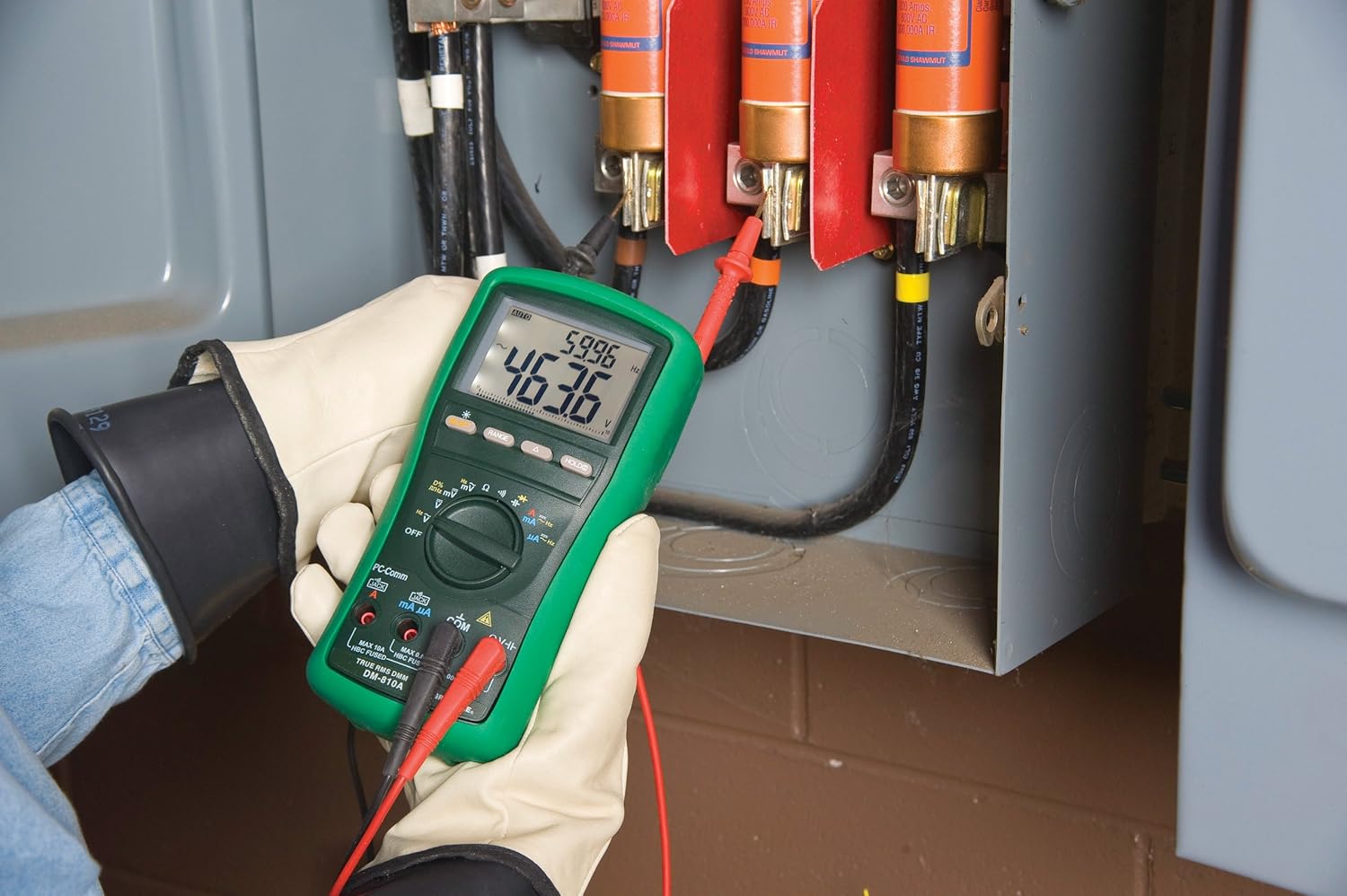
2. irudia: The Greenlee DM-810A Digital Multimeter being used to take measurements within an electrical panel, demonstrating practical application.
Neurketa AC/DC Voltage
- Set the function selector to V~ (AC Voltage) edo V- (DC bolumenatage). Use the SELECT button to toggle if both are on one position.
- Konektatu proba beltza COM and the red test lead to VΩHz.
- Konektatu proba-zundak paraleloan neurtu beharreko zirkuituan edo osagaian.
- Irakurri liburukiatagPantailako balioa.
Korronte AC/DC neurtzea
Garrantzitsua: Korrontearen neurketek zirkuituarekin seriean konektatuta egotea eskatzen dute. Ziurtatu zirkuitua deskonektatuta dagoela neurgailua konektatu aurretik.
- Desenergizatu zirkuitua.
- Set the function selector to A~ (AC Current) or A- (DC Current), or mA~ / mA-.
- Konektatu proba beltza COM. Connect the red test lead to mAμA for small currents or A for larger currents (up to 10A). The Beep-Jack warning will activate if leads are in the wrong jacks for the selected function.
- Open the circuit where the current is to be measured and connect the meter in series.
- Berriro piztu zirkuitua eta irakurri uneko balioa.
- De-energize the circuit before disconnecting the meter.
Measuring Resistance (Ω)
- De-energize the circuit or component.
- Set the function selector to Ω.
- Konektatu proba beltza COM and the red test lead to VΩHz.
- Konektatu proba-zundak osagaiaren artean.
- Irakurri erresistentziaren balioa.
Measuring Capacitance (CAP)
- Ziurtatu kondentsadorea guztiz deskargatuta dagoela neurketa egin aurretik.
- Set the function selector to CAP.
- Konektatu proba beltza COM and the red test lead to VΩHz.
- Konektatu proba-zundak kondentsadorearen terminaletara.
- Irakurri kapazitantziaren balioa.
Neurtzeko maiztasuna (Hz)
- Set the function selector to Hz.
- Konektatu proba beltza COM and the red test lead to VΩHz.
- Konektatu proba-zundak seinale-iturrira.
- Irakurri maiztasunaren balioa.
Jarraitasun proba
- De-energize the circuit or component.
- Set the function selector to the continuity symbol (often shared with diode test, use SELECT to toggle).
- Konektatu proba beltza COM and the red test lead to VΩHz.
- Connect the test probes across the circuit path or component.
- An audible beep indicates continuity (low resistance). The display will show the resistance value.
Mantentzea
Garbiketa
Garbitu neurgailua iragarkiarekinamp oihal eta detergente leun batekin. Ez erabili urratzailerik edo disolbatzailerik. Ziurtatu neurgailua guztiz lehor dagoela erabili aurretik.
Bateria ordezkatzea
When the battery indicator appears on the display, replace the batteries immediately to ensure accurate readings. Follow the battery installation steps outlined in the Setup section.
Fusiblearen ordezkapena
If the current measurement functions cease to work, the internal fuses may need replacement. Refer to the meter's internal diagram (usually accessible by opening the battery compartment or back casing) for fuse specifications and replacement instructions. Always replace fuses with those of the specified type and rating to maintain safety and performance.
Arazoak konpontzea
This section provides solutions for common issues encountered during the operation of your DM-810A multimeter.
| Arazoa | Kausa posiblea | Irtenbidea |
|---|---|---|
| Pantailarik ez edo pantaila iluna | Bateria agortuta edo gutxituta | Ordeztu bateriak. |
| Irakurketa okerrak | Incorrect function/range selected; Damaged test leads; External interference | Verify function and range; Inspect and replace test leads; Move away from strong electromagnetic fields. |
| Korrontearen neurketa ez dabil | Blown fuse; Incorrect lead connection | Check and replace fuses; Ensure leads are in the correct A or mA jacks. |
| Beep-Jack warning active | Test leads connected to incorrect input jacks for the selected function | Adjust test lead connections to match the selected function on the dial. |
| Jarraitutasun probak ez du bip egiten | Open circuit; High resistance | Ensure the circuit is closed; Check for breaks in the circuit or component. |
Zehaztapen Teknikoak
The following table outlines the key technical specifications for the Greenlee DM-810A Digital Multimeter.
| Ezaugarri | Balioa |
|---|---|
| Marka | Greenlee |
| Eredua | DM-810A |
| Neurketa Mota | Egiazko RMS multimetro digitala |
| Energia iturria | Bateriaren bidez |
| Estiloa | Digitala |
| Elementuaren pisua | 16 ontza (kilo 1) |
| Produktuaren neurriak (L x W x H) | 10 x 10 x 12 hazbete |
| Ziurtagiriak | CE, CSA, UL |
| UPC | 783310087434 |
Bermea eta Laguntza
Bermearen informazioa
The Greenlee DM-810A Digital Multimeter comes with a 1 urteko fabrikatzailearen bermeaBerme honek materialen eta fabrikazioaren akatsak estaltzen ditu erabilera normalaren pean. Gorde erosketaren egiaztagiria bermearen erreklamazioak egiteko.
Bezeroarentzako Arreta
For technical assistance, warranty service, or to inquire about replacement parts, please contact Greenlee customer support. Refer to the official Greenlee webgunea edo produktuaren ontzia kontaktu-informazio eguneratuena lortzeko.


