Sarrera
This manual provides comprehensive instructions for the Verbatim 2.4G Wireless Mini Travel Optical Mouse, Model 97471. It covers setup, operation, maintenance, and troubleshooting to ensure optimal performance and longevity of your device. This ultra-compact wireless mouse is designed for portability and ease of use with notebooks and netbooks.

Image: The Verbatim 2.4G Wireless Mini Travel Optical Mouse in blue, shown with its compact Nano receiver.
Paketearen edukia
Egiaztatu elementu guztiak paketean daudela:
- Verbatim 2.4G Wireless Mini Travel Optical Mouse
- Nano USB hargailua
- 1x AAA bateria
- Hasierako gida azkarra
Sistemaren eskakizunak
The Verbatim 2.4G Wireless Mini Travel Optical Mouse is compatible with the following operating systems:
- Windows XP, Vista, Windows 7, and higher
- Mac OS X 10.1 eta berriagoa
- Linux kernel 2.6 and higher
A free USB 1.1 or 2.0 port is required for the Nano USB Receiver.
Konfigurazio Argibideak
1. Instalatu bateria
- Bilatu bateriaren konpartimentuaren estalkia saguaren azpialdean.
- Irristatu edo altxatu estalkia astiro-astiro konpartimentua irekitzeko.
- Insert the included AAA battery, ensuring the positive (+) and negative (-) terminals align correctly with the markings inside the compartment.
- Jarri bateriaren konpartimentuaren estalkia ondo sartu arte klik egin arte.

Image: The underside of the mouse with the battery compartment open, showing the AAA battery and the Nano receiver stored inside.
2. Connect the Nano USB Receiver
- Remove the Nano USB receiver from its storage slot within the mouse's battery compartment (if stored there).
- Konektatu Nano USB hartzailea ordenagailuko USB ataka libre batean.
- Zure ordenagailuak automatikoki detektatu eta instalatu beharko lituzke beharrezko kontrolatzaileak. Prozesu honek minutu batzuk iraun ditzake.
Funtzionamendu-argibideak
Piztu/Itzaltzea
The mouse typically powers on automatically when the receiver is connected and the mouse is moved. To conserve battery life, ensure the mouse is turned off when not in use. A power switch is usually located on the underside of the mouse.
Oinarrizko erabilera
- Ezkerreko botoia: Primary click function, used for selecting items, opening links, etc.
- Eskuineko botoia: Bigarren mailako klik funtzioa, normalean testuinguru menuak irekitzen ditu.
- Korritzeko gurpila: Roll up or down to navigate documents and web pages. The scroll wheel may also function as a middle button when pressed.
Mantentzea
Bateria ordezkatzea
When the mouse performance degrades or stops responding, it is likely time to replace the AAA battery. Follow the battery installation steps outlined in the Setup section.
Garbiketa
Sagua garbitzeko, erabili zapi leun, lehor eta lihorik gabeko bat. Zikinkeria egoskorra bada, garbitu apur bat.ampen the cloth with water. Avoid using harsh chemicals, solvents, or abrasive cleaners, as these can damage the mouse's surface or internal components.
Arazoak konpontzea
| Arazoa | Irtenbidea |
|---|---|
| Sagua ez du erantzuten |
|
| Kurtsorearen mugimendua irregularra edo jauzilaria da |
|
| Receiver not detected by computer |
|
Zehaztapenak
| Ezaugarri | Xehetasuna |
|---|---|
| Modelo zenbakia | 97471 |
| Produktuaren neurriak | 3 x 2 x 1.25 hazbete (L x W x H) |
| Elementuaren pisua | 2.4 ontza |
| Konektibitate Teknologia | 2.4 GHz Wireless |
| Mugimenduak detektatzeko teknologia | Optikoa |
| Bateria mota | 1x AAA (barne) |
| Interfazea | USB 2.0 (USB 1.1rekin bateragarria) |

Irudia: Goitik behera view of the Verbatim Mini Travel Mouse showing its approximate dimensions of 3 inches length and 2 inches width.
Bermearen informazioa
This Verbatim product is covered by a 1 urteko berme mugatua from the date of purchase. This warranty covers defects in materials and workmanship under normal use. For full terms and conditions, please refer to the official Verbatim warranty documentation or contact customer support.
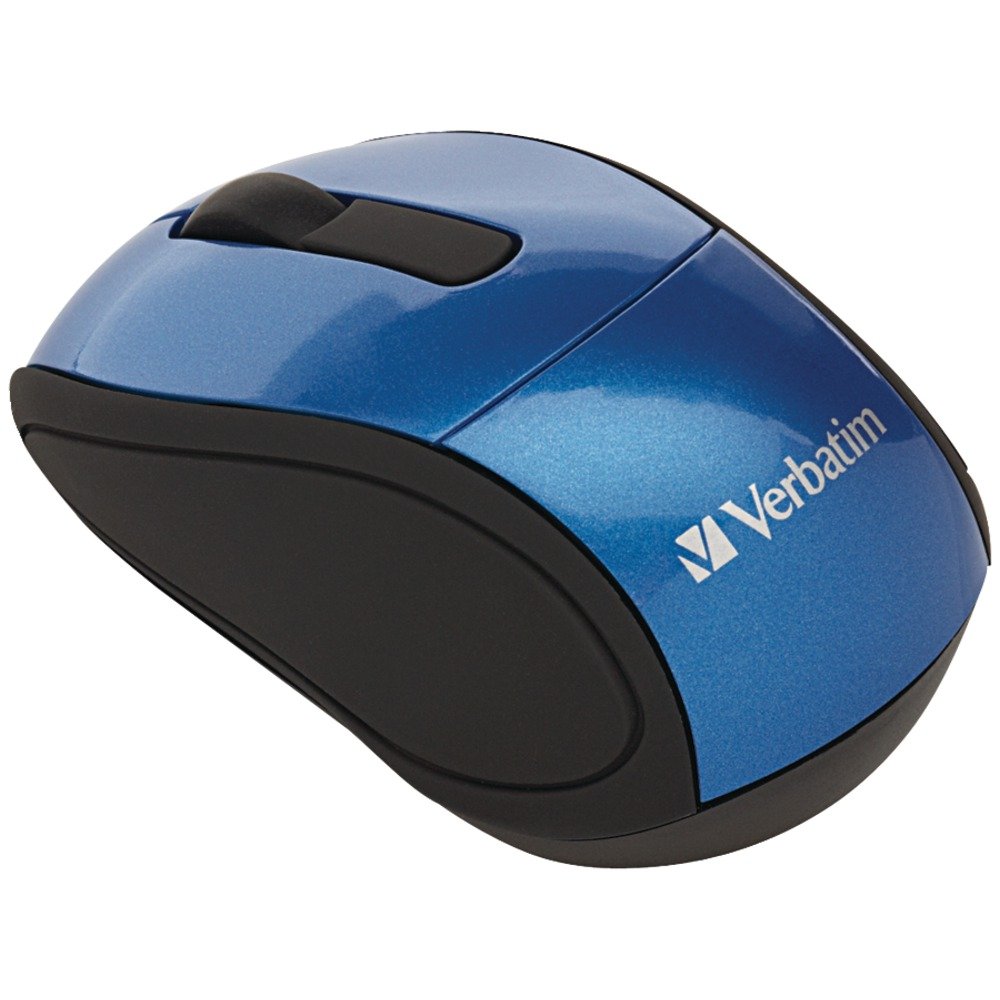
Image: A blue circular badge indicating a "1-Year Limited Warranty".
Laguntza
For further assistance, technical support, or warranty claims, please visit the official Verbatim website or contact their customer service department. Contact information can typically be found on the Verbatim webgunean edo zure produktuarekin batera datorren Hasiera Azkarreko Gidan.


