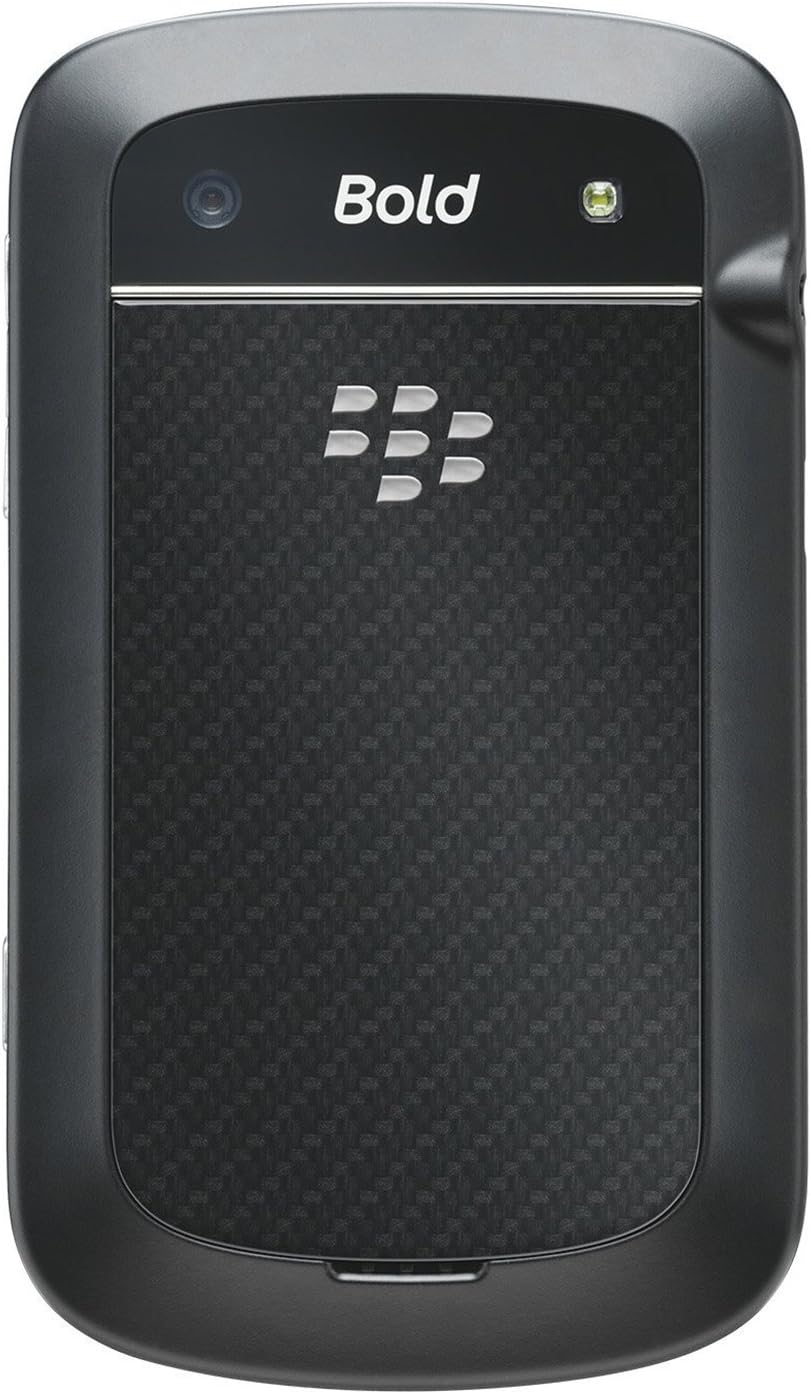
BlackBerry BB 9900

BlackBerry BB 9900 Bold Touch Smartphone User Manual

Model: BB 9900

1. Sarrera

This manual provides essential instructions for setting up, operating, and maintaining your BlackBerry BB 9900 Bold Touch smartphone. Please read this guide thoroughly to ensure proper use and to maximize the device's capabilities. The BlackBerry BB 9900 Bold Touch combines a capacitive touchscreen with a full QWERTY keyboard, running on BlackBerry OS 7.

2. Paketearen edukia

Egiaztatu zure paketeak elementu hauek dituela:

3. Gailua amaitu daview

Familiarize yourself with the physical features of your BlackBerry BB 9900 Bold Touch.

3.1 Aurrealdea View

BlackBerry BB 9900 Bold Touch front view, showing the screen, QWERTY keyboard, and navigation buttons.

Irudia: Aurrealdea view of the BlackBerry BB 9900 Bold Touch, highlighting the 2.8-inch touchscreen and the physical QWERTY keyboard below it. The device also features a trackpad and call/end buttons.

  • Ukipen-pantailako pantaila: 2.8-inch capacitive display for interactive navigation.
  • QWERTY teklatua: Full physical keyboard for efficient typing.
  • Optical Trackpad: For precise navigation and selection.
  • Call/End Buttons: Standard telephony controls.

3.2 Atzekoa View

BlackBerry BB 9900 Bold Touch rear view, showing the 5MP camera lens and LED flash.

Irudia: Atzealdea view of the BlackBerry BB 9900 Bold Touch, featuring the 5-megapixel camera lens, LED flash, and the BlackBerry logo.

  • 5MP kamera: Primary camera with autofocus and LED flash.
  • Bateriaren estalkia: Removable cover for battery and SIM card access.

3.3 Aldea View

BlackBerry BB 9900 Bold Touch side view, showing volume buttons and convenience key.

Irudia: Albokoa view of the BlackBerry BB 9900 Bold Touch, illustrating the placement of the volume control buttons and a customizable convenience key.

  • Bolumen-botoiak: Doitu audio mailak.
  • Convenience Key: Customizable shortcut button.

4. Konfigurazioa

4.1 SIM txartela sartzea

  1. Kendu bateriaren estalkia gailuaren atzealdetik.
  2. Bilatu SIM txartelaren zirrikitua.
  3. Insert the SIM card with the gold contacts facing down and the cut corner aligned with the slot.
  4. Ensure the SIM card is securely in place.

4.2 Bateria sartzea

  1. After inserting the SIM card, align the battery's gold contacts with the contacts in the battery compartment.
  2. Gently press the battery into place until it clicks.
  3. Jarri bateriaren estalkia.

4.3 Gailua kargatzea

  1. Connect the USB cable to the charging port on your device.
  2. Plug the other end of the USB cable into the wall charger, then into a power outlet.
  3. Allow the device to charge fully before first use. The battery indicator on the screen will show charging status.

4.4 Piztu/Itzaltzea

  • Pizteko: Press and hold the Power/Lock button (usually located on the top edge) until the BlackBerry logo appears.
  • Itzaltzeko: Press and hold the Power/Lock button until the 'Power Off' option appears on the screen. Tap 'Power Off' to confirm.

5. Funtzionamendu-argibideak

5.1 Ukipen-pantailaren nabigazioa

  • Sakatu: Touch the screen briefly to open applications, select items, or activate buttons.
  • Pasatu hatza: Drag your finger across the screen to scroll through lists or switch between home screen panels.
  • Zoom egiteko apur bat egin: Use two fingers to zoom in or out on photos, web orrialdeak edo mapak.

5.2 Using the QWERTY Keyboard

The physical QWERTY keyboard allows for fast and accurate text entry. Each key corresponds to a letter, number, or symbol. Use the 'Alt' key for alternate characters and the 'Shift' key for capitalization.

5.3 Deiak egitea

  1. From the home screen, tap the Phone icon or press the green Call button.
  2. Enter the phone number using the keyboard.
  3. Press the green Call button to initiate the call.
  4. To end a call, press the red End Call button.

5.4 Mezuak bidaltzea

  1. Tap the Messages icon from the home screen.
  2. Select 'Compose New' or similar option.
  3. Sartu hartzailearen zenbakia edo aukeratu kontaktuetatik.
  4. Type your message using the QWERTY keyboard.
  5. Tap 'Send'.

5.5 Kamera erabiltzea

  1. Tap the Camera icon to open the camera application.
  2. Markatu zure argazkia pantaila gisa erabiliz viewbilatzailea.
  3. Tap the screen or press the convenience key (if configured) to take a photo.
  4. The 5MP camera features autofocus and an LED flash for improved image quality.

5.6 Wi-Fira konektatzea

  1. Go to 'Options' > 'Networks and Connections' > 'Wi-Fi'.
  2. Piztu Wi-Fia. Gailuak eskuragarri dauden sareak bilatuko ditu.
  3. Hautatu nahi duzun sarea eta idatzi pasahitza eskatzen bazaizu.
  4. Once connected, the Wi-Fi indicator will appear in the status bar.

5.7 Using NFC (Near Field Communication)

The BlackBerry BB 9900 Bold Touch supports NFC for short-range wireless communication. This allows for quick pairing with compatible accessories or sharing data with other NFC-enabled devices by tapping them together.

  1. Ziurtatu NFC gaituta dagoela gailuaren ezarpenetan.
  2. Hold your device close to another NFC-enabled device or tag.
  3. Follow on-screen prompts to complete the desired action (e.g., pairing, data transfer).

6. Mantentzea

6.1 Gailua garbitzea

  • Use a soft, lint-free cloth to wipe the screen and body of the device.
  • Saihestu produktu kimiko gogorrak, garbitzaile urratzaileak edo aerosolak erabiltzea.
  • Ez jarri gailua gehiegizko hezetasunera.

6.2 Bateria zaintzea

  • Saihestu muturreko tenperaturak, bateriaren errendimendua hondatu baitezakete.
  • Use only the original or approved charger.
  • Ez zulatu edo kaltetu bateria.

6.3 Software eguneraketak

Periodically check for software updates to ensure your device has the latest features and security enhancements. Updates can typically be found in the device's 'Options' or 'Settings' menu under 'Software Updates'.

7. Arazoak

7.1 Gailua ez da pizten

  • Ziurtatu bateria behar bezala sartuta eta kargatuta dagoela.
  • Connect the device to the charger and wait a few minutes before attempting to power on again.
  • If the issue persists, try removing and reinserting the battery.

7.2 Sarearen konexio arazoak

  • Check if your SIM card is correctly inserted and activated with your carrier.
  • Verify that cellular data or Wi-Fi is enabled in your device settings.
  • Berrabiarazi gailua.
  • If using Wi-Fi, ensure your router is working and you have entered the correct password.

7.3 Ukipen-pantailak ez du erantzuten

  • Berrabiarazi gailua.
  • Ziurtatu pantaila garbi dagoela eta hondakinik edo hezetasunik gabe.
  • If the issue is intermittent, check for any recent software installations that might be causing conflicts.

8. Zehaztapenak

Ezaugarri Xehetasuna
Ereduaren izena BB 9900
Sistema eragilea BlackBerry OS 7
Bistaratzea 2.8-inch Capacitive Touchscreen, 640 x 480 Resolution
Prozesadorea Not specified (typically 1.2 GHz for this model)
RAM 768 MB
Barne Biltegiratzea 8 GB
Atzeko kamera 5 MP, Autofocus, LED Flash
Konektibitatea Wi-Fi 802.11 b/g/n, NFC, Bluetooth, GPS
Sareko laguntza Quad-band GSM/GPRS/EDGE, Tri-band HSPA+
Neurriak 4.53 x 2.6 x 0.41 hazbete (115 x 66 x 10.5 mm)
Pisua 4.6 ontza (130 gramo)
Audio Jack 3.5 mm

9. Laguntza eta Bermea

9.1 Bezeroarentzako laguntza

For technical assistance, troubleshooting beyond this manual, or service inquiries, please visit the official BlackBerry support website or contact your local service provider. Refer to the packaging or official webkontaktu zehatzetarako gunea.

9.2 Bermearen informazioa

Your BlackBerry BB 9900 Bold Touch is covered by a limited warranty. Please refer to the warranty card included in your product packaging or visit the official BlackBerry website for detailed terms and conditions, including warranty period and coverage specifics. Keep your proof of purchase for warranty claims.

Erlazionatutako dokumentuak - BB 9900

Aurreview BlackBerry Q10 telefonoaren erabiltzailearen gida
BlackBerry Q10 telefonoaren gida osoa, BlackBerry Hub, teklatua, BBM bideoa, kamera, multimedia partekatzea eta gailuaren ezarpenak bezalako funtzioak biltzen dituena. Ikasi produktibitatea maximizatzen eta zure esperientzia pertsonalizatzen.
Aurreview BlackBerry Java Garapen Ingurunea: GPS eta BlackBerry Mapak Garapen Gida
Gida honek GPS eta BlackBerry Maps funtzionalitateen integrazioa zehazten du BlackBerry Java Development Environment-en, kokapena ezagutzen duten aplikazioak eraikitzen dituzten garatzaileentzako baliabide tekniko gisa balioz.
Aurreview BlackBerry Tasks for Android Erabiltzailearen Gida | Zereginen Kudeaketa Segurua
BlackBerry Tasks for Android Erabiltzailearen Gida ofizialak (3.17 bertsioa) BlackBerry-ren enpresa-zereginak kudeatzeko aplikazio seguruaren instalazioari, aktibazioari, zereginen kudeaketari, ezarpenei eta arazoak konpontzeari buruzko argibide zehatzak eskaintzen ditu.
Aurreview BlackBerry Q5 telefonoaren erabiltzailearen gida: konfigurazioa, funtzioak eta eragiketak
Erabiltzailearen gida oso honek BlackBerry Q5 telefonoa erabiltzeko informazio eta argibide zehatzak eskaintzen ditu. BlackBerry 10 OS-ren 10.2.1 bertsioaren ezaugarriak eta funtzionalitateak azaltzen ditu, produktibitatea eta konektibitatea hobetzeko diseinatuak.
Aurreview BlackBerry Z30 telefonoaren erabiltzailearen gida: Ezaugarriak, konfigurazioa eta funtzionamendua
Ezagutu BlackBerry Z30 telefonoarentzako erabiltzailearen gida osoa (10.3.2 bertsioa). Gida honek gailuaren konfigurazioari, funtzioetan nabigatzeari, komunikazioak kudeatzeari, multimedia gaitasunak erabiltzeari, ezarpenak pertsonalizatzeari eta segurtasuna hobetzeari buruzko argibide zehatzak ematen ditu, erabiltzaile esperientzia optimoa lortzeko.
Aurreview Office 365 eta Office 365 ingurune hibridoak konfiguratzea: BlackBerry Dynamics aplikazioetarako autentifikazio modernoa
Office 365 eta Office 365 ingurune hibridoekin BlackBerry Dynamics aplikazioetarako autentifikazio modernoa konfiguratzeko gida osoa. Ikasi BlackBerry Work, Notes eta Tasks konfiguratzen segurtasun hobetua eta integrazio ezin hobea lortzeko.