1. Produktua amaitu daview
The ViewSonic PJD5353 is a short throw DLP projector designed for business and education environments. It offers XGA 1024x768 native resolution, 2500 ANSI lumens brightness, and a 3000:1 contrast ratio for clear and vibrant images. Its short throw lens allows for large images from a minimal distance, making it suitable for various room sizes.
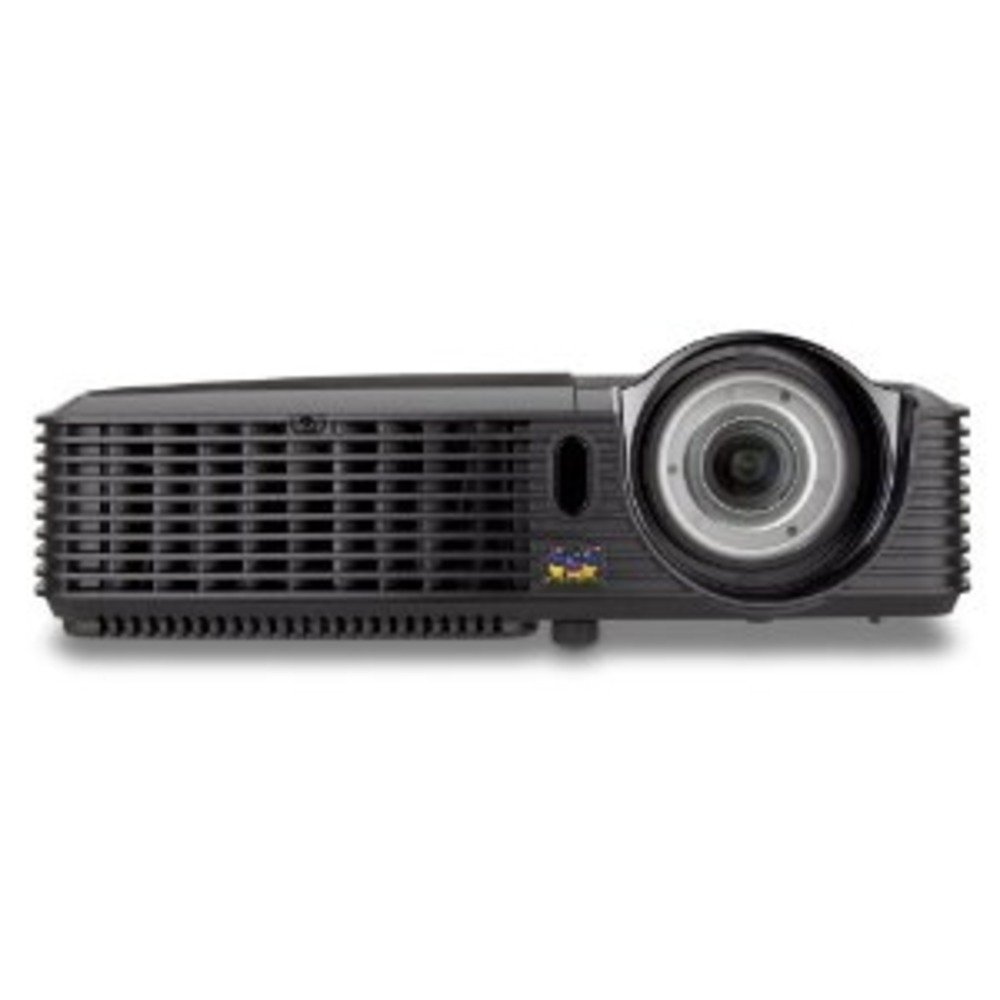
1.1. irudia: ViewSonic PJD5353 DLP Projector. This image displays the projector from an angled perspective, highlighting the projection lens on the front and the control panel located on the top surface.
Ezaugarri nagusiak:
- XGA 1024x768 DLP projector with 2500 ANSI Lumens and 3000:1 Contrast.
- Short Throw Ratio (TR 0.68) for large images in small spaces.
- Multiple input options: HDMI, dual RGB in, composite, S-video, RGB out, audio in/out, RS232.
- Supports HD 720p and 1080i/p via HDMI.
- 120Hz/3D-Ready technology powered by DLP Link for PC-based 3D applications.
- Digital keystone correction of +/- 40 degrees.
- 1W-ko bozgorailu integratua.
- Lightweight and portable at 5.7 lbs.
- Lamp life of 5000 hours (Normal mode) / 6000 hours (Eco mode).
- Apple Mac compatible.
- 8 preset picture modes (e.g., bright, cinema, whiteboard).
- Eco Mode for energy savings, extended lamp life, and reduced operating noise.
- Includes remote control with batteries.
2. Konfigurazioa
2.1 Desontziratzea eta kokatzea
Carefully remove the projector and all accessories from the packaging. Place the projector on a stable, flat surface. Due to its short throw capability, the projector can be positioned close to the projection screen or wall. For example, a 50-inch image can be achieved from approximately 27 inches away.
2.2 Potentzia konektatzea
- Konektatu elikatze-kablea proiektorearen elikatze-sarrerara.
- Entxufatu korronte-kablearen beste muturra lurreko hartune elektriko batean.
2.3 Bideo iturriak konektatzea
The PJD5353 offers various input ports for connecting different devices:
- HDMI: For high-definition digital video and audio. Supports HD 720p and 1080i/p signals.
- VGA (RGB In): For connecting computers via a VGA cable. Two VGA inputs are available.
- Bideo konposatua: Definizio estandarreko bideo iturrietarako.
- S-bideoa: For improved standard definition video sources.
- Audio Sarrera: Kanpoko audio iturriak konektatzeko.
Connect your desired video source (e.g., laptop, DVD player) to the corresponding input port on the projector using the appropriate cable.
2.4 Hasierako piztea eta fokuaren doikuntza
- Sakatu proiektorearen edo urrutiko agintearen pizteko botoia unitatea pizteko. Pizteko adierazlearen argia piztuko da.
- Allow a few moments for the projector lamp to warm up and display an image.
- Adjust the focus ring around the lens until the image on the screen is sharp and clear.
- Use the keystone correction function (digital +/- 40 degrees) via the projector's menu or remote control to square the image if the projector is not perfectly perpendicular to the screen.
3. Funtzionamendua
3.1 Oinarrizko kontrolak
The projector can be controlled using the control panel on the top of the unit or the included remote control.
- Pizteko botoia: Proiektorea pizten edo itzaltzen du.
- Iturriaren botoia: Cycles through available input sources (HDMI, VGA1, VGA2, Video, S-Video).
- Menuko botoia: Accesses the on-screen display (OSD) menu for settings adjustments.
- Gezi-botoiak: Navigate through OSD menu options.
- Sartu botoia: OSD menuko hautaketak berresten ditu.
- Keystone Buttons: Adjusts vertical keystone correction.
3.2 Irudi moduak
The projector features 8 preset picture modes optimized for different viewing environments and content types. These include:
- Distiratsua
- Zinema
- Arbela
- And others.
Select the appropriate picture mode from the OSD menu to enhance your viewesperientzia.
3.3 Modu ekologikoa
Activate Eco Mode to reduce power consumption, extend lamp life, and lower operating noise. This mode is ideal for situations where maximum brightness is not required.
3.4 3D funtzionalitatea
The PJD5353 is 120Hz/3D-Ready, powered by DLP Link. To utilize 3D features, you will need compatible 3D content, a 3D-capable source device (e.g., PC with 3D software), and DLP Link 3D glasses (sold separately).
4. Mantentzea
4.1 lamp Bizitza eta Ordezkapena
Proiektorea lamp has an estimated life of 5000 hours in Normal mode and 6000 hours in Eco mode. When the lamp reaches the end of its life, a warning message may appear, or the lamp adierazle-argia piztu daiteke. Ikusi erabiltzailearen eskuliburu osoa informazio zehatza lortzeko.amp replacement instructions. Always use genuine ViewSonic replacement lamps.
4.2 Garbiketa
- C proiektoreaasing: Erabili biguna, damp cloth with a mild detergent to clean the exterior. Avoid abrasive cleaners.
- Lentea: Gently wipe the lens with a soft, lint-free cloth specifically designed for optical surfaces. Do not use liquid cleaners directly on the lens.
- Aire irteerak: Aldian-aldian egiaztatu eta garbitu aire-zuloak, aire-fluxu egokia bermatzeko eta gehiegi berotzea saihesteko. Erabili eskuila leun bat edo aire konprimatua.
Kontuz: Always unplug the projector from the power outlet before cleaning.
5. Arazoak
Ohiko arazoak eta irtenbideak:
- Ez dago irudirik pantailan:
- Ziurtatu proiektorea piztuta dagoela eta lamp argiztatuta dago.
- Verify that the video cable is securely connected to both the projector and the source device.
- Press the "Source" button on the projector or remote to select the correct input source.
- Check the resolution settings of your source device; ensure it is compatible with the projector's supported resolutions.
- Soinurik ez:
- HDMI erabiltzen baduzu, ziurtatu audioa HDMI kablearen bidez bidaltzen ari dela.
- If using an analog audio cable, ensure it is properly connected to the "Audio In" port.
- Egiaztatu proiektorearen eta iturburu-gailuaren bolumen-ezarpenak.
- Ensure the integrated speaker is enabled in the projector's OSD menu.
- Urruneko kontrola ez dabil:
- Check and replace the batteries in the remote control (2 AA batteries are included).
- Ziurtatu urrutiko agintearen eta proiektorearen IR hargailuaren artean oztoporik ez dagoela.
- Zuzendu urrutiko agintea zuzenean proiektorerantz.
- Irudia distortsionatuta edo lausotuta dago:
- Doitu lentearen fokatze-eraztuna.
- Use the keystone correction function to correct trapezoidal distortion.
- Ensure the projector is placed on a stable surface and is not vibrating.
For more detailed troubleshooting, refer to the complete user manual or visit the ViewSonic laguntza webgunea.
6. Zehaztapenak
| Ezaugarri | Deskribapena |
|---|---|
| Modelo zenbakia | PJD5353 |
| Bistaratzeko Teknologia | DLP |
| Berezko Ebazpena | XGA (1024 x 768) |
| Distira | 2500 ANSI Lumen |
| Kontraste-erlazioa | 3000:1 |
| Bota ratioa | 0.68 (Short Throw) |
| Keystone zuzenketa | Digital +/- 40 degrees (Vertical) |
| Lamp Bizitza (Normala/Eko) | 5000/6000 ordu |
| Konektibitatea | HDMI, 2x VGA In, Composite Video, S-Video, Audio In/Out, RS232 |
| HD euskarria | 720p, 1080i/p (via HDMI) |
| 3D prest | 120Hz/DLP Link |
| Hizlari Integratua | 1W |
| Produktuaren neurriak | 9.2 x 11.2 x 3.2 hazbete |
| Elementuaren pisua | 5.7 kilo |
| Osagarriak barne | Remote control with 2 AA batteries |
7. Bermea eta laguntza
7.1 Bermearen informazioa
Hau ViewSonic product is covered by a limited warranty. For specific warranty terms and conditions, including duration and coverage details, please refer to the warranty card included with your product or visit the official ViewSonic webgunea. Gorde erosketaren egiaztagiria bermearen erreklamazioetarako.
7.2 Bezeroarentzako laguntza
For technical assistance, product registration, or to download the complete user manual, please visit the official ViewSonic laguntza website or contact their customer service department. Contact information can typically be found on the ViewSonic webgunean edo produktuaren ontzian.