Produktua amaituview
The iSound Twist Portable Bluetooth Wireless Speaker offers a unique design combined with superior sound quality. Its compact form factor allows for portability, while its advanced features enable wireless music streaming and hands-free calling. The speaker features full stereo sound with 6 watts total output from two 40mm drivers and a passive radiator for enhanced bass.
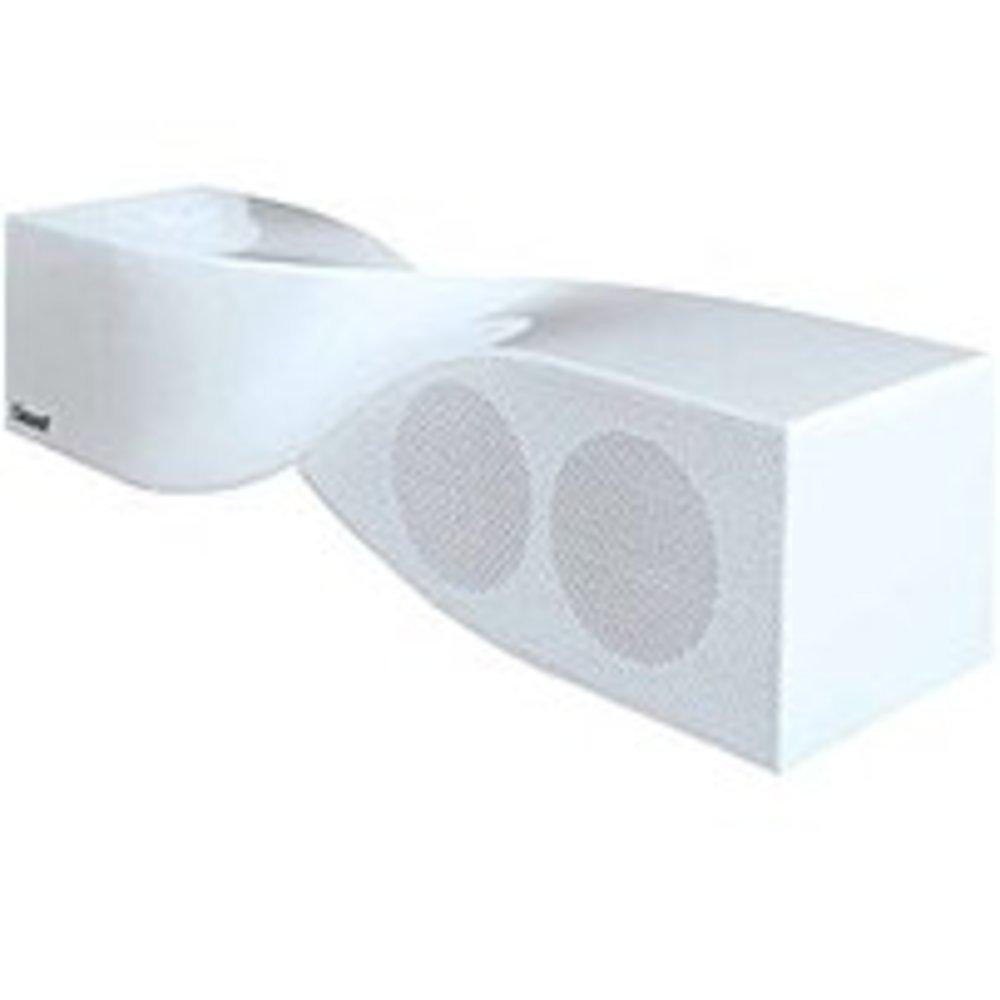
Image: The iSound Twist Portable Bluetooth Wireless Speaker in white, showcasing its unique twisted design.
Paketearen edukia
- iSound Twist Portable Bluetooth Wireless Speaker
- USB kargatzeko kablea
- 3.5mm AUX Input Cable
- Erabiltzailearen eskuliburua (dokumentu hau)
Konfigurazioa
1. Bozgorailua kargatzea
Before initial use, fully charge the iSound Twist speaker. Connect the provided USB charging cable to the speaker's USB charging port and the other end to a powered USB source (e.g., computer, USB wall adapter). The charging indicator light will illuminate during charging and turn off when fully charged. A full charge provides up to 5 hours of continuous play.

Image: Rear panel of the speaker, highlighting the USB charging port, ON/OFF switch, and AUX IN port.
2. Piztu/Itzaltzea
Locate the ON/OFF switch on the rear panel of the speaker. Slide the switch to the "ON" position to power on the device. Slide it to the "OFF" position to power off.
3. Bluetooth parekatzea
- Ensure the speaker is powered on and within close proximity to your Bluetooth-enabled device (e.g., smartphone, tablet, laptop).
- The speaker will automatically enter Bluetooth pairing mode. A blue indicator light will flash, indicating it is discoverable.
- Zure gailuan, joan Bluetooth ezarpenetara eta gaitu Bluetooth.
- Bilatu available devices. The iSound Twist speaker should appear in the list, typically named "iSound Twist" or similar.
- Select the speaker from the list to initiate pairing. If prompted for a password, enter "0000".
- Once successfully paired, the blue indicator light on the speaker will stop flashing and remain solid. You will hear an audible confirmation.
- Your device is now connected, and you can stream audio wirelessly.
4. AUX Input Connection
For devices without Bluetooth capability, or if you prefer a wired connection, use the provided 3.5mm AUX cable.
- Connect one end of the 3.5mm AUX cable to the AUX IN port on the rear of the speaker.
- Connect the other end of the cable to the headphone jack or audio output port of your audio device.
- Bozgorailuak automatikoki aldatuko da AUX sarrera modura.
Funtzionamendu-argibideak
Kontrol panelaren funtzioak
The speaker features onboard controls located on its top surface for convenient operation.
- Pizteko / Modua botoia: Sakatu eta eutsi pizteko/itzaltzeko. Sakatu labur Bluetooth eta AUX moduen artean aldatzeko.
- Erreproduzitu/Pausatu/Deitu botoia: Short press to play or pause music. During an incoming call, short press to answer or end the call. Press and hold to reject an incoming call.
- Bolumena igotzeko/hurrengo abestiaren botoia: Short press to increase volume. Press and hold to skip to the next track.
- Bolumena jaisteko/aurreko abestiaren botoia: Short press to decrease volume. Press and hold to go to the previous track.
Esku libreko deiak
When connected via Bluetooth, the iSound Twist speaker's built-in microphone allows for hands-free phone calls.
- Dei bati erantzutea: When a call comes in, the music will pause. Press the Play/Pause/Call button once to answer.
- Dei bat amaitzea: During a call, press the Play/Pause/Call button once to end the call.
- Dei bat ukatzea: Sakatu eta eutsi Erreproduzitu/Pausatu/Deitu botoia sarrerako dei bat baztertzeko.
Mantentzea
- Mantendu bozgorailua uretatik, hezetasunetik eta muturreko tenperaturetatik urrun.
- Garbitu bozgorailua zapi leun eta lehor batekin. Ez erabili garbitzaile edo disolbatzaile urratzailerik.
- Saihestu bozgorailua kolpe gogorrak erortzea edo jasaten.
- Denbora luzez erabiltzen ez baduzu, gorde bozgorailua leku fresko eta lehor batean eta kargatu aldian-aldian bateriaren osasuna mantentzeko.
Arazoak konpontzea
| Arazoa | Irtenbidea |
|---|---|
| Bozgorailuak ez du pizten. | Ziurtatu bateria kargatuta dagoela. Konektatu bozgorailua energia-iturri batera USB kablea erabiliz eta saiatu berriro. |
| Ezin da Bluetooth bidez parekatu. |
|
| Soinurik ez edo bolumen baxua. |
|
| Deiaren kalitatea eskasa da. |
|
Zehaztapenak
| Ezaugarri | Xehetasuna |
|---|---|
| Ereduaren izena | ISOUND-1691 |
| Marka | iSoinua |
| Hizlari mota | Dorrea |
| Ezaugarri Berezia | Mikrofonoa eraikia |
| Gomendatutako Erabilerak | For Smartphones or Tablets, Music Players |
| Gailu bateragarriak | Desktop, Laptop, MP3 Player, Projector, Smartphone, Tablet, Television |
| Inguruko soinu-kanalaren konfigurazioa | 2.0 |
| Kolorea | Zuria |
| Elementuaren pisua | 13.6 ontza |
| Iragazgaitza da | GEZURRA |
| Haririk gabeko Komunikazio Teknologia | Bluetootha |
| Bozgorailuaren tamaina | 0.75 hazbete |
| Energia iturria | Bateriaren bidez |
| Pila kopurua | 1 litio-ioizko bateriak behar dira. (barne) |
| Audio kontrolatzaile mota | Gidari dinamikoa |
| Audio kontrolatzailearen tamaina | 40 milimetro |
| Produktuaren neurriak | 5 x 4 x 11.75 hazbete |
| Bozgorailuaren irteera-potentzia maximoa | 6 Watt |
| Konektibitate Teknologia | Haririk gabekoa |
| Audio irteera modua | Estereoa |
| Muntatze Mota | Mahai gaineko muntaia |
Produktuaren bideo ofiziala
Video: Official product video for the iSound Twist Bluetooth Speaker, demonstrating its features and design. This video showcases the speaker's ability to stream audio from various devices and handle calls.
Bermea eta Laguntza
The iSound Twist Portable Bluetooth Wireless Speaker comes with a Berme mugatua. For specific warranty terms, conditions, and support inquiries, please refer to the warranty card included in your product packaging or visit the official iSound webgunea.
For further assistance, please contact iSound customer support.


