1. Sarrera
Eskerrik asko erosketagatik.asing the Fysic FX-6000 Big Button DECT Phone. This manual will guide you through the setup, operation, and maintenance of your new cordless telephone. Please read these instructions carefully before using the phone to ensure proper functionality and safety. Keep this manual for future reference.
2. Segurtasun informazio garrantzitsua
- Use only the supplied power adapter and batteries.
- Do not expose the phone to water or excessive humidity.
- Saihestu telefonoa bero-iturrien edo eguzki-argiaren ondoan jartzea.
- Ez saiatu telefonoa zeuk irekitzen edo konpontzen. Mantendu konponketa guztiak langile kualifikatuen esku.
- Tokiko araudien arabera bota bateriak arduraz.
3. Paketearen edukia
Mesedez, egiaztatu elementu guztiak zure paketean daudela:
- Fysic FX-6000 Handset
- Oinarrizko Geltokia
- Oinarrizko estaziorako energia-egokigailua
- Telefono Linearen Kablea
- 2 x AAA NiMH bateria kargagarriak
- Erabiltzailearen eskuliburua
4. Produktua amaitu daview
The Fysic FX-6000 features large buttons and a clear display for ease of use.

4.1. irudia: Aurrealdea view of the Fysic FX-6000 handset in its charging base, highlighting the large, easy-to-read buttons and the clear, backlit display.
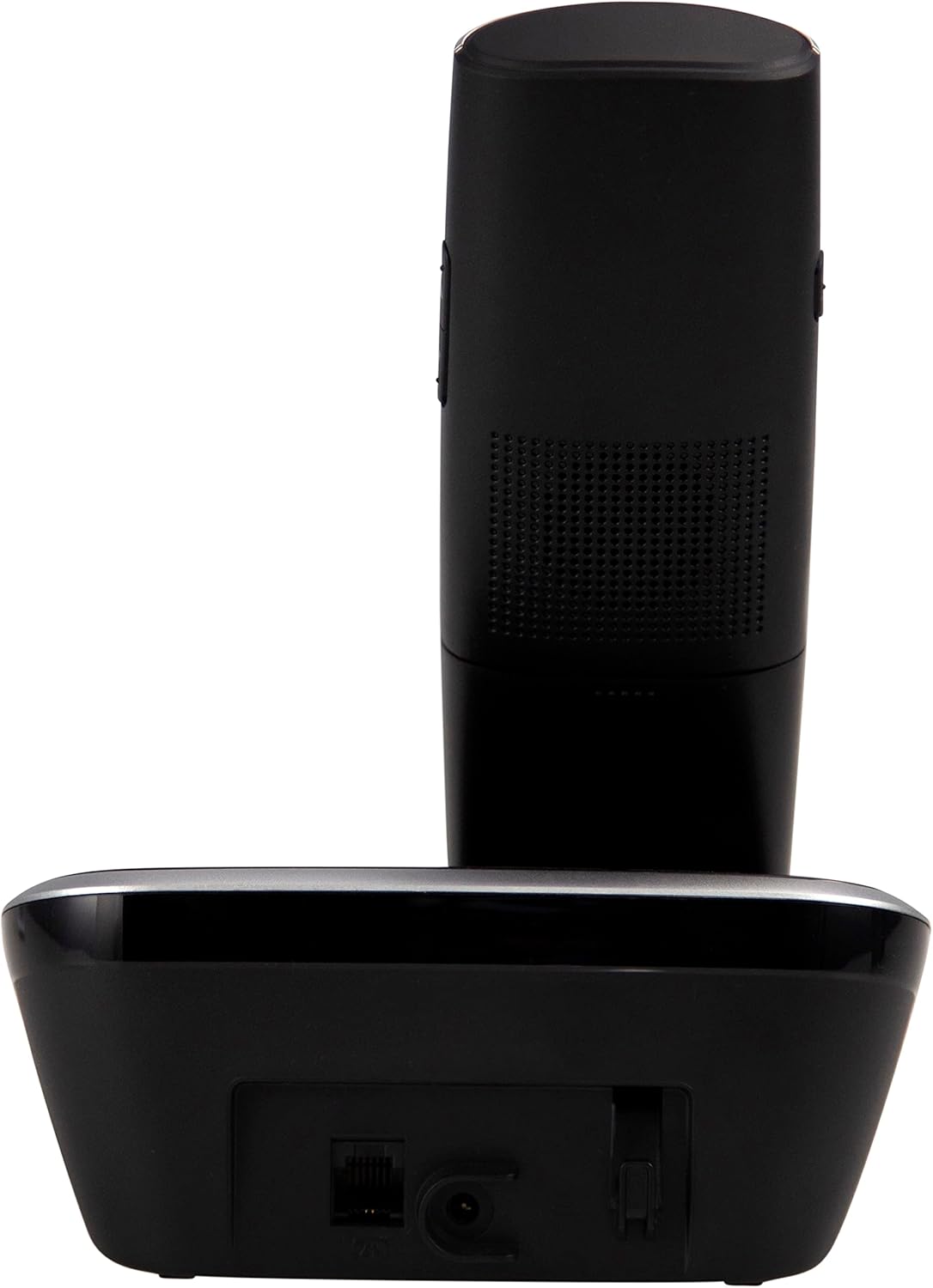
4.2. irudia: Aldea view of the Fysic FX-6000 handset docked in its base station, showing the ergonomic design and side volume buttons.

4.3. irudia: Detailed close-up of the Fysic FX-6000 phone's keypad, emphasizing the large, clearly labeled buttons for easy dialing.

4.4. irudia: Gertutik view of the Fysic FX-6000 phone's backlit display, showing clear icons for battery status, signal strength, and call information.
Telefonoaren diseinua
- Pantaila: 1.8-inch backlit screen for caller ID, menu, and status.
- Nabigazio teklak: For menu navigation and volume adjustment.
- Markagailua: Large, easy-to-read numeric keys (0-9, *, #).
- Call/End Buttons: Green button to answer/make calls, Red button to end calls.
- Memory Keys (M1, M2, M3): For speed dialing frequently used numbers.
- Bozgorailuaren botoia: To activate hands-free mode.
Oinarrizko estazioaren diseinua
- Kargatzeko sehaska: Telefonoa kargatzeko.
- Paging Button: To locate a misplaced handset.
- Energiaren entxufea: Korronte-egokigailua konektatzeko.
- Telephone Line Socket: For connecting to the telephone line.
5. Konfigurazioa
5.1 Bateriaren instalazioa
- Ireki bateriaren konpartimentuaren estalkia telefonoaren atzealdean.
- Sartu emandako bi AAA NiMH bateria kargagarriak, polaritate zuzena errespetatuz (+ eta -).
- Itxi bateriaren konpartimenduaren estalkia ondo.
5.2 Oinarrizko estazioaren konexioa
- Connect one end of the telephone line cord to the telephone line socket on the base station.
- Konektatu telefono-kablearen beste muturra zure telefono-hormako entxufean.
- Connect the power adapter to the power socket on the base station.
- Entxufatu korronte-egokitzailea entxufe elektriko egoki batera (220-240V).
5.3 Hasierako kargatzea eta telefonoaren erregistroa
Place the handset on the base station. The handset will automatically begin charging. For optimal battery performance, allow the handset to charge for at least 16 hours before its first use. The handset is pre-registered to the base station from the factory. If for any reason the handset loses its registration, refer to the troubleshooting section for re-registration steps.
6. Funtzionamendu-argibideak
6.1 Dei bat egitea
- Aurreko markaketa: Enter the phone number using the dial pad, then press the Dei Berdea botoia.
- Zuzeneko markaketa: Sakatu Dei Berdea button, then enter the phone number.
- Using Memory Keys (M1, M2, M3): Press and hold the desired memory key (M1, M2, or M3) to dial the stored number.
6.2 Dei bat jasotzea
Telefonoak jotzen duenean, sakatu Dei Berdea button to answer. The display will show the caller's number if Caller ID service is active.
6.3 Dei bat amaitzea
Sakatu Dei Gorriaren Amaiera botoia sakatu edo jarri telefonoa berriro oinarrizko estazioan.
6.4 Bolumena doitzea
During a call, use the volume up/down buttons on the side of the handset to adjust the earpiece volume. The ringtone volume can be adjusted via the phone's menu settings.
6.5 Hands-Free Operation
Dei batean zehar, sakatu Bozgorailua button to switch to hands-free mode. Press it again to return to earpiece mode.
6.6 Telefono-liburua
The phonebook allows you to store frequently called numbers. Refer to the on-screen menu for options to add, edit, or delete contacts.
6.7 Berriro deitzea
Sakatu Berriro markatzea button (often integrated with the call log or a dedicated button) to view and redial the last dialed numbers.
6.8 Mutu funtzioa
Dei batean zehar, sakatu Isildu button to temporarily disable your microphone. The other party will not hear you. Press it again to unmute.
7. Mantentzea
7.1 Garbiketa
Garbitu telefonoa eta oinarrizko estazioa zapi leun batekin,amp zapirik. Ez erabili garbitzaile edo disolbatzaile urratzailerik. Ziurtatu telefonoa deskonektatuta dagoela garbitu aurretik.
7.2 Bateria zaintzea
- Always use the supplied rechargeable NiMH batteries.
- Telefonoa denbora luzez erabiliko ez baduzu, kendu bateriak isuriak saihesteko.
- Ordeztu bateriak haien errendimendua nabarmen jaisten denean.
8. Arazoak
| Arazoa | Kausa posiblea | Irtenbidea |
|---|---|---|
| Markatze-tonurik ez | Telephone line not connected; Power adapter not connected; Handset out of range or not registered. | Check all cable connections; Ensure base station is powered; Move handset closer to base; Re-register handset (see manual for specific steps). |
| Telefonoa ez da kargatzen | Handset not properly seated in cradle; Dirty charging contacts; Faulty batteries. | Ensure handset is correctly placed; Clean charging contacts on handset and base with a dry cloth; Replace batteries if necessary. |
| Deiaren kalitate eskasa / Estatikoa | Handset too far from base; Interference from other electronic devices. | Move closer to the base station; Move base station away from other electronic devices (Wi-Fi routers, microwaves). |
| Pantaila hutsik dago | Batteries are depleted or not inserted correctly. | Charge handset for at least 16 hours; Check battery polarity. |
9. Zehaztapen Teknikoak
- Eredua: FX-6000
- Marka: Fisikoa
- Kolorea: Beltza
- Telefono mota: Haririk gabeko DECT telefonoa
- Pantaila: 1.8 hazbeteko LCD atzeko argiztapena
- Pilak: 2 x AAA NiMH Rechargeable (1.2V, 500 mAh)
- Base Power Supply: 6 VDC, 300 mA
- Sare elektrikoa: 220-240V
- Hitzaldi-denbora: Gehienez 10 ordu
- Egonean denbora: Gehienez 100 ordu
- Barruko sorta: Gehienez 50 metro
- Kanpoko barrutia: Gehienez 300 metro
- Neurriak (L x W x H): Approximately 8 x 20 x 17 cm (Handset in base)
- Pisua: 534 gramo gutxi gorabehera
- Ezaugarri bereziak: Large buttons, Hearing aid compatible, Adjustable ringtone/call volume, Mute function, Hands-free operation, GAP compatible.
10. Bermea eta Laguntza
Fysic products are designed and manufactured to the highest quality standards. For information regarding warranty terms and conditions, please refer to the warranty card included with your product or visit the official Fysic website. For technical support or service inquiries, please contact Fysic customer service through their official channels. Keep your purchase receipt as proof of purchase.


