Sarrera
This manual provides comprehensive instructions for the operation and maintenance of your new Sharp Aquos LCD TV Remote Control, model RRMCGA535WJSA. This genuine Sharp remote transmitter is designed to provide seamless control over your compatible Sharp Aquos LCD TV models. Please read this manual thoroughly before use to ensure proper functionality and to maximize your viewesperientzia.
Segurtasun Informazioa
Mesedez, kontuan hartu segurtasun neurri hauek:
- Do not expose the remote control to direct sunlight, high humidity, or extreme temperatures.
- Saihestu urrutiko agintea erortzea edo kolpe bortitzak jasatea.
- Do not attempt to disassemble or modify the remote control. This may void the warranty and cause damage.
- Mantendu bateriak haurren eskura. Irensten bada, bilatu berehala medikuaren arreta.
- Tokiko araudien arabera bota erabilitako bateriak. Ez erraustu.
Paketearen edukia
Egiaztatu elementu guztiak paketean daudela:
- Sharp Aquos LCD TV Remote Control (Model: RRMCGA535WJSA)
- Argibide eskuliburua (dokumentu hau)
Oharra: Bateriak normalean ez daude barne eta bereiz erosi behar dira.
Produktua amaituview
Familiarize yourself with the buttons and features of your remote control.

1. irudia: Aurrealdea View urrutiko kontrola
This image displays the front of the Sharp Aquos remote control, showing all primary buttons including power, input selection, channel, volume, numeric keypad, and navigation controls. The Sharp and Aquos logos are visible at the bottom.
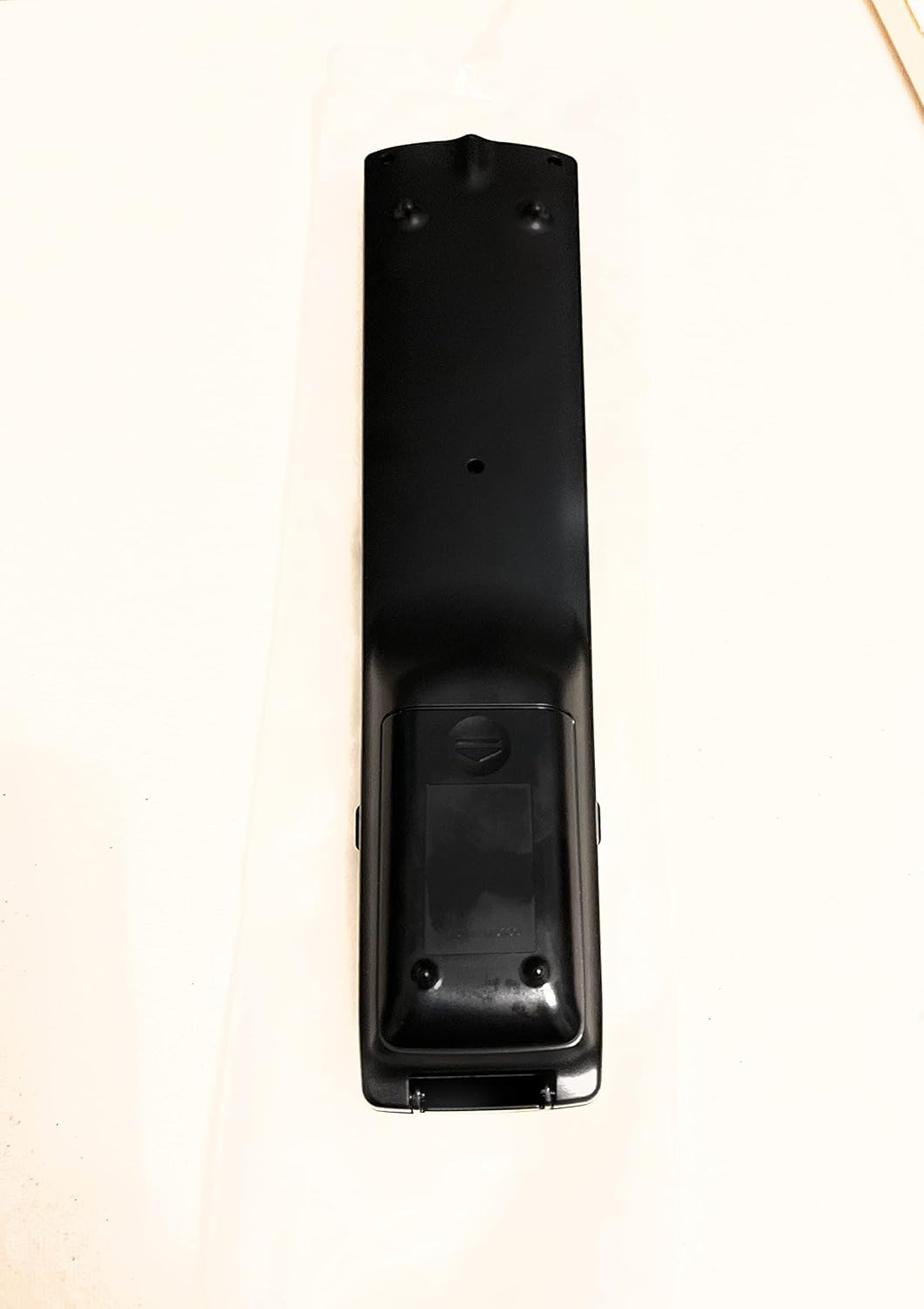
2. irudia: Atzealdea View urrutiko kontrola
This image shows the rear side of the Sharp Aquos remote control, highlighting the smooth, ergonomic design and the battery compartment cover.

Figure 3: Remote Control with Battery Compartment Open
This image illustrates the Sharp Aquos remote control with its battery compartment cover slid open, revealing the space for battery insertion.

Figure 4: Close-up of Hidden Panel
This close-up image shows the lower section of the Sharp Aquos remote control with its hinged panel opened, revealing additional function buttons such as SLEEP, AUDIO, AV MODE, and CC (Closed Caption).
Botoiaren funtzioak:
| Botoia | Funtzioa |
|---|---|
| BOTEREA | Telebista pizten edo itzaltzen du. |
| INPUT / SOURCE | Sarrera iturria hautatzen du (adibidez, HDMI, AV, Osagaia). |
| CH +/- | Telebistako kanala gora edo behera aldatzen du. |
| VOL +/- | Bolumen-maila doitzen du. |
| MUTU | Telebistaren soinua aktibatzen edo isilarazten du. |
| MENUA | Opens the TV's on-screen menu. |
| SARTU | Menu barruko hautaketak berresten ditu. |
| Navigation Arrows (Up/Down/Left/Right) | Menu aukeren artean nabigatzen du. |
| EXIT / RETURN | Uneko menutik irteten da edo aurreko pantailara itzultzen da. |
| Zenbakizko teklatua (0-9) | Kanal zenbakiak zuzenean sartzen ditu. |
| LO (under hidden panel) | Sets the TV to turn off automatically after a set period. |
| AUDIOA (under hidden panel) | Selects audio modes or tracks. |
| AV MODUA (under hidden panel) | Adjusts picture and sound settings for different content types. |
| CC (azpitituluak) (under hidden panel) | Turns closed captions on or off. |
Konfigurazioa
Bateriaren instalazioa:
- Aurkitu bateriaren konpartimentua urrutiko agintearen atzealdean (ikusi 2 irudia).
- Slide the battery compartment cover downwards to open it (refer to Figure 3).
- Insert two (2) AAA batteries (not included), ensuring the positive (+) and negative (-) terminals align correctly with the indicators inside the compartment.
- Irristatu bateriaren konpartimentuaren estalkia berriro bere lekuan klik egin arte.
Oharra: Erabili beti mota bereko bateria berriak. Ez nahastu bateria zaharrak eta berriak, edo bateria mota desberdinak.
Funtzionamendu-argibideak
Oinarrizko funtzionamendua:
- Piztu/Itzali: Sakatu BOTEREA button to turn your Sharp Aquos TV on or off.
- Bolumen kontrola: Sakatu VOL+ botoia bolumena igotzeko eta BOLUMENA - bolumena gutxitzeko.
- Kanalaren hautaketa: Erabili CH + or CH - buttons to change channels sequentially. Alternatively, use the numeric keypad to directly enter a channel number.
- Sarrera-iturria hautatzea: Sakatu SARRERA or ITURRIA button to cycle through available input sources (e.g., HDMI 1, HDMI 2, AV, Component).
- Ezkutatu: Sakatu MUTU button to temporarily silence the TV audio. Press again to restore sound.
Menuen nabigazioa:
- Sakatu MENUA button to display the TV's on-screen menu.
- Erabili Nabigazio-geziak (Gora, Behera, Ezkerra, Eskuina) menuko aukeretan zehar mugitzeko.
- Sakatu SARTU botoia hautatutako aukera bat hautatzeko edo ezarpen bat berresteko.
- Sakatu EXIT or ITZULERA button to close the menu or go back to the previous menu level.
Advanced Functions (Hidden Panel):
Some advanced functions are located under a hinged panel at the bottom of the remote control (refer to Figure 4). Gently open this panel to access buttons such as:
- LO: Telebista automatikoki itzaltzeko tenporizadorea ezartzen du.
- AUDIOA: Audio ezarpenak doitzen edo audio pistak hautatzen ditu.
- AV MODUA: Cycles through preset picture and sound modes (e.g., Standard, Movie, Game).
- CC (Closed Caption): Azpitituluak aktibatu edo desaktibatzen ditu.
Mantentzea
Garbiketa:
To clean the remote control, wipe it gently with a soft, dry cloth. Do not use liquid cleaners, abrasive cleaners, or chemical solvents, as these may damage the surface or internal components.
Bateria ordezkatzea:
Replace batteries when the remote control's response becomes sluggish or stops working. Follow the battery installation steps outlined in the "Setup" section. Always replace both batteries at the same time.
Arazoak konpontzea
| Arazoa | Kausa posiblea | Irtenbidea |
|---|---|---|
| Urruneko kontrola ez dabil. | Pila hilak edo gaizki sartutakoak. | Ordeztu bateriak berriekin, polaritate zuzena ziurtatuz (+/-). |
| Urrutiko agintearen irismena eskasa da. | Weak batteries; obstruction between remote and TV; infrared sensor on TV is blocked. | Replace batteries. Ensure no objects are blocking the line of sight between the remote and the TV's IR sensor. |
| Botoi espezifikoek ez dute erantzuten. | Zikinkeria edo hondakinak botoiaren azpian; barneko matxura. | Garbitu urrutiko agintea. Arazoak jarraitzen badu, baliteke urrutiko agintea ordezkatu behar izatea. |
| TV not responding to any remote commands. | TV is unplugged or turned off; TV's IR sensor is faulty. | Ensure the TV is powered on and plugged in. Test with another remote if available. Consult TV's manual for IR sensor location. |
Zehaztapenak
| Ezaugarri | Xehetasuna |
|---|---|
| Modelo zenbakia | RRMCGA535WJSA |
| Marka | Zorrotza |
| Gailu bateragarriak | Sharp Aquos LCD Televisions (various models, see product title for list) |
| Konektibitate Teknologia | Infragorriak (IR) |
| Energia iturria | 2 x AAA bateria (ez daude barne) |
| Neurriak (gutxi gorabehera) | 8.8 x 2.4 x 0.9 hazbete (Paketearen neurriak) |
| Pisua (gutxi gorabehera) | 4 ontza |
| Ezaugarri Berezia | Ergonomic design, Hidden function panel |
Bermea eta Laguntza
Lege-oharra:
This item is provided in new condition. Please note that this item is offered "as is" as it is past its original manufacturer's warranty period. Any implied warranties are disclaimed to the fullest extent permitted by law.
Bezeroarentzako laguntza:
For further assistance or inquiries regarding your Sharp Aquos LCD TV, please refer to your television's original instruction manual or visit the official Sharp support website. For issues specifically with this replacement remote control, please contact the seller from whom it was purchased.


