1. Sarrera
Eskerrik asko erosketagatik.asing the Imation Memorex PX6683 Wireless Bluetooth Speaker. This manual provides essential information for setting up, operating, and maintaining your speaker to ensure optimal performance and longevity. Please read these instructions carefully before use.
2. Paketearen edukia
- Imation Memorex PX6683 Wireless Bluetooth Speaker
- Energia egokitzailea (eskualdearen arabera alda daiteke)
- Audio Cable (3.5mm auxiliary cable)
- Erabiltzailearen eskuliburua (dokumentu hau)
3. Produktua amaitu daview
Familiarize yourself with the components of your Memorex PX6683 speaker.
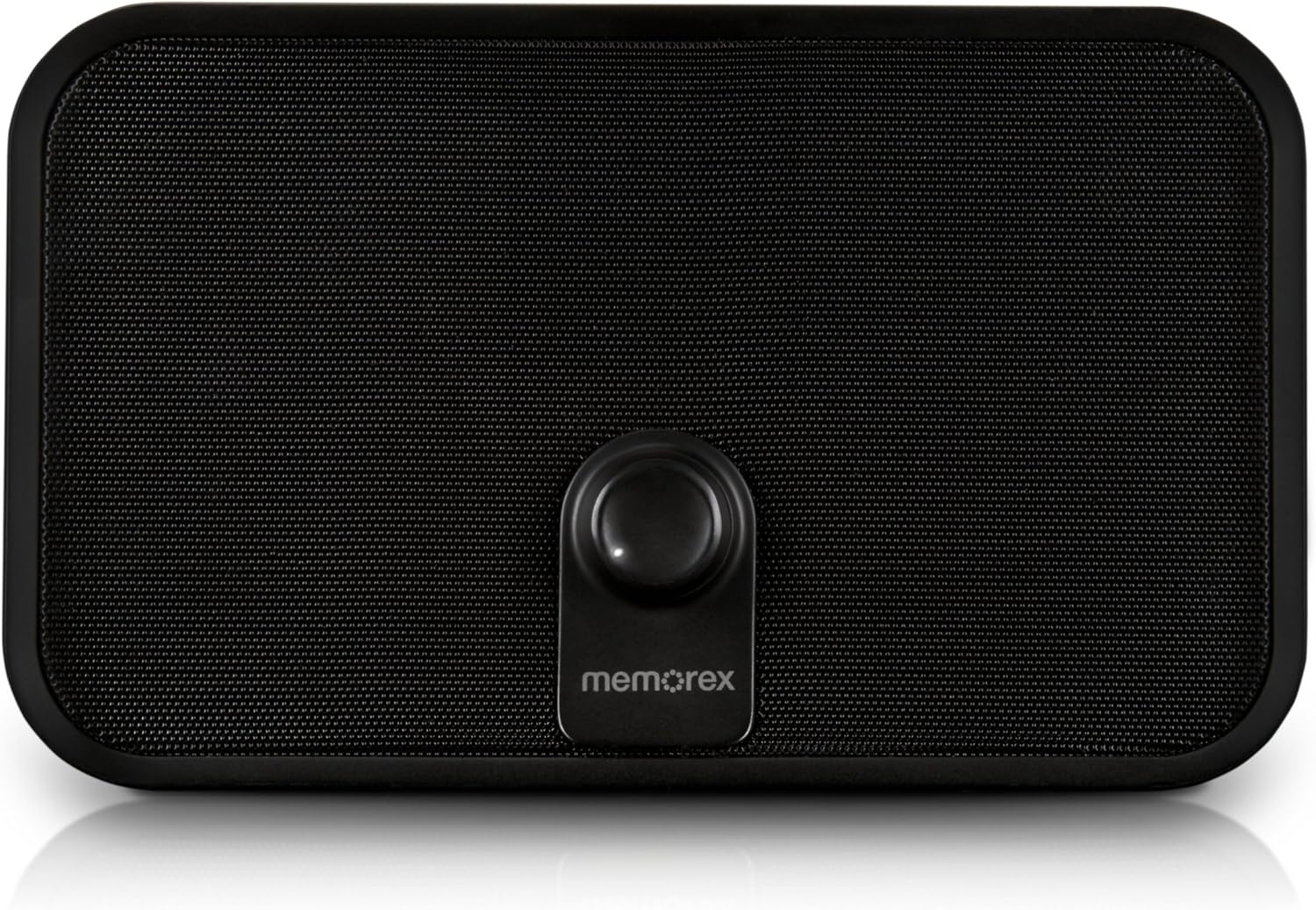
3.1. irudia: Aurrealdea view of the Memorex PX6683 speaker. The front features a large speaker grille and a central control knob with the 'memorex' logo below it.

3.2. irudia: Angeludun view of the Memorex PX6683 speaker. This perspective highlights the speaker's rectangular shape with rounded edges, the front grille, and the central control knob.
4. Konfigurazioa
4.1 Energia-konexioa
- Locate the power input port on the back or side of the speaker.
- Connect the provided power adapter to the speaker.
- Entxufatu korronte-egokigailua entxufe elektriko estandar batean.
- The speaker is now powered on or in standby mode.
4.2 Bluetooth parekatzea
The Memorex PX6683 supports A2DP Bluetooth wireless technology for audio streaming.
- Ziurtatu bozgorailua piztuta dagoela.
- Aktibatu Bluetooth-a zure audio gailuan (telefonoa, tableta, ordenagailua).
- Bilatu available Bluetooth devices. The speaker should appear as "Memorex PX6683" edo antzekoa.
- Hautatu bozgorailua zerrendatik parekatzea hasteko.
- Once paired, the speaker will indicate a successful connection (e.g., an audible tone or LED indicator).
4.3 Line-in Connection (Auxiliary Input)
For devices without Bluetooth, use the universal line-in jack.
- Connect one end of the 3.5mm audio cable to the 'Line In' or 'AUX' port on the speaker.
- Connect the other end of the 3.5mm audio cable to the headphone jack or audio output of your device.
- The speaker will automatically switch to auxiliary input mode or may require manual selection via a mode button (if present).
5. Funtzionamendu-argibideak
5.1 Piztu/Itzali
Refer to the power button or control knob on your speaker. Typically, a long press or rotation will power the unit on or off.
5.2 Bolumen kontrola
Adjust the audio volume using the central control knob on the front of the speaker. Rotate clockwise to increase volume and counter-clockwise to decrease volume.
5.3 Audio erreprodukzioa
Once connected via Bluetooth or Line-in, begin playing audio from your source device. The sound will be output through the speaker.
6. Mantentzea
6.1 Garbiketa
Garbitu bozgorailuen kanpoaldea oihal leun eta lehor batekin. Ez erabili garbitzaile likidorik edo material urratzailerik, akabera edo barneko osagaiak kaltetu baitezakete.
6.2 Biltegiratzea
When not in use for extended periods, store the speaker in a cool, dry place away from direct sunlight and extreme temperatures. Disconnect the power adapter.
7. Arazoak
- Potentziarik gabe: Ziurtatu korronte-egokitzailea ondo konektatuta dagoela bozgorailura eta funtzionatzen duen entxufe elektriko batera.
- Soinurik ez:
- Check the volume level on both the speaker and your audio source device.
- If using Bluetooth, ensure the speaker is successfully paired and connected.
- If using Line-in, ensure the audio cable is fully inserted into both devices.
- Bluetooth parekatzearen arazoak:
- Ensure the speaker is in pairing mode (if applicable).
- Itzali eta piztu Bluetooth-a zure iturburu-gailuaren bidez.
- Hurbildu gailua bozgorailura.
- Remove "Memorex PX6683" from your device's Bluetooth list and attempt to re-pair.
8. Zehaztapenak

Figure 8.1: Approximate dimensions of the Memorex PX6683 speaker.
| Ezaugarri | Zehaztapena |
|---|---|
| Marka | Imation |
| Eredua | PX6683 |
| Konektibitate Teknologia | Wireless (Bluetooth), Wired (3.5mm Line-in) |
| Bluetooth euskarria | A2DP |
| Audio irteera modua | Estereoa |
| Bozgorailuaren irteera-potentzia maximoa | 10 Watt |
| Muntatze Mota | exentu |
| Neurriak (gutxi gorabehera) | 11.25 cm (Z) x 8.75 cm (A) x 4.13 cm (S) |
9. Bermea eta Laguntza
For warranty information and customer support, please refer to the documentation included with your purchase or visit the official Imation webgunea. Gorde erosketaren egiaztagiria bermearen erreklamazioetarako.


