1. Sarrera
This manual provides essential information for the safe and efficient operation of your Keystone KSTAD70B 70-Pint Dehumidifier. This unit is designed to remove up to 70 pints of moisture from the air daily, suitable for rooms up to 4500 square feet. Key features include electronic controls with an LED display, a 24-hour timer, a transparent water level indicator, and a full bucket alert with automatic shutoff. It also offers a continuous draining option and a removable, easy-to-clean dust filter with a clean-filter alert. The auto-restart function preserves your settings after a power outage, and rolling casters facilitate easy movement.
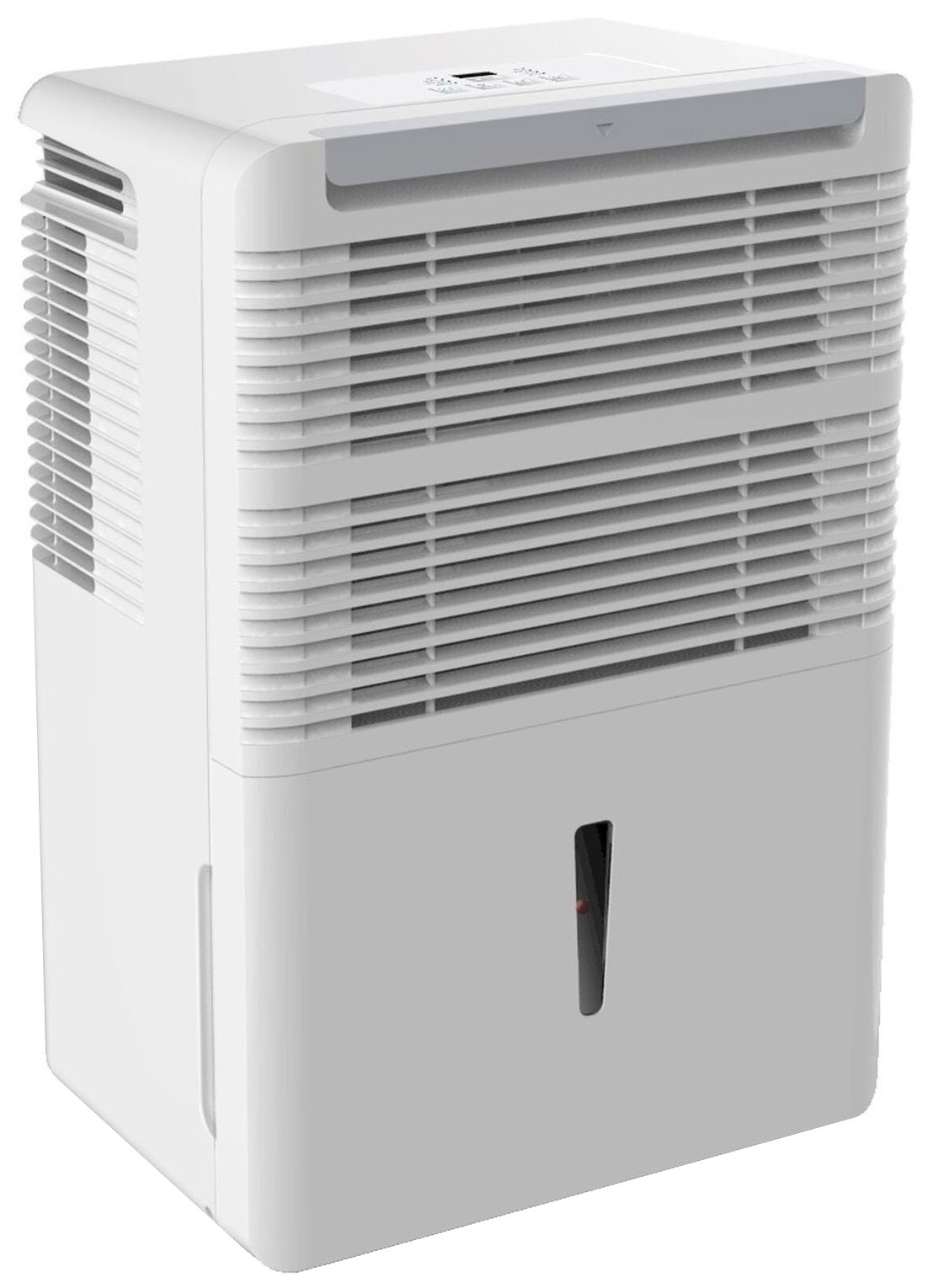
1. irudia: Aurrealdea view of the Keystone KSTAD70B Dehumidifier.
2. Segurtasun informazioa
Please read all safety instructions before operating the dehumidifier to prevent injury or damage. Keep this manual for future reference.
- Always connect the unit to a properly grounded electrical outlet of the correct voltage.
- Ez erabili unitatea korronte-kablea edo entxufea hondatuta duela.
- Ensure adequate clearance (at least 12-18 inches) around the air intake and outlet to prevent overheating and ensure efficient operation.
- Ez blokeatu aire-zuloak.
- Do not use the dehumidifier near water or in excessively wet environments.
- Deskonektatu unitatea garbitu edo mantentze-lanak egin aurretik.
- Tresna hau ez da gaitasun fisiko, sentsorial edo mental murriztua duten edo esperientzia eta ezagutza falta duten pertsonek (haurrak barne) erabiltzeko, baldin eta haien segurtasunaz arduratzen den pertsona batek gailuaren erabilerari buruz gainbegiratu edo jarraibiderik eman ez badu.
- Ez erabili disolbatzaile kimikorik edo garbitzaile urratzailerik unitatean.
3. Konfigurazioa eta kokapena
3.1 Paketatzea
Kontu handiz atera deshezegailua bere ontzitik. Gorde ontziratzeko materialak etorkizunean biltegiratzeko edo garraiatzeko. Egiaztatu unitatea bidalketa-kalterik dagoen.
3.2 Jartzea
For optimal performance, place the dehumidifier in a location where air can circulate freely around it. The unit circulates air from the sides, not the top. Therefore, avoid placing it directly in a corner or against walls. Maintain a minimum clearance of 12-18 inches (30-45 cm) on all sides to ensure proper airflow.
3.3 Hasierako piztea
Entxufatu elikatze-kablea lurrera konektatutako entxufe elektriko batera. Unitatea funtzionatzeko prest dago orain.
4. Funtzionamendu-argibideak
4.1 Kontrol-panela amaituview

Figure 2: Control panel of the Keystone KSTAD70B Dehumidifier.
The control panel features an LED display and various buttons for setting the dehumidifier's functions:
- Pizteko botoia: Unitatea pizten edo itzaltzen du.
- Fan botoia: Adjusts fan speed (typically Low, Medium, High).
- Tenporizadorearen botoia: 24 orduko pizteko/itzaltzeko tenporizadorea ezartzen du.
- Gora/Behera geziak: Adjust humidity level settings or timer duration.
- Iragazkien adierazlea: Aire-iragazkia garbitu behar denean pizten da.
- Adierazle osoa: Illuminates when the water bucket is full and needs emptying.
- Cont. (Continuous) Indicator: Illuminates when the unit is set for continuous operation.
- Turbo modua: Activates maximum dehumidification.
- Modu normala: Standard dehumidification operation.
- Desizozte automatikoa: Automatically defrosts the coils if ice builds up.
4.2 Nahi den hezetasun maila ezartzea
Press the Up or Down arrow buttons to set your desired humidity level. The unit will operate until the set humidity is reached, then cycle on and off to maintain it. The recommended humidity range for comfort is typically between 45% and 55%.
4.3 Funtzionamendu jarraitua
To run the dehumidifier continuously, select the 'Cont.' setting. In this mode, the unit will operate regardless of the ambient humidity level. Note that when continuous operation is selected, the humidity setpoint buttons will not respond.
4.4 Tenporizadorearen funtzioa
Use the Timer button to program the unit to turn on or off automatically after a set number of hours (up to 24 hours).
4.5 Auto-Restart
The unit features an auto-restart function that saves your settings. In the event of a power outage, hezegailuaren funtzionamendua automatikoki jarraituko du azken ezarpenekin argindarra itzultzen denean.
5. Mantentzea
Mantentze-lan erregularrak zure deshezegailuaren errendimendu optimoa eta iraupena bermatzen ditu.
5.1 Ur-ontzia hustea
When the water bucket is full, the 'Full' indicator light will illuminate, and the unit will automatically shut off. Carefully remove the bucket and empty the collected water. Reinsert the bucket firmly until it clicks into place to resume operation.

Figure 3: Removing the water collection bucket.

Figure 4: Transparent water level indicator.
5.2 Jarraipeneko hustuketa aukera
For continuous operation without emptying the bucket, you can connect a standard garden hose (not included) to the unit's low-level drain. The unit includes an adapter with a clear hose that pushes onto a smooth plastic fitting inside the unit. This adapter has male hose threads for attaching a garden hose. Ensure the hose is routed downwards to a suitable drain to allow gravity to remove the water.
5.3 Aire-iragazkia garbitzea
The 'Filter' indicator light will remind you when it's time to clean the air filter. A clean filter ensures efficient operation and better air quality. To clean, lift the filter straight up from the top at the front corner of the unit and slide it out. Wash the filter with warm, soapy water, rinse thoroughly, and allow it to air dry completely before reinserting.

5 irudia: Aire-iragazkia garbitzeko kentzea.
6. Arazoak
Before contacting support, try these common troubleshooting steps:
| Arazoa | Kausa posiblea | Irtenbidea |
|---|---|---|
| Hezetasun-kengailuak ez du pizten. | No power; power cord loose; 'Full' indicator on. | Check power supply; ensure cord is plugged in; empty water bucket. |
| Unitatea martxan da, baina ez du hezetasuna kentzen. | Air filter clogged; room temperature too low; unit size too small for area. | Clean air filter; ensure room temperature is above 41°F (5°C); consider unit placement. |
| Unitatea zaratatsua da. | Unitatea ez dago maila berean; haizagailua oztopatzen da. | Place on a flat, stable surface; check for obstructions in fan area. |
| Unitatetik ura isurtzen da. | Water bucket not properly seated; continuous drain hose loose or clogged. | Ensure bucket is fully inserted; check continuous drain hose connection and clear any blockages. |
7. Zehaztapenak
| Ezaugarri | Xehetasuna |
|---|---|
| Marka | Giltzarria |
| Ereduaren izena | KSTAD70B |
| Deshumidifikazio Ahalmena | 70 pinta eguneko |
| Gomendatutako Gelaren Tamaina | Gehienez 4500 oin karratu |
| Kolorea | Zuria |
| Ezaugarri bereziak | Automatic Restart, Automatic Shutoff |
| Abiadura kopurua | 3 |
| Eragiketa modua | Normal, Turbo, Auto-Defrost |
| Wattage | 720 watt |
| Elementuaren pisua | 40 kilo |
| Produktuaren neurriak (L x W x H) | 11.25 x 15.5 x 23.25 hazbete |
| Gomendatutako Erabilerak | Egoitza |
8. Bermearen informazioa
The Keystone KSTAD70B Dehumidifier comes with a 1 urteko bermea on parts and labor, and a 5 urteko berme mugatua on the sealed system. Please refer to the physical warranty card included with your product for full terms and conditions.
9. Bezeroarentzako arreta
For product registration, warranty claims, or technical assistance, please refer to the contact information provided in the physical instruction manual that came with your dehumidifier. Online registration or direct manufacturer contact information may not be readily available; therefore, retaining your original manual is important for support inquiries.


