1. Sarrera
This manual provides detailed instructions for the installation, operation, and maintenance of the Supermicro MBD-X10SLH-F-O uATX Server Motherboard. Please read this manual thoroughly before beginning installation to ensure proper setup and to maximize the performance and longevity of your system. This motherboard is designed for server applications, supporting Intel LGA1150 processors and DDR3 memory.
2. Produktua amaitu daview
The Supermicro MBD-X10SLH-F-O is a high-performance uATX server motherboard featuring the Intel C226 chipset. It is engineered for reliability and efficiency in server environments.
Ezaugarri nagusiak:
- CPU socket-a: LGA1150, supporting Intel Xeon E3-1200 v3/v4 series, 4th/5th Gen Core i3, Pentium, Celeron processors.
- Memoria: 4x 204-pin DDR3-1600 SODIMM slots, supporting up to 32GB ECC/non-ECC Unbuffered memory.
- Hedapen-zuloak: 1x PCI-Express 3.0 x16, 1x PCI-Express 2.0 x8, 1x PCI-Express 2.0 x4.
- Biltegiratzea: 6x SATA3 (6Gbps) ports.
- Konektibitatea: Dual Gigabit Ethernet LAN ports (2x RJ45) and 1x Dedicated IPMI LAN port (RJ45).
- USB atakak: 4x USB 3.0 ports, 6x USB 2.0 ports.
- Bideo irteera: 1x VGA port.
- Forma-faktorea: uATX (9.6" x 9.6").
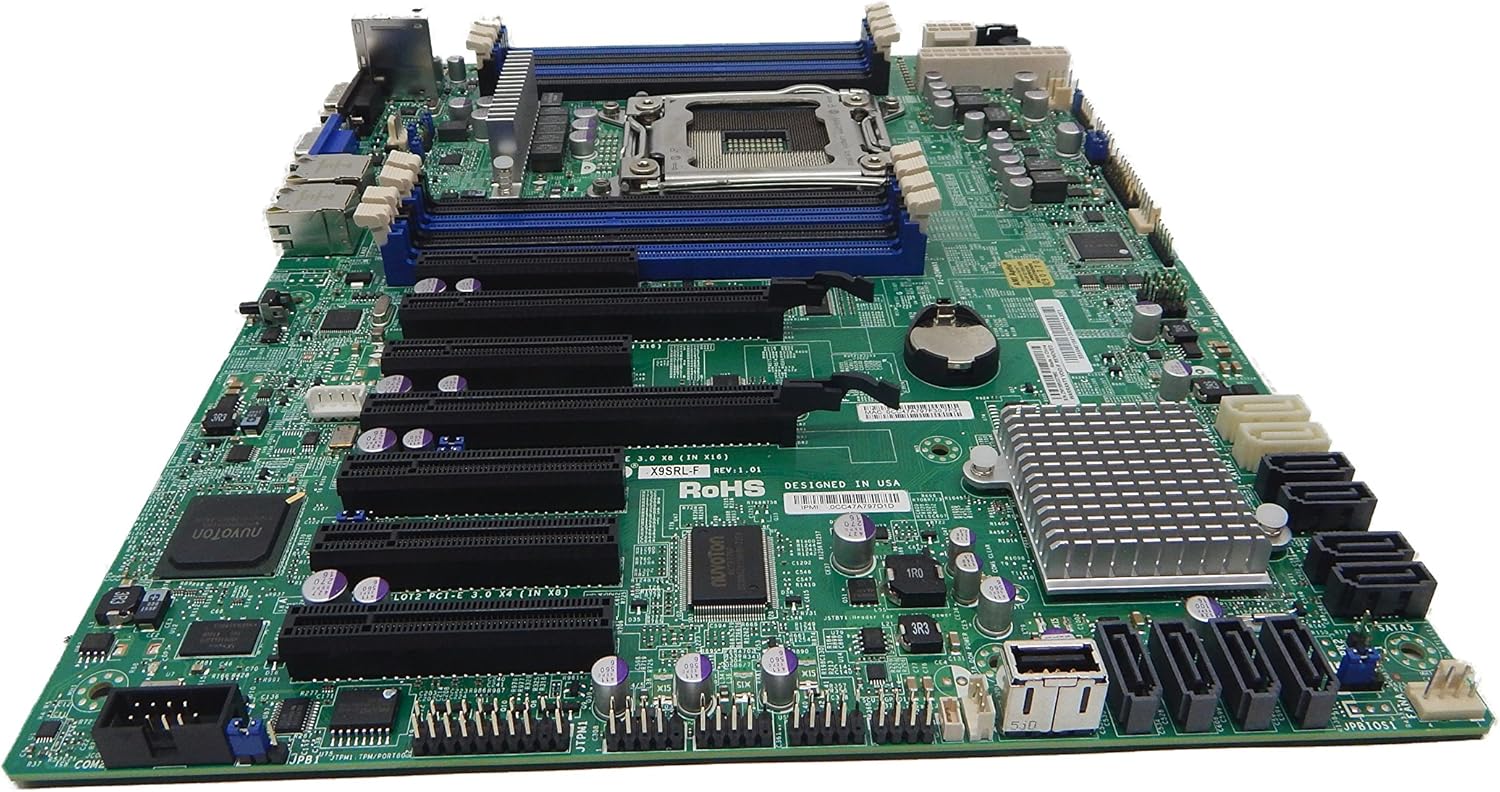
2.1. irudia: Goitik behera view of the Supermicro MBD-X10SLH-F-O motherboard, showing the CPU socket, RAM slots, and various expansion slots.

2.2. irudia: Angelukoa view of the motherboard, highlighting the LGA1150 CPU socket and the four DDR3 SODIMM memory slots.

2.3. irudia: Atzekoa view of the Supermicro MBD-X10SLH-F-O motherboard, displaying the I/O panel with USB, VGA, LAN, and IPMI ports.

2.4. irudia: Gertutik view of the motherboard, showing the six SATA3 ports and other onboard connectors.
3. Zehaztapenak
| Ezaugarri | Zehaztapena |
|---|---|
| Marka | Supermikroa |
| Ereduaren izena | MBD-X10SLH-F-O |
| CPU Socketa | LGA 1150 |
| Txip mota | Intel C226 |
| Prozesadore bateragarriak | Intel Core i3-4xxx, i5-4xxx, i7-4xxx, i3-5xxx, i5-5xxx, i7-5xxx, Intel Xeon E3-1200 v3/v4 series |
| RAM Memoria Teknologia | DDR3 |
| Memoria Abiadura | 1600 MHz |
| Onartutako gehienezko RAMa | 32 GB |
| USB 2.0 ataka kopurua | 6 |
| USB 3.0 ataka kopurua | 4 |
| SATA portuak | 6x SATA3 (6Gbps) |
| Zabaltzeko Slots | 1x PCIe 3.0 x16, 1x PCIe 2.0 x8, 1x PCIe 2.0 x4 |
| Forma-faktorea | uATX |
| Neurriak (LxWxH) | 14 x 11 x 3.5 hazbete |
| Elementuaren pisua | 3.52 ontza |
4. Konfigurazioa
Before beginning installation, ensure your system is powered off and disconnected from the power source. Always handle the motherboard by its edges to avoid static discharge.
4.1. CPUaren instalazioa
- Gently lift the CPU socket lever.
- Align the CPU with the socket, ensuring the gold triangle on the CPU matches the triangle on the socket.
- Carefully place the CPU into the socket without forcing it.
- Lower the socket lever and secure it.
- Aplikatu pasta termikoa eta instalatu CPU hozkailua fabrikatzailearen argibideen arabera.
4.2. Memoriaren instalazioa
- Ireki DIMM zirrikituaren bi muturretan dauden klipak.
- Align the memory module's notch with the key in the DIMM slot.
- Sakatu gogor memoria-moduluaren bi muturretan, klipak bere lekuan sartu arte.
4.3. Hedapen-txartelaren instalazioa
- Remove the corresponding slot cover from your chassis.
- Align the expansion card with the desired PCIe slot.
- Press down firmly until the card is fully seated.
- Txartela torloju edo atxikipen-klip batekin finkatu.
4.4. Biltegiratze gailuaren konexioa
- Konektatu SATA datu-kablearen mutur bat plaka baseko SATA ataka batera.
- Connect the other end of the SATA data cable to your storage device (HDD/SSD).
- Connect a SATA power cable from your power supply to the storage device.
4.5. Konexio elektrikoak
- Konektatu 24 pineko ATX elikatze-konektore nagusia elikatze-iturritik plaka basera.
- Connect the 8-pin (or 4-pin) ATX 12V CPU power connector to the motherboard.
4.6. Aurreko panelaren konexioak
Connect the front panel headers (Power LED, HDD LED, Power Switch, Reset Switch, USB, Audio) to the corresponding pins on the motherboard. Refer to the motherboard's silkscreen labels for correct pin orientation.
5. Funtzionamendu-argibideak
5.1. Hasierako abiaraztea
- After all components are installed and connected, connect the power cord to your power supply and turn on the power switch.
- Press the power button on your chassis.
- The system should power on, and you should see a display on your monitor.
5.2. BIOS/UEFI sarbidea
To enter the BIOS/UEFI setup utility, press the designated key (commonly DEL or F2) during the initial boot sequence. The exact key may vary; observe the on-screen prompts.
5.3. IPMI Remote Management
This motherboard features a dedicated IPMI LAN port for remote management. To access the IPMI interface, connect the IPMI LAN port to your network. Obtain the IP address assigned to the IPMI interface (either from BIOS or a network scan) and access it via a web browser from another computer on the same network. Java may be required for remote console functionality.
6. Mantentzea
Regular maintenance helps ensure the stability and longevity of your motherboard and system.
- Hautsa kentzea: Aldian-aldian, garbitu hautsa plaka nagusitik eta osagaietatik aire konprimitua erabiliz. Ziurtatu sistema itzalita eta deskonektatuta dagoela garbitu aurretik.
- Kableen kudeaketa: Ensure all cables are neatly routed and secured to prevent obstruction of airflow and accidental disconnections.
- BIOS/Firmware eguneraketak: Egiaztatu Supermicro website for the latest BIOS and IPMI firmware updates. Follow the provided instructions carefully. Note that IPMI BIOS upgrades may require a separate license. Always update BIOS before IPMI firmware.
- Osagaien egiaztapenak: Occasionally inspect all connections (power, data, expansion cards) to ensure they are securely seated.
7. Arazoak
Atal honek aurki ditzakezun arazo ohikoenei heltzen die.
7.1. System Fails to Boot
- Egiaztatu energia-konexioak: Ensure the 24-pin ATX and 8-pin CPU power connectors are securely attached.
- Osagaiak berriro jarri: Remove and re-install the CPU, memory modules, and any expansion cards to ensure they are properly seated.
- Garbitu CMOS: Refer to your motherboard's detailed manual for instructions on how to clear the CMOS, which can resolve boot issues caused by incorrect BIOS settings.
- Gutxieneko konfigurazioa: Try booting with only essential components (CPU, one RAM stick, power supply, and display) to isolate the problem.
7.2. Fan Speed Issues
Some low RPM, high-efficiency fans may not be accurately detected by the motherboard's fan controller, leading to erratic fan speed behavior (e.g., fans spinning up to max RPM). This is often due to the controller expecting server-grade fans with higher RPM ranges.
- BIOS ezarpenak: Check BIOS settings for fan control options. Adjust fan curves or modes if available.
- 3-Pin vs. 4-Pin Fans: If using 4-pin PWM fans that exhibit this behavior, consider using 3-pin adapters if available with your fans. This can sometimes provide a more stable, albeit less precise, fan control.
- IPMI Fan Control: While IPMI offers fan control, it may have limitations for low RPM fans.
7.3. SATA Port Obstruction
When installing a full-size graphics processing unit (GPU), some SATA ports may become physically blocked or difficult to access.
- Aurretik planifikatu: Connect SATA cables to the necessary ports before installing large expansion cards.
- Angled SATA Cables: Use SATA cables with angled connectors if straight connectors are obstructed.
- Alternative Ports: Utilize any unblocked SATA ports first.
8. Bermeari eta laguntzari buruzko informazioa
For detailed warranty information, including terms, conditions, and duration, please refer to the official Supermicro website or the warranty card included with your product. For technical support, driver downloads, and additional documentation, visit the Supermicro support portal.
Supermicro Official Webgunea: www.supermicro.com


