Sarrera
This manual provides comprehensive instructions for the setup, operation, maintenance, and troubleshooting of your TiVo Roamio 500 GB DVR. Please read this guide thoroughly to ensure optimal performance and longevity of your device.
Kutxan dagoena
Upon unboxing your TiVo Roamio, verify that all components are present:
- TiVo Roamio 500 GB DVR Unit
- TiVo Remote Control (with 2 AA batteries)
- Elikatze-moldagailua
- Hasierako gida azkarra

Image: Contents of the TiVo Roamio 500 GB DVR retail package.
Produktua amaituview
The TiVo Roamio 500 GB DVR is a digital video recorder and streaming media player designed to enhance your television viewing experience. It features multiple tuners for simultaneous recording and integrated Wi-Fi for accessing streaming services.
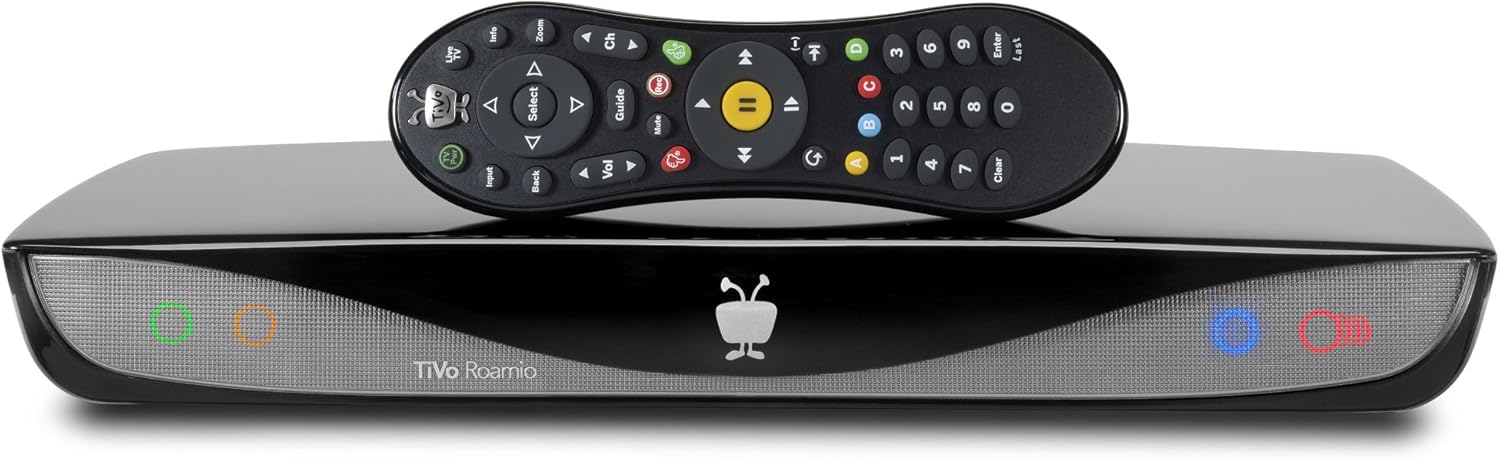
Image: TiVo Roamio 500 GB DVR unit and remote control.
Aurrealdeko panela
The front panel of the TiVo Roamio unit features indicator lights for status and activity.
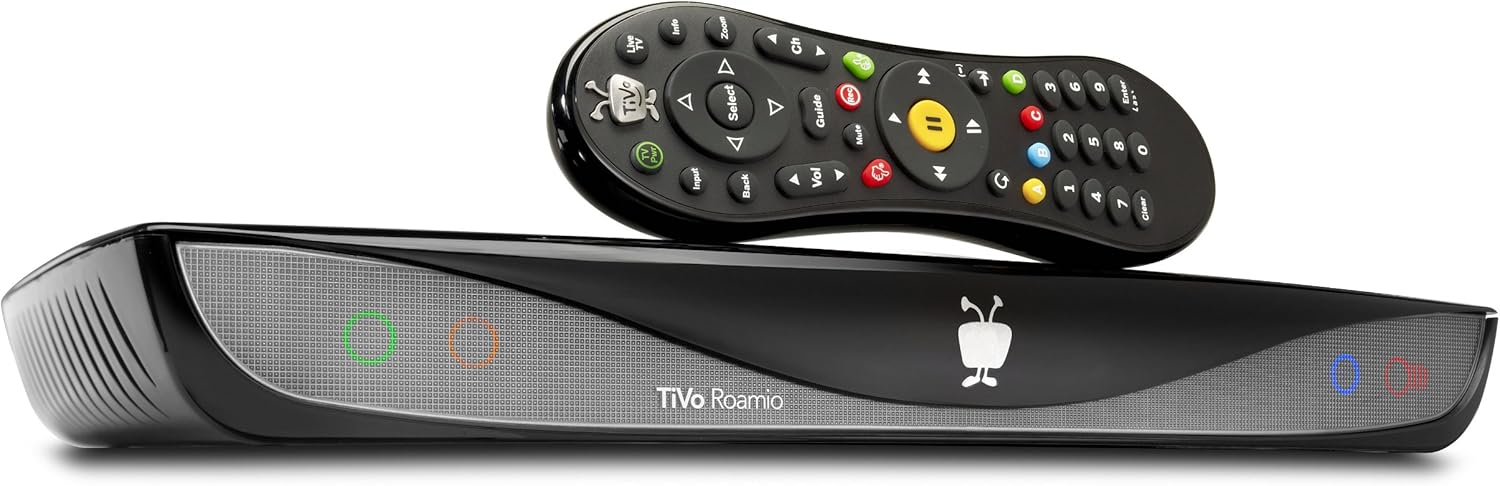
Irudia: Aurrealdea view of the TiVo Roamio unit.
Atzeko panelaren konexioak
The rear panel provides various ports for connecting to your television, antenna/cable, and other devices.

Image: Rear panel connections of the TiVo Roamio.
- KABEA / INURRIA: Connects to your cable TV wall outlet or an HD antenna.
- DIGITAL AUDIO (OPTICAL): For connecting to an audio receiver with an optical input.
- A/V: Analog audio/video output.
- HDMI: High-Definition Multimedia Interface for connecting to your TV.
- ETHERNETA: For wired network connection.
- EXTERNAL STORAGE (eSATA/USB): For connecting external hard drives to expand storage capacity.
Urruneko Kontrola
The included remote control provides full functionality for navigating the TiVo interface, controlling playback, and accessing features.

Image: TiVo Roamio remote control.
Konfigurazioa
Follow these steps to set up your TiVo Roamio DVR:
- Konektatu telebistara: Use an HDMI cable to connect the TiVo Roamio's HDMI OUT port to an HDMI input on your television.
- Connect to Signal Source: Connect your digital cable line or HD antenna to the CABLE/ANT input on the TiVo Roamio. Note: The device works with either digital cable or an HD antenna, but not both simultaneously.
- Sare-konexioa: The TiVo Roamio has integrated Wi-Fi. During initial setup, you will be prompted to connect to your home Wi-Fi network. Alternatively, you can use an Ethernet cable to connect the TiVo to your router.
- Piztu: Connect the power adapter to the TiVo Roamio and then plug it into a wall outlet. The device will power on automatically.
- Hasierako konfigurazio morroia: Follow the on-screen instructions to complete the guided setup process. This includes connecting to the TiVo service, channel scanning, and setting up your preferences. An internet connection is required for this step.
- CableCARD Installation (for Digital Cable users): If you are using digital cable, you will need a CableCARD from your cable provider. Insert the CableCARD into the designated slot on the TiVo Roamio. You may also need a tuning adapter provided by your cable company. Contact your cable provider for activation and pairing of the CableCARD.
Funtzionamendua
Recording Television
The TiVo Roamio features 4 tuners, allowing you to record up to four shows simultaneously. It offers a recording capacity of up to 75 HD hours or 500 SD hours.
- Grabaketak programatzea: Use the on-screen guide to browse programs and schedule single recordings or Season Passes for your favorite series.
- Live TV Control: Pause, rewind, and fast-forward live television.
Streaming Media
Access a variety of streaming content directly from your TiVo Roamio without switching inputs. Supported services include Netflix, Amazon Prime, Hulu Plus, and VUDU. Navigate to the 'Apps' or 'Streaming' section in the TiVo menu to access these services.
TiVo Service Subscription
A subscription to the TiVo service is required for full functionality, including recording, guide data, and access to streaming apps. Subscription plans are available, starting as low as $12.50 per month with an annual plan.
Mantentzea
To ensure the longevity and optimal performance of your TiVo Roamio:
- Garbiketa: Gently wipe the exterior of the unit with a soft, dry cloth. Avoid using liquid cleaners or abrasive materials.
- Aireztapena: Ensure the unit is placed in a well-ventilated area, free from obstructions that could block airflow. Do not stack other electronics directly on top of the TiVo Roamio.
- Software eguneraketak: The TiVo Roamio automatically checks for and installs software updates. Ensure your device is connected to the internet for these updates to occur.
Arazoak konpontzea
If you encounter issues with your TiVo Roamio, consider the following common solutions:
- Irudi/soinurik ez: Verify all cable connections (HDMI, audio, video) are secure. Ensure your TV is set to the correct input source.
- Grabaketa Arazoak: Check your TiVo service subscription status. Ensure your signal source (cable or antenna) is properly connected and receiving channels. If using a CableCARD, confirm it is correctly installed and activated by your cable provider.
- Sarearen konexio arazoak: Restart your home router and modem. Check Wi-Fi settings on the TiVo Roamio or ensure the Ethernet cable is securely connected.
- Urruneko kontrola ez du erantzuten: Replace the AA batteries in the remote control. Ensure there are no obstructions between the remote and the TiVo unit.
- Sistema berrezartzea: If the unit is unresponsive, unplug the power cord from the back of the TiVo Roamio, wait 15 seconds, and then plug it back in. Allow the unit to restart.
For persistent issues, refer to the TiVo support webwebgunean edo jarri harremanetan bere bezeroarentzako zerbitzuarekin.
Zehaztapenak
| Ezaugarri | Xehetasuna |
|---|---|
| Modelo zenbakia | TCD846500 |
| Marka | TiVo |
| Biltegiratze Ahalmena | 500 GB (approx. 75 HD / 500 SD hours) |
| Sintonizatzaileak | 4 |
| Konektibitate Teknologia | Wi-Fi, Ethernet |
| Onartutako Interneteko zerbitzuak | Amazon Instant Video, Hulu Plus, Netflix, Pandora, YouTube |
| Ebazpena | 1080p |
| Kontrolagailu mota | Urruneko Kontrola |
| Ezaugarri bereziak | TiVo Mini Compatible, TiVo Stream Compatible |
| Kolorea | Beltza |
| Elementuaren pisua | 3.7 kilo |
| Produktuaren neurriak | 7.35 x 14.4 x 1.83 hazbete |
| Pilak | 2 AA bateria (barne) |
Bermea eta Laguntza
Lege-oharra
Please note: The TiVo Roamio works with either digital cable or antenna, but not both at the same time. A monthly service subscription or a Product Lifetime service is required. An internet connection is also necessary for operation. This item is sold as BRAND NEW. Returns are accepted but may be subject to a service charge of up to 25% if the item has been opened, used, modified, or otherwise handled in a way that renders it not in "brand new" condition. If the item is tampered with, a refund will not be issued.
Bezeroarentzako Arreta
For further assistance, technical support, or warranty inquiries, please visit the official TiVo support website or contact their customer service department. Keep your model number (TCD846500) and purchase information readily available when contacting support.


