Sarrera
This manual provides comprehensive instructions for the installation, operation, and maintenance of your Azza XT1 Full Tower Gaming Case (Model: CSAZ-XT1 W). Please read this manual thoroughly before beginning installation to ensure proper setup and to maximize the performance and longevity of your product.
Segurtasun Informazioa
Observe the following safety precautions to prevent damage to the case or injury to yourself:
- Deskonektatu beti korronte-iturria hormako entxufetik edozein instalazio edo mantentze-lan egin aurretik.
- Kontuz ibili barneko osagaiekin deskarga elektrostatikoen (ESD) kalteak saihesteko. Kontuan hartu eskumuturreko uhal antiestatiko bat erabiltzea.
- Ensure all cables are routed properly to prevent interference with fans or other moving parts.
- Do not block ventilation openings. Maintain adequate airflow around the case.
- Mantendu zorroa bero-iturrietatik, eguzki-argitik eta hezetasunetik urrun.
Produktuaren Ezaugarriak
The Azza XT1 Full Tower Gaming Case is designed with several features to enhance your computing experience:
- VGA Card Support: Accommodates VGA cards up to 340 mm in length.
- Easy Swap Slot: Features a bottom-mounted easy swap slot for tool-less hard drive installation.
- Hozteko errendimendua: Equipped with four pre-installed fans for optimal airflow and supports up to two 120mm water cooling radiators.
- Customizable Grilles: Front and top decorative grilles are removable and exchangeable for aesthetic customization.
- Tool-less Installation: Designed for easy installation of 5.25" devices and HDDs with a tool-less mechanism and a 90-degree rotating HDD holder.
- Kableen kudeaketa: Includes a dedicated compartment for efficient cable routing, improving internal airflow and aesthetics.
Konfigurazioa eta Instalazioa
Follow these steps to set up your Azza XT1 case and install components:
1. Prepare the Case
Place the case on a stable, flat surface. Remove the side panels by unscrewing the thumb screws at the rear and sliding the panels backward.
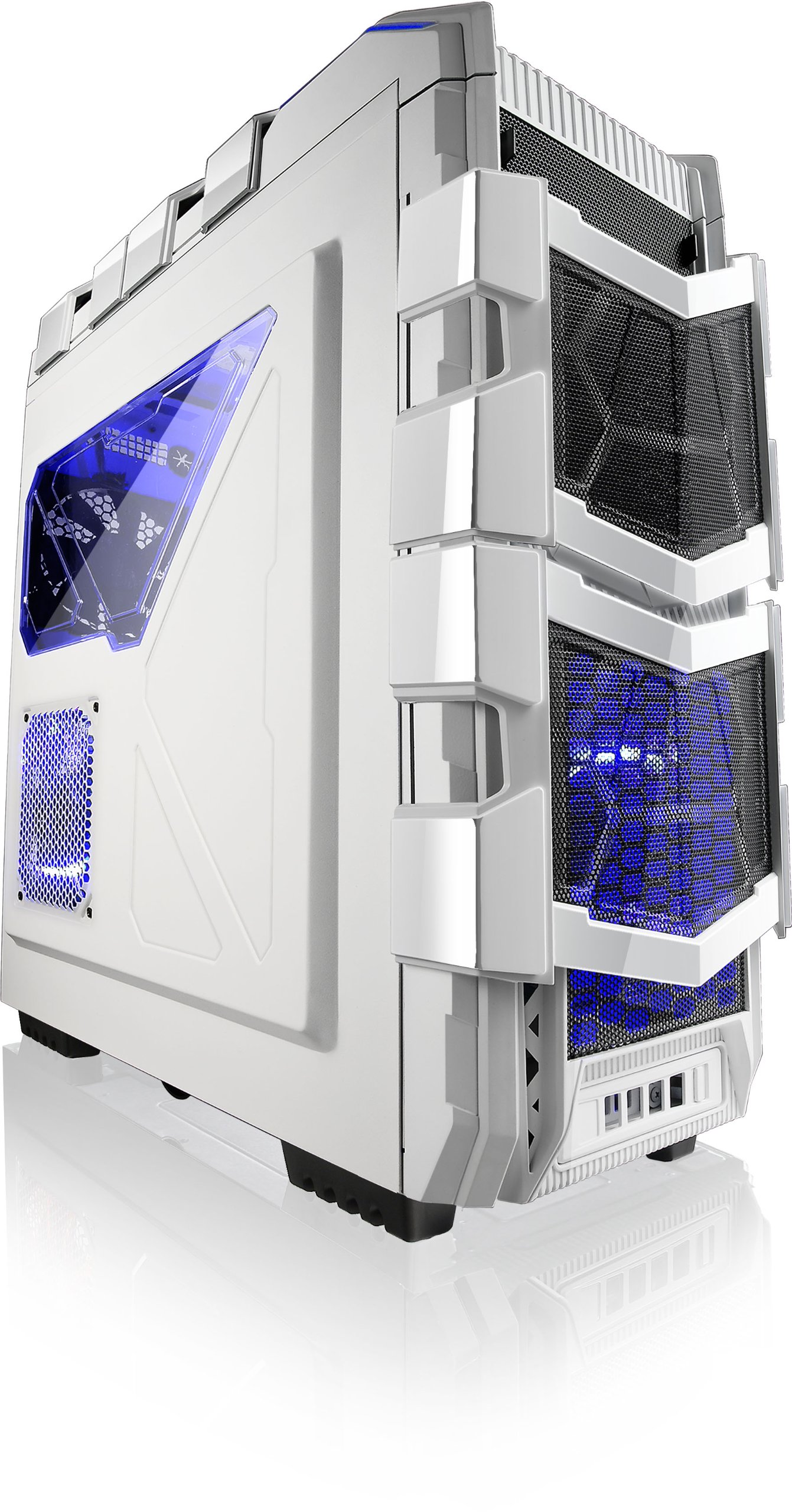
1. irudia: Angeludun view of the Azza XT1 case, showing its overall design and front mesh panels.
2. Plaka amaren instalazioa
Install the I/O shield into the rear opening of the case. Align your ATX motherboard with the standoffs inside the case. Secure the motherboard using the provided screws.

Figure 2: Internal layout of the Azza XT1 case, highlighting the motherboard tray and drive bay areas.
3. Elikatze-horniduraren instalazioa
Mount your power supply unit (PSU) into the designated area at the bottom rear of the case. Secure it with screws from the outside.
4. Diskoaren instalazioa (HDD/SSD)
Utilize the tool-less HDD holders. For the easy swap slot, simply slide the hard drive into the bottom slot until it clicks into place. For other bays, secure drives using the provided trays or mounting mechanisms. The HDD holder can rotate 90 degrees for easier access.

3 irudia: Atzeko barnealdea view of the Azza XT1 case, illustrating the drive bays and the space behind the motherboard for cable management.
5. Expansion Card Installation (VGA, etc.)
Remove the necessary expansion slot covers at the rear of the case. Insert your VGA card or other expansion cards into the motherboard's PCIe slots and secure them with screws or the tool-less retention clips.
6. Kableen kudeaketa
Route all power and data cables through the designated cutouts and tie-down points behind the motherboard tray. This improves airflow and maintains a clean internal appearance.
7. Itxi Kasua
Once all components are installed and cables are managed, reattach the side panels and secure them with the thumb screws.
Kasuaren funtzionamendua
The Azza XT1 case provides the housing and cooling for your PC components. Operation primarily involves using the front panel controls:
- Pizteko botoia: Located on the top panel, press to power on or off your system.
- Berrezarri botoia: Located on the top panel, press to restart your system.
- USB atakak: Connect USB devices to the front panel USB 2.0 and USB 3.0 ports.
- Audio-konektoreak: Connect headphones and microphones to the front panel audio jacks.

4. irudia: Goikoa view of the Azza XT1 case, detailing the power button, USB ports, and audio jacks.
Mantentzea
Regular maintenance helps ensure optimal performance and longevity of your Azza XT1 case and its components.
- Hautsa garbitzea: Aldian-aldian garbitu hauts-iragazkiak eta barneko osagaiak aire konprimitua erabiliz. Ziurtatu sistema itzalita eta deskonektatuta dagoela garbitu aurretik.
- Fan ikuskapena: Check fans for dust buildup and ensure they are spinning freely. Clean as necessary.
- Kablearen egiaztapena: Verify that all internal cables remain securely connected and are not obstructing airflow.
- Kanpoko garbiketa: Garbitu kanpoko gainazalak leun batekin, damp oihal. Saihestu garbitzaile urratzaileak.
Arazoak konpontzea
Atal honek zure ordenagailuaren kaxarekin izan ditzakezun arazo ohikoenei buruzkoa da.
| Arazoa | Kausa posiblea | Irtenbidea |
|---|---|---|
| Sistema ez da pizten. | Power button not connected correctly; PSU issue; motherboard issue. | Verify front panel power button cable is securely connected to the motherboard. Check PSU connections. |
| Haizagailuak ez dira biratzen. | Fan cables disconnected; fan failure; insufficient power. | Ensure all fan power cables are properly connected to the motherboard or fan controller. |
| Aurreko paneleko USB atakak ez dira funtzionatzen. | USB header cable disconnected or incorrectly connected. | Check that the USB 2.0 and USB 3.0 header cables from the front panel are correctly plugged into the motherboard. |
| Poor airflow or overheating. | Dust buildup; blocked vents; improper fan configuration. | Clean dust filters and internal components. Ensure case fans are oriented correctly for optimal airflow. |
Zehaztapenak
Detailed specifications for the Azza XT1 Full Tower Gaming Case (CSAZ-XT1 W):
| Ezaugarri | Xehetasuna |
|---|---|
| Marka | Azza |
| Modelo zenbakia | CSAZ-XT1 W |
| Kasu mota | Dorre osoa |
| Kolorea | Zuria |
| Materiala | SECC Steel |
| Plaka amaren bateragarritasuna | ATX |
| Produktuaren neurriak (LxWxH) | 51.56 x 20.57 x 56.64 cm |
| Elementuaren pisua | 9.98 kg |
| USB 2.0 Portuak | 2 |
| USB 3.0 Portuak | 1 |
| VGA Card Length Support | Gehienez 340 mm |
| Ura hozteko euskarria | Up to 2x120mm radiators |
Bermea eta Laguntza
For warranty information and technical support, please refer to the official Azza webwebgunera edo jarri harremanetan bezeroarentzako arreta-zerbitzuarekin. Gorde erosketa-agiria erosketaren frogagiri gisa berme-erreklamazioetarako.
Fabrikatzailea: AZZA (USA) Technology Inc