1. Sarrera
This manual provides comprehensive instructions for the Sony Cyber-shot DSC-W810 Digital Camera. It covers essential information for setting up, operating, maintaining, and troubleshooting your camera to ensure optimal performance and longevity. Please read this manual thoroughly before using your camera.
2. Produktua amaitu daview
Familiarize yourself with the components and controls of your Sony Cyber-shot DSC-W810 camera.
2.1 Kameraren osagaiak
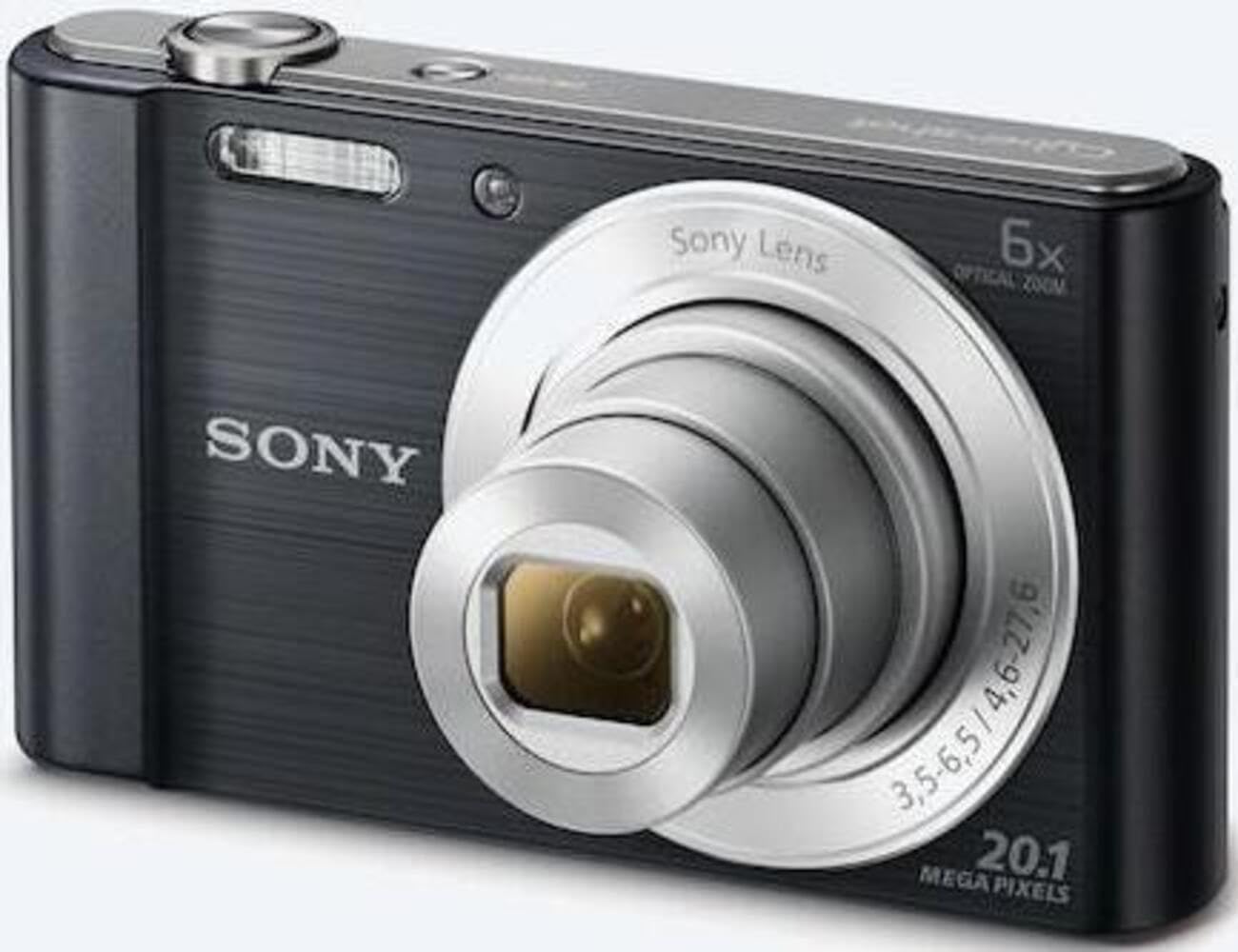
1. irudia: Aurrealdea view of the camera with the lens retracted. This shows the lens, flash, and shutter button.
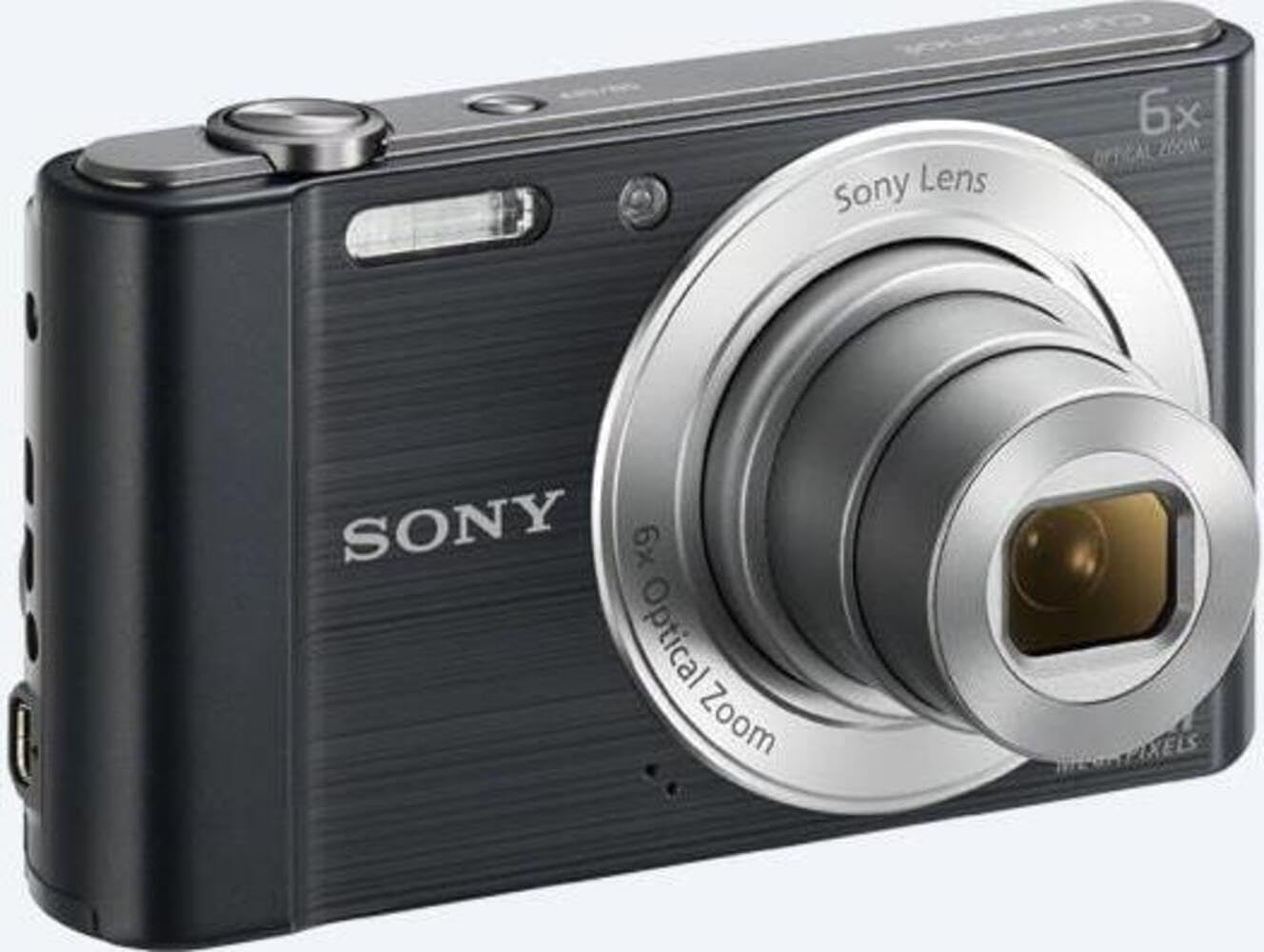
2. irudia: Aurrealdea view of the camera with the lens extended, ready for shooting. This illustrates the camera's compact design when in use.

3. Irudia: Atzealdea view of the camera, highlighting the 2.7-inch LCD screen, navigation buttons, movie record button, and menu button.

4. irudia: Goikoa view of the camera, showing the power button, shutter button, and zoom lever.
2.2 Control Buttons and Functions
- Obturadorearen botoia: Sakatu erdiraino fokatzeko, eta guztiz irudia ateratzeko.
- Zoom Lever (W/T): Adjusts optical and digital zoom. "W" for wide-angle, "T" for telephoto.
- Pizteko botoia: Kamera piztu edo itzaltzen du.
- Filmaren botoia: Bideo-grabazioa abiarazten eta gelditzen du.
- Erreproduzitzeko botoia: Erreprodukzio moduan sartzen da view argazkiak eta bideoak.
- Menuko botoia: Accesses camera settings and options.
- Norabide-botoiak: Navigate menus and select options. Also used for flash settings, self-timer, and display options.
- Flasha: Argi gutxiko baldintzetarako flash integratua.
- LCD pantaila: 2.7 hazbeteko pantaila argazkiak enkoadratzeko, viewirudiak biltzea eta menuetan nabigatzea.
3. Konfigurazioa
Follow these steps to prepare your camera for first use.
3.1 Bateria sartzea
- Ireki kameraren behealdean dagoen bateriaren/memoria txartelaren estalkia.
- Insert the battery with the correct orientation, ensuring the terminals align. Push until it clicks into place.
- Itxi estalkia ongi.
Note: The camera does not include batteries. Please use compatible Sony NP-BN or NP-BN1 batteries.
3.2 Memoria txartela sartzea
The camera supports SDXC or SDHC memory cards.
- Ireki bateriaren/memoria txartelaren estalkia.
- Sartu memoria txartela zirrikituan orientazio zuzenarekin klik egin arte.
- Itxi estalkia ongi.
Note: A memory card is not included with the camera. Purchase a compatible SDXC or SDHC card separately.
3.3 Hasierako piztea eta ezarpenak
- Sakatu Pizteko botoia kamera pizteko.
- The initial setup screen will appear. Follow the on-screen prompts to set the language, date, and time.
- Ensure the date and time are accurate for proper photo organization.
4. Kameraren funtzionamendua
Learn how to capture photos and videos with your DSC-W810.
4.1 Argazkiak ateratzea
- Piztu kamera.
- Enkoadratu zure argazkia LCD pantaila erabiliz.
- Use the zoom lever (W/T) to adjust the 6x optical zoom.
- Press the Shutter button halfway down to focus. The focus frame will turn green when focus is achieved.
- Press the Shutter button fully to take the picture.
4.2 Using Flash Modes
The camera features a built-in flash with various modes. Press the right directional button (flash icon) to cycle through modes:
- Flash automatikoa: Kamerak automatikoki zehazten du flasha beharrezkoa den ala ez.
- Fill-flash: Flasha jaurtiketa bakoitzean pizten da.
- Sinkronizazio motela: Flash fires, and shutter speed is slowed to capture background light.
- No Flash: Flasha desgaituta dago.
Tip: For low-light environments, the "Party Mode" (accessible via the menu) can optimize settings for clearer images without harsh flash.
4.3 Bideoak grabatzea
- Piztu kamera.
- Press the dedicated Movie button to start recording.
- Press the Movie button again to stop recording.
Note: Videos are recorded in 720p resolution in MP4 format.
4.4 Erreprodukzio modua
- Sakatu Erreproduzitzeko botoia erreprodukzio moduan sartzeko.
- Use the left/right directional buttons to browse through your photos and videos.
- Press the center button to play videos.
- Sakatu berriro erreprodukzio botoia argazki modura itzultzeko.
5. Mantentzea
Zaintza egokiak zure kameraren iraupena eta errendimendua bermatzen ditu.
5.1 Kamera garbitzea
- Kameraren gorputza: Garbitu zapi leun eta lehor batekin. Zikinkeria egoskorra bada, erabili zapi leun bat.ampurarekin amaitu.
- Lentea: Erabili lenteen eskuila hautsa kentzeko, eta ondoren, garbitu astiro-astiro lenteak garbitzeko zapi batekin. Saihestu lentearen gainazala hatzekin ukitzea.
- LCD pantaila: Use a soft, dry cloth specifically designed for LCD screens.
Caution: Do not use organic solvents such as alcohol or thinner to clean the camera.
5.2 Bateria zaintzea
- Bateria guztiz kargatu lehen erabili aurretik.
- Kendu bateria denbora luzez kamera erabiliko ez bada.
- Gorde bateriak leku fresko eta lehor batean.
5.3 Biltegiratzea
When not in use, store the camera in a dry, well-ventilated area, away from direct sunlight, high temperatures, and humidity. Use a camera case for protection during transport.
6. Arazoak
Atal honetan ohiko arazoen irtenbideak aurkituko dituzu.
| Arazoa | Irtenbidea |
|---|---|
| Kamera ez da pizten. |
|
| Irudiak lausoak dira. |
|
| Flash is too bright or too dim. |
|
| Memoria txartelaren errorea. |
|
7. Zehaztapenak
Key technical specifications for the Sony Cyber-shot DSC-W810 Digital Camera.
| Ezaugarri | Xehetasuna |
|---|---|
| Ereduaren izena | DSCW810B.CE3 |
| Ebazpen finko eraginkorra | 20.1 MP |
| Argazki sentsoreen teknologia | CCD |
| Zoom optikoa | 6x |
| Zoom digitala | 48x |
| Fokuaren Gehienezko Luzera | 27.6 mm |
| Gutxieneko Fokua | 4.6 mm |
| Irudi Egonkortzea | Digitala, Optikoa |
| Pantailaren tamaina | 2.7 hazbeteko LCDa |
| Bideo Ebazpena | 720p |
| Onartua File Formatuak | JPEG, RAW (Argazki finkoak), MP4 (Bideoa) |
| Flash memoria mota | SDXC or SDHC |
| Konektibitatea | USB, HDMI |
| Elementuaren pisua | 111 gramo |
| Kolorea | Beltza |
8. Bermea eta Laguntza
8.1 Bermearen informazioa
This product comes with a 90-day Limited Hardware Warranty. For full details, please refer to the official warranty document:
View 90-day Limited Hardware Warranty
Note: This is an international version of the camera and may have warranty limitations in certain regions.
8.2 Bezeroarentzako laguntza
Laguntza gehiago, laguntza teknikoa edo zerbitzu-kontsultak egiteko, bisitatu Sonyren laguntza ofiziala. webwebgunean edo jarri harremanetan bere bezeroarentzako zerbitzuarekin.


