1. Sarrera
This manual provides essential instructions for the installation, operation, maintenance, and troubleshooting of your Antec TruePower Classic TP-750C 750W 80 PLUS GOLD Certified Power Supply. Please read this manual thoroughly before installation and retain it for future reference. This power supply is designed to provide stable and efficient power to your personal computer system.
2. Segurtasun informazioa
- Ziurtatu elikadura-iturria korronte alternoko entxufetik deskonektatuta dagoela instalatu edo manipulatu aurretik.
- Ez ireki elikatze-iturria casing. Bolumen handiatage components inside pose a risk of electric shock.
- Install the power supply in a well-ventilated area to prevent overheating.
- Use only the cables provided with the power supply.
- Avoid exposing the power supply to moisture or extreme temperatures.
- This product is intended for use in personal computer systems only.
3. Paketearen edukia
Instalazioarekin jarraitu aurretik, egiaztatu elementu guztiak paketean daudela.
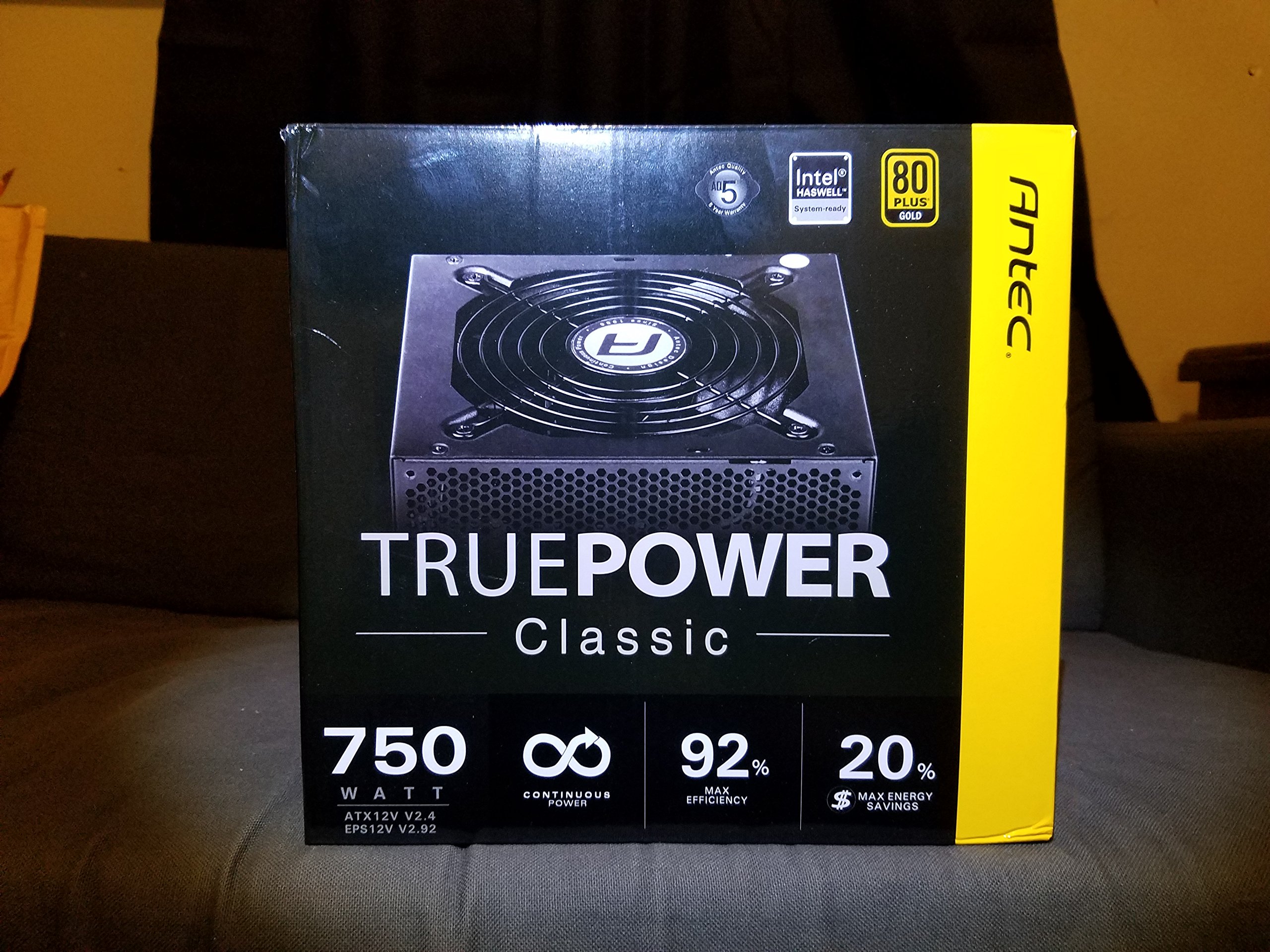
Image 1: Contents of the Antec TruePower Classic TP-750C package. The image displays the power supply unit, various power cables (including a main AC power cable), and user documentation neatly packed within a cardboard box.
- Antec TruePower Classic TP-750C Power Supply Unit
- Modular Cable Set (PCI-E, SATA, Molex, etc.)
- AC korronte kablea
- Muntatzeko Torlojuak
- Erabiltzailearen eskuliburua / Dokumentazioa
4. Konfigurazioa eta instalazioa
Follow these steps to properly install your power supply into your computer chassis.
- Txasisa prestatu: Ensure your computer chassis is powered off and disconnected from all power sources. Open the side panel of your computer case.
- Elikatze-iturria muntatu: Carefully slide the Antec TP-750C power supply into the designated power supply bay in your chassis. Align the screw holes on the power supply with those on the chassis. Secure the power supply using the provided mounting screws.
- Connect Motherboard Power: Connect the 24-pin ATX main power connector from the power supply to the corresponding port on your motherboard. Ensure it clicks into place.
- Konektatu CPUaren energia: Connect the 4+4-pin (or 8-pin) EPS12V CPU power connector to the CPU power socket on your motherboard.
- Konektatu txartel grafikoaren energia (PCI-E): If your graphics card requires external power, connect the appropriate 6+2-pin PCI-E power cables from the power supply to your graphics card.
- Connect Peripheral Power (SATA/Molex): Connect SATA power cables to your storage drives (SSDs, HDDs) and optical drives. Use Molex connectors for other peripherals as needed.
- Kableen kudeaketa: Route cables neatly to improve airflow and aesthetics within your chassis.
- Azken egiaztapenak: Double-check all connections to ensure they are secure. Close the chassis side panel.
- Konektatu AC Power: Connect the AC power cord to the power supply and then to a wall outlet or surge protector.
5. Funtzionamendu-argibideak
The Antec TP-750C power supply operates automatically once correctly installed and connected to an AC power source. It provides stable DC power to all connected components.
- Piztu: After connecting the AC power cord, flip the power switch on the back of the power supply to the "ON" (I) position.
- Sistemaren abioa: Press the power button on your computer chassis to start your system.
- Itzali: Shut down your computer through the operating system. For complete power disconnection, flip the power switch on the power supply to the "OFF" (O) position and unplug the AC power cord.
6. Mantentzea
Mantentze egokiak zure energia-horniduraren iraupena eta errendimendu optimoa bermatzen ditu.
- Hautsa garbitzea: Periodically clean dust from the power supply's fan and ventilation grilles using compressed air. Ensure the power supply is disconnected from AC power before cleaning.
- Aireztapena: Ensure adequate airflow around the power supply. Do not block the intake or exhaust vents.
- Kableen osotasuna: Regularly check power cables for any signs of damage or fraying. Replace damaged cables immediately.
- Ingurune operatiboa: Operate the power supply within recommended temperature and humidity ranges.
7. Arazoak
If you encounter issues with your power supply, refer to the following common problems and solutions.
| Arazoa | Kausa posiblea | Irtenbidea |
|---|---|---|
| Sistema ez da pizten. | AC power cord not connected, power switch off, loose internal connections, faulty components. |
|
| Sistema piztu egiten da baina berehala itzaltzen da. | Overload, overheating, short circuit, faulty component. |
|
| Unusual noise from the power supply. | Fan obstruction, faulty fan bearing, coil whine. |
|
If troubleshooting steps do not resolve the issue, contact Antec customer support for further assistance.
8. Zehaztapenak
| Ereduaren izena | TruePower Classic TP-750C |
| Marka | Antek |
| Wattage | 750 Watt |
| 80 PLUS Ziurtagiria | Urrea |
| Forma-faktorea | ATX |
| Konektore mota | ATX |
| Gutxieneko sarrera boltage | 100 Volt |
| Gailu bateragarriak | Ordenagailu pertsonala |
| Elementuaren pisua | 6.24 libra (2.83 kg) |
| Paketearen neurriak | 9.7 x 9 x 5.5 hazbete (24.6 x 22.9 x 14 cm) |
| ASIN | B00JOFALL0 |
| UPC | 132018316306 |
9. Bermea eta Laguntza
The Antec TruePower Classic TP-750C Power Supply comes with a 3 urteko fabrikatzailearen bermea. Berme honek ohiko erabileran materialen eta eskulanen akatsak estaltzen ditu.
For technical support, warranty claims, or further inquiries, please visit the official Antec webwebgunera edo jarri harremanetan bezeroarentzako arreta-zerbitzuarekin. Gorde erosketaren egiaztagiria bermea balioztatzeko.
Please note: Opening the power supply casing-k bermea baliogabetuko du.


