1. Produktua amaitu daview
The Intermatic TN111K is a premium indoor 24-hour plug-in mechanical timer designed for simple and efficient control of lamps and appliances. It allows users to schedule up to two ON/OFF events daily with 15-minute intervals, providing precise automation for various electrical devices. Its user-friendly design includes a manual override feature for immediate control without altering programmed settings.

Irudia: Aurrealdea view of the Intermatic TN111K Indoor Timer, showing the circular dial with AM/PM markings and red and green trippers.
2. Ezaugarri nagusiak
- Versatile Light Control: Manages LED, CFL lighting, and seasonal indoor lights, suitable for various lampak eta etxetresna elektrikoak.
- Ordutegi malgua: Offers up to two customizable ON/OFF settings per day, allowing precise control over a 24-hour period.
- User-Friendly Manual Override: Easily toggle between ON and OFF without affecting programmed settings.
- Single 2-Prong Design: Features a single 2-prong plug and receptacle for straightforward installation.
- Programazio Erraza: Simplifies scheduling with ON/OFF trippers that slot into desired time intervals.
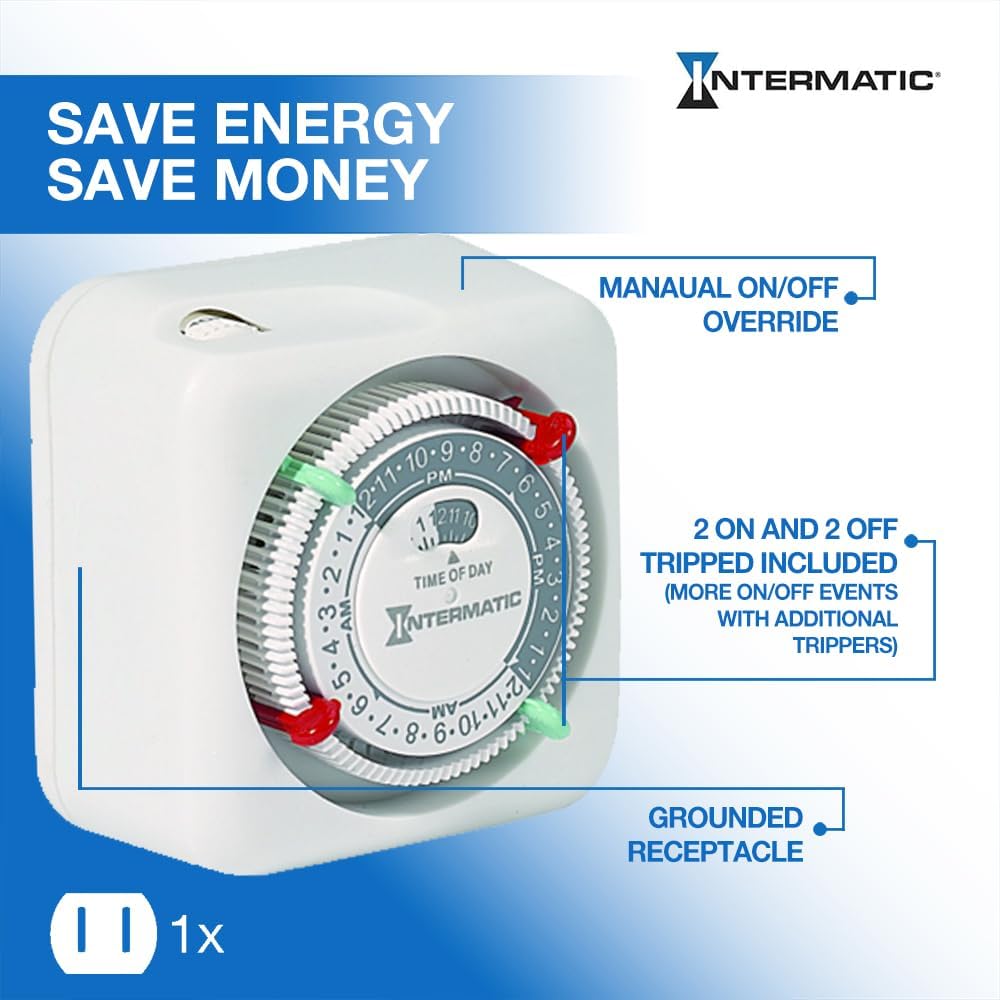
Image: A diagram highlighting the manual ON/OFF override, two ON and two OFF trippers included, and the grounded receptacle of the timer.
3. Konfiguratzeko argibideak
- Osagaiak identifikatzea: Locate the timer unit, which includes the main dial, the time of day indicator, and the ON (green) and OFF (red) trippers.
- Ezarri uneko ordua: Rotate the main dial clockwise until the arrow indicating "TIME OF DAY" points to the current time. Ensure you align AM/PM correctly.
- Insert ON Tripper: Push the green "ON" tripper into the dial slot corresponding to your desired start time for the connected device.
- Insert OFF Tripper: Push the red "OFF" tripper into the dial slot corresponding to your desired end time for the connected device.
- Plug into Wall: Insert the 2-prong plug of the TN111K timer into a standard 125VAC, 60Hz wall outlet.
- Konektatu gailua: Entxufatu lamp or appliance you wish to control into the receptacle on the side of the timer.
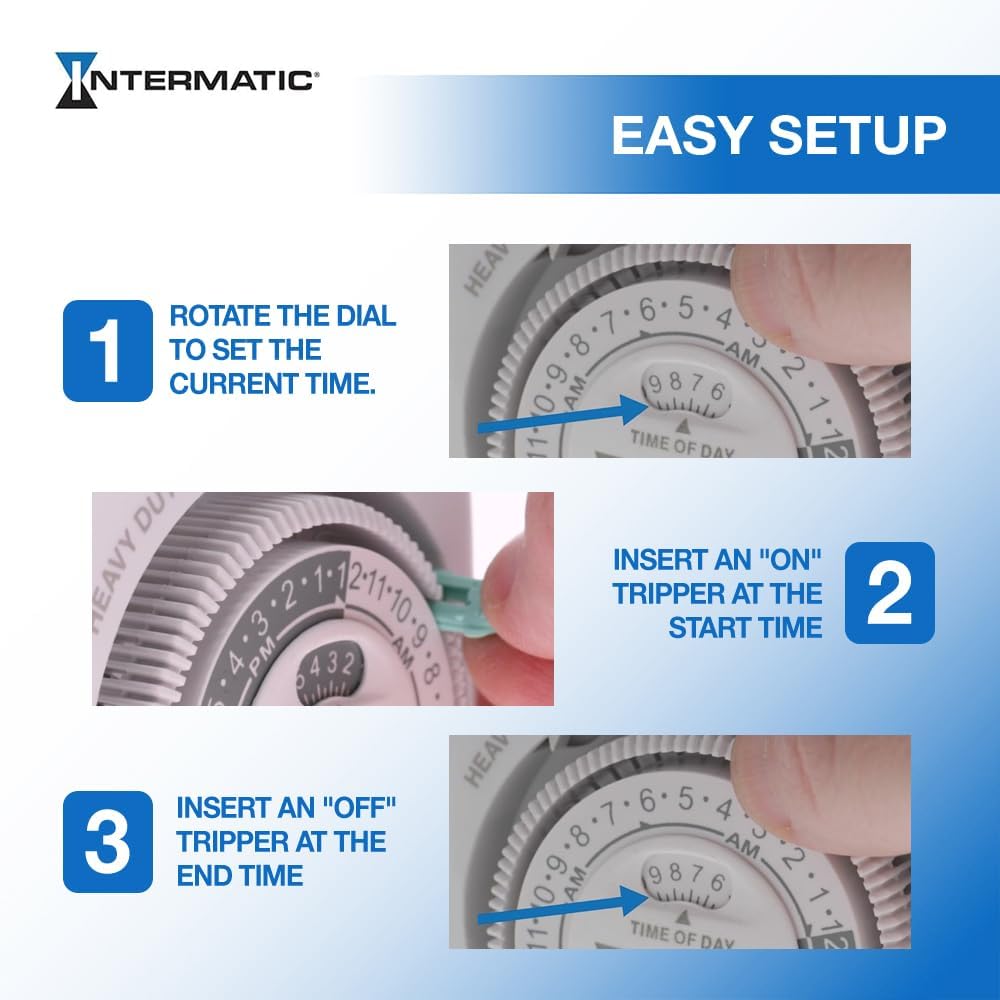
Image: A visual guide demonstrating how to rotate the dial to set the current time, insert an "ON" tripper at the start time, and insert an "OFF" tripper at the end time.
4. Funtzionamendu-argibideak
Once set up, the Intermatic TN111K timer will automatically turn your connected device ON and OFF according to the programmed schedule. The dial will continuously rotate, indicating the current time.
Eskuz gainditzea:
The timer features a manual override switch located at the top. This allows you to temporarily turn the connected device ON or OFF without disturbing your pre-set program. Simply slide the switch to the desired position. The timer will resume its programmed schedule at the next ON/OFF event.
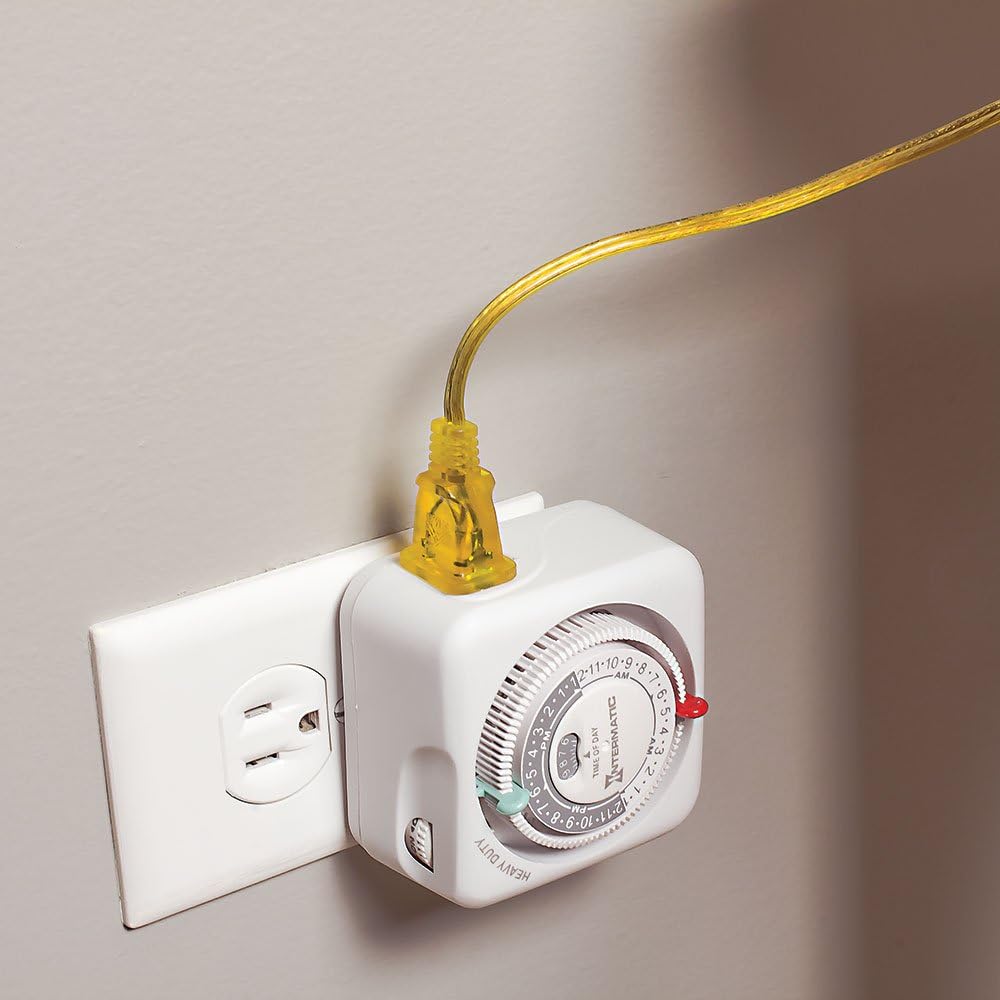
Image: The Intermatic TN111K timer plugged into a standard wall outlet, with a yellow power cord plugged into the timer's receptacle.
5. Mantentzea
The Intermatic TN111K timer requires minimal maintenance. To ensure optimal performance and longevity:
- Mantendu tenporizadorea garbi eta hautsik eta hondakinik gabe. Erabili zapi leun eta lehor bat garbitzeko.
- Avoid exposing the timer to excessive moisture or extreme temperatures. It is designed for indoor use only.
- Do not attempt to disassemble or repair the unit yourself. Refer to qualified service personnel if issues arise.
6. Arazoak
If your Intermatic TN111K timer is not functioning as expected, consider the following:
- Device Not Turning ON/OFF:
- Ziurtatu tenporizadorea ondo konektatuta dagoela hormako entxufe batera.
- Verify that the device plugged into the timer is functioning correctly when plugged directly into a wall outlet.
- Check if the ON/OFF trippers are correctly inserted and aligned with the desired times on the dial.
- Confirm that the current time is accurately set on the dial.
- Dial Not Rotating:
- Ziurtatu tenporizadoreak hormako entxufetik energia jasotzen duela.
- Check for any obstructions preventing the dial from rotating freely.
- Manual Override Not Working:
- Ensure the manual override switch is fully engaged in either the ON or OFF position.
If issues persist, contact Intermatic customer support for further assistance.
7. Zehaztapenak
| Atributua | Xehetasuna |
|---|---|
| Modelo zenbakia | TN111K |
| Marka | Intermatic |
| Mota | Indoor 24-Hour Mechanical Plug-in Timer |
| Amparoa | 15A |
| liburukiatage | 125 VAC |
| Maiztasuna | 60Hz |
| Ezarpen kopurua | 2 ON/OFF events per day (15-minute intervals) |
| Produktuaren neurriak | 2" L x 4" W x 4" H |
| Elementuaren pisua | 6.4 ontza |
| Materiala | Plastikoa |
| Kolorea | Jatorrizkoa |
| Ziurtagiriak | CSA ziurtagiria |
| UPC | 078275143333, 785577044465, 801586649320 |
8. Bermea eta Laguntza
For warranty information, technical support, or to purchase additional trippers, please visit the official Intermatic webwebgunera edo jarri harremanetan bezeroarentzako arreta-zerbitzuarekin. Gorde erosketa-agiria berme-erreklamazioetarako.
Intermatic Official Webgunea: www.intermatic.com
For product inquiries or assistance, refer to the contact information provided on the manufacturer's webgunea edo produktuaren ontziak.


