Sarrera
This manual provides essential information for setting up, operating, maintaining, and troubleshooting your Apple iPad Air 2. Please read this guide thoroughly to ensure optimal use of your device.
1. Konfigurazioa eta hasierako konfigurazioa
1.1 Unboxing Your iPad Air 2
Carefully remove your iPad Air 2 and its accessories from the packaging. The box typically contains the iPad Air 2 device, a Lightning to USB cable, and a USB power adapter.
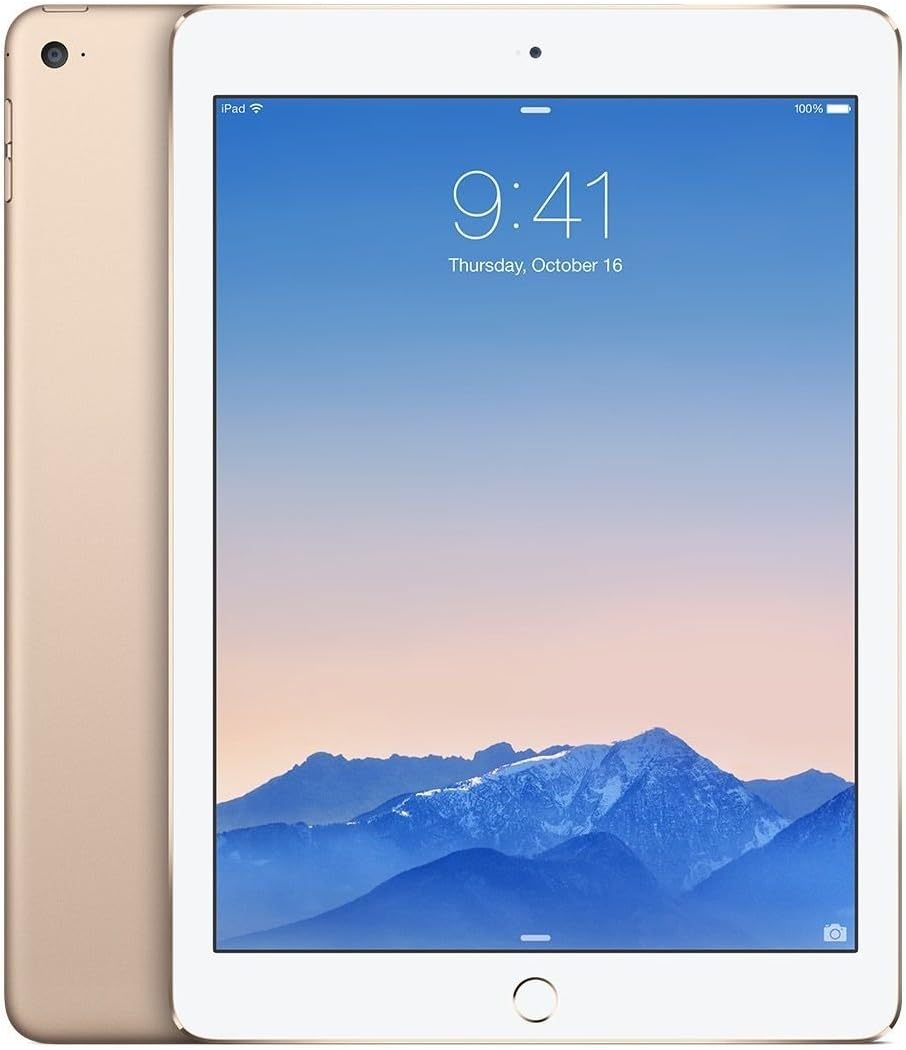
Irudia: Aurrealdea eta atzealdea view of the gold Apple iPad Air 2, showcasing bere mehea profile and gold finish.
1.2 Gailua kargatzea
Before first use, it is recommended to fully charge your iPad Air 2. Connect the Lightning to USB cable to the iPad's charging port and the USB power adapter. Plug the adapter into a power outlet. The battery icon on the screen will indicate charging status.
1.3 Initial Setup Process
Upon powering on your iPad Air 2 for the first time, you will be guided through the initial setup steps:
- Select Language and Region: Choose your preferred language and country/region.
- Konektatu wifira: Select a Wi-Fi network and enter the password if required.
- Enable Location Services: Decide whether to enable or disable location services.
- Konfiguratu Touch IDa: Follow the on-screen instructions to register your fingerprint for secure unlocking and purchases.
- Sortu pasakode bat: Set a 4-digit or custom alphanumeric passcode.
- Restore or Set Up as New iPad: You can restore from an iCloud or iTunes backup, or set up the device as new.
- Hasi saioa Apple IDarekin: Enter your Apple ID and password. If you don't have one, you can create one.
- Agree to Terms and Conditions: Read and accept Apple's terms and conditions.
- Set Up Siri: Configure Siri, Apple's voice assistant.
- Send Diagnostics: Choose whether to send diagnostic and usage data to Apple.
2. Zure iPad Air 2 erabiltzea
2.1 Oinarrizko nabigazioa
- Hasierako botoia: Press once to return to the Home screen. Double-press to open the multitasking switcher. Press and hold to activate Siri.
- Touch ID: Use your registered fingerprint on the Home button to unlock the device or authorize purchases.
- Keinuak: Swipe from the bottom for Control Center, swipe from the top for Notification Center, pinch to zoom, and swipe between apps.

Irudia: Albokoa view of the gold Apple iPad Air 2, emphasizing its remarkably thin design.
2.2 Kameraren erabilera
Your iPad Air 2 features an 8MP iSight camera on the rear and a 1.2MP FaceTime HD camera on the front.
- Argazkiak ateratzen: Open the Camera app, select Photo mode, and tap the shutter button.
- Bideoak grabatzen: Select Video mode and tap the record button to start/stop.
- FaceTime Calls: Use the FaceTime app with the front camera for video calls over Wi-Fi.
2.3 Wi-Fi konexioa
Wi-Fi sare batera konektatzeko:
- Joan zaitez Ezarpenak > Wi-Fi.
- Aktibatu Wi-Fi.
- Hautatu nahi duzun sarea zerrendatik.
- Sartu pasahitza eskatzen bazaizu.
3. Mantentzea eta Zainketa
3.1 Cleaning Your iPad Air 2
To clean your iPad Air 2, use a soft, lint-free cloth. Avoid using abrasive materials, aerosols, solvents, or ammonia-based cleaners. For the screen, a slightly damp cloth is sufficient. Do not spray cleaners directly onto the device.
3.2 Software eguneraketak
Keep your iPad's software up to date for the best performance and security. Go to Ezarpenak > Orokorra > Softwarearen eguneraketa eskuragarri dauden eguneraketak egiaztatu eta instalatzeko.
3.3 Bateria zaintzea
Bateriaren iraupena maximizatzeko:
- Saihestu muturreko tenperaturak.
- Mantendu softwarea eguneratuta.
- Doitu pantailaren distira.
- Itzali Wi-Fia edo Bluetootha erabiltzen ez duzunean.
4. Ohiko arazoak konpontzea
4.1 Gailuak ez du erantzuten
If your iPad Air 2 is unresponsive, try a force restart: Press and hold both the Home button and the Top (Sleep/Wake) button for at least ten seconds, until you see the Apple logo.
4.2 Wi-Fi konexio arazoak
If you're experiencing Wi-Fi issues:
- Ziurtatu Wi-Fia gaituta dagoela Ezarpenetan.
- Berrabiarazi zure Wi-Fi bideratzailea.
- Joan zaitez Ezarpenak > Orokorra > Berrezarri > Berrezarri Sarearen ezarpenak.
4.3 Aplikazioak kraskatzen edo izozten dira
If an app is misbehaving, try closing it: Double-press the Home button, then swipe the app's preview upward to close it. If the issue persists, delete and reinstall the app.
5. Produktuaren zehaztapenak
| Ezaugarri | Zehaztapena |
|---|---|
| Ereduaren izena | iPad Air 2 |
| Elementuaren eredu-zenbakia | MH182LL/A |
| Bistaratzea | 9.7-inch Retina Display, 2048x1536 resolution at 264 ppi |
| Prozesadorea | 64 biteko arkitektura duen A8X txipa, M8 mugimendu koprozesadorea |
| RAM | 2 GB DDR2 |
| Biltegiratzea | 64 GB |
| Sistema eragilea | iOS 8 (berritzeko modukoa) |
| Atzeko kamera | 8 MP iSight Camera |
| Aurrealdeko kamera | 1.2 MP FaceTime HD Camera |
| Haririk gabeko konexioa | Wi-Fia (802.11a/b/g/n/ac), Bluetooth 4.0 |
| Bateriaren iraupena | Gehienez 10 ordu |
| Produktuaren neurriak | 30 x 30 x 6 hazbete (ontziratzeko neurriak) |
| Elementuaren pisua | 15.4 ontza |
| Kolorea | Urrea |

Irudia: Angelua view of the gold Apple iPad Air 2, highlighting its sleek design and display.
6. Produktuen bideoak
Ez dago saltzailearen produktuen bideo ofizialik txertatzeko une honetan.
7. Bermearen informazioa
Your Apple iPad Air 2 comes with a one-year limited warranty from Apple, covering manufacturing defects. For detailed warranty terms and conditions, please refer to the documentation included with your device or visit the official Apple webgunea.
8. Bezeroarentzako arreta
For further assistance, technical support, or service, please visit the official Apple Support website or contact Apple Customer Service directly. You can find contact information and extensive support resources at support.apple.com.