1. Sarrera
This manual provides essential information for the safe and efficient operation of your Haier 40E3500 40-inch 1080P LED HDTV. Please read these instructions thoroughly before using your television and retain them for future reference.
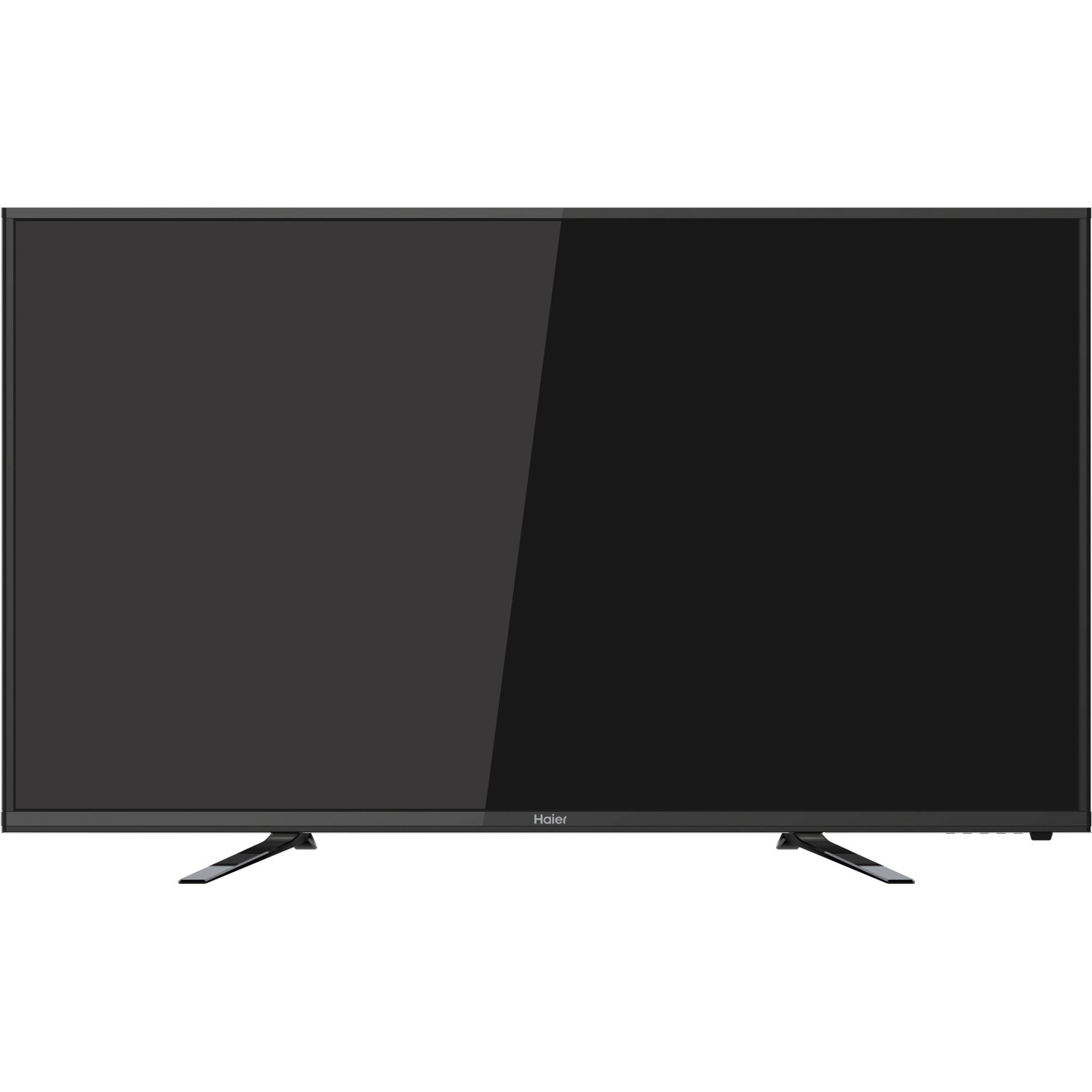
Irudia: Aurrealdea view of the Haier 40E3500 40-inch LED HDTV, showcasing its slim frame and display.
2. Konfigurazioa
2.1 Desontziratzea eta edukia
Kontu handiz atera telebista bere paketetik. Ziurtatu osagai guztiak bertan daudela:
- Haier 40E3500 Television Unit
- Telebista
- Urruneko kontrola (pilekin)
- Elikatze kablea
- Erabiltzailearen eskuliburua (dokumentu hau)
2.2 Standa lotzea
Place the TV screen face down on a soft, clean surface to prevent scratches. Align the stand with the mounting holes on the bottom of the television. Secure the stand using the provided screws. Ensure the stand is firmly attached before placing the TV upright.
2.3 Horman muntatzea (aukerakoa)
If wall mounting, consult a professional installer. Note that this TV model may use smaller mounting screws than some other TV sets of similar size. Ensure compatible mounting hardware is used.
2.4 Potentzia konektatzea
Connect the power cord to the TV's power input, then plug the other end into a standard AC outlet.
2.5 Kanpoko gailuak konektatzea
Your Haier 40E3500 HDTV offers multiple connectivity options:
- HDMI atakak (x3): For high-definition audio and video sources such as Blu-ray players, game consoles, and cable/satellite boxes. One HDMI port is MHL (Mobile High-Definition Link) enabled, allowing connection of compatible smartphones, tablets, or streaming sticks.
- USB ataka (x1): USB biltegiratze gailuak konektatzeko multimedia erreproduzitzeko files.
- Osagaien bideo sarrera: For connecting devices using component video cables.
- Composite Video Input: For connecting devices using composite video cables.
- RF sarrera: Antena edo kable bidezko telebistarako konexioa egiteko.
Ensure the TV is powered off before connecting or disconnecting any devices.
3. Funtzionamendu-argibideak
3.1 Hasierako konfigurazio-morroia
Upon first power-on, the TV will guide you through an initial setup process. This typically includes:
- Hizkuntza hautatzea
- Time zone and clock settings
- Channel scan (for antenna/cable connections)
3.2 Oinarrizko funtzioak
- Piztu/Itzali: Sakatu urrutiko agintean edo telebistan pizteko botoia.
- Bolumen kontrola: Erabili urrutiko agintearen bolumena igotzeko/jaisteko botoiak.
- Kanalaren hautaketa: Erabili kanala gora/behera botoiak edo urrutiko agintearen zenbaki-teklatua.
- Sarrera hautatzea: Press the 'Input' or 'Source' button on the remote to cycle through available input sources (HDMI 1, HDMI 2, HDMI 3, USB, Component, Composite, TV).
3.3 Irudi ezarpenak
Access the Picture menu to adjust settings such as Brightness, Contrast, Color, Tint, and Sharpness. Pre-set picture modes (e.g., Standard, Dynamic, Movie) are available for quick adjustments.
3.4 Soinu ezarpenak
Access the Sound menu to adjust settings such as Bass, Treble, and Balance. The TV features two dedicated sound chambers designed to produce enhanced sound quality with improved mid-range response and richer overall sound texture.
3.5 MHL Functionality
Connect MHL-compatible devices (smartphones, tablets, Roku Streaming Stick) to the designated HDMI/MHL port using an MHL cable. This allows you to display content from your mobile device directly on the TV screen and often charges the device simultaneously.
4. Mantentzea
4.1 Pantaila garbitzea
Garbitu pantaila astiro-astiro zapi leun eta pelusik gabeko batekin. Orba egoskorrak izanez gero, garbitu apur batampGarbitu zapia urarekin edo pantaila-garbitzaile espezializatu batekin. Ez ihinztatu likidoa zuzenean pantailan.
4.2 Arreta orokorra
- Saihestu telebista eguzki-argiaren edo tenperatura altuen eraginpean jartzea.
- Mantendu telebista hezetasun iturrietatik urrun.
- Ziurtatu aireztapen egokia telebistaren inguruan, gehiegi berotu ez dadin.
- Deskonektatu telebista korronte-entxufetik tximista-ekaitzetan edo denbora luzez zaindu gabe uzten denean.
5. Arazoak
Bezeroarentzako arreta-zerbitzura deitu aurretik, saiatu arazo ohikoenetarako irtenbide hauekin:
- Potentziarik gabe: Ziurtatu kablea ondo konektatuta dagoela telebistan eta hormako entxufean. Saiatu beste entxufe batekin.
- Irudirik ez, soinua baizik: Check the input source selection. Ensure the connected device is powered on and functioning correctly.
- Soinurik ez, baina irudia: Check the volume level and mute setting. Ensure external audio devices are connected correctly.
- Urruneko kontrola ez dabil: Ordeztu bateriak. Ziurtatu ez dagoela oztoporik urrutiko agintearen eta telebistaren IR sentsorearen artean.
- Soinu kalitate eskasa: While the TV has dedicated sound chambers, some users may prefer external audio solutions. Adjust sound settings in the menu.
- HDMI Input Issues: If an HDMI input is not functioning, try connecting the device to a different HDMI port. Ensure the HDMI cable is not damaged.
6. Zehaztapenak
| Modelo zenbakia | 40E3500 |
| Pantailaren tamaina | 40 hazbete |
| Bistaratzeko Teknologia | LED |
| Ebazpena | 1080p (HD osoa) |
| Freskatze tasa | 60 Hz |
| Produktuaren neurriak (L x W x H) | 8.3 x 35.6 x 21.8 hazbete |
| Elementuaren pisua | 14.84 kilo |
| Konektibitate Teknologia | HDMI (x3, one MHL enabled), USB (x1) |
| Kolorea | Beltza |
7. Bermea eta Laguntza
For warranty information, please refer to the warranty card included with your product or visit the official Haier webgunea. Gorde erosketa-agiria erosketaren frogagiri gisa berme-erreklamazioetarako.
For technical support or service inquiries, please contact Haier customer service. Contact details can typically be found on the manufacturer's webgunean edo produktuaren ontzian.