1. Sarrera
This manual provides instructions for the RadioShack VOX Micro-28 Micro Cassette Recorder. It covers the setup, operation, maintenance, and troubleshooting of the device. Please read this manual thoroughly before using your recorder to ensure proper function and longevity.
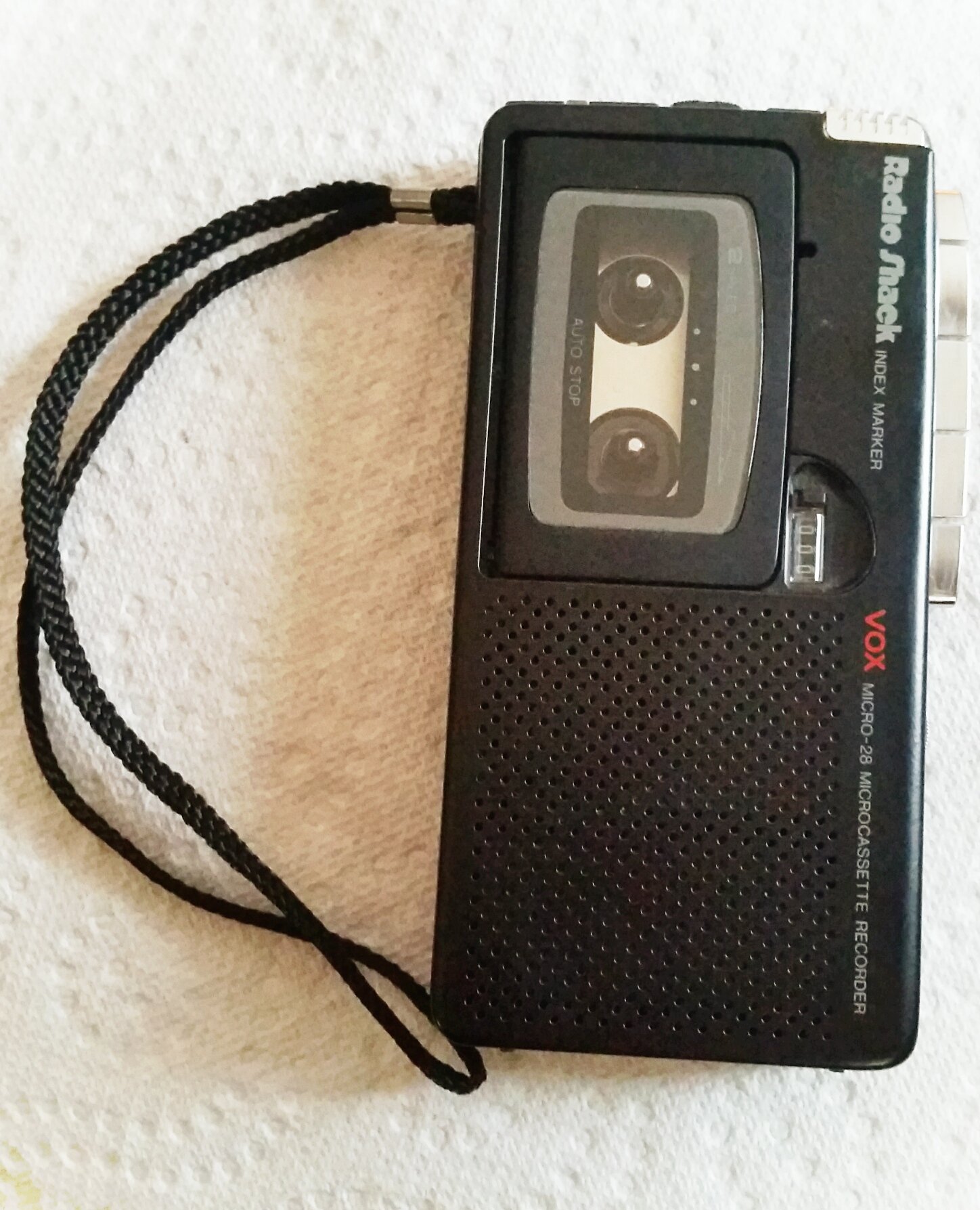
Figure 1: RadioShack VOX Micro-28 Micro Cassette Recorder. This image displays the front of the recorder, showing the microphone, speaker, and control buttons.
2. Konfigurazioa
2.1 Bateriaren instalazioa
The Micro-28 recorder operates on two "AA" batteries (not included).
- Bilatu bateriaren konpartimentuaren estalkia unitatearen atzealdean.
- Irristatu estalkia behera eta altxatu.
- Insert two "AA" batteries, ensuring the correct polarity (+ and -) as indicated inside the compartment.
- Jarri bateriaren konpartimentuaren estalkia berriro bere lekuan sartuz, ondo klik egin arte.
Kontuz: Ez nahastu bateria zaharrak eta berriak. Ez nahastu bateria alkalinoak, estandarrak (karbono-zink) edo kargagarriak (nikel-kadmio). Kendu bateriak unitatea denbora luzez erabiliko ez bada.
2.2 Micro Cassette Insertion
The recorder uses standard micro cassettes.
- Sakatu EJECTU kasetearen konpartimentuko atea irekitzeko botoia.
- Insert a micro cassette with the open edge facing upwards and the tape side facing the recorder's front.
- Gently close the cassette compartment door until it latches.
3. Funtzionamendu-argibideak
3.1 Grabaketa
Audioa grabatzeko:
- Ensure a micro cassette is inserted.
- Irristatu REC/PLAY aldatu REC posizioa. The REC argi adierazlea piztuko da.
- Hitz egin argi barneko mikrofonoan.
- Grabaketa eteteko, sakatu PAUSENA botoia. Sakatu berriro jarraitzeko.
- To stop recording, slide the REC/PLAY aldatu GELDITU posizioa.
VOX (Voice Operated Switch) Recording
The VOX feature allows the recorder to start recording automatically when sound is detected and pause when silence occurs, conserving tape and battery life.
- Irristatu VOX aldatu ON posizioa.
- Irristatu REC/PLAY aldatu REC position. The recorder will now record only when sound is present.
- To disable VOX, slide the VOX aldatu OFF posizioa.
3.2 Erreprodukzioa
Grabaketa bat erreproduzitzeko:
- Ensure a micro cassette is inserted.
- Irristatu REC/PLAY aldatu JOLASTU posizioa.
- Egokitu BOLUMENA control dial to your desired listening level.
- Erreprodukzioa eteteko, sakatu PAUSENA botoia. Sakatu berriro jarraitzeko.
- To stop playback, slide the REC/PLAY aldatu GELDITU posizioa.
3.3 Fast Forward and Rewind
To quickly navigate through the tape:
- Eduki sakatuta Aurrerapen azkarra (FF) button to advance the tape quickly. Release to stop.
- Eduki sakatuta REW (Atzera itzuli) button to rewind the tape quickly. Release to stop.
Oharra: Always ensure the recorder is in the GELDITU position before using FF or REW to prevent tape damage.
4. Mantentzea
4.1 Cleaning the Tape Heads
Regular cleaning of the tape heads, capstan, and pinch roller is essential for optimal recording and playback quality. Use a cotton swab lightly moistened with isopropyl alcohol.
- Ireki kasetearen konpartimendua.
- Gently clean the tape heads, capstan, and pinch roller.
- Allow components to dry completely before inserting a cassette or operating the recorder.
Kontuz: Do not use abrasive materials or excessive force when cleaning.
4.2 Bateria zaintzea
- Remove batteries if the recorder will not be used for an extended period to prevent leakage.
- Bota ezazu erabilitako bateriak arduraz tokiko araudiaren arabera.
4.3 Biltegiratzea
Store the recorder in a cool, dry place away from direct sunlight, extreme temperatures, and high humidity. Avoid dusty environments.
5. Arazoak
If you experience issues with your Micro-28 recorder, refer to the following common problems and solutions:
| Arazoa | Kausa posiblea | Irtenbidea |
|---|---|---|
| Argindarrik ez / Unitatea ez da pizten | Bateriak hilda edo gaizki instalatuta. | Check battery polarity. Replace with fresh "AA" batteries. |
| Poor recording quality / Muffled sound | Dirty tape heads. Microphone too far from sound source. Faulty cassette tape. | Clean tape heads (see Section 4.1). Position microphone closer to the sound source. Try a new micro cassette. |
| Erreprodukzioan ez dago soinurik | Volume too low. Dirty tape heads. Faulty cassette tape. | Increase volume. Clean tape heads. Try a new micro cassette. |
| Tape does not move / Jams | Tape tangled or damaged. Mechanical issue. | Remove and inspect cassette. Try a different cassette. If problem persists, contact support. |
| VOX ez da aktibatzen | Ambient noise too low. VOX switch off. | Ensure VOX switch is ON. Increase sound level or speak closer to the microphone. |
6. Zehaztapenak
- Eredua: Micro-28
- Marka: RadioShack
- Recording Medium: Micro Cassette
- Grabazio digitalaren denbora: 120 minutes (with compatible micro cassette)
- Mikrofonoaren forma-faktorea: Eraikitakoa
- Microphone Operation Mode: Mono
- Energia iturria: 2 x "AA" bateria (ez daude barne)
- Gailu bateragarriak: Ordenagailu pertsonala (Note: This specification from product data may refer to general compatibility for audio file transfer with other devices, not direct PC connectivity for this specific recorder model.)
- Aurikularretarako Jack: No headphones jack
7. Bermea eta Laguntza
For warranty information or technical support regarding your RadioShack VOX Micro-28 Micro Cassette Recorder, please refer to the documentation included with your purchase or contact RadioShack customer service directly. Keep your proof of purchase for warranty claims.
For further assistance, you may visit the official RadioShack webgunea edo jarri harremanetan haien laguntza-kanalekin.


