Sarrera
Thank you for choosing the Coby Portable CD Player CD191. This device is designed to provide a versatile and enjoyable audio experience, combining classic CD playback with modern features like FM radio and MP3 compatibility. Its compact and shockproof design makes it ideal for both home use and on-the-go listening. Please read this manual thoroughly to understand the proper operation and maintenance of your new CD player.

Aurrealde bat view of the Coby Portable CD Player, showcasing its compact design, LCD display, control buttons, and the included wired earbuds and Micro USB charging cable.
Segurtasun Informazioa
Funtzionamendu segurua bermatzeko eta kalteak saihesteko, jarraitu neurri hauek:
- Ez jarri unitatea euripean, hezetasunean edo muturreko tenperaturetan.
- Avoid dropping or subjecting the unit to strong impacts, as this may damage internal components.
- Ez desmuntatu unitatea. Mantendu konponketa guztiak langile kualifikatuen esku.
- Use only the specified battery type (2 AA batteries) and ensure correct polarity.
- Avoid listening at excessively high volume levels for prolonged periods to prevent hearing damage.
- Keep the CD compartment clean and free of dust or debris.
Paketearen edukia
Egiaztatu elementu guztiak paketean daudela:
- Coby Portable CD Player CD191
- Aurikular estereoak
- Mikro USB kablea

The high-fidelity wired stereo earbuds that come with the CD player, providing a personal listening experience.
Produktua amaituview
Osagaiak eta Kontrolak
Familiarize yourself with the main components and controls of your CD player:
- LCD pantaila: Shows track number, time, mode, and battery status.
- CD konpartimentua: Where the CD is inserted.
- Erreproduzitu/Pausatu botoia: Erreprodukzioa hasten edo eten egiten du.
- Gelditzeko botoia: Erreprodukzioa geldiarazten du.
- Saltatu/Bilatu botoiak (◀◀ / ▶▶): Skips tracks or fast-forwards/rewinds.
- Modu botoia: Switches between CD, FM, and MP3 modes.
- Programaren botoia: Pista-ordena programatzeko erabiltzen da.
- Bolumenaren +/- botoiak: Audio irteera-maila doitzen du.
- Aurikularretarako Jack (3.5 mm): Entzungailuak edo kanpoko audio gailuak konektatzeko.
- Mikro USB ataka: Kanpoko elikatze-iturrirako.
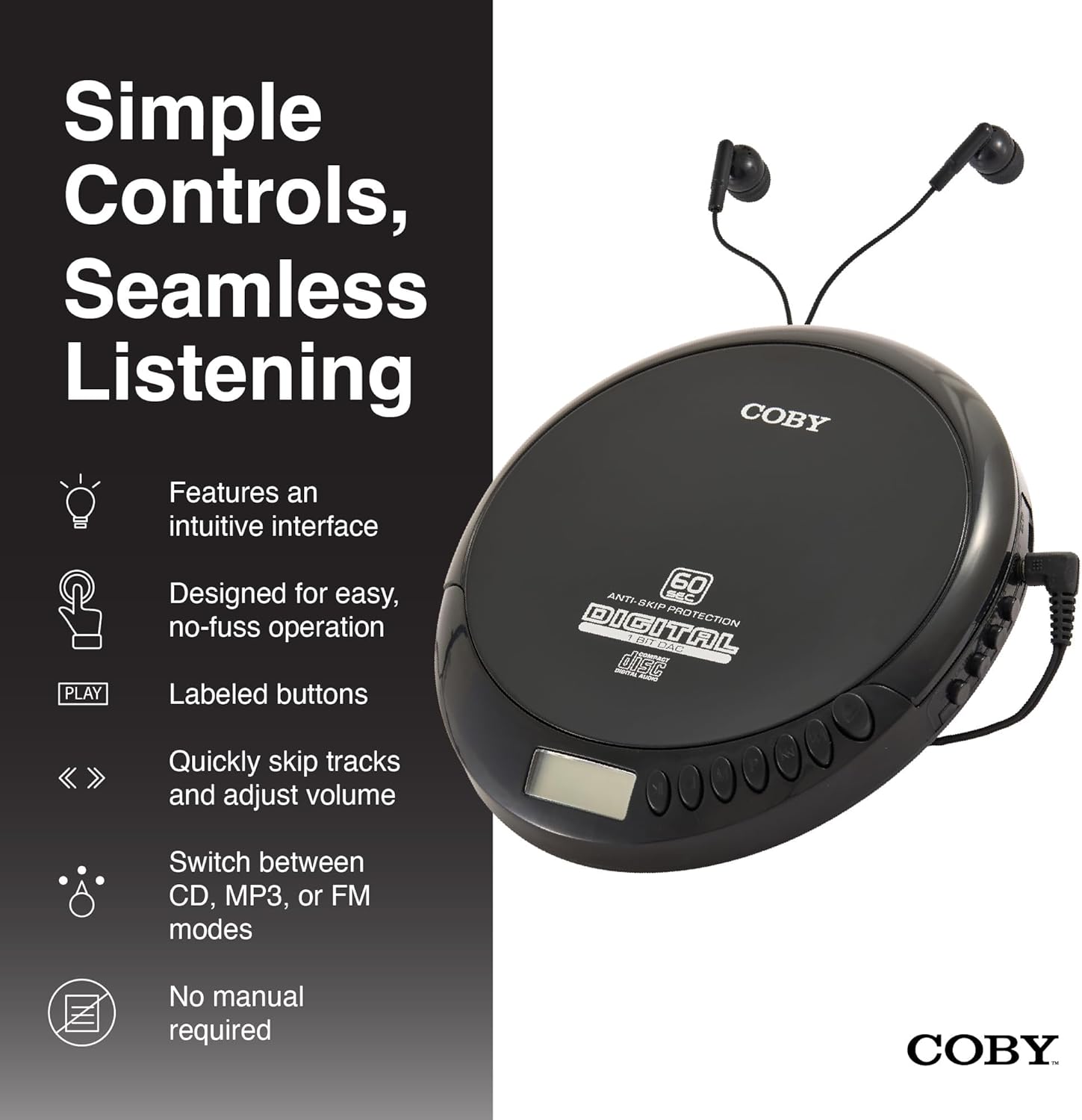
An illustration of the Coby CD Player highlighting its simple controls and intuitive interface.

Xehetasun bat view of the player's LCD screen, which displays the current track number, elapsed time, and battery status.

A close-up of the player's intuitive control buttons, including Play/Pause, Stop, Skip/Search, Mode, and Program functions, designed for easy operation.
Konfigurazioa
Gailua piztea
The Coby CD Player can be powered by 2 AA batteries (not included) or via the included Micro USB cable.
- Bateriaren instalazioa: Open the battery compartment cover on the back of the unit. Insert 2 AA batteries, ensuring correct polarity (+/-). Close the cover securely.
- USB Power: Connect the Micro USB cable to the Micro USB port on the CD player and the other end to a USB power source (e.g., USB wall adapter, computer USB port).

An image showing a user enjoying music with the Coby CD player, highlighting its versatility with both battery and USB power options.

The included Micro USB cable, used for powering the CD player when not using batteries.
Entzungailuak konektatzea
Insert the 3.5mm plug of your headphones into the headphone jack on the side of the CD player.
CD bat txertatzea
- Press the OPEN button to open the CD compartment lid.
- Carefully place the CD onto the center spindle with the label side facing up.
- Sakatu CDa astiro behera, bere lekuan klik egin arte.
- Itxi ondo CDaren konpartimentuaren tapa, sartu arte.
Funtzionamendu-argibideak
CD erreprodukzioa
- Insert a CD (CD, CD-R, CD-RW, or CD-MP3).
- Sakatu JOLASTU/PAUSTU button to begin playback. The LCD display will show the track number and elapsed time.
- Erreprodukzioa pausatzeko, sakatu JOLASTU/PAUSTU berriro. Sakatu berriro jarraitzeko.
- Erreprodukzioa gelditzeko, sakatu GELDITU botoia.
The player features 60-second anti-skip protection to ensure continuous audio during movement.
Pista nabigazioa
- Sakatu ▶▶ hurrengo pistara joateko.
- Sakatu ◀◀ to return to the beginning of the current track. Press it twice quickly to go to the previous track.
- Luze sakatu ▶▶ to fast-forward through the current track.
- Luze sakatu ◀◀ to rewind through the current track.
Bolumen kontrola
Erabili BOLUMENA + eta BOLUMENA - buttons to adjust the listening volume to a comfortable level.
FM Irratiaren funtzionamendua
- Sakatu MODUA button until 'FM' appears on the LCD display.
- The player will automatically scan and tune to available FM stations.
- Erabili ◀◀ eta ▶▶ buttons to manually tune to specific frequencies or to scan for the next/previous strong station.

This image illustrates the built-in FM radio feature of the Coby CD player, allowing users to tune into their favorite radio stations.
MP3 erreprodukzioa
The Coby CD Player supports MP3 files burned onto CD-R or CD-RW discs. When an MP3 CD is inserted, the player will automatically detect the format and begin playback.
Connecting to External Audio Systems
You can connect your Coby CD Player to external speakers or a car audio system using a 3.5mm AUX cable (not included).
- Connect one end of the 3.5mm AUX cable to the headphone jack on the CD player.
- Connect the other end to the AUX input of your external speaker or car audio system.
- Ensure the external device is set to its AUX input mode.

The CD player connected to an external speaker, demonstrating its ability to deliver enhanced sound with features like Super Bass and Crystal Clear Sound when connected to compatible audio systems.

The portable CD player integrated into a car's audio system via an AUX connection, allowing for on-the-go music playback through car speakers.
Mantentzea
Unitatea garbitzea
- Garbitu unitatearen kanpoaldea oihal leun eta lehor batekin. Ez erabili garbitzaile edo disolbatzaile urratzailerik.
- To clean the CD lens, use a specialized CD lens cleaning disc (not included).
Bateria zaintzea eta biltegiratzea
- Kendu bateriak unitatea denbora luzez erabiliko ez bada, isuriak saihesteko.
- Gorde unitatea leku fresko eta lehor batean, eguzki-argitik eta muturreko tenperaturetatik babestuta.
Arazoak konpontzea
| Arazoa | Kausa posiblea | Irtenbidea |
|---|---|---|
| Unitatea ez da pizten. | Batteries are dead or incorrectly inserted. USB cable not connected properly. | Ordeztu bateriak berriekin, polaritate zuzena ziurtatuz. Egiaztatu USB kablearen konexioa. |
| Disc skipping or distorted sound. | Disc is dirty, scratched, or damaged. Unit is subjected to excessive vibration. | Clean the disc with a soft, lint-free cloth. Try a different disc. Ensure the anti-skip protection is active. Avoid strong impacts. |
| Ez dago soinurik entzungailuetatik. | Headphones not fully plugged in. Volume is too low. Headphones are faulty. | Ensure headphones are fully inserted into the jack. Increase the volume. Try a different pair of headphones. |
| FM radio static or poor reception. | Seinale ahula. Interferentzia. | Adjust the position of the unit. Try moving to a different location. |
| MP3 CD not recognized. | Disc format not supported or disc is corrupted. | Ziurtatu MP3a files are properly encoded and the disc is finalized. Try a different MP3 CD. |
Zehaztapenak
| Ezaugarri | Xehetasuna |
|---|---|
| Produktuaren neurriak | 5.5 x 1 x 5 hazbete |
| Elementuaren pisua | 7 ontza |
| Modelo zenbakia | CD-191-BLK |
| Energia iturria | 2 AA batteries (not included), Micro USB |
| Konektibitate Teknologia | Lagungarria, USBa |
| Ezaugarri Berezia | Portable, FM Radio, MP3 Compatible |
| Saltoen aurkako babesa | 60 segundo |
| Disko formatu bateragarriak | CD, CD-R, CD-RW, CD-MP3 |
Produktuaren bideo ofiziala
Produktu ofizialaren bideo emanaldiaasing the features and benefits of the Coby Portable CD Player with Stereo Earbuds.
Bermea eta Laguntza
Bermeari buruzko informazioa eta bezeroarentzako laguntza lortzeko, kontsultatu erosketarekin batera datorren dokumentazioa edo bisitatu Coby-ren webgune ofiziala. webgunea. Laguntzarako harremanetarako datuak normalean fabrikatzailearen produktuaren orrialdean edo berme-txartelean aurkitzen dira.
Coby Ofiziala Webgunea: Bisitatu Coby denda Amazonen


