1. Produktua amaitu daview
The Laserliner DistanceMaster Compact is a precise laser distance meter designed for accurate length, area, and volume measurements. It features a color display and a robust, ergonomically designed rubber casing, making it suitable for various environments, including construction sites and indoor applications.
Ezaugarri nagusiak:
- Precise point-accurate laser measurement for accurate length determination.
- Area and volume functions for calculating room sizes and material quantities.
- Measured value memory for up to 10 entries.
- Measuring accuracy of ±3 mm up to 25 meters.
- Internal measuring range from 0.1 meters to 25 meters.
- Two selectable reference points for measurement: front and rear.
- Min/Max function for determining diagonals, vertical, and horizontal distances.
- Illuminated three-line color LCD display for clear readability.
- Robust, ergonomically designed rubber casing with IP54 protection against dust and splashing water.
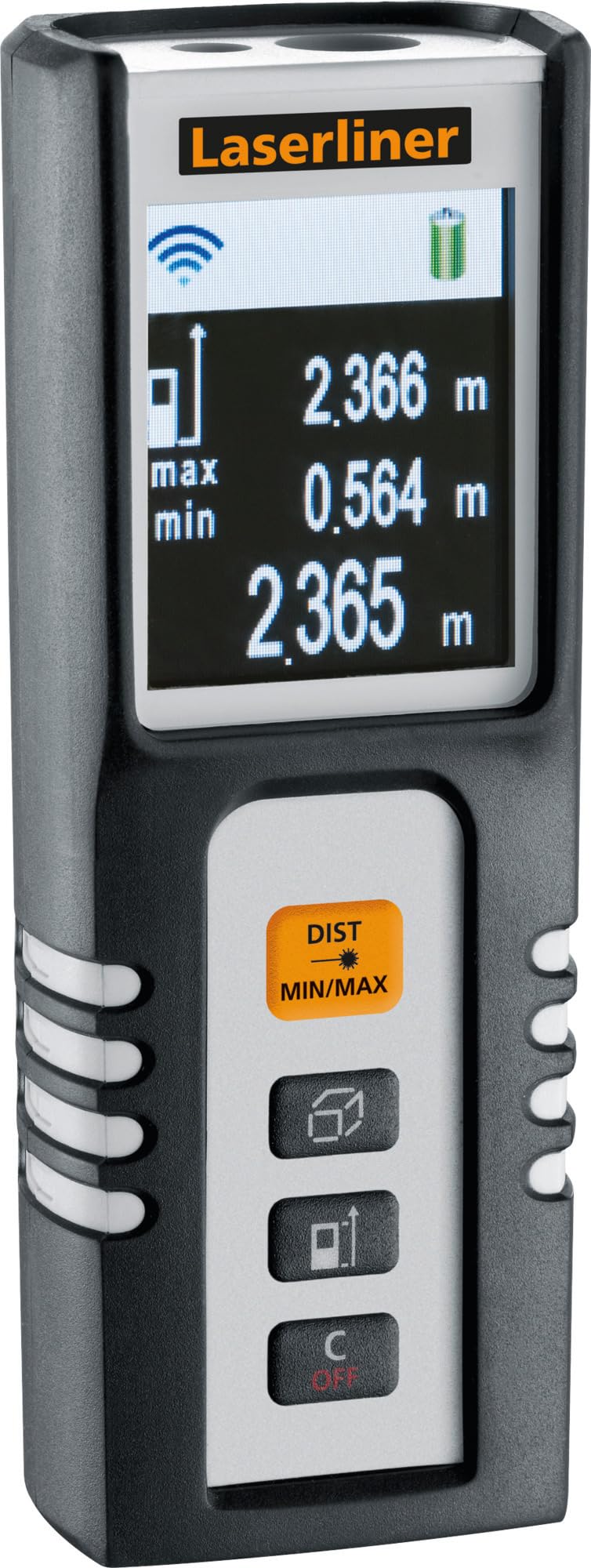
Image 1.1: The Laserliner DistanceMaster Compact laser rangefinder with its protective carrying case. The device features a clear digital display showing measurement readings and battery status.
2. Konfigurazioa
2.1 Bateriaren instalazioa
The DistanceMaster Compact requires two AAA batteries for operation. These are typically included with the device.
- Bilatu bateriaren konpartimentuaren estalkia gailuaren atzealdean.
- Irristatu edo askatu estalkia konpartimentua irekitzeko.
- Sartu bi AAA pila, konpartimentuaren barruan adierazten den polaritate zuzena (+/-) ziurtatuz.
- Itxi bateriaren konpartimenduaren estalkia ondo.
2.2 Piztu/Itzaltzea
Gailua pizteko, sakatu DIST botoia. Itzaltzeko, eduki sakatuta C/OFF botoia.
3. Funtzionamendu-argibideak
3.1 Oinarrizko distantzia neurtzea
For a single distance measurement:
- Zuzendu laser izpia helburuko gainazalera.
- Sakatu DIST button once. The measured distance will appear on the display.
3.2 Area and Volume Measurement
The device can calculate area and volume automatically after taking the necessary measurements.
- Sakatu botoia square/cube icon to select area or volume mode.
- Follow the on-screen prompts to measure the required dimensions (length, width, height).
- Kalkulatutako azalera edo bolumena bistaratuko da.

Image 3.1: The laser rangefinder being used to measure dimensions for calculating the area of a wall, illustrating its practical application for material estimation.
3.3 Min/Max Tracking
The Min/Max function allows for continuous measurement, displaying the minimum and maximum distances recorded during a sweep. This is useful for finding diagonals or precise horizontal/vertical distances.
- Eduki sakatuta DIST MIN/MAX botoia.
- Sweep the device across the desired area. The display will continuously update with the minimum and maximum measured values.
- Sakatu DIST MIN/MAX again to stop tracking.

3.2. irudia: Xehetasun bat view of the control panel, highlighting the 'DIST MIN/MAX' button used for continuous measurement and tracking.
3.4 Reference Point Selection
The measurement reference point can be switched between the front and rear of the device. This is important for accurate measurements depending on where the device is placed.
- Sakatu botoia gezi-ikonoa to toggle between front and rear reference points. The active reference point will be indicated on the display.
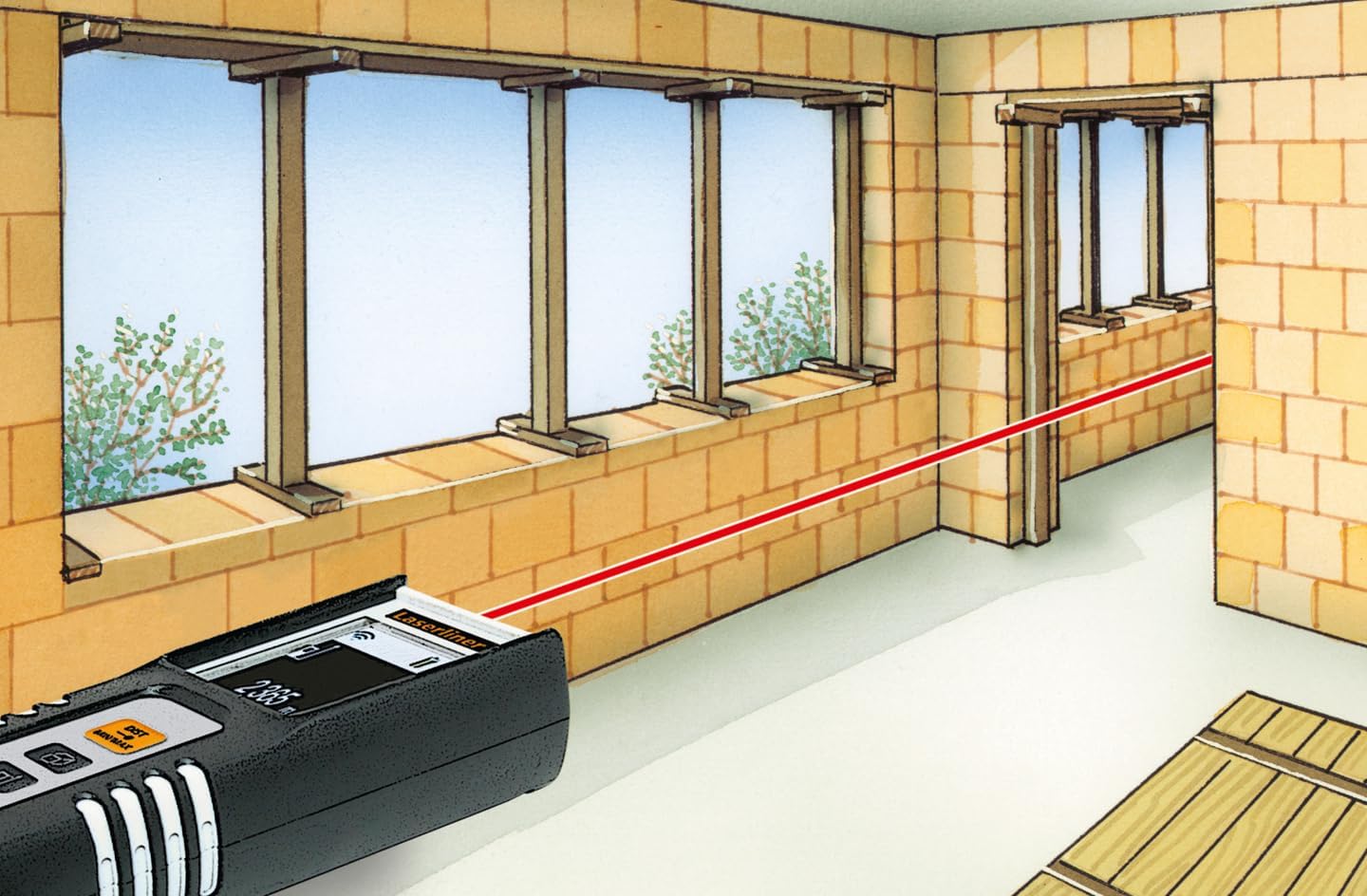
Image 3.3: The laser rangefinder in use, demonstrating a distance measurement across a room, emphasizing the importance of selecting the correct reference point.
3.5 Memoriaren funtzioa
The device can store up to 10 measured values. To access or clear the memory, refer to the on-screen menu or specific button combinations detailed in the full manual (not provided here).
4. Mantentzea
4.1 Garbiketa
- Garbitu gailua leun batekin, damp oihal. Ez erabili garbitzaile edo disolbatzaile urratzailerik.
- Neurketa zehatzak bermatzeko, mantendu laser lentea garbi eta hautsik edo hondakinik gabe.
4.2 Biltegiratzea
- Gorde gailua bere babes-zorroan erabiltzen ez duzunean.
- Kendu bateriak gailua denbora luzez erabiliko ez bada, isuriak saihesteko.
- Gorde leku lehor batean, muturreko tenperaturatik urrun.
5. Arazoak
- Gailua ez da pizten: Check battery polarity and ensure batteries are not depleted. Replace if necessary.
- Neurketa zehaztugabeak: Ensure the laser lens is clean. Verify the correct reference point is selected. Avoid measuring through transparent surfaces or highly reflective materials.
- Pantaila arazoak: Pantaila ilun edo keinuka badago, ordezkatu bateriak.
6. Zehaztapenak

Image 6.1: The vibrant color LCD display of the DistanceMaster Compact, designed for clear visibility of measurements and functions.
| Ezaugarri | Zehaztapena |
|---|---|
| Modelo zenbakia | 080.936A |
| Neurketa-eremua | 0.1 m-tik 25 m-ra (0.3 oin-82 oinera) |
| Zehaztasuna | ±3 mm |
| Neurtzeko Unitateak | Metroak (m), Oinak (ft), Hazbeteak (in) |
| Laser Klasea | 2 |
| Uhin-luzera | 650 nm |
| Memory Records | 10 |
| Bistaratzea | Illuminated 3-line color LCD |
| Elikatze Hornidura | 2 x AAA bateria alkalino (barne) |
| Funtzionamendu-tenperatura | -10 °C eta 40 °C artean (14 °F eta 104 °F) |
| Babes-balorazioa | IP54 (hautsa eta zipriztinak babestuta) |
| Materiala | Rubber casing |
| Kolorea | Beltza, Zuria |
| Produktuaren neurriak | 110 mm (H) x 43 mm (W) x 27 mm (P) |
| Produktuaren pisua | 100 gramo |

Image 6.2: The robust design of the laser rangefinder, featuring anti-shock rubber for durability and protection in demanding environments, indicated by the IP54 rating.
7. Bermea eta Laguntza
For warranty information, technical support, or service inquiries regarding your Laserliner DistanceMaster Compact, please refer to the official Laserliner webwebgunera edo jarri harremanetan bezeroarentzako arreta-zerbitzuarekin. Gorde erosketa-agiria erosketaren frogagiri gisa berme-erreklamazioetarako.
Laguntza gehiago lortzeko, bisita dezakezu Laserliner official webgunea.


