Sarrera
This manual provides essential information for the proper setup, operation, and maintenance of your BRESSER ExploreOne Metal Detector. Designed for junior explorers, this lightweight and adjustable metal detector is built to help discover hidden metallic objects.
Key features of your metal detector include:
- Detects objects up to 6 inches below the surface.
- Water-resistant base for use in damp baldintzak.
- Different tones to distinguish various precious metals.
- Built-in LED light for enhanced visibility, detachable for use as a flashlight.
- Adjustable length to accommodate users of different heights.
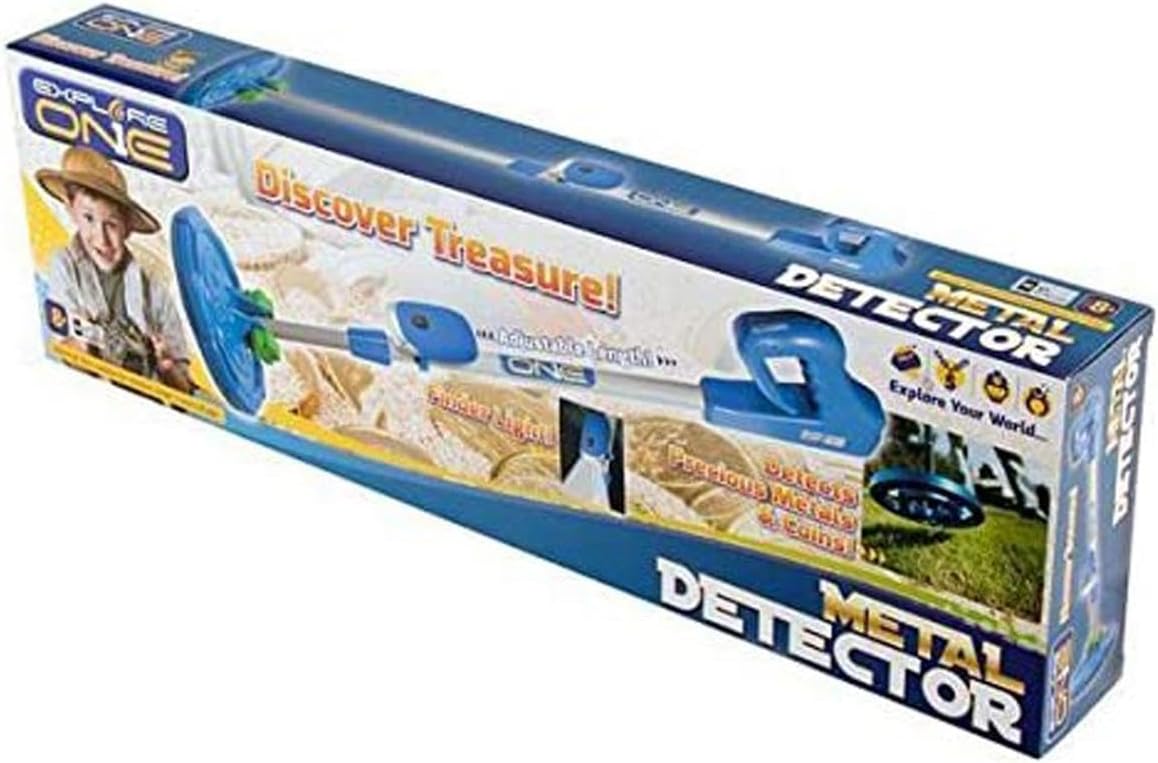
Image: The BRESSER ExploreOne Metal Detector, showcasing its blue and white design.
Konfigurazioa
Kutxan dagoena
- ExploreOne Metal Detector unit
Bateriaren instalazioa
The metal detector requires one 9V battery (not included). To install the battery:
- Locate the battery compartment, typically on the handle or control unit.
- Ireki bateriaren konpartimenduaren estalkia.
- Insert a fresh 9V battery, ensuring correct polarity (+/-).
- Itxi bateriaren konpartimenduaren estalkia ondo.
Batzarra
Your metal detector is designed for easy assembly and adjustment:
- Connect the search coil to the lower stem.
- Attach the lower stem to the main adjustable shaft.
- Secure the control unit/handle to the top of the shaft.
- Adjust the shaft length to a comfortable height for the user. Loosen the locking collar, extend or retract the shaft, and then tighten the collar to secure.
- The LED light can be attached to the shaft for illumination or detached for use as a handheld flashlight.

Image: Close-up of the metal detector's search coil and adjustable lower shaft connection.
Funtzionamendu-argibideak
Oinarrizko Funtzionamendua
To begin searching for metallic objects:
- Turn on the metal detector using the power switch on the control unit.
- Hold the detector with the search coil parallel to the ground, about 1-2 inches above the surface.
- Sweep the search coil slowly from side to side in overlapping motions.
- When a metallic object is detected, the unit will emit an audible beep. The louder the beep, the closer you are to the object.
Detection Tones
The metal detector uses different tones to help identify various types of metals. Familiarize yourself with these tones by testing the detector on known metal objects (e.g., coins, aluminum foil, iron) before searching.
LED argiaren erabilera
The built-in LED light provides illumination in low-light conditions. It can be used while attached to the detector for searching at dusk or detached and used as a standalone flashlight for examining discoveries.
Uraren Erresistentzia
The search coil and lower stem are water-resistant, allowing for detection in shallow puddles or damp lurzorua. Oharra: The main control unit and battery compartment are not waterproof and should not be submerged.
Bideoa: Amaiera batview of the BRESSER ExploreOne Metal Detector, demonstrating its features and use in various environments.
Mantentzea
- Garbiketa: After each use, wipe down the detector with a soft, damp cloth. Avoid harsh chemicals or abrasive cleaners. Ensure the search coil is clean of dirt and debris.
- Bateria zaintzea: Remove the 9V battery if the detector will not be used for an extended period to prevent leakage and damage.
- Biltegiratzea: Gorde metal detektagailua leku fresko eta lehor batean, eguzki-argitik eta muturreko tenperaturetatik babestuta.
Arazoak konpontzea
| Arazoa | Kausa posiblea | Irtenbidea |
|---|---|---|
| Detector does not turn on. | Bateria hilda edo gaizki instalatuta. | Check battery polarity; replace with a fresh 9V battery. |
| Weak or inconsistent detection. | Low battery; too fast sweeping; interference. | Replace battery; sweep slower; move away from large metal objects or electrical lines. |
| LED argiak ez du funtzionatzen. | Light switch off; battery issue. | Ensure light switch is on; check main unit battery or if light has its own small battery, check that. |
Zehaztapenak
| Ezaugarri | Xehetasuna |
|---|---|
| Marka | BRESSER |
| Modelo zenbakia | 88-20001 |
| Kolorea | Zuri-urdina |
| Materiala | Plastikoa |
| Energia iturria | Battery (1 x 9V required) |
| Elementuaren pisua | 2.05 kilo |
| Produktuaren neurriak | 23.5 x 2.75 x 7.25 hazbete |
| Luzera erregulagarria | Bai |
| Nazioarteko Babesteko Balorazioa | IP54 (Water-resistant search coil) |
| Working Distance (Detection Depth) | 6 hazbete arte |
| Gomendatutako Adina | 8 - 15 urte |
Bermea eta Laguntza
This product typically comes with a limited manufacturer's warranty. Please refer to the packaging or the manufacturer's official webwebgunean bermearen baldintza eta zehaztapen zehatzak ikusteko.
For technical support, questions, or assistance, please contact BRESSER customer service. You may reach them at 866.252.3811.


