Sarrera
Thank you for choosing the Technoline WT 745 Radio Controlled Alarm Clock. This digital alarm clock features precise timekeeping, dual alarms with snooze, date and weekday display, and indoor temperature monitoring. Please read this manual carefully to ensure proper setup and operation.
Paketearen edukia
- Technoline WT 745 Radio Controlled Alarm Clock
- Erabiltzailearen eskuliburua
Note: 2x AAA batteries are required and not included.
Produktua amaituview
Familiarize yourself with the main components of your WT 745 alarm clock.
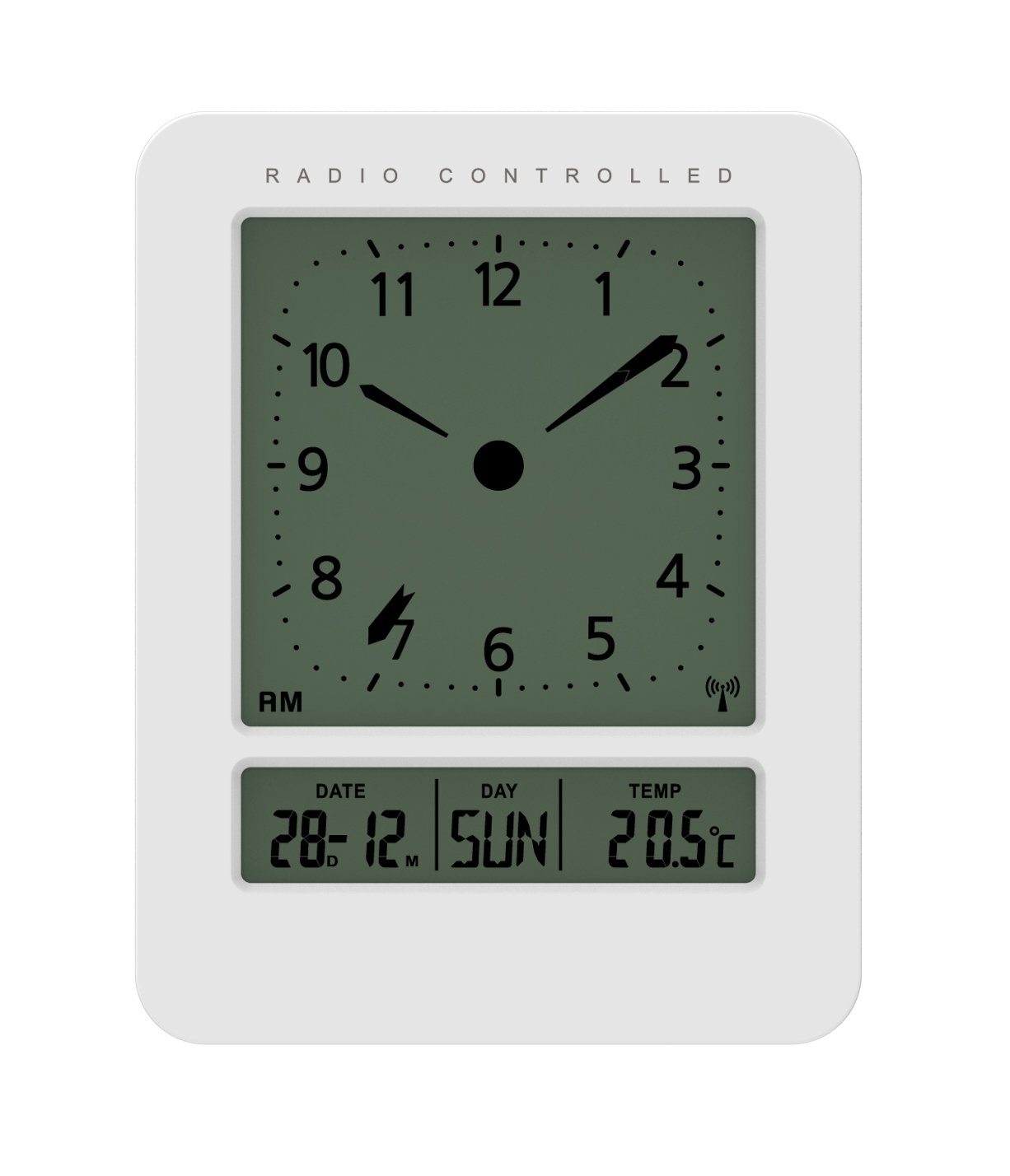
Irudia: Aurrealdea eta albokoa view of the Technoline WT 745 Radio Controlled Alarm Clock, showing the digital display with time, date, day, and temperature, and the analog clock face. The clock is white with a light grey display.
- Analog Clock Face: Displays current time with hour, minute, and second hands.
- Bistaratze digitala: Shows date, day of the week, and indoor temperature.
- Radio Controlled Indicator: Symbol indicating successful radio signal reception.
- Kontrol-botoiak: Buttons for setting time, alarm, and other functions, typically located on the back or side.
- Bateriaren konpartimendua: Located on the back for 2x AAA batteries.
Konfigurazioa
1. Pilak sartzea
- Open the battery compartment cover on the back of the alarm clock.
- Insert 2 new AAA batteries, observing the correct polarity (+/-).
- Itxi bateriaren konpartimenduaren estalkia ondo.
Note: The clock will automatically start searching for the radio time signal after battery insertion. This process may take several minutes.
2. Initial Radio Signal Reception
- Place the clock near a window for optimal signal reception.
- Avoid placing it near electronic devices that may cause interference.
- Once the signal is received, the time, date, and day will be automatically set. The radio controlled indicator will appear on the display.
If the signal is not received within 10 minutes, try repositioning the clock or manually setting the time (see "Manual Time Setting").
Funtzionamendu-argibideak
Alarma ezartzea
- Sakatu ALARMA MULTZOA button (location not specified, assume standard placement). The alarm time will flash.
- Erabili UP or BEHERA ordua doitzeko botoiak.
- Sakatu ALARMA MULTZOA berriro ordua berresteko eta minutuetara joateko.
- Erabili UP or BEHERA minutuak doitzeko botoiak.
- Sakatu ALARMA MULTZOA alarmaren ordua gordetzeko.
- Alarma aktibatzeko/desaktibatzeko, sakatu ALARMA ON / OFF botoia. Alarma ikono bat agertuko/desagertuko da pantailan.
The WT 745 supports two independent alarms. Repeat the steps above to set the second alarm.
Errepikatzeko funtzioa
- Alarmak jotzen duenean, sakatu SNOOZE button (usually a large button on top). The alarm will pause for approximately 5 minutes and then sound again.
- To stop the alarm completely, press any other button (e.g., ALARM ON/OFF) or let it ring for its full duration.
Backlight Activation
- Sakatu ARGIA or SNOOZE button to temporarily illuminate the display for easy viewargi gutxiko baldintzetan aritzea.
Viewing Date, Day, and Temperature
- The digital display continuously shows the current date, day of the week, and indoor temperature. No specific action is required to view hauek.
Manual Time Setting (if radio signal is unavailable)
- Eduki sakatuta ORDUA button for a few seconds until the hour digits flash.
- Erabili UP or BEHERA ordua doitzeko botoiak.
- Sakatu ORDUA berriro ordua berresteko eta minutuetara joateko.
- Erabili UP or BEHERA minutuak doitzeko botoiak.
- Jarraitu sakatzen ORDUA to cycle through and adjust year, month, and day as needed.
- Sakatu ORDUA one last time to exit manual setting mode.
Mantentzea
- Garbiketa: Garbitu erlojua zapi leun eta lehor batekin. Ez erabili garbitzaile edo disolbatzaile urratzailerik.
- Bateria ordezkatzea: Replace batteries when the display dims or functions become erratic. Always replace both batteries simultaneously with new ones.
- Biltegiratzea: Erlojua denbora luzez gordetzen baduzu, kendu pilak isuriak saihesteko.
- Ingurumena: Mantendu erlojua eguzki-argitik, tenperatura altuetatik eta hezetasun handitik urrun.
Arazoak konpontzea
| Arazoa | Kausa posiblea | Irtenbidea |
|---|---|---|
| Pantaila hutsik edo ilun dago. | Bateriak gutxi daude edo gaizki sartuta daude. | Ordeztu bateriak AAA bateria berriekin, polaritate zuzena ziurtatuz. |
| Clock does not receive radio signal. | Interference, poor location, or signal too weak. | Move the clock closer to a window, away from electronic devices. Try manual time setting. |
| Alarmak ez du jotzen. | Alarma ez dago aktibatuta edo gaizki konfiguratuta. | Ensure the alarm icon is visible on the display. Recheck alarm time settings. |
| Ordu okerra bistaratzen da. | Radio signal lost or manual time set incorrectly. | Allow the clock to resynchronize with the radio signal. If persistent, manually set the time. |
Zehaztapenak
- Eredua: WT 745
- Marka: Technoline
- Neurriak: 7.1 x 4.5 x 9.2 cm (L x W x H)
- Pisua: 150 g
- Materiala: Plastikoa
- Bistaratzeko mota: Digital with Analog Clock Face
- Energia iturria: 2 x AAA bateria (ez daude barne)
- Ezaugarri bereziak: Radio Controlled Time, Dual Alarms, Snooze Function, Date Display, Day of Week Display, Indoor Temperature Display, Backlight.
- Erabilera: Barruan
Bermea eta Laguntza
For warranty information or technical support, please refer to the warranty card included with your product or visit the official Technoline webgunea. Gorde erosketa-agiria erosketaren frogagiri gisa.
Ofiziala Webgunea: www.technoline.eu


