1. Sarrera
This manual provides detailed instructions for the setup, operation, and maintenance of your Marathon Digital Desktop Clock, Model CL030050BK. This compact and versatile digital clock is designed for use on a desk or nightstand, offering time, date, day of the week, and temperature displays, along with a dual alarm function and a button-activated backlight.
2. Produktua amaitu daview

2.1. irudia: Aurrealdea view of the Marathon Digital Desktop Clock CL030050BK, showing its large digital display with time, date, day, and temperature.
2.1 Ezaugarri nagusiak
- Large, High-Quality Display: Enhanced contrast for clear legibility.
- Nightowl Super Glow Backlight: Button-activated, gentle blue backlight that illuminates for approximately 10 seconds.
- Alarma bikoitza funtzioa: Separate alarm settings for weekdays (Monday-Friday) and weekends (Saturday-Sunday).
- Errepikatzeko botoia: Conveniently located for temporary alarm suspension.
- Hainbat bistaratzeko moduak: Time in 12 or 24-hour format, temperature in Fahrenheit or Celsius.
- Multilingual Day of Week: Displays the day of the week in seven languages: English, Dutch, French, Spanish, Italian, Danish, and German.
- Diseinu trinkoa eta arina: Ideal for desktop, nightstand, or travel.
2.2 Paketearen edukia
- 1 x Marathon Digital Desktop Clock CL030050BK
- 3 x AAA bateria (barne)
- 1 x Erabiltzailearen eskuliburua
3. Konfigurazioa
3.1 Bateriaren instalazioa
- Bilatu bateriaren konpartimentuaren estalkia erlojuaren atzealdean.
- Irristatu estalkia beherantz konpartimentua irekitzeko.
- Insert 3 new AAA batteries, ensuring the correct polarity (+ and -) as indicated inside the compartment.
- Jarri bateriaren konpartimentuaren estalkia gora irristatuz, bere lekuan sartu arte klik egin arte.
3.2 Hasierako piztea
Upon successful battery installation, the clock display will activate, typically showing a default time and date. It is recommended to perform a reset after battery installation to ensure optimal performance.
3.3 Resetting the Clock
To reset the clock, use a thin, pointed object (like a paperclip) to press the recessed Berrezarri button located on the back of the unit. This will clear all settings and return the clock to its factory defaults.
4. Funtzionamendu-argibideak
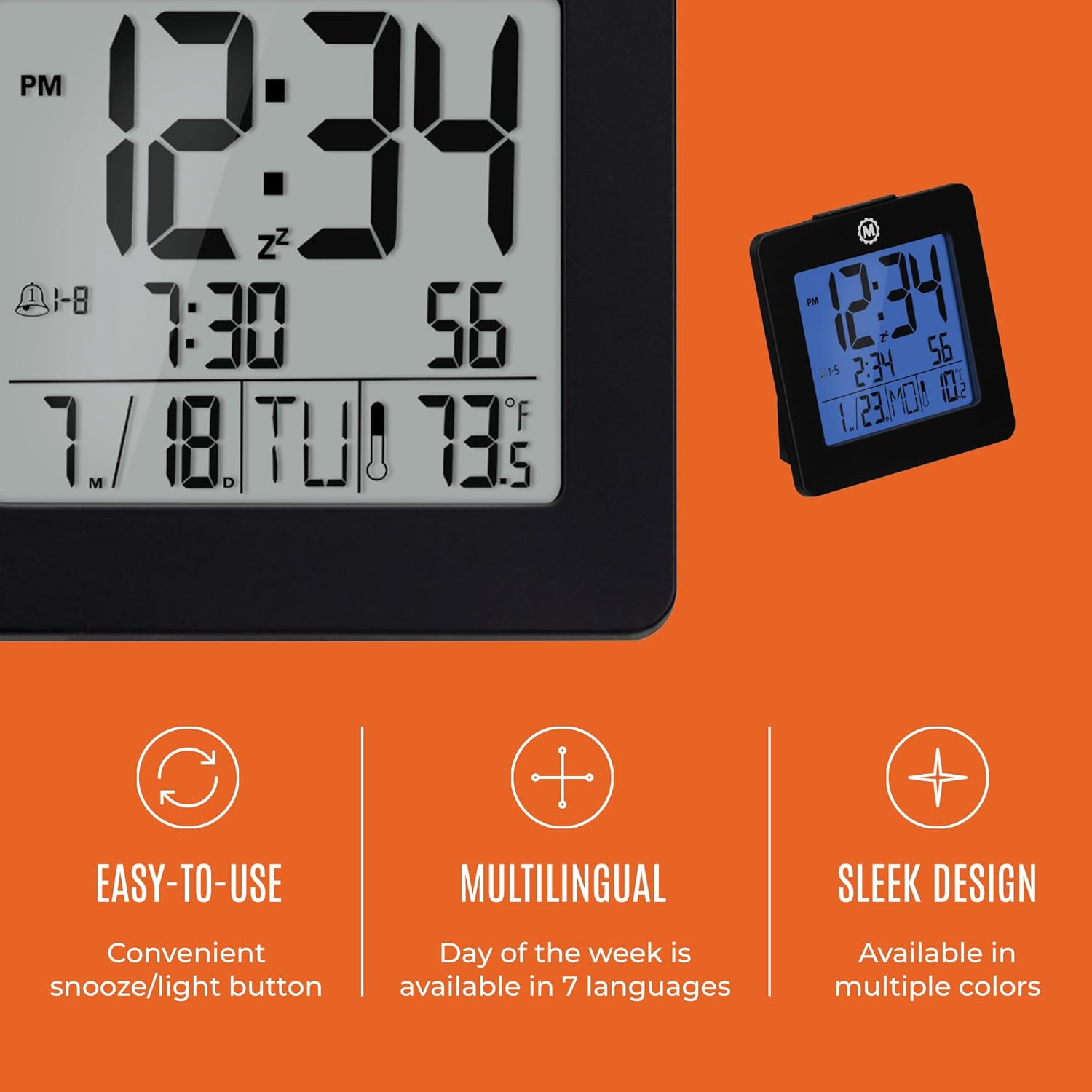
4.1 Irudia: Gainetikview of key features and design elements.
4.1 Botoien funtzioak
The clock features several buttons on the back for configuration:
- JARRAIBIDEAK: Toggles between Time, Alarm, and Timer display modes.
- SET: Enters setting mode for the currently displayed mode (Time, Alarm, Timer).
- UP / 12/24: In setting mode, increases the value. In time display mode, toggles between 12-hour and 24-hour format.
- DOWN / °C/°F: In setting mode, decreases the value. In time display mode, toggles between Celsius and Fahrenheit temperature units.
- LIGHT / SNOOZE: Activates the backlight for 10 seconds. When the alarm sounds, press to activate snooze.
- RESET Resets the clock to factory defaults (requires a pointed object).
4.2 Ordua eta data ezartzea
- Sakatu MODUA button until the time is displayed.
- Eduki sakatuta EZARTU button for approximately 3 seconds until the year flashes.
- Erabili UP or BEHERA urtea doitzeko botoiak.
- Sakatu EZARTU to confirm and move to the month setting.
- Repeat steps 3 and 4 to set the month, day, 12/24-hour format, hour, and minute.
- After setting the minutes, press EZARTU to exit time/date setting mode.
4.3 Setting the Day of Week Language
While in time display mode, repeatedly press the UP or BEHERA button to cycle through the 7 available languages for the day of the week display (English, Dutch, French, Spanish, Italian, Danish, German).
4.4 Setting the Temperature Unit
While in time display mode, press the DOWN / °C/°F button to toggle the temperature display between Celsius (°C) and Fahrenheit (°F).
4.5 Setting the Dual Alarm
- Sakatu MODUA button until the alarm time is displayed (indicated by an alarm icon).
- Eduki sakatuta EZARTU button for approximately 3 seconds until the alarm hour flashes.
- Erabili UP or BEHERA alarma-ordua doitzeko botoiak.
- Sakatu EZARTU to confirm and move to the alarm minute setting.
- Repeat steps 3 and 4 to set the alarm minute.
- After setting the minutes, press EZARTU to select the alarm type: Weekday (1-5) or Weekend (6-7). Use UP or BEHERA aukeratzeko.
- Sakatu EZARTU to confirm and exit alarm setting mode.
- Alarma aktibatzeko/desaktibatzeko, sakatu UP button while in alarm display mode. An alarm icon will appear/disappear on the screen.
4.6 Using the Snooze and Backlight
Sakatu handia ARGIA / SNOOZE button on the top of the clock to activate the blue backlight. The backlight will remain illuminated for approximately 10 seconds. If the alarm is sounding, pressing this button will activate the snooze function, temporarily silencing the alarm for a short period before it sounds again.
5. Mantentzea
- Garbiketa: Wipe the clock with a soft, dry cloth. Avoid using abrasive cleaners or solvents.
- Bateria ordezkatzea: Replace all 3 AAA batteries when the display becomes dim or the clock functions erratically. Always replace with new batteries of the same type.
- Biltegiratzea: Erlojua denbora luzez gordetzen baduzu, kendu pilak isuriak saihesteko.
6. Arazoak
| Arazoa | Kausa posiblea | Irtenbidea |
|---|---|---|
| Pantaila hutsik edo ilun dago. | Bateria gutxi edo agortuta. | Ordeztu 3 AAA bateria guztiak. |
| Incorrect time/date displayed. | Settings were not saved or incorrect. | Perform a reset and re-enter time/date settings as per Section 4.2. |
| Alarmak ez du jotzen. | Alarma ez dago aktibatuta edo gaizki konfiguratuta. | Ensure the alarm is activated (alarm icon visible) and the alarm time is correctly set (Section 4.5). |
| Atzeko argia ez dabil. | Low batteries or button malfunction. | Aldatu bateriak. Arazoak jarraitzen badu, jarri harremanetan bezeroarentzako arreta-zerbitzuarekin. |
7. Zehaztapenak
- Modelo zenbakia: CL030050BK
- Marka: Maratoia
- Bistaratzeko mota: Digitala
- Kolorea: Beltza
- Produktuaren neurriak: 3.7"Z x 3.7"A
- Elementuaren pisua: 5.6 ontza
- Energia iturria: Battery Powered (3 x AAA batteries included)
- Materiala: Plastikoa
- Muntatze mota: Mahaigaina
- Ezaugarri berezia: Button-activated backlight, dual alarm, temperature display, multilingual day of week.
8. Bermea eta Laguntza
8.1 Bermearen informazioa
This Marathon Digital Desktop Clock CL030050BK comes with a 1 urteko bermea erosketa-datatik aurrera. Berme honek fabrikazio-akatsak eta eskulanaren funtzionamendua estaltzen ditu erabilera normalaren pean. Ez ditu estaltzen erabilera okerrak, istripuek, baimenik gabeko aldaketek edo higadura normalak eragindako kalteak.
8.2 Bezeroarentzako laguntza
For technical assistance, troubleshooting, or warranty claims, please visit the official Marathon website or contact their customer service department. Please have your model number and proof of purchase ready when contacting support.


