1. Sarrera
This manual provides essential information for the safe and efficient installation, operation, and maintenance of the Legrand 048408 Room Controller IP 8Mod. Please read this manual thoroughly before attempting to install or operate the device. Keep this manual for future reference.
The Legrand 048408 is an IP-enabled room controller designed for integrated building management systems, offering control over various room functions. It features 8 modules for flexible configuration within a control panel.
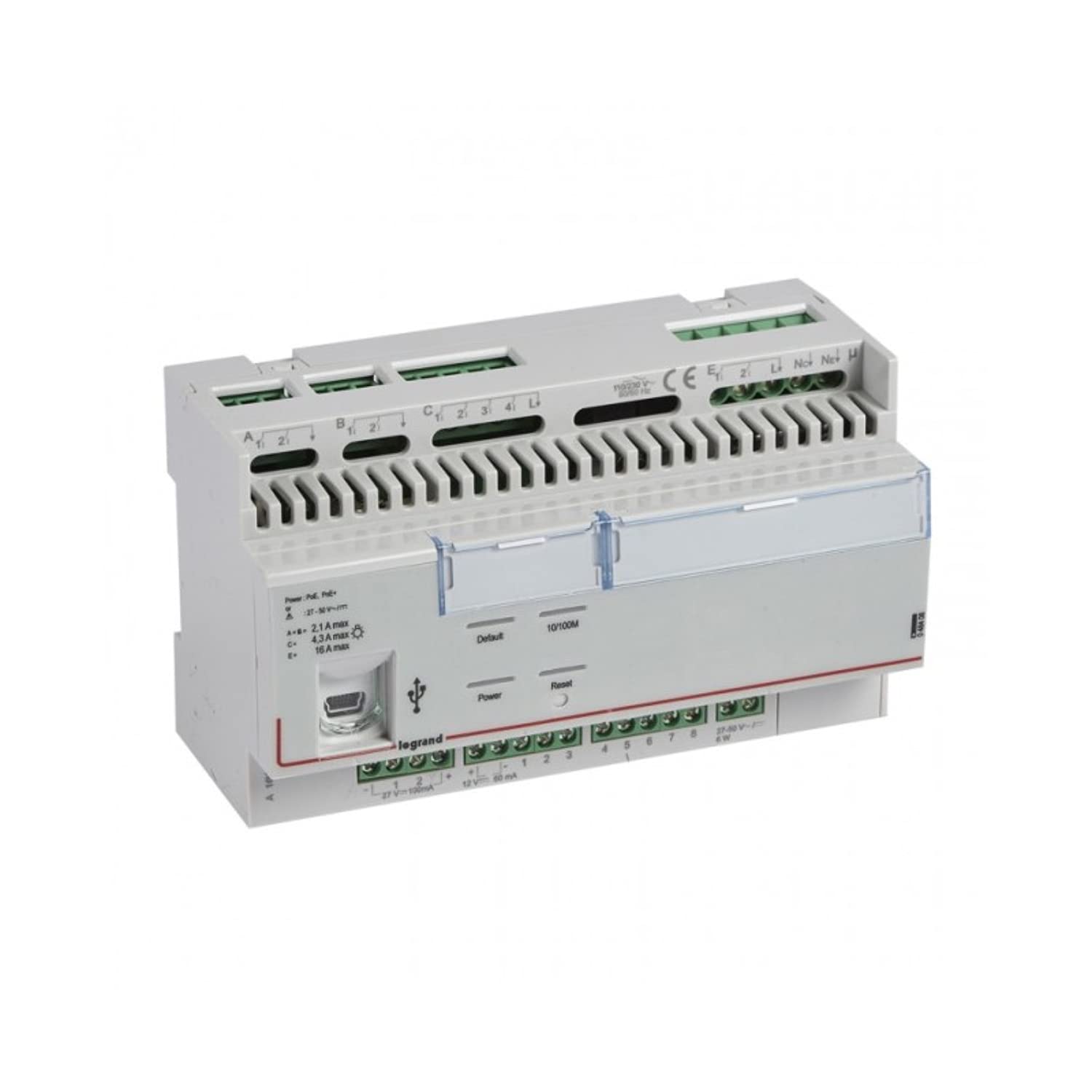
1. irudia: Aurrealdea view of the Legrand 048408 Room Controller IP 8Mod. This image shows the compact design of the 8-module device, typically installed in a control cabinet.
2. Segurtasun informazioa
WARNING: Risk of electric shock. Installation and servicing must be performed by qualified personnel only. Disconnect power before installation or maintenance.
- Jarraitu beti tokiko eta nazioko araudi elektrikoak.
- Ensure the power supply is disconnected before working on the device or its connections.
- Ez jarri gailua hezetasun edo muturreko tenperaturetara.
- Erabili babes pertsonaleko ekipamendu (BPE) egokia instalazioan zehar.
- Egiaztatu kableatu-konexio guztiak ondo eta ondo daudela korrontea jarri aurretik.
3. Konfigurazioa eta instalazioa
The Legrand 048408 Room Controller is designed for DIN rail mounting within an electrical enclosure.
3.1. Muntaketa
- Ensure the DIN rail is securely installed within the control panel.
- Align the controller's DIN rail clip with the rail.
- Press the controller firmly onto the DIN rail until it clicks into place.
3.2. Kableatu konexioak
Refer to the wiring diagram provided with the product packaging for specific connection details. General steps include:
- Elikatze-iturria: Connect the appropriate power supply (e.g., 24V DC) to the designated terminals. Observe polarity.
- IP Network: Connect an Ethernet cable from your network switch or router to the RJ45 port on the controller.
- Module Connections: Connect external devices (e.g., sensors, actuators, lighting controls) to the 8 module terminals as per your system design. Ensure correct terminal assignments for inputs and outputs.
3.3. Hasierako piztea
- Double-check all wiring connections for correctness and security.
- Restore power to the control panel.
- Observe the status indicator LEDs on the controller. A solid green LED typically indicates normal operation.
4. Funtzionamendu-argibideak
The Legrand 048408 Room Controller is primarily managed through a network interface or integrated building management software. Direct manual operation is limited to status indication.
4.1. Egoera adierazleak
- Power LED: Indicates power supply status. (e.g., Green = On, Off = No Power)
- Sarearen LEDa: Indicates network connectivity and activity. (e.g., Solid Green = Connected, Blinking = Data Transfer)
- Module Status LEDs: Individual LEDs for each of the 8 modules may indicate their operational status or output state. Refer to the product's technical documentation for specific LED behavior.
4.2. Sarearen konfigurazioa
Access the controller's web interface or use the provided configuration software to set up IP addresses, subnet masks, gateway, and other network parameters. Consult the Legrand software documentation for detailed instructions on network setup and device integration into your building management system.
5. Mantentzea
The Legrand 048408 Room Controller requires minimal maintenance. Regular checks ensure optimal performance and longevity.
- Garbiketa: Periodically clean the exterior of the device with a soft, dry cloth. Do not use abrasive cleaners or solvents. Ensure power is disconnected before cleaning.
- Firmware eguneraketak: Check the official Legrand website for available firmware updates. Follow the provided instructions carefully to update the device firmware, typically via the network interface.
- Konexioaren egiaztapenak: Urtero ikuskatu kableatu-konexio guztiak estutasuna eta higadura edo korrosio zantzurik dagoen egiaztatzeko.
6. Arazoak
Atal honek aurki ditzakezun arazo ohikoenei irtenbideak eskaintzen ditu.
| Arazoa | Kausa posiblea | Irtenbidea |
|---|---|---|
| Gailua ez da pizten. | Elikatze-iturririk ez; kableatu okerra; elikatze-iturri akastuna. | Egiaztatu potentzia konexioak eta hornidura bolumenatage. Ensure polarity is correct. Test power supply. |
| Sare konexiorik ez. | Ethernet cable disconnected or faulty; incorrect IP settings; network switch issue. | Verify Ethernet cable connection. Check network LED status. Confirm IP settings in the controller's configuration. Test network switch. |
| Module outputs not responding. | Incorrect wiring to external device; software configuration error; faulty module. | Check wiring to the external device. Review software configuration for the specific module. Contact support if module appears faulty. |
If the problem persists after attempting these solutions, contact Legrand technical support.
7. Zehaztapenak
Technical specifications for the Legrand 048408 Room Controller IP 8Mod:
| Ezaugarri | Xehetasuna |
|---|---|
| Modelo zenbakia | 048408 |
| Marka | Legrand |
| Produktuaren neurriak | 1.97 x 7.87 x 3.15 hazbete |
| Elementuaren pisua | 2.2 pounds (approximately 1 Kilogram) |
| Modulu kopurua | 8 |
| Muntatze Mota | DIN erraila |
| Konektibitatea | IP (Ethernet) |
| Beharrezko bateriak | Ez |
| Eskuragarri dagoen lehen data | 23ko uztailaren 2022a |
8. Bermea eta Laguntza
Legrand products are manufactured to high standards and are backed by a limited warranty. For specific warranty terms and conditions, please refer to the documentation included with your purchase or visit the official Legrand webgunea.
For technical assistance, troubleshooting beyond this manual, or warranty claims, please contact Legrand customer support:
- Webgunea: www.legrand.us (edo zure eskualdeko Legrand webgunea)
- Harremanetarako informazioa: Refer to the "Contact Us" section on the Legrand webtelefono zenbakien eta posta elektroniko bidezko laguntzarako gunea.