1. Sarrera
This manual provides detailed instructions for the setup, operation, and maintenance of your Cobra ACXT360 Water Resistant Walkie Talkies. These two-way radios are designed for reliable communication in various environments, featuring water resistance, multiple channels, and NOAA weather alerts.

Irudia: Aurrealdea view of a Cobra ACXT360 Walkie Talkie, displaying its screen and control buttons.
2. Paketearen edukia
Egiaztatu behean zerrendatutako elementu guztiak zure paketean sartuta daudela:
- 3 x Cobra ACXT360 Walkie Talkies
- 9 x AAA Rechargeable NiMH Batteries
- 3 x Gerriko Klipak
- 1 x USB-Y Cable for charging
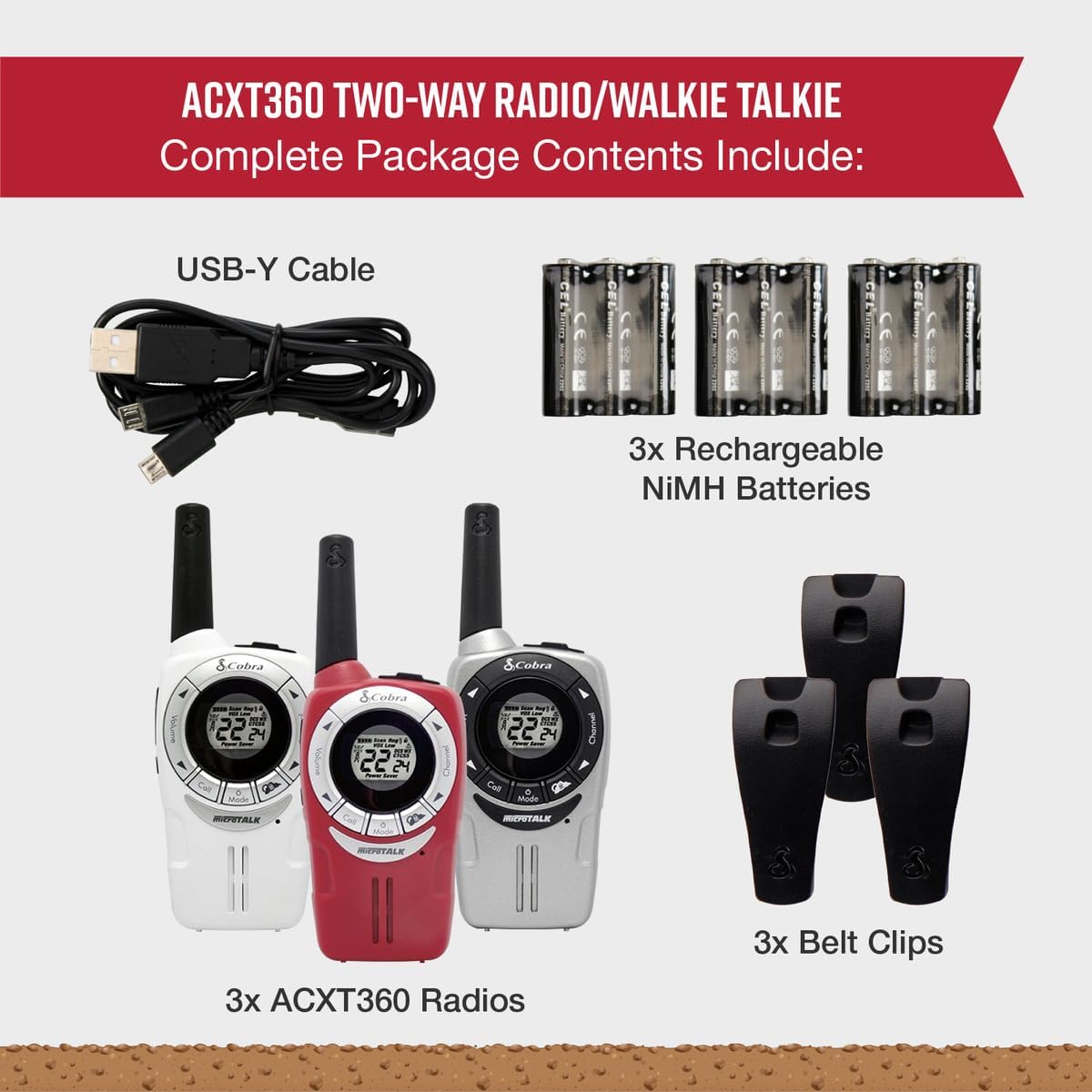
Image: A visual representation of the Cobra ACXT360 package contents, showing three radios, batteries, belt clips, and the charging cable.
3. Konfigurazioa
3.1 Bateriaren instalazioa
- Ziurtatu irratia itzalita dagoela.
- Bilatu bateriaren konpartimentuaren estalkia irratiaren atzealdean.
- Sakatu itxiera eta irristatu estalkia kentzeko.
- Insert 3 AAA rechargeable NiMH batteries into each radio, observing the polarity markings (+/-).
- Jarri berriro bateriaren konpartimentuaren estalkia, ondo sartuta dagoela ziurtatuz klik eginez.
3.2 Bateriak kargatzea
The included NiMH batteries are rechargeable. For optimal performance, fully charge the batteries before first use.
- Connect the USB-Y cable to the charging port on the radio.
- Connect the other end of the USB-Y cable to a compatible USB power source (e.g., computer USB port, USB wall adapter).
- The battery indicator on the radio display will show charging status.
- Charging time may vary. Disconnect the cable once charging is complete.
4. Funtzionamendu-argibideak
4.1 Piztu/Itzali
- Pizteko: Sakatu eta eutsi botoiari Potentzia / Menua botoia pantaila piztu arte.
- Itzaltzeko: Sakatu eta eutsi botoiari Potentzia / Menua botoia pantaila itzali arte.
4.2 Bolumenaren doikuntza
- Erabili Bolumena igo eta Bolumena jaitsi buttons (typically located on the side or front) to adjust the listening volume.
4.3 Kanalaren hautaketa
Your ACXT360 radios operate on 22 FRS/GMRS channels.
- Sakatu Kanala sortu or Kanala behera buttons to cycle through available channels.
- The selected channel number will be displayed on the screen.
4.4 Igortzea eta jasotzea
- Transmititzeko: Sakatu eta eutsi botoiari Push-to-Talk (PTT) button. Speak clearly into the microphone. Release the PTT button to stop transmitting.
- To receive: Ensure the PTT button is not pressed. The radio will automatically receive transmissions on the selected channel.
4.5 Pribatutasun Kodeak (CTCSS/DCS)
The radios support 121 privacy codes (38 CTCSS and 83 DCS) to help reduce interference from other users on the same channel.
- To set a privacy code: With the radio on, press the Menua button until the privacy code setting flashes. Use the Kanala Gora/Behera botoiak kode bat hautatzeko. Sakatu Menua berriro baieztatzeko.
- Bi irratiak kanal eta pribatutasun kode berdinean konfiguratu behar dira komunikatzeko.
4.6 VOX (Voice-Activated Transmission)
VOX allows for hands-free operation, transmitting automatically when you speak.
- To enable/disable VOX: Press the Menua button until the VOX icon flashes. Use the Kanala Gora/Behera buttons to select a VOX sensitivity level (1-5) or turn it off. Press Menua baieztatzeko.
4.7 Dei tonu
You can select from 5 different call tones to alert other users.
- To select a call tone: Press the Menua button until the call tone setting flashes. Use the Kanala Gora/Behera botoiak preview and select a tone. Press Menua baieztatzeko.
- To send a call tone: Briefly press the Deitu botoia.
4.8 NOAA Eguraldi Kanal
Access 24/7 NOAA weather channels for alerts and updates.
- To access NOAA channels: Refer to your radio's specific menu options for weather channel access. This is typically a dedicated button or a menu option.
4.9 kanalen eskaneatzea
The scan feature allows you to automatically scan all 22 channels for activity.
- Eskaneatzea aktibatzeko: Sakatu tekla Eskaneatu button (often labeled 'S' or integrated with another button). The radio will scan channels until activity is detected.
- Eskaneatzea gelditzeko: Sakatu tekla Eskaneatu button again or the PTT button.
5. Ezaugarriak baino gehiagoview
The Cobra ACXT360 radios offer several features for enhanced communication:
- Weather-Resistant (IPX2): Designed to withstand light splashes and rain, ensuring reliable operation in various outdoor conditions.
- 22 kanal eta 121 pribatutasun kode: Ematen du ample communication options and helps minimize interference.
- NOAA Weather Alerts: Keeps you informed of changing weather conditions.
- VOX Transmission: Eskurik gabeko komunikazioa ahalbidetzen du.
- Dei-tonu pertsonalizagarriak: Allows for distinct alerts from different callers.
- Kanalen miaketa: Quickly finds active channels.
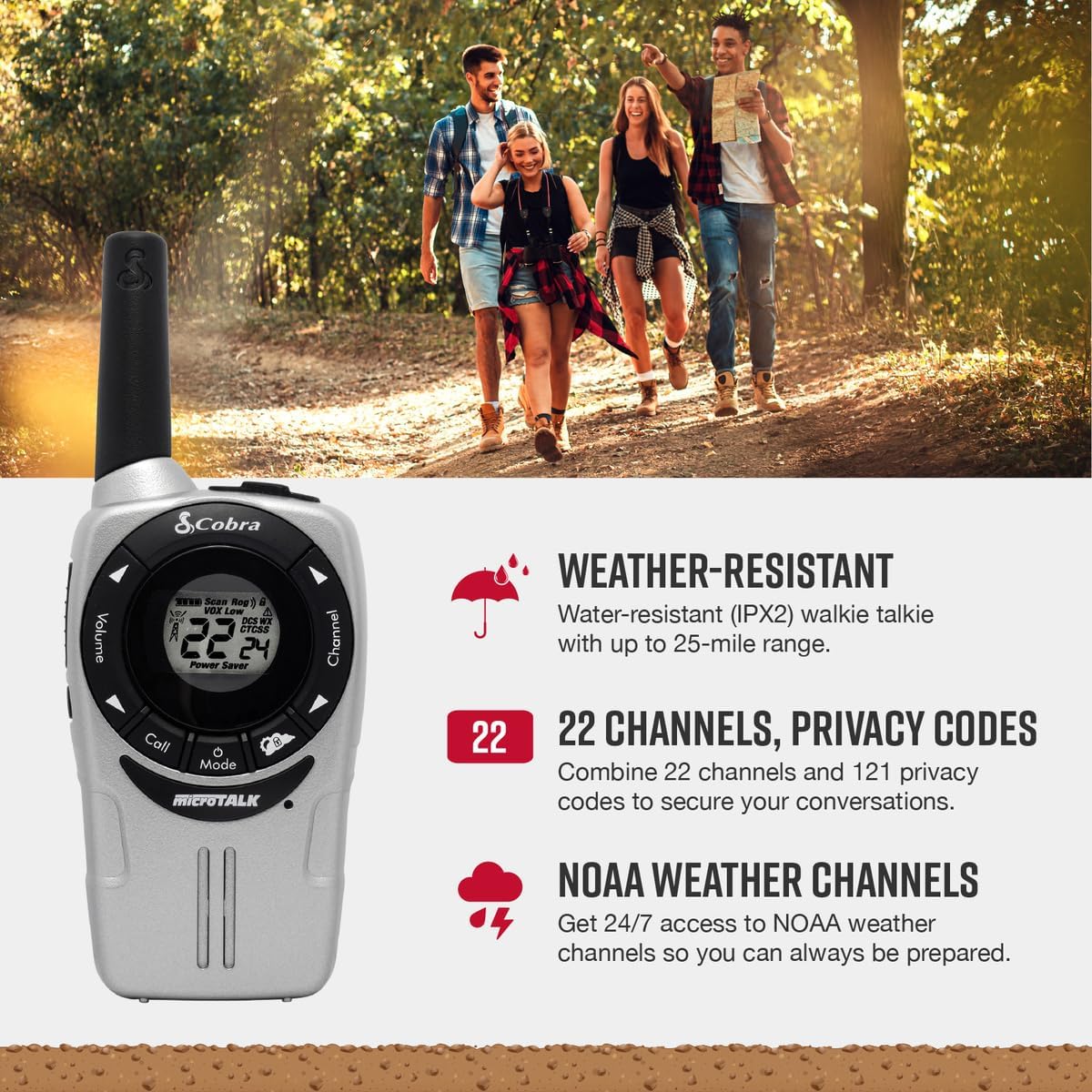
Image: A Cobra ACXT360 radio with icons indicating weather resistance, 22 channels, and NOAA weather alerts.

Image: A Cobra ACXT360 radio with icons indicating VOX transmission, call tones, and channel scan features.
5.1 Understanding Range
The maximum range of a walkie talkie is tested under ideal conditions, such as flat, open terrain with a clear line of sight and no obstructions. The actual usable range can be significantly affected by environmental factors.
- Barruti maximoa: Achieved in optimal conditions with no obstructions.
- Usable Range: Influenced by weather, landscape (hills, valleys), radio signals, elevation, and physical obstructions like trees, foliage, buildings, and mountains.

Image: An illustration explaining the difference between maximum theoretical range and actual usable range for walkie talkies, listing influencing factors.
6. Mantentzea
6.1 Arreta orokorra
- Avoid exposing the radios to extreme temperatures, direct sunlight for prolonged periods, or excessive moisture beyond their IPX2 rating.
- Do not drop or subject the radios to severe impacts.
6.2 Garbiketa
- Garbitu irratiaren gainazalak zapi leun batekin,amp oihal. Ez erabili garbitzaile edo disolbatzaile urratzailerik.
- Ziurtatu kargatzeko ataka garbia eta hondakinik gabe dagoela.
6.3 Bateria zaintzea
- Use only the specified AAA rechargeable NiMH batteries.
- If storing the radios for an extended period, remove the batteries to prevent leakage.
- Tokiko araudien arabera bota bateria zaharrak.
7. Arazoak
| Arazoa | Irtenbide posiblea |
|---|---|
| Irratia ez da pizten. | Check battery installation and ensure batteries are charged. Replace batteries if necessary. |
| Ezin da transmititu edo jaso. | Ensure both radios are on the same channel and privacy code. Check battery level. Verify PTT button is functioning. |
| Audioaren kalitate eskasa edo soinu estatikoa. | Move closer to the other radio. Check for obstructions. Adjust volume. Ensure antenna is not obstructed. |
| Sorta mugatua. | Range is affected by terrain, weather, and obstructions. Try moving to a higher or more open area. |
| VOX not activating. | Adjust VOX sensitivity level in the menu. Speak louder or closer to the microphone. |
8. Zehaztapenak
| Ezaugarri | Xehetasuna |
|---|---|
| Modelo zenbakia | ACXT360 |
| Produktuaren neurriak | 1.25 x 2 x 5 hazbete (3.18 x 5.08 x 12.7 cm) |
| Elementuaren pisua | 3.76 ontza (106.6 gramo) |
| Pilak | 6 AAA NiMH rechargeable batteries (3 per radio) |
| Kanal kopurua | 22 FRS/GMRS kanal |
| Pribatutasun kodeak | 121 (38 CTCSS, 83 DCS) |
| Maiztasun barrutia | 400-512 MHz (estimated) |
| Hitz egiteko tartea gehienez | Up to 25 Miles (under ideal conditions) |
| Uraren Erresistentzia Maila | IPX2 (urarekiko erresistentea) |
| Ezaugarri bereziak | Battery Strength Indicator, Dust Proof, Long Range, Rechargeable |
9. Bermearen informazioa
Cobra products are designed and manufactured to high standards. For specific warranty details, including coverage period and terms, please refer to the warranty card included with your product or visit the official Cobra webgunea. Gorde erosketaren egiaztagiria bermearen erreklamazioetarako.
10. Laguntza
If you encounter any issues or have questions not covered in this manual, please refer to the following resources:
- Lineako laguntza: Visit the official Cobra website for FAQs, product registration, and additional support documentation.
- Bezeroarentzako arreta: Contact Cobra customer service directly for technical assistance. Contact information can typically be found on the manufacturer's webgunea edo produktuaren ontziak.