1. Sarrera
This manual provides detailed instructions for the safe and efficient operation of your Optoma EH416 Full HD 3D DLP Projector. Please read this manual thoroughly before using the projector and retain it for future reference. Proper use and maintenance will ensure optimal performance and longevity of your device.
Segurtasun Informazioa
- Ez begiratu zuzenean proiektorearen lenteari l dagoenean.amp piztuta dago. Argi biziak begietan kalteak eragin ditzake.
- Ziurtatu proiektorearen inguruan aireztapen egokia dagoela. Ez blokeatu aireztapen-irekidurak.
- Erabili proiektorearekin batera datorren kablea soilik. Konektatu behar bezala lurrera konektatutako entxufe batera.
- Ez jarri proiektorea euripean, hezetasunean edo gehiegizko hezetasunean.
- Konponketa guztiak zerbitzu-langile kualifikatuei eskatu. Ez saiatu proiektorea zeuk irekitzen edo konpontzen.
2. Zer dago kutxan
Please verify that all items listed below are present in your package. If any items are missing or damaged, contact your dealer immediately.
- Optoma EH416 Projector
- Elikatze kablea
- VGArako VGA kablea
- Urruneko Kontrola
- Garraio Poltsa
- Urruneko Kontrolerako bateriak
- Multilingual CD-ROM User’s Manual
- Hasierako Txartela
- Berme Txartela
3. Produktua amaitu daview
Ezaugarri nagusiak
- Distira handia: 4200 lumens for clear images in various lighting conditions.
- Kontraste handia: 20,000:1 contrast ratio for sharp, luminous images with deep blacks.
- Full HD bereizmena: Native 1080p (1920x1080) resolution, supporting up to WUXGA (1920x1200).
- Advanced Optical Lens: Features a 1.6x zoom and vertical lens shift for flexible installation.
- Konektibitate zabala: Dual HDMI (one with MHL support), dual audio-in, VGA, and more.
- sRGB Color Profile: Enables vibrant and highly accurate colors based on Rec. 709 HDTV specification.
- Hormaren kolorearen doikuntza: Compensates for brightness loss when projecting on non-white surfaces.
- Edge Mask: Eliminates soft edges and jaggedness on the projection border for a smooth image.
- Audio integratua: 10 W-ko bozgorailu integratua.
Proiektorearen osagaiak
The image below illustrates the main components of the Optoma EH416 projector, including the lens, control panel, and various ports.
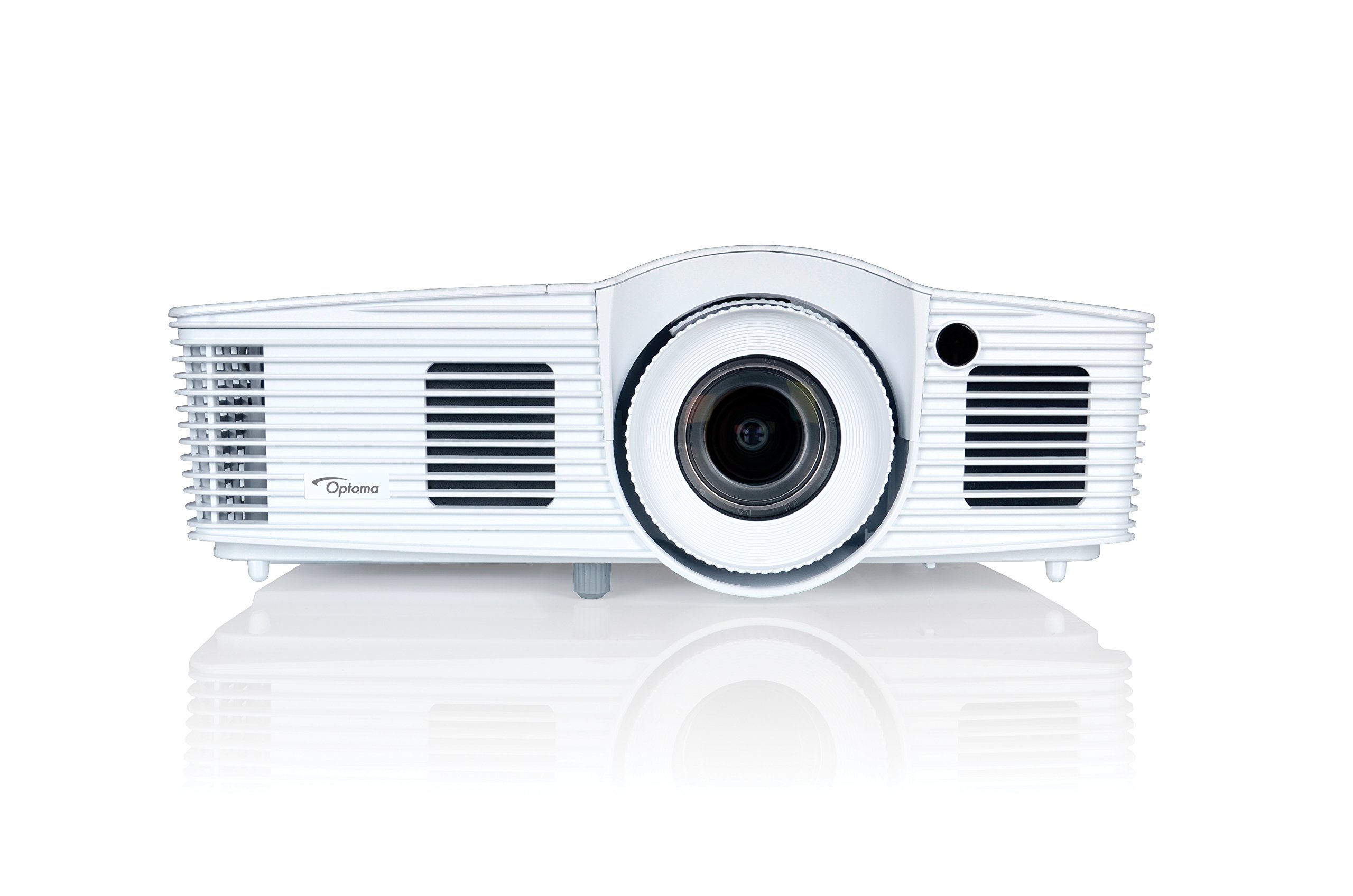
1. irudia: Aurrealdea view of the Optoma EH416 Projector, showing the lens and primary controls.
Konektagarritasun ataka
The Optoma EH416 projector offers a wide range of connectivity options located on the rear panel for versatile integration with various devices.
- HDMI (x2): Digital input for high-definition video and audio. One port supports MHL for mobile devices.
- VGA (x2): Analog input for computer connections.
- Audio In (x2): 3.5mm stereo jack for analog audio input.
- Audio irteera: 3.5mm stereo jack for connecting external speakers.
- USB-A: For power output or service.
- RS232: Proiektorea ordenagailu edo kontrol sistema baten bidez kontrolatzeko.
- RJ45 (Ethernet): Sarearen kontrol eta kudeaketarako.
4. Konfigurazioa
Proiektorea jartzea
The Optoma EH416 offers flexibility in placement due to its 1.6x zoom and vertical lens shift capabilities. Position the projector on a stable surface or mount it securely. Adjust the distance from the screen to achieve the desired image size. The 1.6x zoom allows for a larger image from a shorter distance or a smaller image from a longer distance without moving the projector.
Gailuak konektatzea
- Potentzia-konexioa: Connect the power cord to the projector's power inlet and then to a grounded electrical outlet.
- Bideoaren iturria:
- For HDMI devices (e.g., Blu-ray player, laptop): Connect an HDMI cable from your device to one of the HDMI ports on the projector.
- For VGA devices (e.g., older laptops): Connect a VGA cable from your device to a VGA port on the projector. If audio is also required, connect a separate 3.5mm audio cable from your device to an Audio In port on the projector.
- For MHL compatible mobile devices: Connect an MHL cable to the designated HDMI/MHL port.
- Audio irteera (aukerakoa): If using external speakers, connect an audio cable from the projector's Audio Out port to your sound system.
Piztu/Itzaltzea
- Pizteko: Press the power button on the projector's control panel or the remote control. The power indicator light will turn blue.
- Itzaltzeko: Press the power button twice. The projector will enter a cooling down cycle before completely shutting off. Do not unplug the projector during the cooling cycle.
5. Proiektorearen funtzionamendua
Oinarrizko Funtzionamendua
- Iturburuaren hautaketa: Use the 'Source' button on the remote or control panel to cycle through available input sources (HDMI1, HDMI2/MHL, VGA1, VGA2).
- Menuen nabigazioa: Press the 'Menu' button to access the On-Screen Display (OSD). Use the arrow keys to navigate and 'Enter' to select options.
- Bolumen kontrola: Use the volume buttons on the remote control to adjust the audio output from the built-in speaker or Audio Out port.
Irudien doikuntzak
- Fokua eta zooma: Rotate the focus and zoom rings on the projector lens to achieve a sharp and appropriately sized image.
- Keystone zuzenketa: If the image appears trapezoidal, use the 'Keystone' function in the OSD menu or the dedicated button on the remote to correct the image shape. The EH416 supports ±40° vertical keystone correction.
- Lentearen desplazamendu bertikala: This feature allows you to physically move the image up or down without tilting the projector, minimizing keystone distortion. Adjust the lens shift dial located near the lens.
- Hormaren kolorearen doikuntza: Access this feature in the OSD menu to compensate for the color of your projection surface (e.g., blackboard, light yellow wall). This helps maintain accurate color reproduction even on non-white walls.
- sRGB Color Profile: For the most accurate and vibrant colors, especially when connecting to a PC, Mac, or sRGB compatible source, select the sRGB picture mode in the OSD. This profile adheres to the Rec. 709 HDTV specification.
- Edge Mask: This function, found in the OSD, helps to refine the edges of the projected image, eliminating any soft or jagged appearance on the border.
6. Mantentzea
Proiektorea garbitzea
- Lentea: Erabili lente optikoetarako bereziki diseinatutako zapi leun eta lint-gabea. Ez erabili garbitzaile urratzailerik.
- Casing: Garbitu proiektorea casing with a soft, dry cloth. For stubborn dirt, use a slightly damp zapi bat detergente leun batekin, eta gero lehortu.
- Aire irteerak: Aldian-aldian egiaztatu eta garbitu aireztapen-zuloak hautsa pilatzea saihesteko, gehiegi berotzea eragin baitezake. Erabili eskuila leun bat edo aire konprimatua.
Lamp Zaindu
Proiektorea lamp bizitza mugatua du. Noiz lamp life is nearing its end, a warning message may appear on the screen. Refer to the full user manual on the included CD-ROM for detailed instructions on lamp replacement. Always use genuine Optoma replacement lamperrendimendu eta segurtasun optimoa bermatzeko.
7. Arazoak
This section addresses common issues you might encounter. For more detailed troubleshooting, refer to the comprehensive user manual on the included CD-ROM.
- Ez dago irudirik pantailan:
- Check if the projector is powered on and the lamp piztuta dago.
- Verify that the video source device is powered on and functioning correctly.
- Ensure the video cable (HDMI, VGA) is securely connected to both the projector and the source device.
- Hautatu sarrera-iturri zuzena urrutiko agintean edo proiektorean dagoen 'Iturria' botoia erabiliz.
- Irudi lausoa edo desitxuratua:
- Doitu fokatze-eraztuna proiektorearen lentean.
- If the image is trapezoidal, use the keystone correction function.
- Ensure the projector is perpendicular to the screen or use vertical lens shift.
- Soinurik ez:
- Egiaztatu proiektorearen eta iturburu-gailuaren bolumen-maila.
- If using an analog VGA connection, ensure a separate audio cable is connected.
- Egiaztatu audio irteera ez dagoela isilarazita.
- Urruneko kontrola ez dabil:
- Egiaztatu eta ordeztu bateriak.
- Ziurtatu ez dagoela oztoporik urrutiko agintearen eta proiektorearen IR hargailuaren artean.
8. Zehaztapenak
| Ezaugarri | Xehetasuna |
|---|---|
| Modelo zenbakia | EH416 |
| Bistaratzeko ebazpena | 1920 x 1080 (HD osoa) |
| Distira | 4200 lumen |
| Kontraste-erlazioa | 20,000:1 |
| Konektibitate Teknologia | Wireless, HDMI, MHL, VGA |
| Produktuaren neurriak | 8.81 x 12.36 x 4.48 hazbete |
| Elementuaren pisua | 6.6 kilo |
| Gomendatutako Erabilerak | Business, Education |
| Fabrikatzailea | OPTOMA TEKNOLOGIA |
| Eskuragarri dagoen lehen data | 5ko apirilaren 2016a |
9. Bermea eta Laguntza
Your Optoma EH416 projector comes with a manufacturer's warranty. Please refer to the included warranty card for specific terms, conditions, and registration information. For technical support, product registration, or to download the latest drivers and firmware, please visit the official Optoma website or contact Optoma customer service.


