KEYSIGHT U1242C Eskuko Multimetro Digitalaren Erabiltzaile Eskuliburua
Eredua: U1242C
1. Sarrera
The KEYSIGHT U1242C is a robust and reliable handheld digital multimeter (DMM) designed for professional and industrial use. It offers high accuracy, durability, and advanced features for various electrical measurements. This manual provides essential information for the safe and efficient operation, maintenance, and troubleshooting of your U1242C DMM.
Ezaugarri nagusiak hauek dira:
- 50,000 counts resolution on dual display
- 0.03% basic DC voltagzehaztasuna
- True RMS AC measurement
- Data logging to DMM (max. 200 points) & PC with software bundle
- IP 67 certified for dust and water resistance
- Withstands up to 3-meter (10 feet) drop
- LED linterna integratua
2. Segurtasun informazioa
WARNING: Read and understand all safety instructions before operating this device. Failure to follow these instructions may result in injury or damage to the meter.
- Produktu hau erabilera profesionalerako soilik da.
- Errespetatu beti tokiko eta nazioko segurtasun-kodeak.
- Ez erabili neurgailua hondatuta badago edo isolamendua kaltetuta badago.
- Ziurtatu proba-kableak egoera onean daudela eta behar bezala konektatuta daudela neurketak egin aurretik.
- Ez gainditu funtzio bakar baterako sarrera-muga maximoak.
- Kontuz ibili voltag30V AC RMS, 42V peak edo 60V DC-tik gorakoak. Bolumen hauektagshock arriskua dakar.
- Itzali beti zirkuituaren potentzia eta deskargatu bolumen handiko guztiaktage kondentsadoreak erresistentzia, jarraitutasun edo diodo probak egin aurretik.
- Replace the battery and fuses only with the specified type and rating.
3. Produktua amaitu daview
3.1 Aurrealdea View

This image displays the front of the KEYSIGHT U1242C Digital Multimeter, showing its large orange casing, the dual display screen, the rotary dial for function selection, and the input jacks for test leads. Various buttons for functions like Max/Min, Hz, Log, Hold, and Range are visible around the display.
3.2 Aldea View
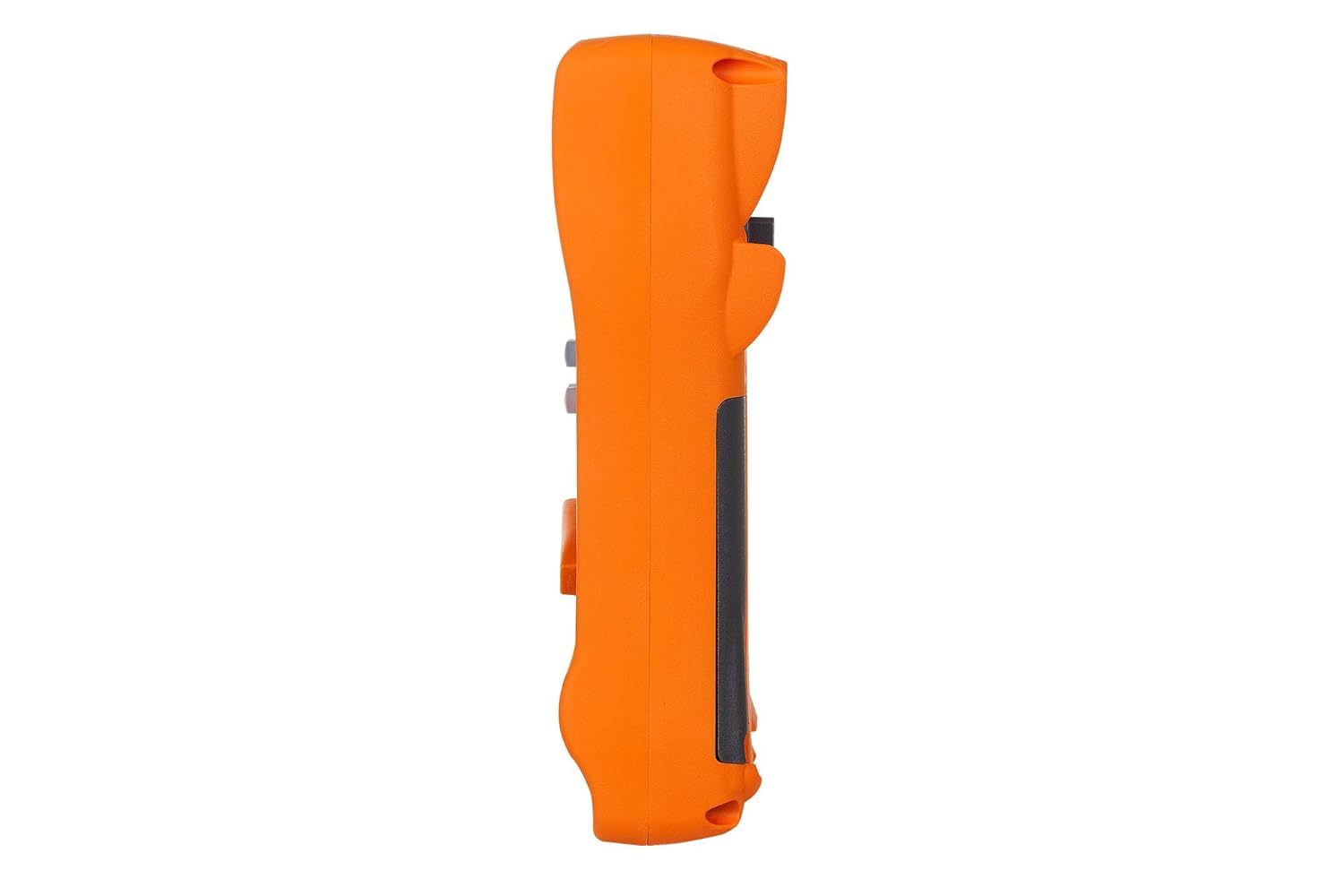
Irudi honek alboko profesionala erakusten dufile of the KEYSIGHT U1242C Digital Multimeter, highlighting its ergonomic design and the textured grip on the orange casing. The side view emphasizes the compact and robust build of the device.
3.3 Itzuli View

This image presents the back of the KEYSIGHT U1242C Digital Multimeter, revealing the battery compartment cover, the kickstand for hands-free operation, and the product label with model and serial number information. The robust construction of the casing is also evident.
3.4 Kontrolak eta konektoreak
- Pantaila: Large dual display for primary and secondary readings.
- Etengailu birakaria: Selects measurement functions (Voltage, Current, Resistance, etc.).
- Funtzio-botoiak: Max/Min, Hz, Log, Hold, Range, View, Shift.
- Sarrerako Jackak:
- VΩHz: Bolumenerako sarreratage, resistance, frequency, capacitance, and diode tests.
- COM: Neurketa guztietarako sarrera komuna.
- mAµA: Milirako sarreraampere eta mikroampegungo neurketak.
- 10A GEHIENEZKO FUSIOA: Korronte handiko neurketetarako sarrera (10A arte).
4. Konfigurazioa
4.1 Bateriaren instalazioa
- Ziurtatu multimetroa itzalita dagoela.
- Bilatu bateriaren konpartimentua neurgailuaren atzealdean.
- Erabili bihurkin bat bateriaren estalkia lotzen duen torlojua askatzeko.
- Kendu bateriaren estalkia.
- Insert the specified batteries (e.g., 4 x AAA batteries) observing the correct polarity (+/-).
- Jarri bateriaren estalkia eta estutu torlojua ongi.
4.2 Proba-kablearen konexioa
Always connect the test leads to the appropriate input jacks for the measurement you intend to perform. Incorrect connection can lead to damage to the meter or personal injury.
- Neurketa gehienetarako (bolumentage, Resistance, Continuity, Diode, Capacitance, Frequency), connect the black test lead to the COM jack-a eta proba-kable gorria VΩHz jack.
- For current measurements (mA/µA), connect the black test lead to the COM jack-a eta proba-kable gorria mAµA jack.
- For high current measurements (up to 10A), connect the black test lead to the COM jack-a eta proba-kable gorria 10A MAX FUSED jack.
5. Funtzionamendu-argibideak
This section outlines the basic steps for performing common measurements with your U1242C DMM.
5.1 AC/DC Vol. neurtzeatage
- Biratu etengailu birakaria nahi den bolumeneratage range (V~ for AC, V- for DC). The meter may have an auto-ranging feature.
- Konektatu probako kable beltzara COM jack-a eta proba-kable gorria VΩHz jack.
- Konektatu proba-zundak paraleloan neurtu beharreko zirkuituan edo osagaian.
- Irakurri liburukiatagPantailako balioa.
5.2 AC/DC korrontea neurtzea
CAUTION: Never connect the meter in parallel with a voltagKorrontea neurtzean iturria erabiltzen da. Honek fusiblea erre edo neurgailua kaltetu dezake.
- Turn the rotary switch to the desired current range (A~ for AC, A- for DC, or mA/µA ranges).
- Konektatu probako kable beltzara COM jack.
- For mA/µA measurements, connect the red test lead to the mAµA jack. For 10A measurements, connect the red test lead to the 10A MAX FUSED jack.
- Open the circuit where current is to be measured and connect the meter in series with the circuit.
- Irakurri uneko balioa pantailan.
5.3 Erresistentzia neurtzea
- Biratu biraketa-etengailua Ω (Ohm) tartean.
- Konektatu probako kable beltzara COM jack-a eta proba-kable gorria VΩHz jack.
- Ziurtatu zirkuitua edo osagaia deskonektatuta dagoela erresistentzia neurtu aurretik.
- Konektatu proba-zundak neurtu beharreko osagaira.
- Irakurri erresistentziaren balioa pantailan.
5.4 Jarraitasun proba
- Turn the rotary switch to the continuity symbol (speaker icon).
- Konektatu probako kable beltzara COM jack-a eta proba-kable gorria VΩHz jack.
- Ziurtatu zirkuitua desenergizatuta dagoela.
- Konektatu proba-zundak zirkuituan edo osagaian.
- The meter will beep if continuity is detected (resistance below a certain threshold).
5.5 Datuen erregistroa
The U1242C supports data logging. Refer to the detailed user manual for specific instructions on activating and managing data logging functions, including connecting to a PC with the software bundle for extended logging capabilities.
6. Mantentzea
6.1 Garbiketa
Garbitu neurgailuaren casiniragarkiarekin gamp oihal eta detergente leun batekin. Ez erabili urratzailerik edo disolbatzailerik. Ziurtatu neurgailua guztiz lehor dagoela erabili aurretik.
6.2 Bateria ordezkatzea
Bateriaren adierazlea pantailan agertzen denean, ordezkatu bateriak 4.1 atalean azaltzen den bezala. Bateriaren ordezkapen azkarrak irakurketa zehatzak eta funtzionamendu egokia bermatzen ditu.
6.3 Fusiblearen ordezkapena
WARNING: Always replace blown fuses with fuses of the exact same type and rating to maintain safety and performance.
- Ziurtatu multimetroa itzalita dagoela eta proba-kable guztiak deskonektatuta daudela.
- Ireki bateriaren konpartimentua 4.1 atalean azaltzen den bezala.
- Locate the fuse(s) inside the compartment.
- Gently remove the blown fuse.
- Insert a new fuse of the correct rating (e.g., 10A/1000V for the 10A input).
- Jarri bateriaren estalkia eta estutu torlojua ongi.
6.4 Kalibrazioa
The U1242C is factory calibrated. For continued accuracy, periodic calibration by a qualified service center is recommended. Refer to KEYSIGHT's official support channels for calibration services.
7. Arazoak
| Arazoa | Kausa posiblea | Irtenbidea |
|---|---|---|
| Neurgailua ez da pizten | Bateria hutsik edo gaizki instalatuta | Ordeztu bateriak, egiaztatu polaritatea |
| No reading or "OL" (Overload) displayed | Incorrect function selected; Open circuit; Input exceeds range | Select correct function; Check circuit continuity; Select higher range or auto-range |
| Irakurketa okerrak | Low battery; Dirty test leads; Environmental interference; Needs calibration | Replace battery; Clean leads; Move away from interference; Consider calibration |
| Korrontearen neurketa ez dabil | Blown fuse; Incorrect lead connection; Meter not in series | Check/replace fuse; Verify lead connection; Ensure meter is in series with circuit |
8. Zehaztapenak
| Ezaugarri | Zehaztapena |
|---|---|
| Modelo zenbakia | U1242C |
| Bistaratu zenbaketak | 50,000 |
| Basic DC Voltage Zehaztasuna | %0.03 |
| AC Neurketa | Egiazko RMS |
| Sarrera babesteko (IP) balorazioa | IP 67 |
| Erorteen babesa | Gehienez 3 metro (10 oin) |
| Energia iturria | Bateriaren bidez |
| Elementuaren pisua | Libra 1 (16 ontza) |
| Fabrikatzailea | KEYSIGHT |
| Eskuragarri dagoen lehen data | 22ko maiatzaren 2018a |
9. Bermea eta Laguntza
9.1 Lege-oharra
Keysight Technologies products are classified as industrial monitoring and control equipment designed exclusively for professional or industrial use and related training programs. Keysight products are designed and certified to meet national industrial safety standards (such as Electrical Equipment for Measurement, Control and Laboratory Use) where products are sold solely for use by trained professionals. Keysight products are not intended for consumer use in a residential setting and may not meet consumer level standards for EMC and other regulated radiated emissions. Keysight products are intended for use in the country where the product was originally sold.
9.2 Laguntza Teknikoa
For technical assistance, service, or warranty claims, please contact KEYSIGHT customer support through their official website or authorized service centers. Provide your product model number (U1242C) and serial number when seeking support.


