1. Sarrera
This manual provides instructions for the installation, operation, and maintenance of your Swann 8-Channel 1080p Surveillance Kit. This system is designed to provide high-definition video surveillance for your property, featuring an 8-channel Digital Video Recorder (DVR) and four 1080p cameras.
2. Paketearen edukia
Mesedez, egiaztatu paketearen edukia. Elementuren bat falta bada edo hondatuta badago, jarri harremanetan zure saltzailearekin.
- Swann 8-Channel 1080p DVR with 1TB Hard Drive
- 4 x 1080p Surveillance Cameras
- Power Adapters for DVR and Cameras
- Video Cables for Cameras
- HDMI kablea
- Ethernet kablea
- USB sagua
- Muntatzeko torlojuak eta tapoiak
- Hasierako gida azkarra
3. Produktua amaitu daview
3.1 Bideo-grabagailu digitala (DVR)
The DVR is the central unit for recording, storing, and managing video footage from your cameras. It features 8 channels for connecting up to 8 cameras and a pre-installed 1TB hard drive for continuous recording.
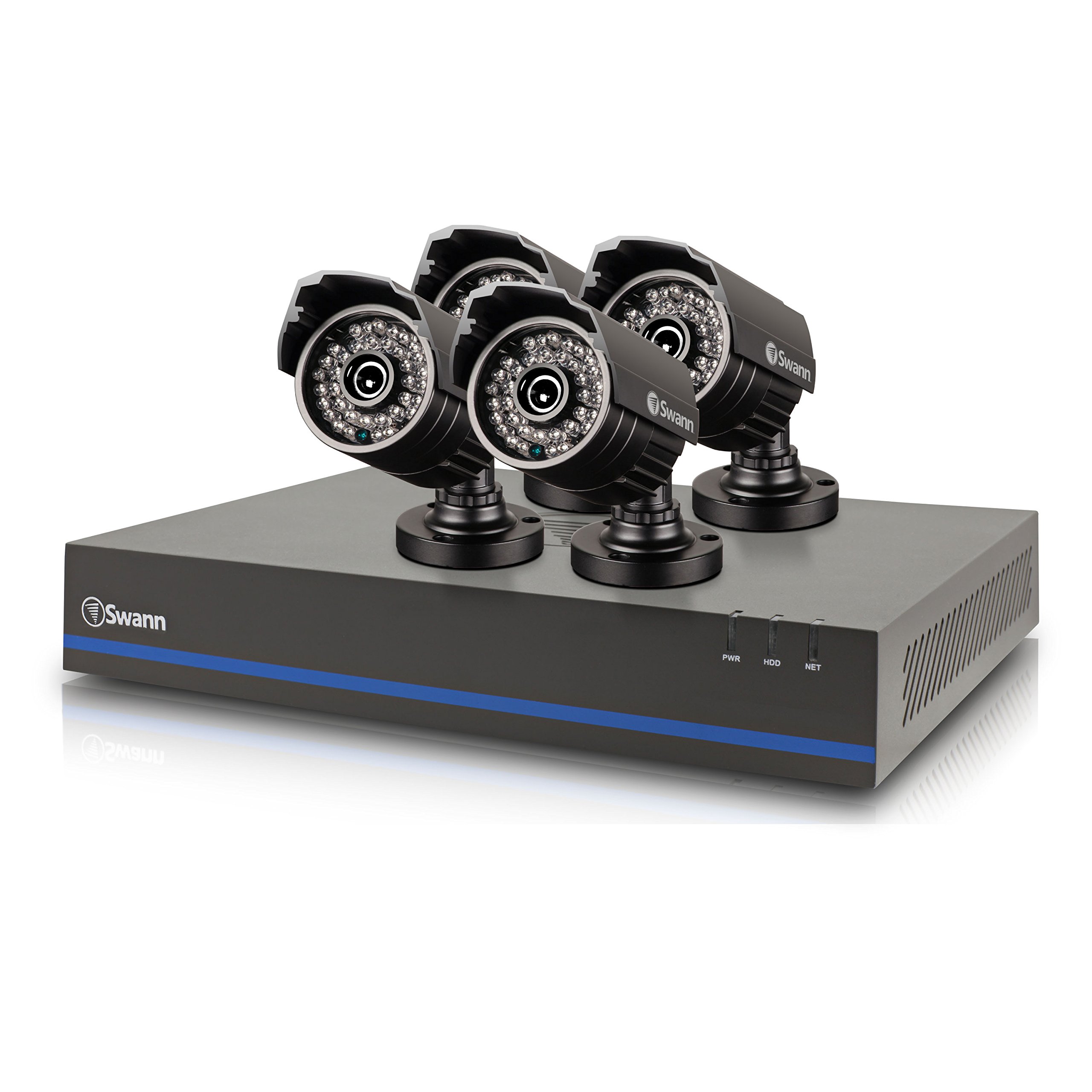
Image 1: Swann 8-Channel DVR (Angled View). This image shows the DVR unit from an angle, highlighting its compact design and front panel indicators.
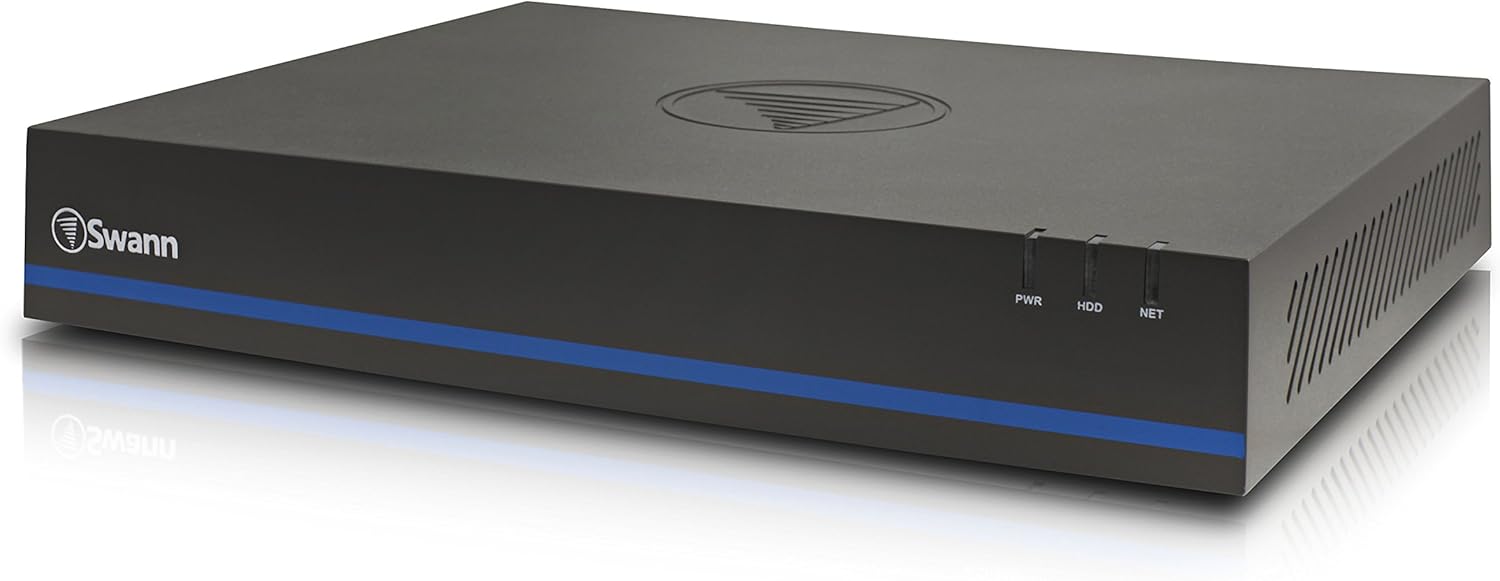
Image 2: Swann 8-Channel DVR (Front View). This image displays the front of the DVR, showing the PWR, HDD, and NET indicator lights.
3.2 Surveillance Cameras
The kit includes four 1080p cameras designed for both indoor and outdoor use. They provide crystal-clear 1920 x 1080 pixel video and are equipped with IR-cut filters for powerful night vision up to 100 feet (30 meters). The cameras have an IP66 weather-resistant rating.
4. Konfigurazioa
4.1 Hardwarearen instalazioa
- Positioning the DVR: Place the DVR in a secure, well-ventilated area, away from direct sunlight and moisture.
- Kamerak konektatzea: Connect each camera to an available video input port on the DVR using the provided video cables. Ensure connections are secure.
- Kamerak elikatzea: Connect the camera power adapters to the cameras and then to a power outlet.
- Connecting to a Monitor: Connect the DVR to a monitor (e.g., HDTV, LCD screen) using the HDMI or VGA cable.
- Sagua konektatzen: Konektatu USB sagua DVR-ko USB ataka batera.
- Sare Konexioa (Aukerakoa baina Gomendagarria): Connect an Ethernet cable from the DVR to your router for remote viewgaitasunak.
- Powering the DVR: Konektatu DVRaren elikatze-egokitzailea DVRra eta gero entxufe batera. DVRa automatikoki piztuko da.
4.2 Initial Software Configuration
Upon first power-on, the DVR will guide you through an initial setup wizard. Follow the on-screen prompts to:
- Set up a password for the administrator account.
- Konfiguratu data eta orduaren ezarpenak.
- Doitu bideo irteerako bereizmena.
- Perform a software update if prompted. (Note: Some users have reported needing to manually check for updates.)
- Configure network settings (if connected to a router).
4.3 Mugikorretarako aplikazioaren konfigurazioa
Urrunekorako viewing on your smartphone or tablet (iOS/Android), download the SwannView Gainera app from your device's app store. (Note: The older SwannView app is not compatible with this system.) Follow the in-app instructions to add your DVR using its unique ID or QR code.
5. Sistemaren funtzionamendua
5.1 Bizi Viewing
Sistema konfiguratuta dagoenean, egin dezakezu view bizi footage from all connected cameras on your monitor or via the SwannView Plus mobile app. Use the USB mouse to navigate the DVR's on-screen interface.
5.2 Grabaketa
DVRak hainbat grabazio modu onartzen ditu:
- Grabaketa jarraitua: Records 24/7, overwriting older footage disko gogorra beteta dagoenean.
- Mugimendua detektatzeko grabazioa: Records only when motion is detected by a camera. Sensitivity and recording schedules can be configured.
- Programatutako grabazioa: Eguneko edo asteko ordu zehatzetan grabaketak.
Access the DVR's menu to configure recording settings for each camera.
5.3 Erreprodukzioa
Berrizview foo grabatuatage:
- Access the DVR's main menu and select the 'Playback' option.
- Aukeratu berriro gorde nahi duzun data eta ordu-tarteaview.
- Select the camera(s) whose footage nahi duzu view.
- Erabili erreprodukzio-kontrolak (erreproduzitu, pausatu, aurreratu, atzeratu) foo-n zehar nabigatzeko.tage.
You can also transfer incident video to external storage via USB or network.
5.4 Urruneko sarbidea
The SwannView Plus app allows you to:
- View Interneteko konexioa duen edozein lekutatik zuzeneko kameraren jarioak.
- Erreproduzitu grabatutako fooatage.
- Receive push notifications for motion detection events.
Ensure your DVR is connected to the internet and the app is correctly configured.
6. Mantentzea
- Ohiko garbiketa: Keep camera lenses clean for optimal image clarity. Use a soft, damp oihal.
- DVR aireztapena: Ensure the DVR's ventilation openings are clear to prevent overheating.
- Firmware eguneraketak: Aldian-aldian egiaztatu Swann laguntza website for firmware updates for your DVR to ensure optimal performance and security.
- Disko gogorraren kudeaketa: 1 TB-ko disko gogorrak automatikoki gainidatziko ditu fitxategi zaharrenak.tage when full. Back up important footage aldizka.
7. Arazoak
| Arazoa | Kausa posiblea | Irtenbidea |
|---|---|---|
| No video on monitor | Kable konexio soltea, sarrera iturri okerra monitorean, DVR-a piztuta ez dago. | Egiaztatu HDMI/VGA kablearen konexioak. Ziurtatu monitorearen sarrera zuzena dagoela. Egiaztatu DVRaren potentzia. |
| Urrunekorik ez viewing via app | DVR not connected to network, incorrect app (SwannView Link vs. SwannView Plus), network configuration issues. | Ensure DVR is connected to router. Confirm you are using the SwannView Gainera app. Check DVR network settings. |
| Gaueko ikusmenaren kalitate eskasa | Obstructions in front of camera, camera too far from subject, IR lights blocked. | Clear obstructions. Ensure camera is within 82 feet (25 meters) of the area of interest. |
| DVR making loud humming noise | Normal operation of internal fan/hard drive, poor ventilation. | Ensure adequate ventilation around the DVR. If noise is excessive, contact support. |
| False motion alerts (e.g., from insects) | High motion sensitivity, insects near camera at night. | Adjust motion detection sensitivity in DVR settings. Consider scheduling email alerts to avoid notifications during specific times. |
8. Zehaztapenak
- Marka: Swann
- Modelo zenbakia: LYSB01LG2GSMY-ELECTRNCS
- Konektibitate Teknologia: Kableatua
- Bideoa ateratzeko ebazpena: 1080p
- Ezaugarri bereziak: Mugimendu-sentsorea, gaueko ikusmena
- Kanal kopurua: 8
- Memoria biltegiratzeko gaitasuna: 1 TB (Disko gogorra)
- Energia iturria: Kable elektrikoa
- Elementuaren neurriak (L x W x H): 16.5 x 12.6 x 8.3 hazbete
- Sistema eragilearen bateragarritasuna: Android, iOS (for mobile app)
- Gomendatutako erabilerak: Barruko eta kanpoko zaintza
- Gaueko ikuspegia: Gehienez 82 oin (25 metro)
- ViewAngelua: 90 gradu
- Elementuaren pisua: 12.8 kilo
- UPC: 840236117031
9. Bermea eta Laguntza
For warranty information and technical support, please refer to the documentation included with your product or visit the official Swann webgunea. Gorde erosketa-agiria erosketaren frogagiri gisa berme-erreklamazioetarako.
Sareko baliabideak:
- Swann Official Webgunea: www.swann.com
- Product Support Page: Refer to the Swann website for specific support pages related to your model.


