1. Sarrera
This manual provides detailed instructions for the installation, operation, maintenance, and troubleshooting of the Hikvision DS-9632NI-I8 32-Channel 4K Network Video Recorder (NVR). Please read this manual thoroughly before using the product to ensure proper and safe operation. Keep this manual for future reference.
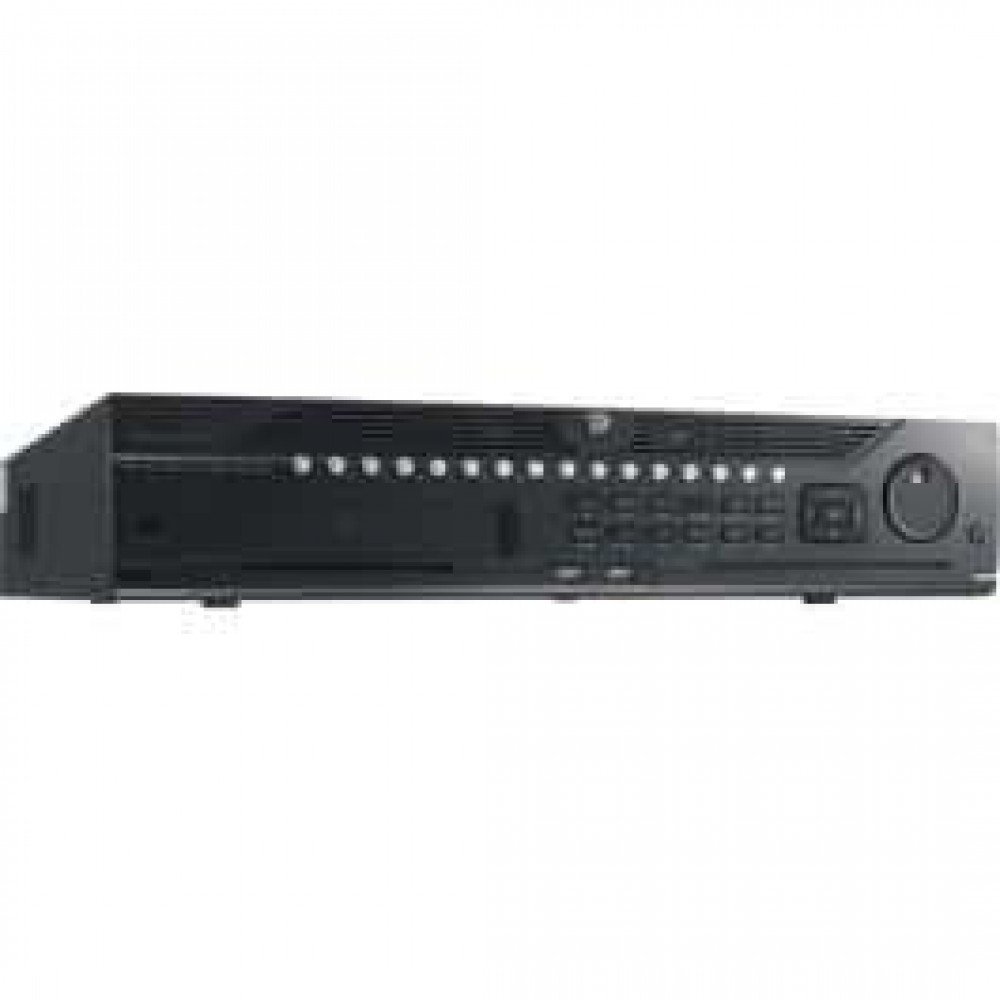
1. irudia: Aurrealdea view of the Hikvision DS-9632NI-I8 NVR, showing its robust chassis and various interface ports.
2. Segurtasun informazioa
Always follow basic safety precautions to reduce the risk of fire, electric shock, and injury to persons. This includes, but is not limited to:
- Erabili fabrikatzaileak zehaztutako korronte-egokitzailea soilik.
- Ziurtatu aireztapen egokia gehiegi berotzea saihesteko.
- Do not expose the NVR to water or moisture.
- Avoid placing the NVR near heat sources or in direct sunlight.
- Jarri zerbitzu-zerbitzu guztiak zerbitzu-pertsonal kualifikatuari.
3. Paketearen edukia
Verify that all items are present and in good condition. If any item is missing or damaged, contact your dealer immediately.
- Hikvision DS-9632NI-I8 NVR Unit
- Energia-egokitzailea/kablea
- USB sagua
- HDD instalaziorako torlojuak
- Hasierako gida azkarra
- CD-ROMa (softwarea eta eskuliburu osoa dituena)
4. Konfigurazioa
4.1 Hardwarearen instalazioa
- Prepare Hard Disk Drives (HDDs): The DS-9632NI-I8 supports up to 8 SATA HDDs. Install HDDs into the NVR chassis using the provided screws. Ensure each HDD is securely mounted.
- Konektatu periferikoak:
- Konektatu monitore bat HDMI edo VGA irteerako atakara.
- Konektatu barneko USB sagua USB ataka batera.
- Konektatu NVRa zure sarera Ethernet kable bat erabiliz.
- Piztu: Connect the power adapter to the NVR and then to a power outlet. Press the power button on the front panel.
4.2 Hasierako konfigurazioa
Lehenengo aldiz abiaraztean, NVR-ak hasierako konfigurazio-morroi baten bidez gidatuko zaitu.
- Administratzailearen pasahitza ezarri: Sortu pasahitz sendo bat 'admin' erabiltzailearentzat.
- Sarearen ezarpenak: Configure network parameters (DHCP or Static IP). Ensure the NVR is accessible on your local network.
- Data eta ordua: Ezarri data, ordua eta ordu-zona zuzenak.
- HDDaren hasieraketa: The NVR will prompt you to initialize the installed HDDs. This process will format the drives for recording.
- Add IP Cameras: Use the wizard to search for and add compatible Hikvision IP cameras to the NVR.
5. Funtzionamendu-argibideak
5.1 Bizi View
Saioa hasi ondoren, NVR-ak zuzeneko irudia bistaratuko du view interface, showing feeds from connected cameras. You can switch between different camera views and layouts.
- Kamera bakarra View: Double-click a camera window to view pantaila osoan.
- Diseinuaren hautaketa: Use the layout icons at the bottom of the screen to choose different grid arrangements (e.g., 4-channel, 9-channel).
5.2 Grabazioaren kudeaketa
The NVR supports continuous, scheduled, and event-triggered recording.
- Configure Recording Schedule: Nabigatu Configuration > Storage > Schedule Settings to define recording times for each camera.
- Eskuzko grabaketa: Egin klik zuzeneko grabazio ikonoan view eskuzko grabazioa hasteko/gelditzeko interfazea.
5.3 Erreprodukzioa
Berrizview foo grabatuatage:
- Joan zaitez Erreprodukzioa menua.
- Hautatu nahi dituzun kamera(k) eta data/ordu tartea.
- Erabili denbora-lerroa grabazioetan nabigatzeko.
- Playback controls (play, pause, fast forward, rewind) are available.
5.4 Urruneko sarbidea
NVRra urrunetik sar daiteke baten bidez. web browser or Hik-Connect mobile app.
- Web Arakatzailea: Enter the NVR's IP address into a web arakatzailea.
- Hik-Connect: Download the Hik-Connect app, register an account, and add your NVR by scanning its QR code or entering its serial number.
6. Mantentzea
6.1 Firmware eguneraketak
Regularly check for and install firmware updates to ensure optimal performance and security. Firmware can be downloaded from the official Hikvision webgunea.
- Nabigatu Configuration > System > Maintenance > Upgrade.
- Follow the on-screen instructions to perform the upgrade. Do not power off the NVR during the update process.
6.2 Disko gogorraren kudeaketa
Monitor the health of your HDDs and manage storage space.
- HDDaren egoera: Check HDD status in Configuration > Storage > HDD Management.
- Gainidazteko modua: Configure the NVR to overwrite old recordings when storage is full (default behavior).
6.3 Garbiketa
Keep the NVR clean to prevent dust buildup, which can affect performance and lifespan.
- Power off and unplug the NVR before cleaning.
- Erabili zapi leun eta lehor bat kanpoaldea garbitzeko.
- Erabili aire konprimatua aireztapen-zuloetatik hautsa kentzeko.
7. Arazoak
| Arazoa | Kausa posiblea | Irtenbidea |
|---|---|---|
| Ez dago bideo irteerarik monitorean. | Kable konexio soltea, sarrera iturri okerra monitorean, NVR piztuta ez. | Check HDMI/VGA cable connections. Ensure monitor is set to correct input. Verify NVR power. |
| Ezin da NVRra urrunetik sartu. | Network configuration issues, firewall blocking, incorrect port forwarding. | Verify NVR network settings. Check router firewall and port forwarding rules. Ensure Hik-Connect is properly configured. |
| Cameras not recording. | HDD not initialized, recording schedule not set, HDD full. | Initialize HDDs. Configure recording schedule. Check HDD status and capacity. |
| Administratzailearen pasahitza ahaztu zait. | Pasahitza galdu da. | Refer to the full manual or Hikvision support for password reset procedures. This often involves a security code or a physical reset button. |
8. Zehaztapenak
| Ezaugarri | Xehetasuna |
|---|---|
| Eredua | DS-9632NI-I8 |
| Bideo Sarrera | 32-Channel IP Video Input |
| Bideo Irteera | HDMI (up to 4K), VGA |
| Deskodetze formatua | H.265 + / H.265 / H.264 + / H.264 |
| Audio Sarrera/Irteera | 1-ch, RCA (2.0 Vp-p, 1 kΩ) / 2-ch, RCA (Linear, 1 kΩ) |
| SATA | 8 SATA interfaces for 8 HDDs |
| Edukiera | Up to 10 TB for each HDD (example, actual capacity may vary) |
| Sareko interfazea | 2 RJ-45 10M/100M/1000M self-adaptive Ethernet interfaces |
| USB Interfazea | Front panel: 2 × USB 2.0; Rear panel: 1 × USB 3.0 |
| Neurriak (W × D × H) | 23 x 22 x 8 hazbete (gutxi gorabehera) |
| Elikatze Hornidura | 100 eta 240 VAC, 50 eta 60 Hz |
9. Bermea eta Laguntza
9.1 Berme mugatua
Hikvision products are covered by a limited warranty. The specific terms and duration of the warranty may vary by region and product type. Please refer to the official Hikvision website or your purchase documentation for detailed warranty information.
- Gorde erosketa-froga berme-erreklamazioetarako.
- Unauthorized repairs or modifications may void the warranty.
9.2 Laguntza Teknikoa
For technical assistance, product inquiries, or service requests, please contact Hikvision support through the following channels:
- Ofiziala Webgunea: Bisitatu www.hikvision.com laguntza-baliabideak, maiz egiten diren galderak eta harremanetarako informazioa lortzeko.
- Bezeroarentzako arreta: Refer to the contact details provided on the Hikvision webzure eskualde zehatzerako gunea.
- Baimendutako saltzaileak: Your authorized Hikvision dealer can also provide support and service.


