Biconic Bluetooth Tough Weatherproof Portable Wireless Speaker User Manual
Modeloa: ABC-AU-BS-103-BK
Marka: Bytech
1. Produktua amaitu daview
The Biconic Bluetooth Tough Weatherproof Portable Wireless Speaker is designed for robust outdoor and indoor use, providing enhanced bass and clear audio. Its wireless capabilities allow for easy connection to various devices, and its durable, weatherproof construction ensures reliable performance in diverse environments.

1.1. irudia: Aurrealdea view of the Biconic Bluetooth Speaker, showcasing its robust design and speaker grille.
Ezaugarri nagusiak:
- Haririk gabeko konektagarritasuna: Seamless Bluetooth pairing with smartphones, tablets, and other compatible devices.
- Eguraldiaren diseinua: IPX6 water resistance protects against strong jets of water, making it suitable for outdoor use.
- Baxu hobetua: Delivers rich, deep bass for a superior audio experience.
- Eramangarria: Compact design with a durable strap for easy transport.
- Jolasaldi luzea: Up to 4 hours of continuous audio playback on a single charge.
2. Segurtasun informazioa
Produktu hau erabili aurretik, irakurri arretaz segurtasun-abisu eta argibide guztiak, funtzionamendu segurua bermatzeko eta kalteak saihesteko.
- Ez jarri bozgorailua tenperatura altuen eraginpean (beroa edo hotza).
- Do not immerse the speaker in water. While it is IPX6 water resistant, it is not designed for submersion.
- Keep the speaker away from direct heat sources, open flames, and flammable liquids.
- Use only the provided charging cable and a compatible power adapter (5V/1A recommended) to charge the device.
- Do not attempt to disassemble, repair, or modify the speaker. This will void the warranty and may cause harm.
- Mantendu haurren eskura.
- Garbitu bozgorailua zapi leun eta lehor batekin. Ez erabili garbitzaile edo disolbatzaile urratzailerik.
3. Paketearen edukia
Egiaztatu elementu guztiak paketean daudela kutxa irekitzean:
- Biconic Bluetooth Tough Weatherproof Portable Wireless Speaker
- USB kargatzeko kablea
- Erabiltzailearen eskuliburua (dokumentu hau)
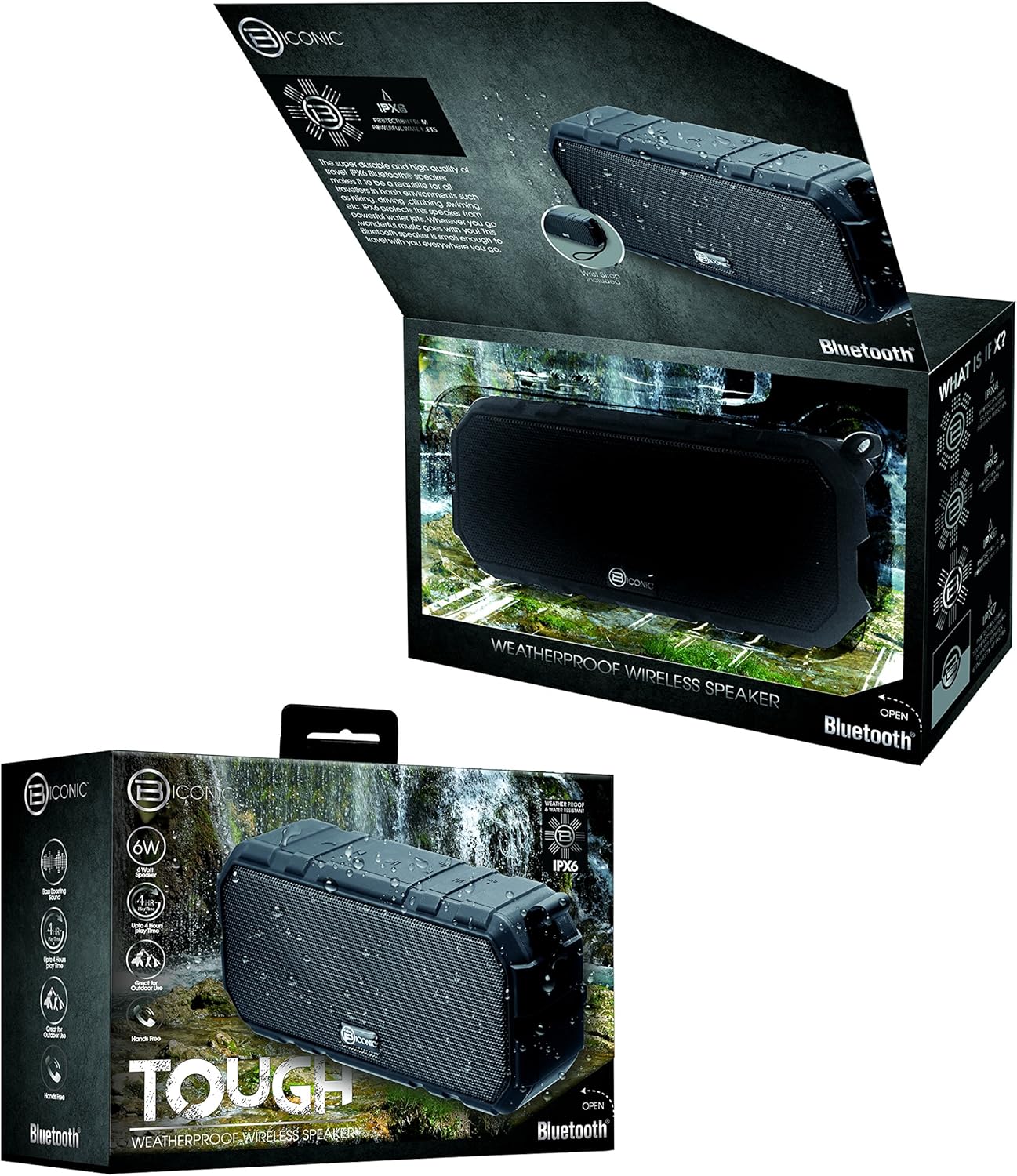
Figure 3.1: The Biconic Bluetooth Speaker shown with its retail packaging, indicating typical package contents.
4. Konfigurazioa
4.1 Bozgorailua kargatzea
- Locate the charging port on the side of the speaker. This port is typically protected by a rubber flap to maintain water resistance.
- Ireki gomazko xafla.
- Connect the small end of the provided USB charging cable to the speaker's charging port.
- Konektatu USB kablearen mutur handiena USB elikatze-iturri batera (adibidez, ordenagailuko USB ataka, USB hormako egokitzailea).
- The charging indicator light will illuminate, typically red, to show that the speaker is charging.
- Once fully charged (approximately 2-3 hours), the indicator light will change color (e.g., turn off or turn blue/green). Disconnect the charging cable and close the rubber flap securely to maintain water resistance.
4.2 Piztu/Itzaltzea
- Pizteko: Press and hold the Power button (usually marked with a power symbol) for a few seconds until you hear an audible tone or see an indicator light illuminate.
- Itzaltzeko: Press and hold the Power button again for a few seconds until you hear an audible tone or the indicator light turns off.
5. Funtzionamendu-argibideak
5.1 Bluetooth parekatzea
Before first use, you need to pair the speaker with your Bluetooth-enabled device.
- Ensure the speaker is fully charged and powered on. It will automatically enter pairing mode, indicated by a flashing blue LED light.
- On your smartphone, tablet, or other Bluetooth device, go to the Bluetooth settings menu.
- Gaitu Bluetootha dagoeneko gaituta ez badago.
- Scan for available devices. You should see "Biconic Speaker" or a similar name appear in the list.
- Select "Biconic Speaker" to connect. Once successfully paired, you will hear a confirmation tone, and the blue LED light on the speaker will stop flashing and remain solid.
- Pasahitza eskatzen badizute, idatzi "0000".
- Bozgorailuak automatikoki konektatuko da azken parekatutako gailura piztean, gailua irismen-eremuan badago eta Bluetooth-a gaituta badago.
5.2 Musika erreproduzitzea
Once paired, you can control music playback directly from your connected device or using the speaker's controls.
- Erreproduzitu/Pausatu: Press the Play/Pause button (often marked with a triangle or || symbol) once to play or pause music.
- Bolumena igo: Sakatu Bolumena Igotzeko botoia (+) bolumena igotzeko.
- Bolumena jaitsi: Sakatu Bolumena Jaisteko botoia (-) bolumena jaisteko.
- Hurrengo ibilbidea: Press and hold the Volume Up button (+) for a few seconds to skip to the next track.
- Aurreko pista: Press and hold the Volume Down button (-) for a few seconds to go to the previous track.

5.1. irudia: Goikoa view of the Biconic Bluetooth Speaker, highlighting the control buttons for power, volume, and playback.
5.3 Answering Calls (Hands-Free Function)
The speaker supports hands-free calling when connected to a smartphone.
- Erantzun deia: Dei bat sartzen duzunean, sakatu behin Erreproduzitu/Pausa botoia erantzuteko.
- Amaitu deia: Dei batean zehar, sakatu Erreproduzitu/Pausa botoia behin deia amaitzeko.
- Deia baztertu: Press and hold the Play/Pause button for a few seconds to reject an incoming call.
6. Mantentzea
Mantentze egokiak zure bozgorailuen iraupena eta errendimendu optimoa bermatzen ditu.
- Garbiketa: Garbitu bozgorailua leun batekin, damp cloth. Do not use harsh chemicals, solvents, or abrasive cleaners. Ensure the charging port flap is closed before cleaning with a damp oihal.
- Biltegiratzea: Denbora luzez erabiltzen ez duzunean, gorde bozgorailua leku fresko eta lehor batean, eguzki-argitik eta muturreko tenperaturetatik babestuta.
- Bateria zaintzea: To preserve battery life, fully charge the speaker before storing it for long periods. Recharge every 3-6 months if not used regularly.
- Uraren erresistentzia: Always ensure the rubber flap covering the charging port is securely closed to maintain the IPX6 water resistance rating.

Figure 6.1: The Biconic Bluetooth Speaker demonstrating its water-resistant capabilities, highlighting the importance of proper sealing for maintenance.
7. Arazoak
| Arazoa | Kausa posiblea | Irtenbidea |
|---|---|---|
| Bozgorailuak ez du pizten. | Bateria agortuta dago. | Kargatu bozgorailua guztiz. |
| Ezin da Bluetooth gailuarekin parekatu. | Bluetooth is off on your device; speaker is not in pairing mode; device is too far. | Ensure Bluetooth is enabled on your device. Power off and on the speaker to re-enter pairing mode. Move device closer to the speaker (within 10 meters). Forget the device on your phone and try pairing again. |
| Soinurik ez edo bolumen baxua. | Bolumena baxuegia da bozgorailuan edo gailuan; bozgorailua ez dago konektatuta. | Increase volume on both the speaker and your connected device. Ensure the speaker is properly paired and connected. |
| Soinu distortsioa. | Bolumena altuegia; interferentziak; bateria gutxi. | Jaitsi bolumena. Mugitu bozgorailua beste gailu elektronikoetatik urrun. Kargatu bozgorailua. |
8. Zehaztapenak
| Ezaugarri | Xehetasuna |
|---|---|
| Modelo zenbakia | ABC-AU-BS-103-BK |
| Marka | Bytech |
| Konektibitate Teknologia | Bluetootha |
| Bozgorailuaren irteera-potentzia maximoa | 3 Watt |
| Audio irteera modua | Estereoa |
| Uraren Erresistentzia Balorazioa | IPX6 (Water resistant, not submersible) |
| Bateria mota | Litio-ioizko bateria 1 (beharrezkoa) |
| Jolas ordua | Gehienez 4 ordu |
| Produktuaren neurriak | 2.54 x 2.54 x 2.54 cm |
| Elementuaren pisua | 522 g |
| Muntatze Mota | Mahaigaina |
9. Bermea eta Laguntza
For warranty information and technical support, please contact Bytech customer service. Details are typically provided on the product packaging or the official Bytech webgunea.
Gorde erosketaren egiaztagiria bermearen erreklamazioetarako.
Oharra: Bermearen baldintzak eskualdearen arabera alda daitezke.