1. Sarrera
Eskerrik asko erosketagatik.asing the Toshiba 32-inch HD LED TV, Model 32L2600. This manual provides essential information for the safe and efficient operation of your television. Please read it thoroughly before using the product and keep it for future reference.
2. Segurtasun informazioa
Jarraitu beti oinarrizko segurtasun neurriak telebista hau erabiltzean sute, deskarga elektriko eta lesio arriskua murrizteko.
- Ez jarri telebista euri edo hezetasunera.
- Ez ireki armairua. Jarri zerbitzu-lanak langile kualifikatuei soilik.
- Ziurtatu aireztapen egokia dagoela. Ez blokeatu aireztapen-irekidurak.
- Jarri telebista gainazal egonkor eta lau batean, eror ez dadin.
- Deskonektatu telebista tximista-ekaitzetan edo denbora luzez erabili gabe dagoenean.
- Mantendu pieza txikiak eta bateriak haurren eskura ez dauden lekuetan.
3. Paketearen edukia
Egiaztatu elementu guztiak paketean sartuta daudela:
- Toshiba 32-inch HD LED TV (Model 32L2600)
- Urruneko Kontrola
- TV Stand (Tabletop type)
- Elikatze kablea
- Erabiltzailearen eskuliburua (dokumentu hau)
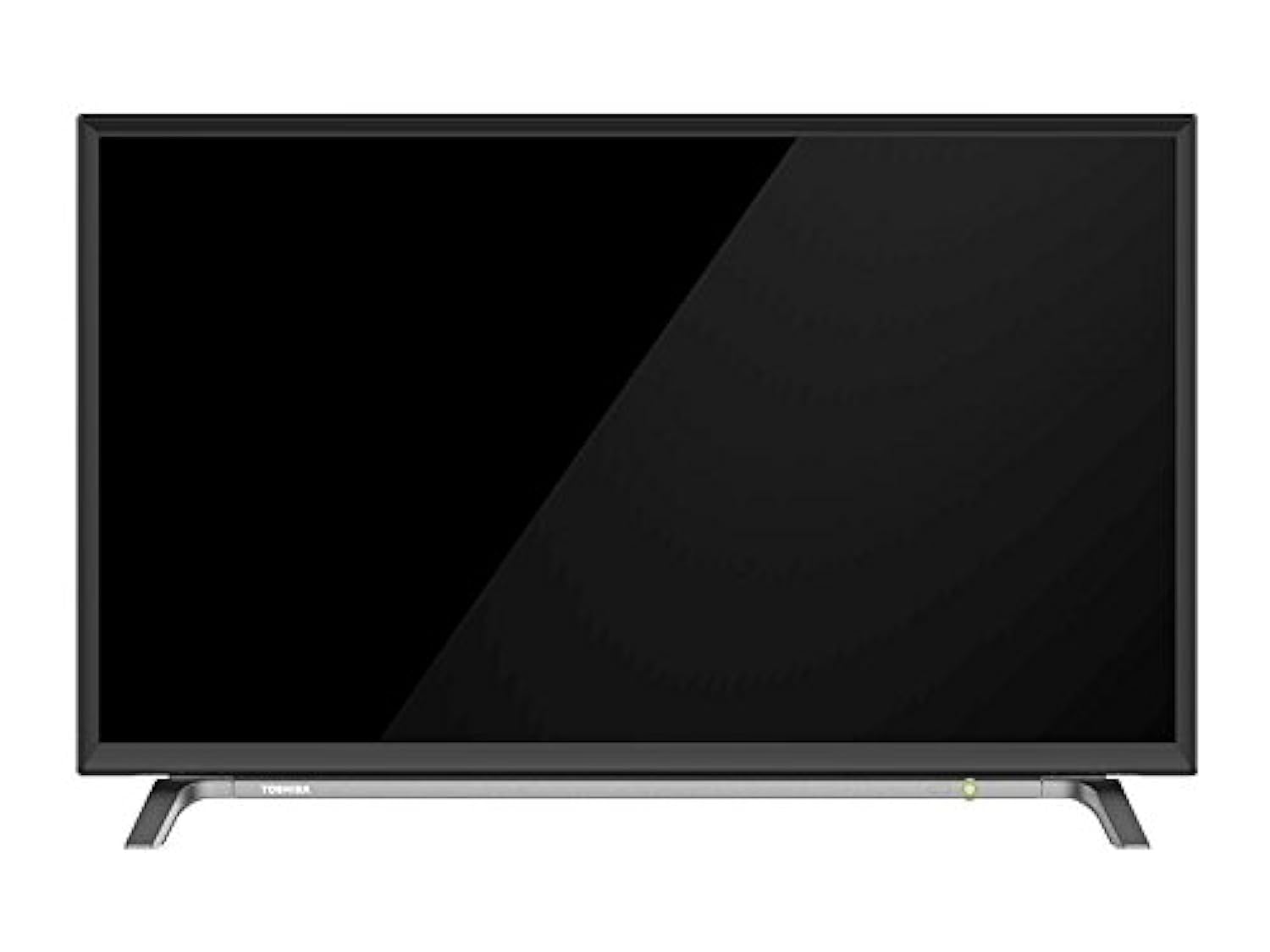
Image: The Toshiba 32-inch HD LED TV, Model 32L2600, shown with its included remote control and tabletop stand. The TV is black with a slim bezel.
4. Konfigurazioa
4.1 Paketatzea
Kontu handiz atera telebista eta osagarri guztiak paketetik. Gorde ontziratzeko materialak etorkizunean garraiatzeko edo mantentze-lanak behar izanez gero.
4.2 Standa lotzea
Place the TV screen-down on a soft, flat surface. Align the stand with the mounting holes on the bottom of the TV. Secure the stand using the provided screws. Ensure the stand is firmly attached before placing the TV upright.
4.3 Potentzia konektatzea
Connect the power cord to the TV's power input, then plug the other end into a wall outlet. The TV will enter standby mode.
4.4 Hasierako konfigurazioa
Upon first power-on, the TV will guide you through the initial setup process, including language selection, country, and channel scanning. Follow the on-screen instructions using the remote control.
5. Funtzionamendu-argibideak
5.1 Piztu/Itzaltzea
Sakatu BOTEREA button on the remote control or on the TV to turn the TV on or off (standby mode).
5.2 Urruneko agintea erabiltzea
Urrutiko aginteari esker, telebistaren funtzio guztietarako sarbidea izango duzu. Sartu bi AAA pila (ez daude barne) urrutiko agintean, polaritate zuzena ziurtatuz.
- POTENTZIA: Telebista pizten edo itzaltzen du.
- ITURRIA: Sarrera iturria hautatzen du (HDMI, USB, telebista).
- MENUA: Menu nagusia irekitzen du.
- GEZI BOTOIAK: Nabigatu menuetan eta aukeretan.
- ADOS: Hautaketak berresten ditu.
- VOL +/-: Bolumena doitzen du.
- CH +/-: Kanalak aldatzen ditu.
5.3 Basic Menu Navigation
Sakatu MENUA button to access settings. Use the arrow buttons to navigate and OK to select. Common settings include Picture, Sound, Channel, and System settings.
6. Konektibitatea
Your Toshiba TV offers various ports for connecting external devices.
- HDMI atakak (x2): Connect high-definition devices such as Blu-ray players, gaming consoles, or set-top boxes. Use an HDMI cable for both video and audio transmission.
- USB ataka (x1): Connect USB storage devices to play multimedia fileak (argazkiak, musika, bideoak).
- Antena/kable sarrera: Konektatu antena edo kable bidezko telebistako seinalea emisio-kanaletarako.
- Audio irteera digitala: Kanpoko soinu-sistemetara konektatzeko.
To switch between input sources, press the ITURRIA button on your remote control and select the desired input.
7. Mantentzea
7.1 Pantaila garbitzea
Garbitu pantaila astiro-astiro zapi leun eta pelusik gabeko batekin. Orbanik egoskorrak izanez gero, garbitu astiro-astiro.ampGarbitu zapi bat urarekin edo pantaila-garbitzaile espezializatu batekin. Ez ihinztatu inoiz garbitzailea zuzenean pantailan.
7.2 Armairua garbitzea
Garbitu telebistaren armairua oihal leun eta lehor batekin. Saihestu garbitzaile edo disolbatzaile urratzaileak erabiltzea.
7.3 Aireztapena
Ziurtatu telebistaren atzealdeko aireztapen-irekidurak ez daudela blokeatuta, gehiegi berotzea saihesteko.
8. Arazoak
| Arazoa | Kausa posiblea | Irtenbidea |
|---|---|---|
| Botererik ez | Kable elektrikoa ez dago konektatuta; entxufea ez dabil. | Egiaztatu kablearen konexioa; probatu entxufea beste gailu batekin. |
| Ez dago irudirik, baina soinua badago | Sarrera-iturri okerra hautatu da; bideo-kablea solte dago. | Sakatu ITURRIA to select correct input; check video cable connections. |
| Soinurik ez, baina irudia badago | Volume muted or too low; incorrect audio output settings. | Increase volume; check mute status; verify audio settings in menu. |
| Urruneko kontrola ez dabil | Bateriak agortuta edo gaizki sartuta; oztopoa. | Replace batteries; ensure correct polarity; remove obstructions between remote and TV. |
Irtenbide hauek probatu ondoren arazoa konpontzen ez bada, jarri harremanetan Toshiba bezeroarentzako arreta-zerbitzuarekin.
9. Zehaztapenak
| Marka | Toshiba |
| Modelo zenbakia | 32L2600 |
| Pantailaren tamaina | 32 hazbetekoa |
| Bistaratzeko Teknologia | LED |
| Ebazpena | 1366 x 768 (HD) |
| Audio potentzia | 10W x 2 |
| HDMI atakak | 2 |
| USB atakak | 1 |
| Energia-kontsumoa | 65W |
| Kolorea | Beltza |
| Muntatze Mota | Mahaiko euskarria |
| Produktuaren neurriak (x x H x D) | 73.66 x 53.34 x 43.18 cm (euskarriarekin) |
| Pisua | 2.62 kg |
| Dakarten osagaiak | Television, Stand |
| Konektibitate Teknologia | HDMI, USB |
| Audio irteera modua | Digitala |
| Audio Sarrera | HDMI |
10. Bermea eta Laguntza
Specific warranty information for the Toshiba 32-inch HD LED TV Model 32L2600 is not provided in this document. For detailed warranty terms, conditions, and customer support, please refer to the warranty card included with your product or visit the official Toshiba webzure eskualderako gunea.
You may also contact Toshiba customer service for assistance with product registration, technical support, or service inquiries.