1. Sarrera
Thank you for choosing the HTC USB Type-C Hi-Res Earphones, Model 99H20317-00. These earphones are designed to provide a high-quality audio experience with their advanced features and ergonomic design. This manual provides essential information for the proper setup, operation, maintenance, and troubleshooting of your new earphones.
Ezaugarri nagusiak hauek dira:
- Concert hall design for unparalleled sound.
- Larger 13mm speakers for a fuller sound profile.
- Enhanced port optimization for improved bass reproduction.
- Lighter and thinner aerospace polymer diaphragm to increase sound frequency response.
- Ergonomic design for maximum comfort during extended use.
2. Segurtasun informazioa
Please read and follow these safety guidelines to ensure safe and optimal use of your earphones:
- Entzumenaren babesa: Entzumen-kalteak saihesteko, saihestu denbora luzez bolumen altuan entzutea.
- Ingurumenarekiko sentsibilizazioa: Do not use earphones in situations where the inability to hear ambient sounds could be dangerous, such as while driving, cycling, or walking in traffic.
- Garbiketa: Clean the earphones regularly with a soft, dry cloth. Do not use liquid cleaners or solvents.
- Uraren esposizioa: Entzungailu hauek ez dira iragazgaitzak. Saihestu uraren edo gehiegizko hezetasunaren eraginpean egotea.
- Haurrak: Keep out of reach of small children due to small parts that could pose a choking hazard.
3. Paketearen edukia
Egiaztatu elementu guztiak zure paketean daudela:
- HTC USB Type-C Hi-Res Earphones (Model: 99H20317-00)
- Additional ear tips (if included)
- Erabiltzailearen eskuliburua (dokumentu hau)
4. Konfigurazioa
These earphones are designed for simple plug-and-play operation.
- Konektatu: Insert the USB Type-C connector of the earphones into the USB Type-C port of your compatible device (Smartphone, Laptop, Tablet).
- Gailuaren ezagutza: Your device should automatically recognize the earphones. If prompted, select the earphones as the audio output device.
- Doitu bolumena: Begin playback at a low volume and gradually increase to a comfortable listening level.
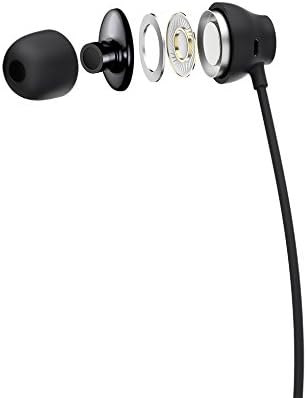
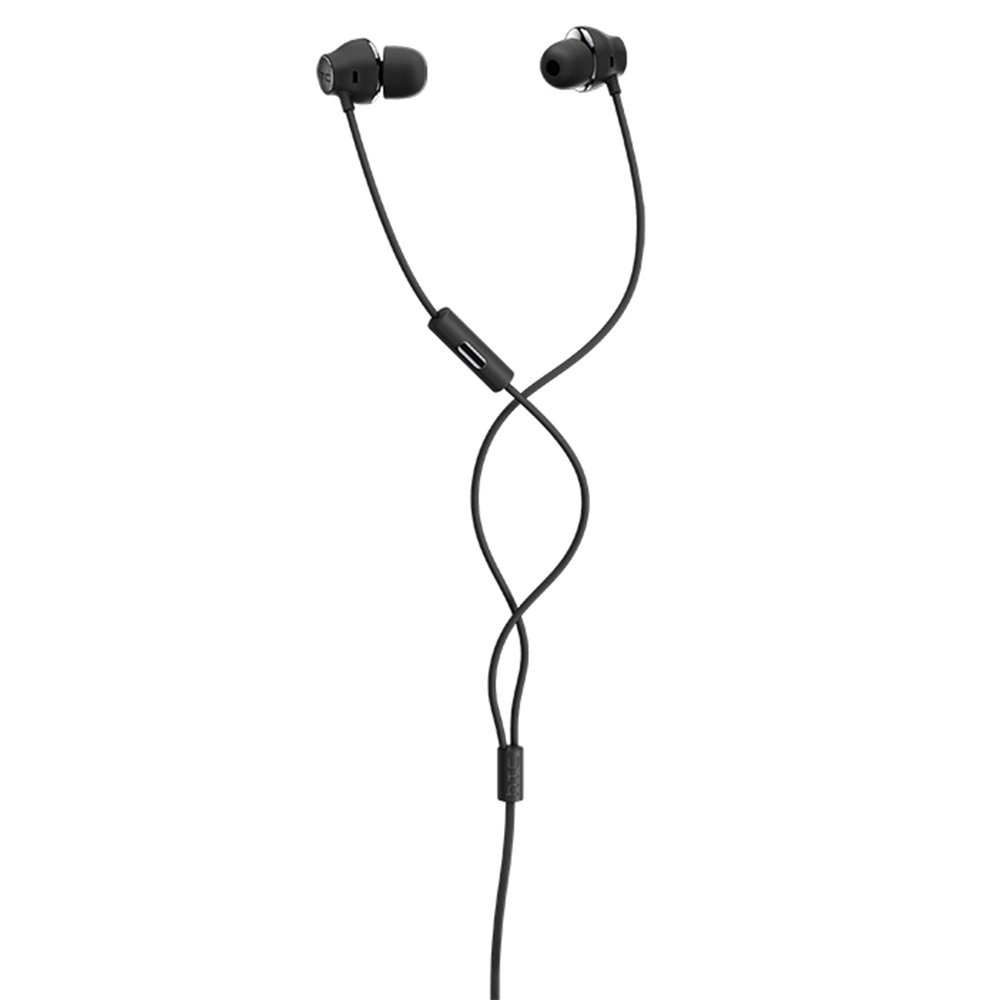
Figure 1: HTC USB Type-C Hi-Res Earphones connected to a device.
5. Funtzionamendu-argibideak
Once connected, your earphones are ready for use.
- Audio erreprodukzioa: Play audio from your connected device. The sound will be routed through the earphones.
- Deien kudeaketa: For devices supporting call functions, you can typically answer/end calls using the device's interface.
- Aplikazioen kontrola: This model supports control via an application. Refer to your device's app store for any official HTC audio control applications that may offer additional features or sound customization.
6. Mantentzea eta Zainketa
Proper care extends the lifespan of your earphones:
- Belarriak garbitzeko aholkuak: Gently remove ear tips and clean them with a mild soap solution and water. Ensure they are completely dry before reattaching.
- Entzungailuen gorputza garbitzea: Wipe the earphone body and cable with a soft, dry, lint-free cloth. Do not use abrasive materials or harsh chemicals.
- Biltegiratzea: When not in use, store the earphones in a clean, dry place, preferably in a protective pouch to prevent tangling and damage.
- Kableen kudeaketa: Avoid tightly winding the cable or subjecting it to sharp bends, which can damage internal wires.
2. Irudia: Lehertuta view of earphone components, highlighting the 13mm speaker and aerospace polymer diaphragm.
7. Arazoak
Arazoak badituzu, jo ezazu honako arazo eta irtenbide ohikoenei:
| Arazoa | Kausa posiblea | Irtenbidea |
|---|---|---|
| Soinurik ez | Earphones not properly connected; device volume too low; incorrect audio output selected on device. | Ensure the USB Type-C connector is fully inserted. Increase device volume. Check device audio settings to confirm earphones are selected as output. |
| Soinu-kalitate eskasa | Dirty ear tips; damaged cable; low-quality audio source. | Clean ear tips. Inspect the cable for visible damage. Try a different audio source or file. |
| Earphones uncomfortable or fall out | Belarri-puntaren tamaina okerra. | Try different sized ear tips (if provided) to find the best fit for your ears. |
8. Zehaztapenak
| Ezaugarri | Xehetasuna |
|---|---|
| Marka | HTC |
| Modelo zenbakia | 99H20317-00 |
| Konektibitate Teknologia | Kablea (USB C motakoa) |
| Bozgorailuaren tamaina | 13 mm |
| Materiala | Synthetic leather (ear tips/housing accents) |
| Pisua | 50 gramo |
| Produktuaren neurriak | 0.1 x 0.1 x 0.1 cm (packaging/shipping dimensions, actual earphone size is compact) |
| Kontrol-metodoa | Aplikazioa |
| Bluetooth euskarria | Ez |
| Beharrezko bateriak | Ez |
| Gailu bateragarriak | Smartphone, Laptop, Tablet with USB Type-C audio output |
| Kolorea | Gris iluna |
| Belarrien Kokatzea | Belarri barnean |
9. Bermea eta Laguntza
For warranty information and technical support, please refer to the documentation provided with your purchase or visit the official HTC support webgunea. Gorde erosketaren egiaztagiria bermearen erreklamazioetarako.