1. Sarrera
Eskerrik asko erosketagatik.asing the Coby CSB04 Bluetooth Soundbar Speaker. This manual provides important information regarding the setup, operation, and maintenance of your new soundbar. Please read this manual thoroughly before using the device and retain it for future reference.
The Coby CSB04 is a sleek and compact soundbar designed to enhance your audio experience. It features wireless Bluetooth connectivity, an RCA line input, and comes with a remote control for convenient operation.
2. Segurtasun informazioa
Mesedez, jarraitu segurtasun neurri hauek gailuari kalterik edo zeure buruari kalterik ez egiteko:
- Ez jarri soinu-barra euripean, hezetasunean edo muturreko tenperaturetan.
- Ez ireki c-a.asing. Konponketa guztiak langile kualifikatuen esku utzi.
- Ziurtatu korronte-egokitzailea zure tokiko korronte-hornidurarekin bateragarria dela.
- Keep the soundbar away from heat sources and direct sunlight.
- Garbitu zapi lehor batekin bakarrik.
3. Paketearen edukia
Carefully unpack your Coby CSB04 Soundbar and check that all items are present and in good condition. If any items are missing or damaged, contact your retailer.
- Coby CSB04 Bluetooth Soundbar Speaker
- AC Potentzia Egokitzailea
- RCA Kablea
- Urruneko Kontrola
- Erabiltzailearen eskuliburua (dokumentu hau)

Image 3.1: Coby CSB04 Soundbar packaging. The box displays the Coby logo and "Slim 2.0 Sound Bar" text.
4. Produktua amaitu daview
Familiarize yourself with the components and controls of your Coby CSB04 Soundbar.
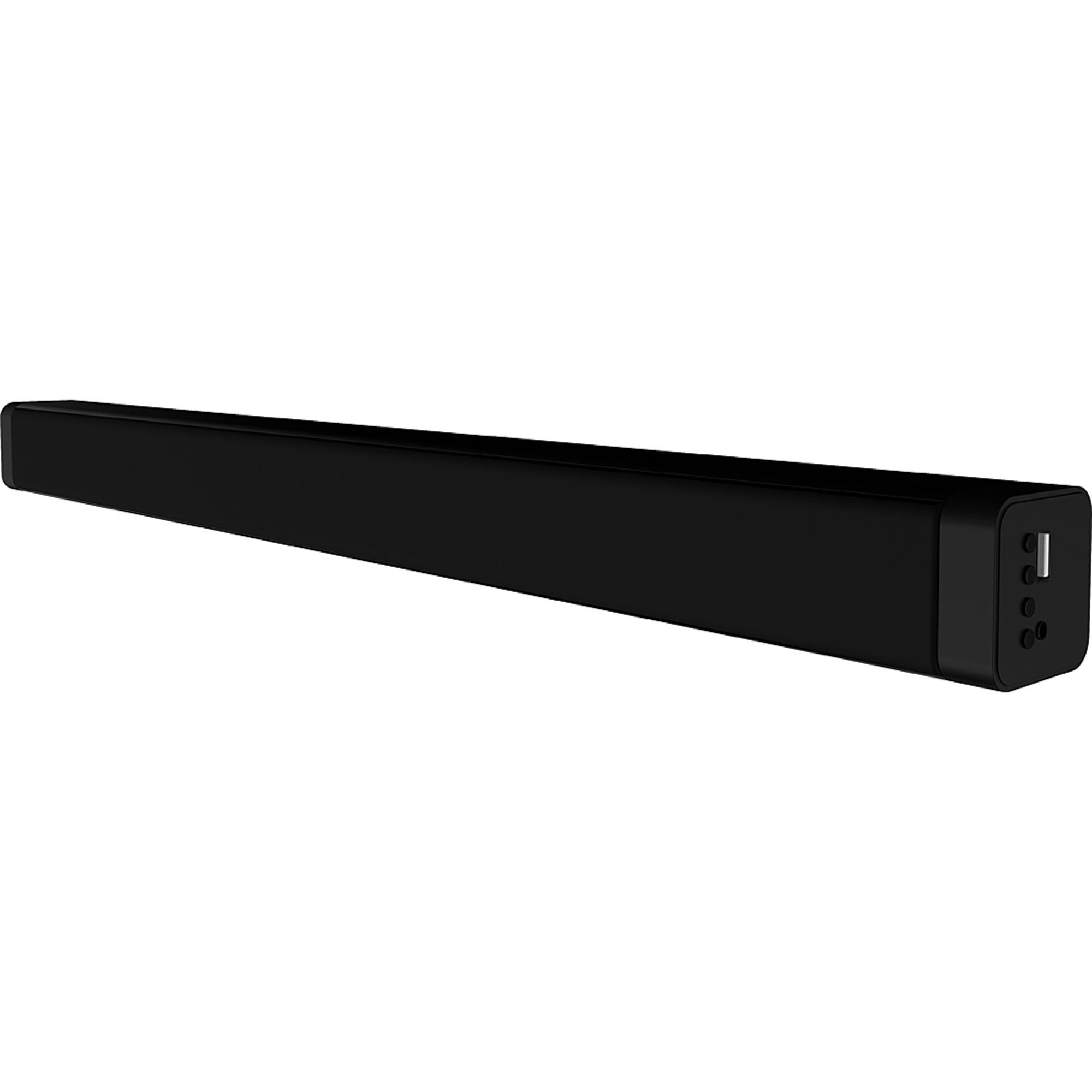
4.1. irudia: Aurrealdea view of the Coby CSB04 Bluetooth Soundbar. The soundbar is black and rectangular.

4.2 irudia: Albokoa view of the Coby CSB04 Soundbar, showing a USB port and other connection points.
4.1. Front Panel / Top Panel Controls
- Pizteko botoia: Soinu-barra pizten edo itzaltzen du.
- Bolumena igo/behera: Bolumen-maila doitzen du.
- Modu botoia: Switches between input modes (Bluetooth, RCA).
- LED adierazlea: Shows current status (e.g., Bluetooth pairing, input mode).
4.2. Atzeko panelaren konexioak
- DC IN: Konektatu AC korronte egokitzailea hemen.
- RCA L/R Input: Connect external audio devices using the RCA cable.
- USB ataka: For potential firmware updates or specific media playback (functionality may vary).
4.3. Urruneko kontrola
The included remote control allows for convenient operation of the soundbar from a distance. Functions typically include Power, Volume Up/Down, Mode Selection, Mute, and Playback controls for Bluetooth mode.
5. Konfigurazioa
5.1. Energia-konexioa
- Konektatu korronte alternoko egokitzailea DC IN port on the rear of the soundbar.
- Konektatu korronte-egokitzailearen beste muturra hormako entxufe batera.
- Soinu-barra itxarote moduan sartuko da.
5.2. Audio-konexioa
You can connect audio sources to the soundbar via Bluetooth or RCA cable.
5.2.1. Bluetooth konexioa
- Power on the soundbar using the Power button on the unit or remote control.
- Sakatu Modua button repeatedly until the LED indicator shows Bluetooth mode (usually a blinking blue light).
- Zure telefonoan edo Bluetooth gaitutako beste gailu batean, gaitu Bluetooth eta bilatu eskuragarri dauden gailuak.
- Select "CSB04" (or similar name) from the list of devices.
- Behin parekatuta, LED adierazlea urdin finko jarriko da eta baieztapen-tonu bat entzungo duzu.
- Orain zure gailuko audioa soinu-barraren bidez erreproduzitu dezakezu.
5.2.2. RCA konexioa
- Connect one end of the RCA cable to the RCA L / R sarrera soinu-barrako atakak.
- Connect the other end of the RCA cable to the audio output ports (usually "Audio Out" or "L/R Out") of your TV, DVD player, or other audio source.
- Piztu soinu-barra.
- Sakatu Modua button repeatedly until the LED indicator shows RCA mode (e.g., a green light).
- Erreproduzitu audioa konektatutako gailutik.
6. Funtzionamendu-argibideak
6.1. Piztu/Itzali
Sakatu Boterea soinu-barran edo urrutiko agintean dagoen botoia unitatea pizteko edo itzaltzeko.
6.2. Bolumena doitzea
Erabili Bolumena igo (+) eta Bolumena jaitsi (-) soinu-barran edo urrutiko agintean dauden botoiak audio-maila doitzeko.
6.3. Changing Input Mode
Sakatu Modua button on the soundbar or remote control to cycle through available input sources: Bluetooth, RCA.
6.4. Bluetooth erreprodukzioa
Once paired, your Bluetooth device will automatically connect to the soundbar when both are powered on and within range. Use your device's controls or the soundbar's remote control (if applicable) for playback functions like Play/Pause, Next Track, and Previous Track.
7. Mantentzea
Mantentze egokiak zure soinu-barraren iraupena eta errendimendu optimoa bermatzen ditu.
- Garbiketa: Use a soft, dry cloth to wipe the exterior of the soundbar. Do not use liquid cleaners or aerosols.
- Biltegiratzea: Soinu-barra denbora luzez gordetzen baduzu, deskonektatu korrontetik eta gorde leku fresko eta lehor batean.
- Aireztapena: Ensure the soundbar has adequate ventilation and is not covered, to prevent overheating.
8. Arazoak
If you encounter issues with your Coby CSB04 Soundbar, refer to the following common problems and solutions:
| Arazoa | Kausa posiblea | Irtenbidea |
|---|---|---|
| Botererik ez | Korronte-egokitzailea ez dago konektatuta edo entxufea akastuna da. | Ensure the power adapter is securely connected to the soundbar and a working power outlet. Try a different outlet. |
| Soinurik ez | Incorrect input mode, low volume, or incorrect cable connection. |
|
| Ezin izan da Bluetooth parekatzea | Soinu-barra ez dago parekatze moduan, gailua urrunegi dago edo interferentziak daude. |
|
| Urruneko kontrola ez dabil | Bateriak agortuta edo oztopoak. | Replace the batteries in the remote control. Ensure there is no obstruction between the remote and the soundbar's sensor. |
9. Zehaztapenak
Here are the technical specifications for the Coby CSB04 Bluetooth Soundbar Speaker:
- Eredua: CSB04
- Hizlari mota: Soinu barra
- Konektibitate Teknologia: Bluetootha
- Bozgorailuen irteerako potentzia maximoa: 10 Watt
- Gailu bateragarriak: Smartphone (and other Bluetooth/RCA audio sources)
- Kontrol-metodoa: Urruneko Kontrola
- Energia iturria: Electric Cable (AC Adapter)
- Kolorea: Beltza
- Neurriak: 85.09 x 14.22 x 38.35 cm (gutxi gorabehera 33.5 x 5.6 x 15.1 hazbete)
- Pisua: 1.54 kg (gutxi gorabehera 3.4 lb)
- Muntatze mota: Mahaigaineko muntaia
10. Bermea eta Laguntza
Bermeari buruzko informazioa eta laguntza teknikoa lortzeko, kontsultatu zure produktuarekin batera datorren berme-txartela edo bisitatu Coby-ren webgune ofiziala. webgunea. Gorde erosketa-agiria erosketaren frogagiri gisa.
For further assistance, you may contact Coby customer service through their official channels.


