Sarrera
Eskerrik asko erosketagatik.asing the Muse M-1520 SBT Soundbar. This device is designed to enhance your audio experience with 50W of power and versatile connectivity options including Bluetooth, AUX-IN, RCA, and Optical inputs. Please read this manual carefully before use to ensure proper setup and operation.

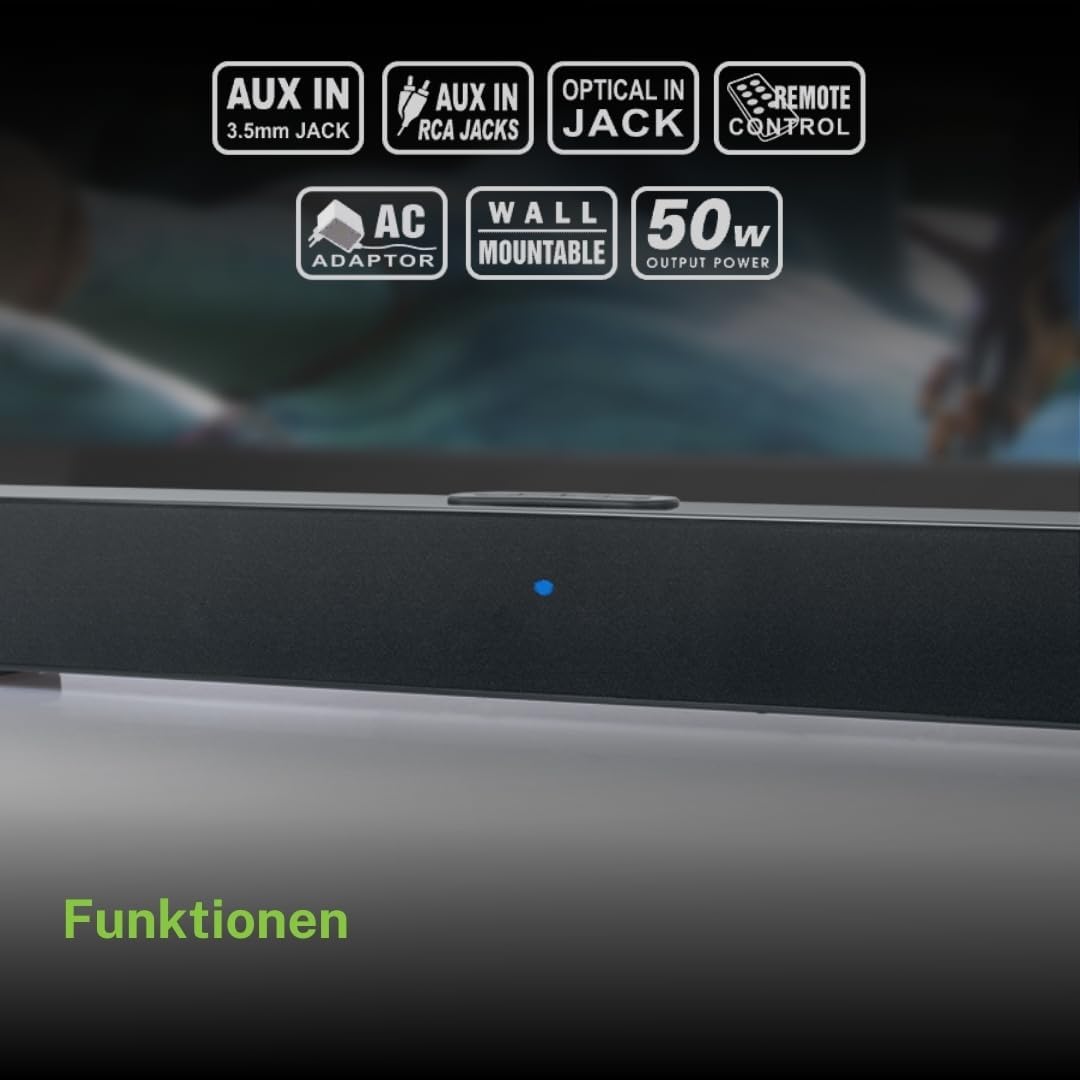
The Muse M-1520 SBT Soundbar integrated into a home entertainment setup.
Segurtasun-argibideak
- Ez jarri unitatea euri edo hezetasunera.
- Ez ireki c-a.asing; bidali mantentze-lan guztiak langile kualifikatuen esku.
- Ziurtatu aireztapen egokia unitatearen inguruan.
- Mantendu unitatea eguzki-argitik, bero-iturrietatik eta eremu magnetiko indartsuetatik urrun.
- Erabili emandako korronte-egokigailua soilik.
- Do not place heavy objects on the soundbar.
- Bateriak modu arduratsuan bota.
Paketearen edukia
Mesedez, egiaztatu behean zerrendatutako elementu guztiak zure paketean sartuta daudela:
- Muse M-1520 SBT Soundbar
- AC Potentzia Egokitzailea
- RCA Kablea
- 3.5 mm Aux-In Cable
- Urruneko Kontrola
- 2 x AA bateria (urrutiko aginterako)

All accessories included with the Muse M-1520 SBT Soundbar.
Kontrolak eta konexioak
Atzeko panelaren konexioak

Xehetasuna view of the soundbar's rear input ports.
- AUX 1 (3.5mm): Konektatu kanpoko audio gailuak 3.5 mm-ko audio kable bat erabiliz.
- AUX 2 (RCA L/R): Connect external audio devices using an RCA stereo cable.
- OPTIKOA: Connect to a TV or other device with an optical digital audio output.
- 12 V DC: Connect the provided AC power adapter.
Top Panel Controls and Indicators
Top panel controls and LED indicator for the soundbar.
The top panel features buttons for power, volume control, and source selection. A blue LED indicator shows the current status or selected input.
Konfigurazioa
1. Kokapen
Place the soundbar on a stable, flat surface in front of your television, or mount it on the wall below your TV. Ensure there are no obstructions blocking the sound.
2. Energia-konexioa
- Connect the AC power adapter to the DC 12V input on the rear of the soundbar.
- Entxufatu korronte-egokitzailea hormako entxufe batera.
3. Audio-konexioa
Choose one of the following methods to connect the soundbar to your audio source (e.g., TV, DVD player):
- Konexio optikoa: For best audio quality, connect an optical cable (not included) from your TV's optical output to the OPTICAL input on the soundbar.
- RCA konexioa: Connect the supplied RCA cable from your audio source's RCA L/R output to the AUX 2 (RCA) input on the soundbar.
- 3.5mm AUX-IN Connection: Connect the supplied 3.5mm Aux-In cable from your audio source's headphone jack or AUX output to the AUX 1 (3.5mm) input on the soundbar.
Funtzionamendu-argibideak
Piztu/Itzali
- Sakatu BOTEREA button on the remote control or the soundbar's top panel to turn the unit on or off.
Iturburuaren hautaketa
- Sakatu ITURRIA button on the remote control or the soundbar's top panel repeatedly to cycle through input sources: Bluetooth, AUX 1, AUX 2, Optical.
- The LED indicator will change color or pattern to indicate the selected source.
Bolumen kontrola
- Sakatu VOL+ or Boluntario buttons on the remote control or the soundbar's top panel to adjust the volume.
Bluetooth parekatzea
- Turn on the soundbar and select the Bluetooth input source. The LED indicator will flash, indicating it is in pairing mode.
- Gaitu Bluetooth-a zure gailu mugikorrean (smartphone-a, tableta, etab.).
- Bilatu available Bluetooth devices. The soundbar will appear as "M-1520 SBT".
- Select "M-1520 SBT" to pair. Once connected, the LED indicator will stop flashing and remain solid.
- Orain zure gailuko audioa soinu-barraren bidez erreproduzitu dezakezu.
Oharra: Pasahitza eskatzen badizute, idatzi "0000".
Horman Muntatzea
The Muse M-1520 SBT Soundbar is designed to be wall-mountable. Mounting hardware (screws, anchors) is not typically included and must be purchased separately based on your wall type.
Garrantzitsua: Ensure the wall can support the weight of the soundbar (approximately 1.2 kg). Consult a professional if you are unsure about wall mounting.
Mantentzea
- Garbiketa: Erabili zapi leun eta lehor bat soinu-barraren gainazala garbitzeko. Ez erabili garbitzaile likidorik edo material urratzailerik.
- Biltegiratzea: Unitatea denbora luzez gordetzen baduzu, deskonektatu entxufetik eta gorde leku fresko eta lehor batean.
Arazoak konpontzea
| Arazoa | Kausa posiblea | Irtenbidea |
|---|---|---|
| Botererik ez | Power adapter not connected or wall outlet not active. | Ziurtatu korronte-egokitzailea soinu-barrara eta funtzionatzen duen hormako entxufe batera ondo konektatuta dagoela. |
| Soinurik ez | Incorrect input source selected, volume too low, or audio cable not connected properly. | Select the correct input source. Increase the volume. Check all audio cable connections. Ensure the TV/source audio output is enabled. |
| Bluetooth parekatzeak huts egin du | Soinu-barra ez dago parekatze moduan, gailua urrunegi dago edo interferentziak daude. | Ensure the soundbar is in Bluetooth pairing mode (flashing LED). Move your device closer to the soundbar. Turn off other Bluetooth devices to reduce interference. |
| Urruneko kontrola ez dabil | Batteries are dead or inserted incorrectly, or line of sight is blocked. | Replace the batteries (2 x AA). Ensure batteries are inserted with correct polarity. Remove any obstructions between the remote and the soundbar. |
Zehaztapenak
| Ereduaren izena | M-1520 SBT |
| Irteera Potentzia | 50 Watt |
| Konektibitatea | Bluetooth, AUX-IN (3.5mm), RCA, Optical |
| Haririk gabeko Teknologia | Bluetootha |
| Gailu bateragarriak | TV, smartphone, PC, tablet |
| Neurriak (L x W x H) | 66 x 6 x 5.9 cm (25.98 x 2.36 x 2.32 hazbete) |
| Pisua | 1.2 kg (2.65 lb) |
| Kontrol-metodoa | Urruneko Kontrola |
| Energia iturria | AC Adapter (12V DC) |
| Kolorea | Beltza |

Dimensional diagram of the Muse M-1520 SBT Soundbar.
Bermea eta Laguntza
Specific warranty information for the Muse M-1520 SBT Soundbar is not available in the provided product details. Please refer to the warranty card included in your product packaging or contact your retailer for details regarding warranty coverage and customer support.


