1. Sarrera
Eskerrik asko erosketagatik.asing the Genius GX Wired Gaming Keyboard, Scorpion K220. This manual provides detailed instructions for setting up, operating, and maintaining your new gaming keyboard. Designed for PC gaming, the Scorpion K220 features a sleek design, compact construction, and vibrant backlighting for an enhanced gaming experience.

1.1. irudia: Aurrealdea view of the Genius GX Wired Gaming Keyboard Scorpion K220, showcasing its design and colorful backlighting.
2. Segurtasun informazioa
Please read the following safety precautions carefully before using the device to ensure optimal performance and prevent damage.
- Ez jarri teklatua uraren edo beste likido batzuen eraginpean.
- Avoid extreme temperatures (hot or cold) and high humidity.
- Ez saiatu teklatua desmuntatzen edo aldatzen. Horrek bermea baliogabetuko du.
- Mantendu teklatua eremu magnetiko indartsuetatik urrun.
- Use only a dry, soft cloth for cleaning.
- Ensure the USB cable is not pinched or damaged during setup and use.
3. Paketearen edukia
Egiaztatu elementu guztiak paketean daudela:
- Genius GX Wired Gaming Keyboard (Scorpion K220)
- Erabiltzailearen eskuliburua (dokumentu hau)
4. Konfigurazioa
4.1 Teklatua konektatzea
The Scorpion K220 keyboard uses a standard USB connection for compatibility with PCs and Laptops. No additional drivers are typically required for basic functionality.
- Bilatu zure ordenagailuan (PC edo ordenagailu eramangarria) USB ataka libre bat.
- Carefully insert the USB connector of the Scorpion K220 keyboard into the USB port.
- Zure sistema eragileak automatikoki detektatu eta instalatu beharko lituzke beharrezko kontrolatzaileak. Prozesu honek minutu batzuk iraun ditzake.
- Once installation is complete, the keyboard will be ready for use. The backlighting should illuminate.

Figure 4.1: The Genius GX Wired Gaming Keyboard Scorpion K220, ready for connection to a PC or laptop via its integrated USB cable.
5. Funtzionamendu-argibideak
5.1 Oinarrizko teklatuaren funtzioak
The Scorpion K220 functions as a standard QWERTY keyboard. All standard keys (alphanumeric, function keys, navigation keys, and numeric keypad) operate as expected.
5.2 Atzeko argiaren kontrola
The Scorpion K220 features vibrant backlighting to enhance your gaming and typing experience. The backlighting is always on when the keyboard is connected and powered.
- Distira doitzea: Look for dedicated keys or key combinations (often Fn + Scroll Lock or similar) to adjust backlight brightness. Refer to the keyboard's key legends for specific controls.
- Argiztapen moduak: Some models may offer different lighting effects or static color modes. Experiment with function key combinations (e.g., Fn + F1-F12 or dedicated lighting keys) to cycle through available modes.
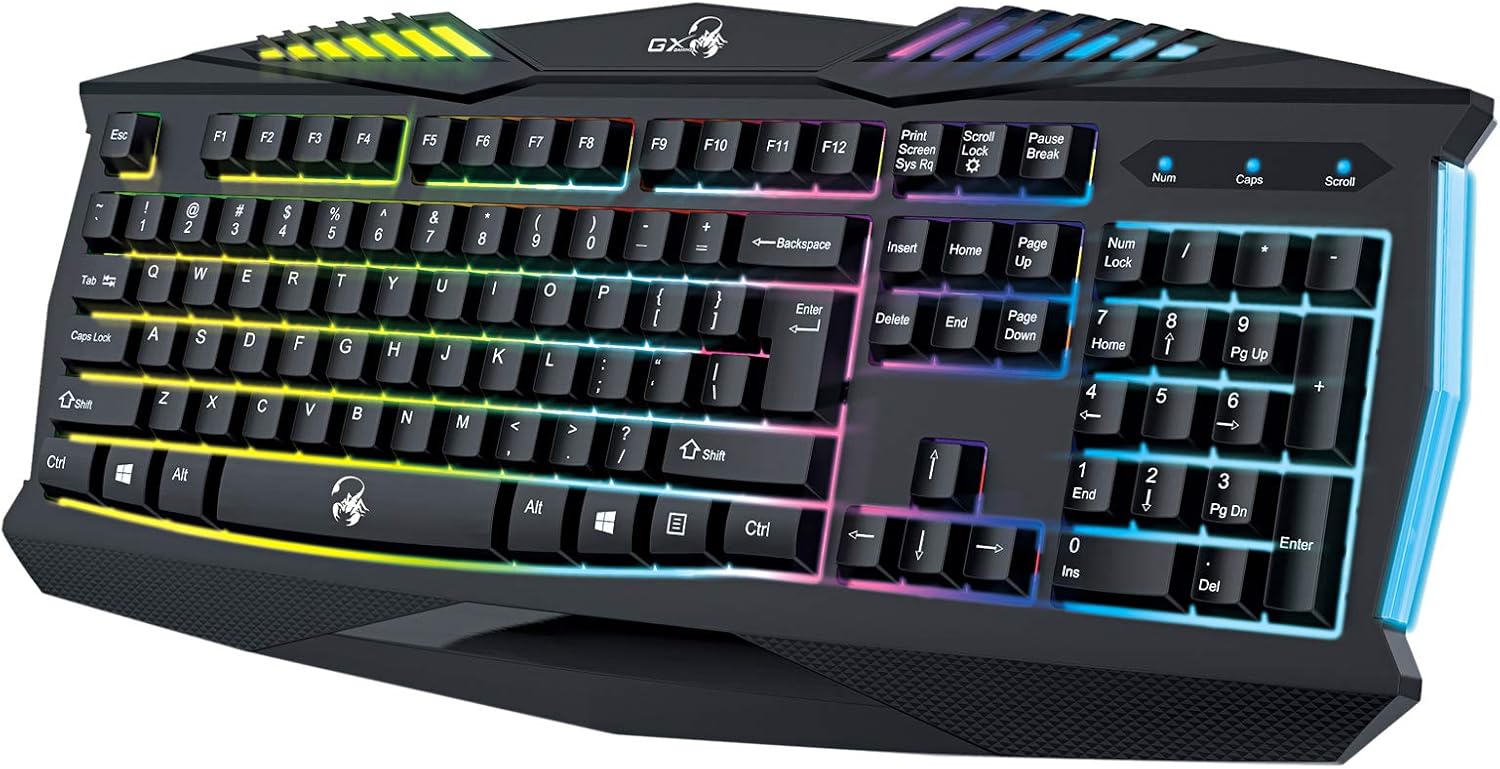
5.1. irudia: hurbileko planoa view of the Genius GX Wired Gaming Keyboard Scorpion K220, highlighting the illuminated keys and vibrant backlighting.
5.3 Jokoen Ezaugarriak
The Scorpion K220 is designed for gaming with a responsive membrane switch type and a comfortable layout. While it does not feature programmable macro keys, its robust design and anti-ghosting capabilities (where applicable) ensure reliable performance during intense gaming sessions.
6. Mantentzea
Mantentze egokiak zure teklatuaren iraupena eta errendimendu optimoa bermatzen ditu.
- Garbiketa:
- Deskonektatu teklatua ordenagailutik garbitu aurretik.
- Use a soft, dry, lint-free cloth to wipe down the surface of the keyboard.
- Teklen arteko hautsa eta hondakinak lortzeko, erabili aire konprimatua.
- Ez erabili produktu kimiko gogorrik, garbitzaile urratzailerik edo disolbatzailerik.
- Biltegiratzea: Gorde teklatua leku fresko eta lehor batean, eguzki-argitik eta muturreko tenperaturetatik babestuta, denbora luzez erabiltzen ez duzunean.
7. Arazoak
If you encounter issues with your Scorpion K220 keyboard, refer to the table below for common problems and solutions.
| Arazoa | Kausa posiblea | Irtenbidea |
|---|---|---|
| Teklatuak ez du erantzuten | USB konexio soltea, USB ataka akastuna, gidariaren arazoa. |
|
| Atzeko argiztapena ez dabil | Keyboard not powered, specific lighting mode selected. |
|
| Teklak itsaskorrak dira edo ez dute erantzuten | Dirt or debris under the keys. |
|
8. Zehaztapenak
Detailed technical specifications for the Genius GX Wired Gaming Keyboard Scorpion K220:
| Ezaugarri | Xehetasuna |
|---|---|
| Marka | Jenioa |
| Modelo zenbakia | K220 |
| Produktuaren neurriak | 23 x 49 x 4 cm |
| Elementuaren pisua | 980 g |
| Fabrikatzailea | Jenioa |
| Energia iturria | Kable elektrikoa |
| Pilak barne | Ez |
| Gailu bateragarriak | Ordenagailua, ordenagailu eramangarria |
| Konektibitate Teknologia | USBa |
| Teklatuaren deskribapena | Jolasa |
| Ezaugarri bereziak | Atzeko argia |
| Materiala | Material nahasiak |
| Aldatu mota | Mintza |
| Teklatuaren diseinua | QWERTY |
| Eskuen Orientazioa | Anbidistroa |
9. Bermea eta Laguntza
Genius products are manufactured to the highest quality standards. For information regarding warranty coverage, technical support, or service, please refer to the warranty card included with your product or visit the official Genius webgunea.
For further assistance, you may contact Genius customer support through their official channels. Please have your product model number (K220) and purchase details ready when contacting support.
Ofiziala Webgunea: www.geniusnet.com


