1. Sarrera
This manual provides essential information for setting up, operating, maintaining, and troubleshooting your CyberpowerPC Gamer Supreme SLC8820CPG Gaming PC. Please read this manual thoroughly before using your new computer to ensure proper functionality and longevity.
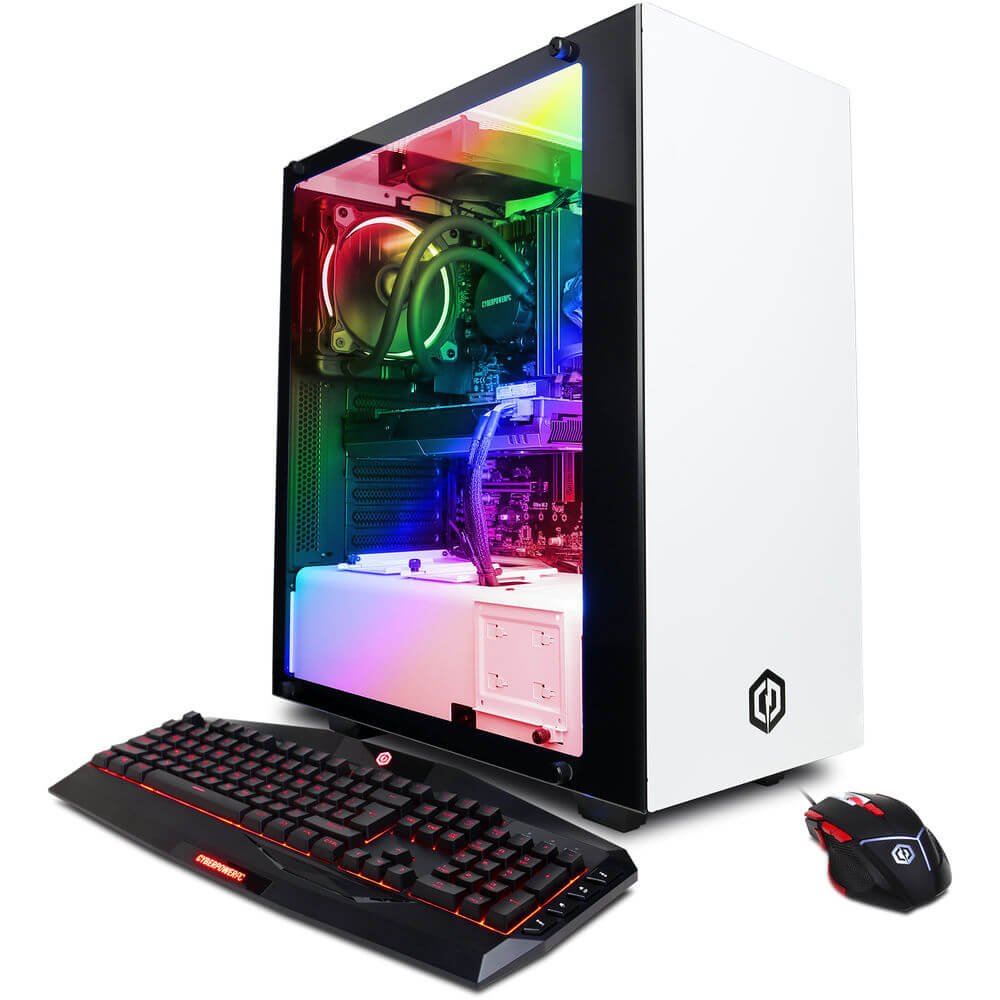
Figure 1.1: CyberpowerPC Gamer Supreme SLC8820CPG Gaming PC with included peripherals.
2. Paketearen edukia
Egiaztatu behean zerrendatutako elementu guztiak zure paketean daudela:
- CyberpowerPC Gamer Supreme SLC8820CPG Gaming PC
- USB 7 Color Gaming Keyboard
- USB Gaming Mouse
- Driver Discs
- Elikatze kablea
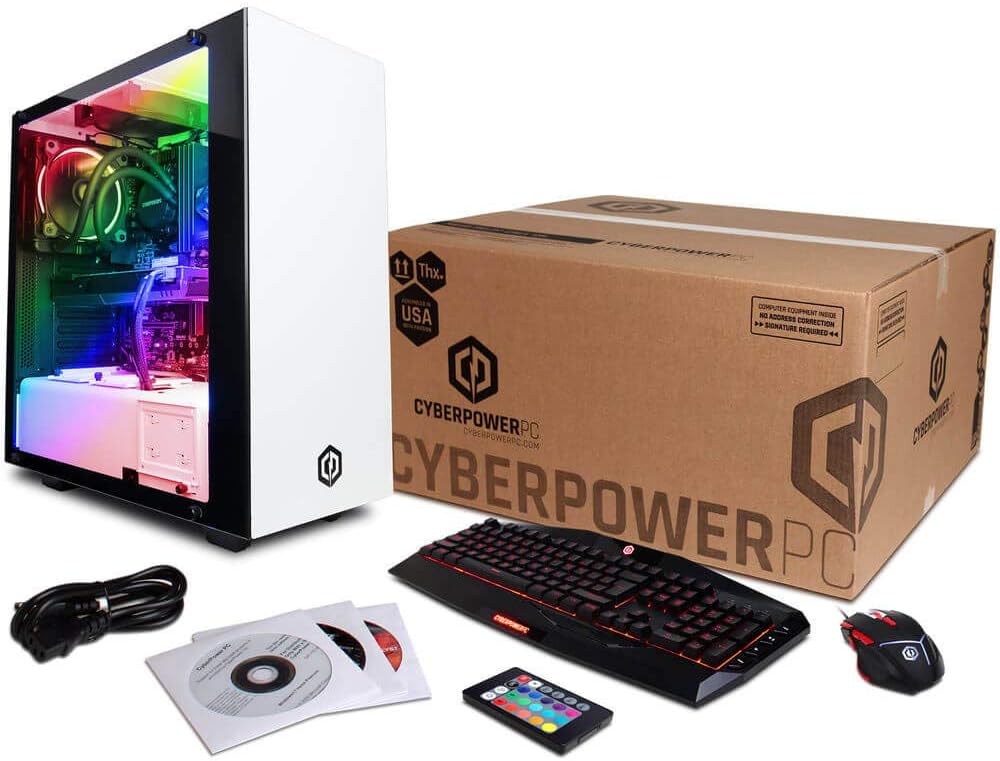
Figure 2.1: Contents of the CyberpowerPC Gamer Supreme SLC8820CPG package.
3. Konfigurazio gida
3.1 Paketatzea
- Carefully remove the PC and all accessories from the packaging.
- Gorde ontziratzeko material guztiak etorkizuneko garraio edo zerbitzu beharretarako.
- Place the PC on a stable, flat surface with adequate ventilation.
3.2 Periferikoak konektatzea
Connect your monitor, keyboard, mouse, and other devices to the appropriate ports on the PC.
- Monitorea: Connect your monitor to the NVIDIA GeForce GTX 1080 graphics card using an HDMI, DVI, or DisplayPort cable. Ensure the cable is securely fastened.
- Teklatua eta sagua: Connect the USB gaming keyboard and mouse to any available USB ports. The PC features 6 x USB 3.1 ports and 2 x USB 2.0 ports.
- Sarea: For wired internet, connect an Ethernet cable to the RJ-45 port. For wireless internet, attach the included Wi-Fi antenna to the designated ports on the rear of the PC.
- Audioa: Connect speakers or headphones to the audio output jacks. The system supports 7.1 Channel audio.
- Potentzia: Connect the power cord to the PC's power supply unit and then to a grounded electrical outlet.
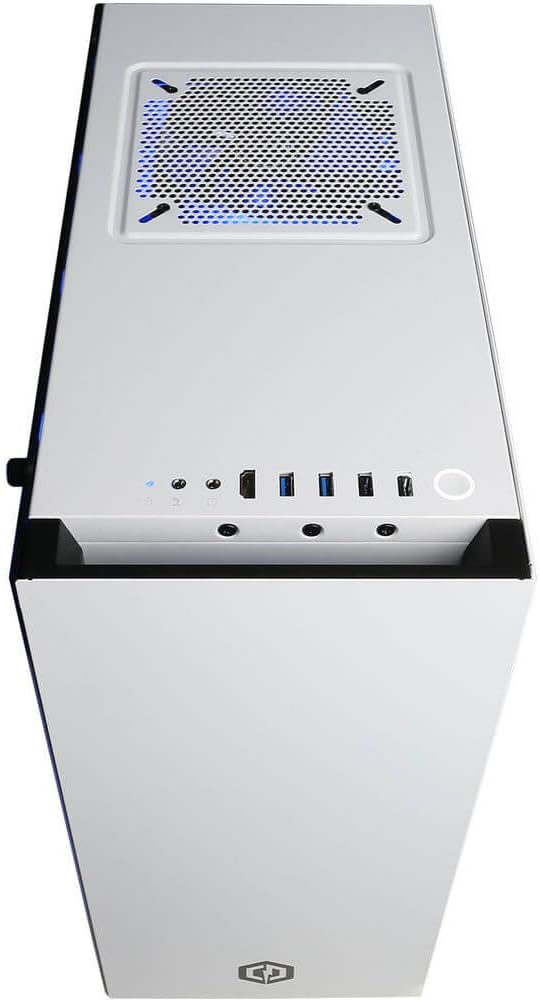
Figure 3.1: Top panel with USB ports, audio jacks, and power button.

3.2. irudia: Xehetasuna view of front I/O ports for easy access.
3.3 Hasierako piztea
- After connecting all peripherals, press the power button located on the top panel of the PC.
- Follow the on-screen instructions to complete the Windows 10 Home 64-bit operating system setup.
4. Zure ordenagailua erabiltzea
4.1 Oinarrizko funtzionamendua
Your CyberpowerPC Gamer Supreme is pre-installed with Windows 10 Home. Utilize the keyboard and mouse for navigation. Refer to Microsoft's official documentation for detailed instructions on Windows 10 operation.
4.2 RGB argiztapenaren kontrola
The PC features custom RGB lighting. Use the included remote control to adjust the colors and lighting effects within the case. Ensure the remote has a clear line of sight to the PC's internal receiver for optimal control.
5. Mantentzea
5.1 Garbiketa
- Kanpoaldea: Erabili biguna, damp cloth to clean the exterior surfaces of the PC. Avoid abrasive cleaners.
- Barrualdea: Periodically clean dust from internal components using compressed air. Ensure the PC is powered off and unplugged before opening the side panel.
5.2 Software eguneraketak
Eguneratu aldizka sistema eragilea, gidariak (batez ere grafikoen kontrolatzaileak) eta segurtasun softwarea errendimendu eta babes optimoa bermatzeko.
5.3 Hozteko sistema likidoa
The PC features a liquid cooling system for the CPU. This system is generally maintenance-free. However, monitor temperatures periodically using system monitoring software to ensure proper cooling performance. If you notice unusual noises or high temperatures, contact technical support.
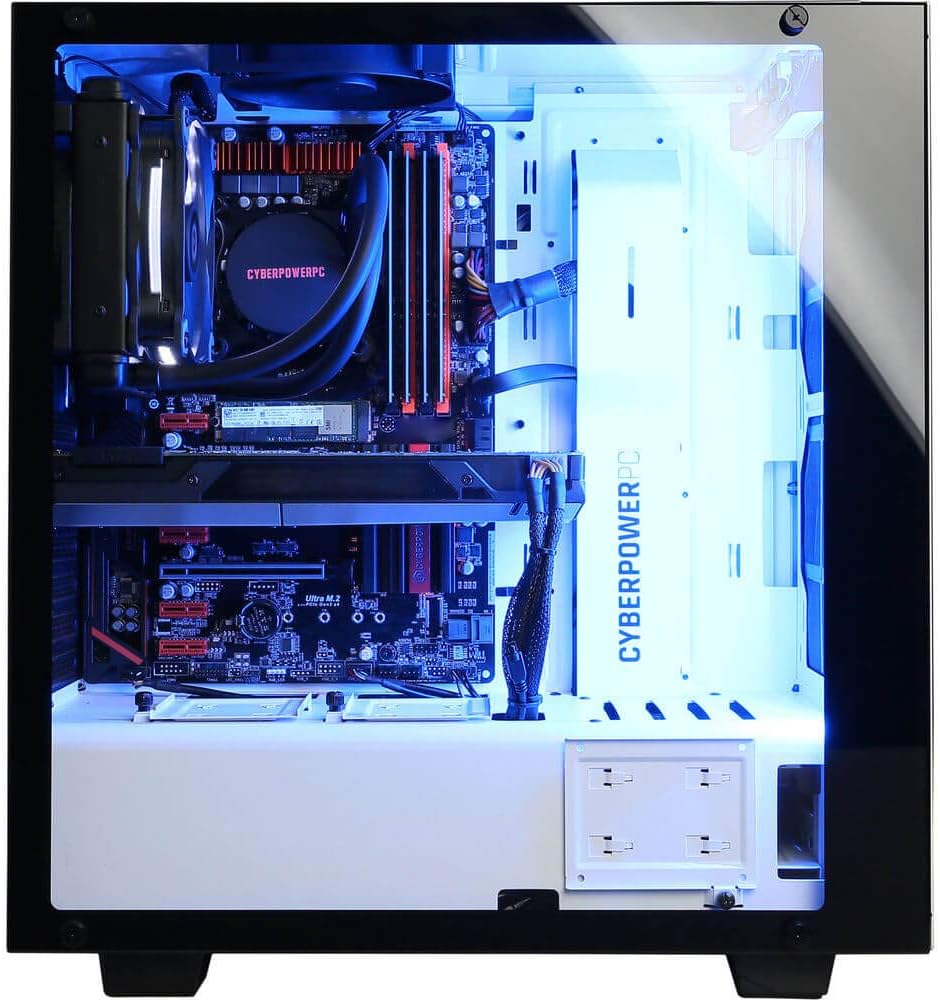
Figure 5.1: Internal components including the liquid cooling system.
6. Arazoak
| Arazoa | Kausa posiblea | Irtenbidea |
|---|---|---|
| PCa ez da pizten | Loose power cable, power supply issue | Ensure power cable is securely connected to PC and outlet. Check power switch on PSU. |
| Ez dago pantailarik monitorean | Monitor cable loose, incorrect input selected on monitor | Verify monitor cable is connected to the graphics card (not motherboard). Check monitor input settings. |
| Ez dago Interneteko konexiorik | Wi-Fi antenna not connected, Ethernet cable loose, driver issue | Ensure Wi-Fi antenna is attached or Ethernet cable is secure. Check network adapter drivers in Device Manager. |
| System runs slowly or crashes | Overheating, outdated drivers, malware | Ensure proper ventilation. Update drivers. Run antivirus scans. |
7. Zehaztapenak
| Osagaia | Xehetasuna |
|---|---|
| Prozesadorea | Intel Core i7-8700K 3.7GHz (6 Cores) |
| Chipset | Intel Z370 Express |
| RAM | 32 GB DDR4 |
| Biltegiratzea | 480GB SSD + 3TB HDD (7200 RPM SATA III) |
| Txartel grafikoa | NVIDIA GeForce GTX 1080 8GB |
| Bideo Portuak | 1 x DVI, 1 x HDMI, 2 x DisplayPort |
| USB atakak | 6x USB 3.1, 2x USB 2.0 |
| Sarea | RJ-45 Network Ethernet 10/100/1000, 802.11AC Wi-Fi |
| Audioa | 7.1 Kanala |
| Sistema eragilea | Genuine Windows 10 Home 64-bit |
| Ezaugarri bereziak | Liquid Cooling, Tempered Glass Side Panel, Custom RGB Lighting |
| Neurriak (LxWxH) | 17.5 x 7.9 x 17 hazbete |
| Elementuaren pisua | 32 kilo |
8. Bermea eta Laguntza
Your CyberpowerPC Gamer Supreme SLC8820CPG Gaming PC comes with a 1 urteko piezak eta eskulanaren bermea. Additionally, Free Lifetime Tech Support is provided. For technical assistance, warranty claims, or further inquiries, please contact CyberpowerPC customer support through their official webgunea edo erosketa-dokumentazioarekin batera emandako harremanetarako informazioa.