1. Sarrera
The HyperX Cloud Flight is a wireless gaming headset designed for extended use and immersive audio experiences. It features a robust 2.4GHz wireless connection, a long-lasting battery, and comfortable memory foam earcups. This manual provides essential information for setting up, operating, and maintaining your headset.
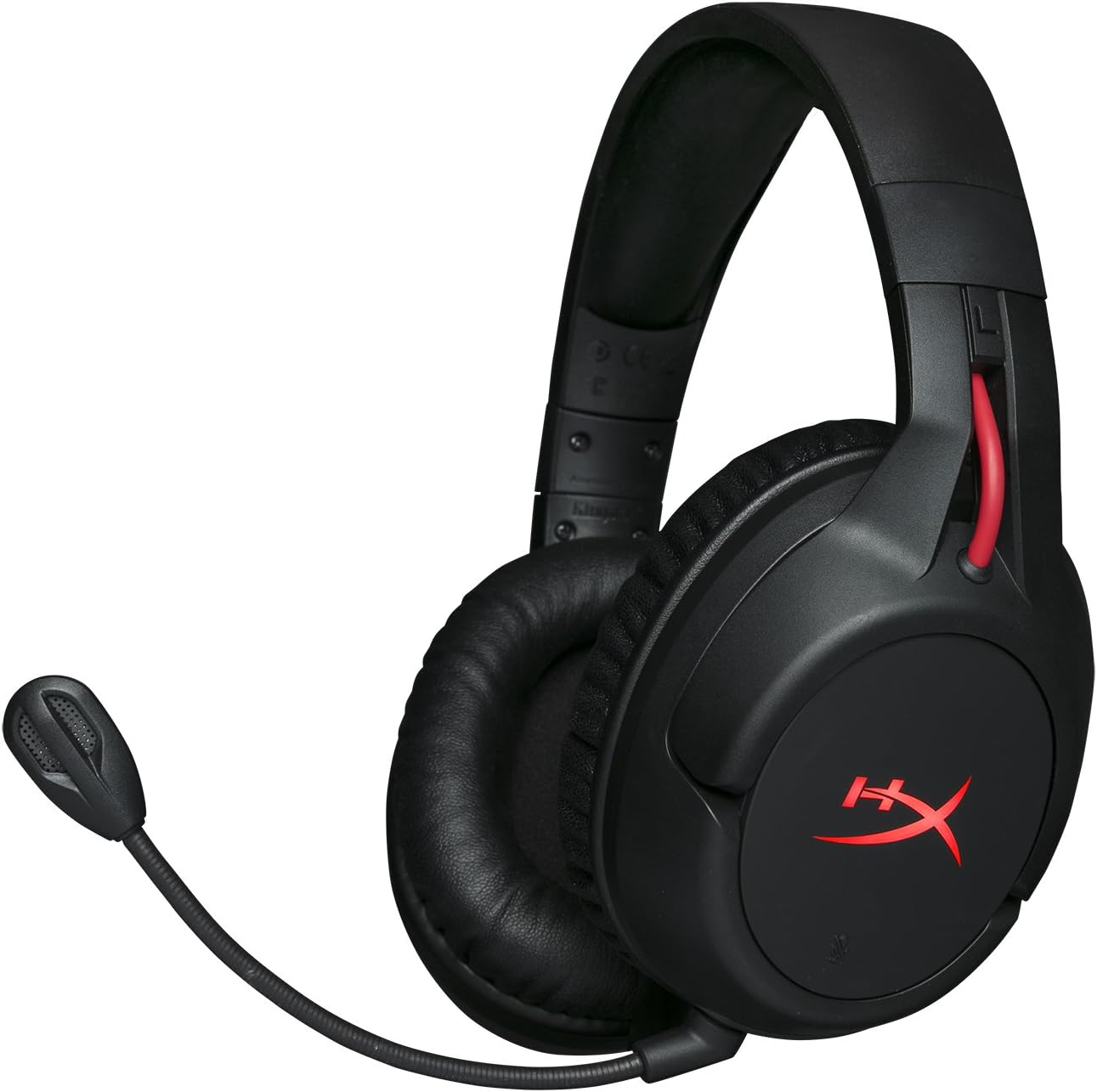
Figure 1.1: HyperX Cloud Flight Wireless Gaming Headset.
2. Paketearen edukia
Ziurtatu elementu guztiak paketean daudela:
- HyperX Cloud Flight Headset
- Zarata deuseztatzeko mikrofono desmuntagarria
- USB kargatzeko kablea
- USB haririk gabeko egokitzailea
- Erabiltzailearen eskuliburua

Figure 2.1: Included components of the HyperX Cloud Flight headset.
3. Produktuaren ezaugarriak
- Gaming-Grade Wireless: Utilizes a stable 2.4GHz wireless connection for reliable audio transmission.
- Bateriaren iraupen hedatua: Up to 30 hours of battery life with LED lights off, allowing for prolonged gaming sessions.
- Signature HyperX Comfort: Features comfortable memory foam earcups and a durable, adjustable steel slider for a secure and pleasant fit.
- Plataforma anitzeko bateragarritasuna: Compatible with PC, PlayStation 4, and PlayStation 5.
- Rotating Ear Cups: Ear cups rotate 90 degrees for comfortable resting around your neck and feature LED lighting effects.
- Intuitive On-Board Controls: Convenient controls for LED effects, microphone mute, power, and volume are located on the ear cups.
- Zarata kentzeko mikrofono desmuntagarria: Ensures clear communication and can be removed when not needed. The microphone functions only in wireless mode and is compatible with PC and PS4.
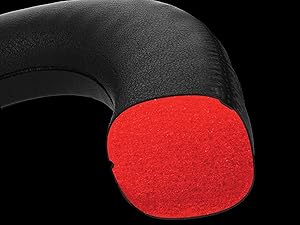
Figure 3.1: Headset designed for comfort during extended use.

Figure 3.2: Durable steel slider for adjustability and longevity.
4. Konfiguratzeko argibideak
- Kargatu entzungailuak: Before first use, fully charge the headset using the provided USB charging cable. Connect the micro-USB end to the headset and the USB-A end to a powered USB port.
- Connect USB Wireless Adapter: Insert the USB wireless adapter into an available USB port on your PC, PS4, or PS5.
- Piztu entzungailuak: Press and hold the power button on the left earcup for 3-5 seconds until the LED indicator lights up. The headset will automatically pair with the USB adapter.
- Mikrofonoa konektatu: Insert the detachable noise-cancelling microphone into the port on the left earcup. Ensure it clicks securely into place.
- Adjust Settings (PC/PS4/PS5):
- PCa: Go to Sound Settings and select "HyperX Cloud Flight" as the default playback and recording device.
- PS4/PS5: Go to Sound/Audio Devices settings and ensure "HyperX Cloud Flight" is selected for both input and output.
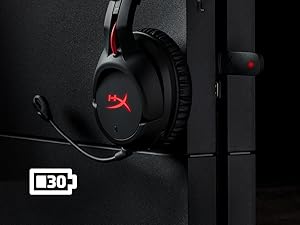
Figure 4.1: Connecting the USB adapter to a console for wireless operation.
5. Funtzionamendu-argibideak
- Piztu/Itzali: Press and hold the power button on the left earcup for 3-5 seconds.
- Bolumen kontrola: Use the volume wheel located on the bottom of the right earcup to adjust audio output.
- Mikrofonoa isiltzea: Press the button on the left earcup to mute/unmute the microphone. An audible indicator will confirm the status.
- LED efektuak: Briefly press the power button to cycle through LED lighting effects (Solid LED, Breathing LED, LED Off).
- Chat Mixer (PC/PS4): The headset features a chat mixer on the left earcup. The front button prioritizes game volume, while the rear button prioritizes chat volume.
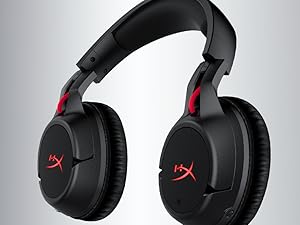
Figure 5.1: On-board controls for volume and microphone mute.
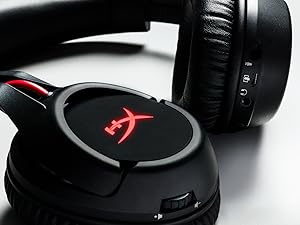
Figure 5.2: Detachable microphone for clear voice communication.
6. Kargatzea eta bateriaren iraupena
The HyperX Cloud Flight headset offers impressive battery performance:
- LED itzali: Gehienez 30 ordu
- Arnasketa LED: Gehienez 18 ordu
- LED trinkoa: Gehienez 13 ordu
Battery life is tested at 50% headset volume. Audible indicators will notify you of low battery status. Use the provided USB charging cable to recharge the headset.
6.1. bideoa: Produktua amaitutaview erakutsiasing features including battery life.
7. Mantentzea eta Zainketa
- Gorde entzungailuak leku garbi eta lehor batean erabiltzen ez dituzunean.
- Clean earcups and headband with a soft, damp oihal. Saihestu produktu kimiko gogorrak.
- Ez jarri entzungailuak tenperatura altuen edo eguzki-argiaren eraginpean.
- Saihestu entzungailuak erortzea edo kolpe gogorren eraginpean jartzea.
8. Arazoak
- No Audio/Microphone:
- Ziurtatu entzungailuak piztuta eta guztiz kargatuta daudela.
- Verify the USB wireless adapter is securely connected to your device.
- Check your device's sound settings to ensure "HyperX Cloud Flight" is selected as the default audio input/output.
- Confirm the microphone is properly attached and not muted.
- Poor Wireless Connection:
- Ensure the headset is within the 20-meter wireless range of the USB adapter.
- Minimize obstructions between the headset and the adapter.
- Avoid interference from other 2.4GHz devices.
- Entzungailuak ez dira kargatzen:
- Verify the USB charging cable is correctly connected to both the headset and a powered USB port.
- Saiatu beste USB ataka edo kargatzeko kable batekin.
9. Zehaztapenak
| Ezaugarri | Xehetasuna |
|---|---|
| Ereduaren izena | Cloud Flight |
| Konektibitate Teknologia | Haririk gabeko (2.4 GHz) |
| Wireless Range | Gehienez 20 metro |
| Gailu bateragarriak | PC, PS4, PS5 |
| Gidaria | Dinamikoa, 50 mm neodimiozko imanekin |
| Aurikular mota | Circumaural, atzera itxita |
| Maiztasun Erantzuna | 20 Hz - 20,000 Hz |
| Inpedantzia | 32 ohmio |
| Soinu Presio Maila | 106 dBSPL/mW at 1kHz |
| THD | <2% |
| Entzungailuen pisua | 300g (315g with mic) |
| Mikrofonoaren elementua | Elektretaren kondentsadorearen mikrofonoa |
| Mikrofonoaren eredu polarra | Zarata deuseztatzea |
| Mikrofonoaren maiztasun-erantzuna | 100 Hz - 7000 Hz |
| Mikrofonoaren sentsibilitatea | -45dBV (0dB=1V/Pa, 1kHz) |
| Battery Life (LED off) | 30 ordu |
| Battery Life (Breathing LED) | 18 ordu |
| Battery Life (Solid LED) | 13 ordu |
| Materiala | Memory Foam, Premium Leatherette, Steel |
| Elementuaren neurriak (LxWxH) | 7.48 x 3.43 x 7.36 hazbete |
| UPC | 196188048207 |
10. Bermea eta Laguntza
The HyperX Cloud Flight headset typically comes with a 2-year manufacturer's warranty. For technical support, warranty claims, or additional product information, please visit the official HyperX support webwebgunean edo jarri harremanetan bere bezeroarentzako zerbitzuarekin.
Informazio gehiago eta laguntza baliabideak aurki ditzakezu hemen: HyperX Store on Amazon.


