Sarrera
This manual provides detailed instructions for the TECWARE Phantom 87 Key RGB Mechanical Gaming Keyboard. Please read this manual thoroughly before using the product to ensure proper operation and to maximize your experience.
Segurtasun Informazioa
- Ez jarri teklatua likidoetara edo gehiegizko hezetasunetara.
- Saihestu muturreko tenperaturak.
- Do not attempt to disassemble or modify the keyboard. This may void your warranty.
- Mantendu haurren eskura.
- Erabili gailu eta energia-iturri bateragarriekin soilik.
Paketearen edukia
Egiaztatu elementu guztiak zure paketean daudela:
- TECWARE Phantom 87 Key RGB Mechanical Gaming Keyboard
- 4x Spare Mechanical Switches (Outemu Red)
- 1x Etengailu tiratzailea
- 1x Teklak ateratzeko
- 1x Erabiltzailearen eskuliburua

Figure 1: TECWARE Phantom 87 Key RGB Mechanical Gaming Keyboard with key features such as low latency, 16.8M RGB colors, gaming-oriented design, full N-key rollover, and durable fiberglass PCB.
Konfigurazioa
1. Teklatua konektatzea
- Locate the USB-A cable attached to your TECWARE Phantom keyboard.
- Plug the USB-A connector into an available USB port on your computer.
- The keyboard will automatically be detected and drivers will install (Windows/macOS).
2. Softwarearen instalazioa (aukerakoa)
For advanced customization, including per-key RGB lighting, macro recording, and user profiles, download the TECWARE software from the official TECWARE webgunea. Jarraitu pantailan agertzen diren argibideei instalaziorako.

Figure 2: The TECWARE software allows for custom per-key RGB lighting, 18 lighting effects control, macro recording and assignment, and up to 3 user profiles, along with brightness and speed adjustments.
Funtzionamendu-argibideak
Oinarrizko Funtzioak
- Idazketa: The keyboard features Outemu Red linear switches for a smooth and quiet typing experience.
- N-teklaren birjartzea: All key presses are registered simultaneously, preventing ghosting during rapid input.
- Windows blokeoa: Use the dedicated Windows Lock key (often Fn + Win key) to disable the Windows key during gaming to prevent accidental interruptions.
RGB argiaren kontrola
The Phantom keyboard offers 16.8 million RGB colors and 18 pre-set lighting effects. These can be controlled directly on the keyboard or through the TECWARE software.
- Argiztapen moduak aldatzea: Use the Fn key combined with specific function keys (refer to your keyboard's keycaps for symbols) to cycle through the 18 pre-set lighting modes.
- Distira/Abiadura doitzea: Use Fn + Arrow keys (or other designated keys) to adjust the brightness and speed of the lighting effects.
- Pertsonalizazioa: For per-key lighting and advanced effects, use the TECWARE software.
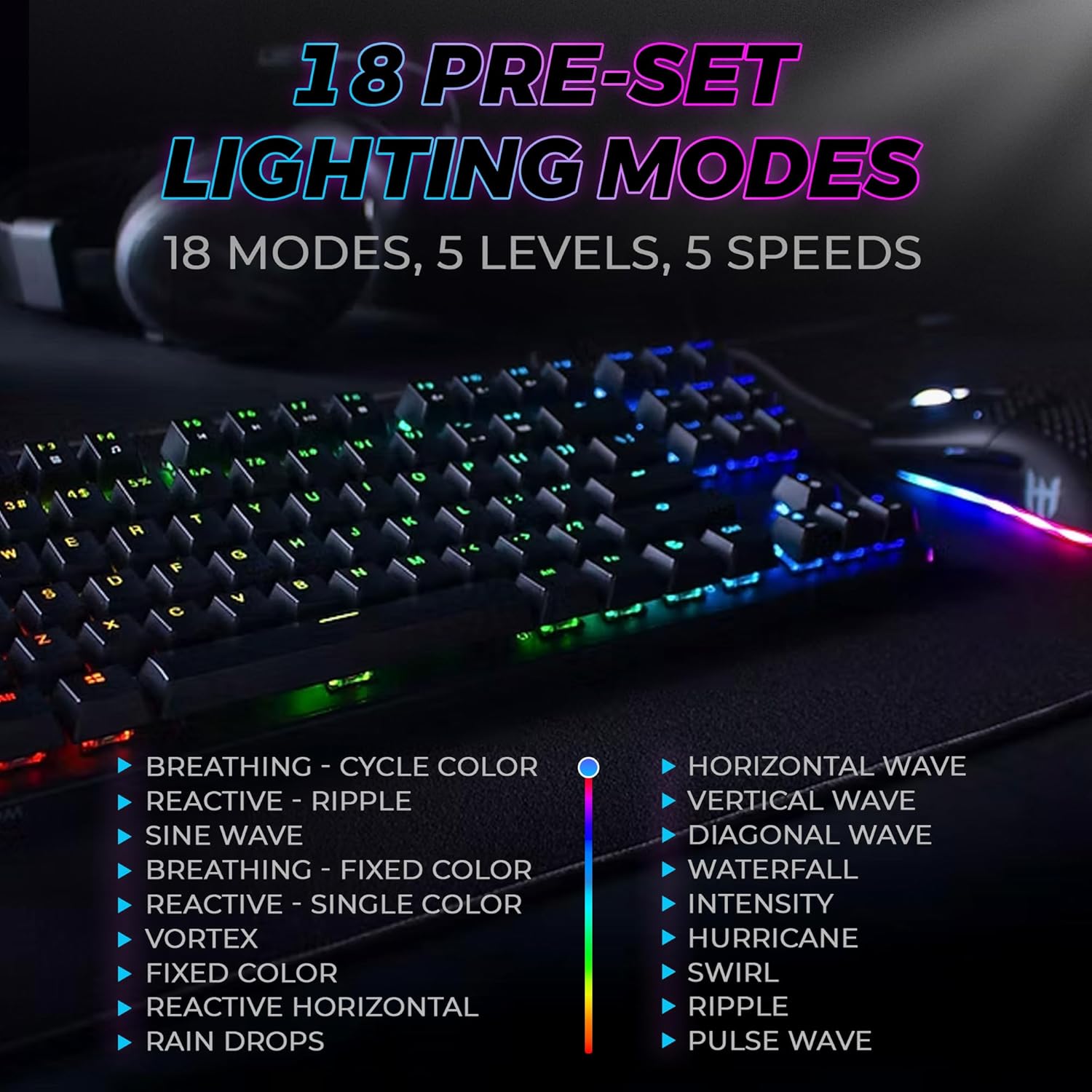
Figure 3: The keyboard features 18 pre-set lighting modes with 5 levels of brightness and 5 levels of speed, including effects like Breathing, Ripple, Sine Wave, Vortex, Waterfall, and Pulse Wave.
Multimedia gakoak
Access multimedia controls by pressing the Fn key in combination with the F-keys (F1-F12). The specific functions are typically indicated by icons on the keycaps.
- Example: Fn + F7 (Play/Pause), Fn + F8 (Stop), Fn + F9 (Mute).
Video 1: Official TECWARE branded video showcasing various products, including the Phantom keyboard, highlighting its features and design philosophy.
Mantentzea
Garbiketa
- Deskonektatu teklatua ordenagailutik garbitu aurretik.
- Use a soft, dry cloth to wipe down the keycaps and chassis.
- For deeper cleaning, use the provided keycap puller to remove keycaps and compressed air to clear debris from under the keys.
Etengailuaren ordezkoa
The TECWARE Phantom keyboard features hot-swappable Outemu mechanical switches, allowing for easy replacement without soldering.
- Using the provided keycap puller, gently remove the desired keycap.
- Use the provided switch puller to carefully grip the switch and pull it straight up to remove it.
- Lerrokatu etengailu berriaren pinak PCBko zuloekin.
- Sakatu etengailu berria astiro-astiro bere lekuan klik egin arte.
- Lotu berriro giltza-tapoia.
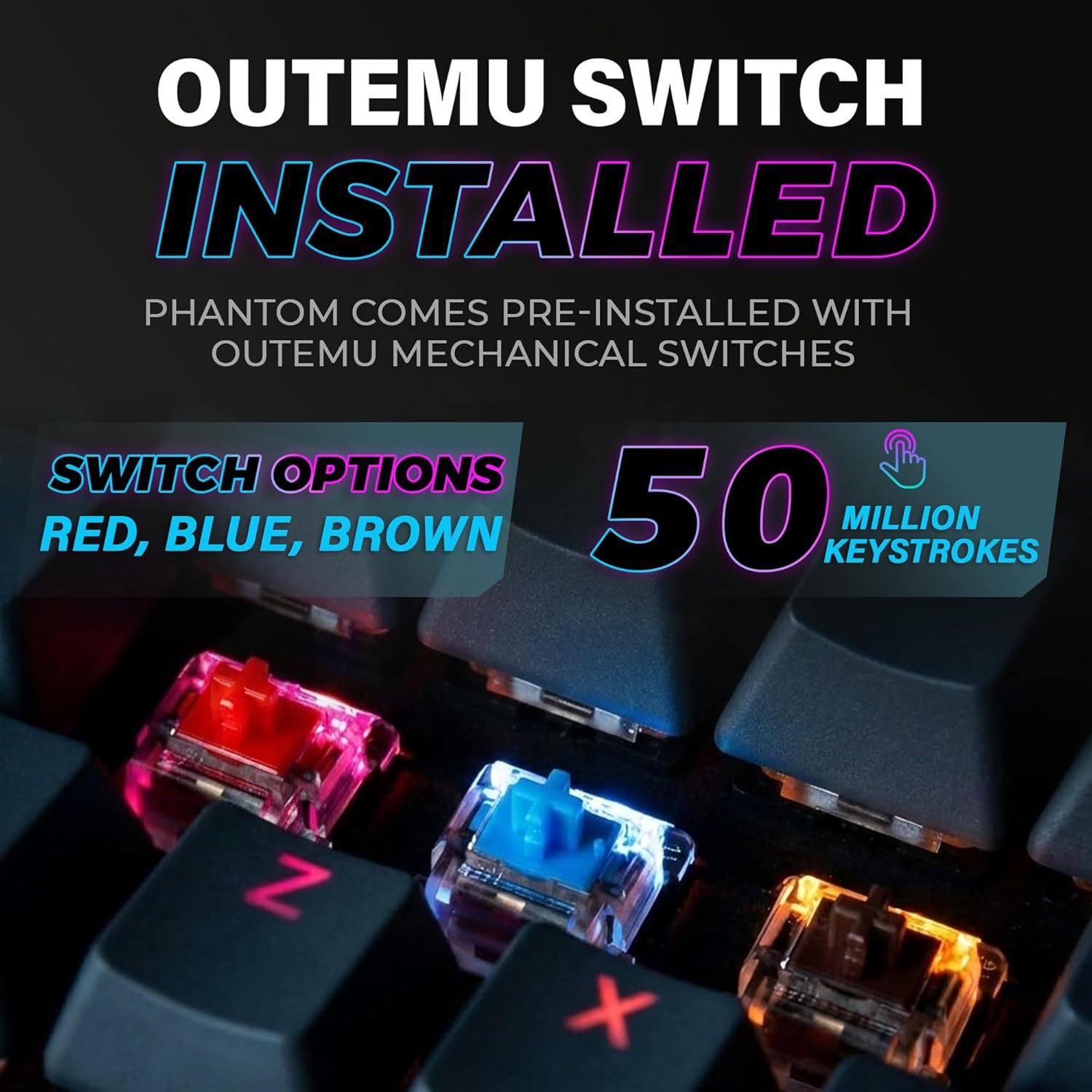
Figure 4: The keyboard comes with pre-installed Outemu switches, available in Red, Blue, and Brown options, rated for 50 million keystrokes.

Figure 5: An Outemu Red linear switch, detailing its pre-travel of 2.00mm, operating force of 45 gf/CN, and total travel of 4.00mm.
Arazoak konpontzea
| Gaia | Irtenbide posiblea |
|---|---|
| Teklatuak ez du erantzuten | Ensure the USB cable is securely connected to both the keyboard and the computer. Try a different USB port or computer. |
| RGB argiak ez du funtzionatzen | Check if the lighting is turned off or set to minimum brightness using the Fn key combinations. Reinstall the TECWARE software if using custom profiles. |
| Giltza espezifikoak ez dira funtzionatzen | If you have hot-swappable switches, try replacing the faulty switch with one of the spare switches provided. Ensure the switch is properly seated. |
| Keys feel inconsistent | Ensure keycaps are fully pressed down. Clean under the keycaps for any debris. |
Video 2: Official TECWARE Phantom video demonstrating various features and functionalities of the keyboard.
Zehaztapenak
| Ezaugarri | Xehetasuna |
|---|---|
| Modelo zenbakia | TWKB-P87ZORD |
| Aldatu mota | Outemu Gorri Mekanikoa (Lineala) |
| Gako zenbaketa | 87 giltzak |
| RGB Argiztapena | 16.8 Million Colors, 18 Pre-set Modes |
| Bozketa-tasa | 1000Hz |
| N-teklaren birjartzea | N-teklaren iraulketa osoa |
| Konektibitatea | USB-A kableduna |
| PCB | Dual-layer Fiberglass PCB |
| Neurriak (L x W x H) | 14.21 x 5.24 x 1.61 hazbete |
| Pisua | 2.53 kilo |
Bermea eta laguntza
TECWARE products are designed for durability and performance. For warranty information, technical support, or to download the latest software and drivers, please visit the official TECWARE webwebgunera edo jarri harremanetan bezeroarentzako arreta-zerbitzura. Gorde erosketa-agiria erosketaren frogagiri gisa berme-erreklamazioetarako.
Sareko baliabideak:
- Official TECWARE Webgunea: www.tecware.co
- Produktuaren laguntza orria: TECWARE Amazon Store


