1. Sarrera
Eskerrik asko erosketagatik.asing the Sharp HT-SBW110 2.1 Bluetooth Soundbar System. This manual provides essential information for setting up, operating, and maintaining your soundbar system. Please read it thoroughly before use to ensure proper functionality and safety.
The HT-SBW110 is a powerful 2.1 channel soundbar system designed to enhance your audio experience, featuring 180W total RMS power, a dedicated wireless subwoofer, and versatile connectivity options including Bluetooth, HDMI ARC, Optical, and AUX inputs.

Figure 1.1: Sharp HT-SBW110 Soundbar and Subwoofer
This image displays the Sharp HT-SBW110 soundbar and its accompanying separate subwoofer, showcasinhaien diseinu beltz dotorea.
2. Paketearen edukia
Mesedez, egiaztatu elementu guztiak paketean daudela:
- Sharp HT-SBW110 Soundbar
- Haririk gabeko subwoofer
- Urruneko Kontrola
- Power Cable for Soundbar
- Power Cable for Subwoofer
- Erabiltzailearen eskuliburua (dokumentu hau)
- Batteries for Remote Control (1 x CR2)
3. Segurtasun informazioa
Always follow basic safety precautions when using this product to reduce the risk of fire, electric shock, or injury:
- Ez jarri tresna hau tantaka edo zipriztinen eraginpean.
- Ez jarri likidoz betetako objekturik, adibidez, loreontziak, aparatuan.
- Ziurtatu aireztapen egokia dagoela. Ez blokeatu aireztapen-irekidurak.
- Do not place the soundbar or subwoofer near heat sources such as radiators, heat registers, stoves, or other apparatus (including ampberoa sortzen duten argitzaileak).
- Erabili fabrikatzaileak zehaztutako eranskinak/osagarriak soilik.
- Deskonektatu aparatu hau tximista-ekaitzetan edo denbora luzez erabiltzen ez duzunean.
- Jarri zerbitzu-zerbitzu guztiak zerbitzu-pertsonal kualifikatuari.
4. Konfigurazioa
4.1 Jartzea
Soinu barra: Place the soundbar on a flat, stable surface directly in front of your TV, centered for optimal sound dispersion. Ensure there are no obstructions in front of the soundbar's speakers.
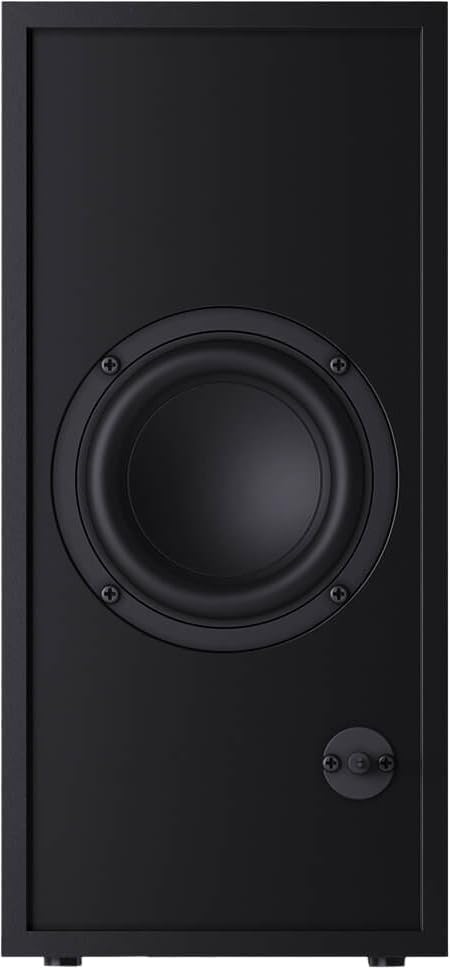
Subwoofer-a: The wireless subwoofer can be placed anywhere in the room, ideally within 5-10 meters of the soundbar, for best bass response. Avoid placing it in enclosed spaces that might muffle the sound.
The soundbar is also wall-mountable. Refer to the included wall-mounting template (if provided) for proper installation.
4.2 Konexioak
Connect your soundbar to your TV or other audio sources using one of the following methods:

Figure 4.1: Soundbar Rear Panel Connections
This image shows the rear panel of the Sharp HT-SBW110 soundbar, highlighting the various input ports including HDMI ARC, Optical, and AUX.
- HDMI ARC (Gomendatua):
Connect an HDMI cable from the HDMI ARC port on your soundbar to the HDMI ARC port on your TV. This allows audio from your TV to be sent to the soundbar and enables control of the soundbar volume using your TV remote (if your TV supports HDMI CEC).
- Optikoa:
Connect an optical audio cable from the OPTICAL input on your soundbar to the optical digital audio output on your TV or other audio source.
- AUX:
Connect a 3.5mm audio cable from the AUX input on your soundbar to the headphone jack or audio output of your device (e.g., smartphone, MP3 player).
- Potentzia-konexioa:
Connect the power cables to the soundbar and subwoofer, then plug them into a wall outlet (AC 220-240V, 50Hz).
The subwoofer will automatically pair with the soundbar once both are powered on. A blue indicator light on the subwoofer will confirm a successful connection.
5. Funtzionamendu-argibideak
5.1 Urruneko kontrola baino gehiagoview
5.1. irudia: Urruneko kontrola
This image displays the sleek, minimalist remote control for the Sharp HT-SBW110 soundbar, showing its various buttons for power, input selection, volume, bass, treble, and EQ modes.
The remote control allows you to manage all functions of your soundbar system. Insert the provided CR2 battery into the remote control before first use.
- Pizteko botoia (⏷): Soinu-barra piztu/itzali egiten du.
- Input/Source Button (↵): Switches between HDMI ARC, Optical, AUX, and Bluetooth inputs.
- Bolumena igo/behera (+/-): Bolumen nagusiaren maila doitzen du.
- Isilarazteko botoia (🔇): Soinua desaktibatu edo aktibatzen du.
- Baxua +/-: Subwoofer-aren baxu-maila doitzen du.
- Treble +/-: Agutzen maila doitzen du.
- EQ botoia: Cycles through preset equalizer modes: Music, Film, Talk.
- Bluetooth botoia (Ⓘ): Bluetooth parekatze moduan sartzen da.
5.2 Oinarrizko funtzionamendua
- Piztu/Itzali: Press the Power button on the remote or on the soundbar's top panel.
- Hautatu Sarrera: Press the Input/Source button repeatedly to cycle through available inputs (HDMI ARC, Optical, AUX, Bluetooth). The LED indicator on the soundbar will change color to indicate the selected input.
- Doitu bolumena: Use the Volume +/- buttons on the remote or the soundbar to adjust the listening level.
- Change EQ Mode: Press the EQ button to select between Music, Film, or Talk sound modes.
5.3 Bluetooth parekatzea
- Press the Input/Source button on the soundbar or remote until the Bluetooth input is selected (usually indicated by a blue LED).
- The soundbar will automatically enter pairing mode, and the Bluetooth LED will flash.
- Zure Bluetooth gailuan (smartphone-a, tableta, etab.), gaitu Bluetooth eta bilatu eskuragarri dauden gailuak.
- Select "SHARP HT-SBW110" from the list of devices.
- Once paired, the Bluetooth LED on the soundbar will stop flashing and remain solid blue. You can now play audio from your device through the soundbar.
6. Mantentzea
- Garbiketa: Use a soft, dry cloth to clean the surfaces of the soundbar and subwoofer. Do not use liquid cleaners or aerosol sprays.
- Aireztapena: Ensure that the ventilation openings on the soundbar and subwoofer are not blocked by dust or debris.
- Biltegiratzea: Unitatea denbora luzez gordetzen baduzu, deskonektatu entxufetik eta gorde leku fresko eta lehor batean.
7. Arazoak
| Arazoa | Kausa posiblea | Irtenbidea |
|---|---|---|
| Botererik ez | Kable elektrikoa ez dago konektatuta; Entxufea ez dago aktibo. | Ensure power cables are securely connected to the soundbar, subwoofer, and wall outlet. Try a different outlet. |
| Soinurik ez | Sarrera okerra hautatu da; Bolumena baxuegia da; Kableak ez daude behar bezala konektatuta. | Select the correct input source. Increase volume. Check all audio cable connections. Ensure TV audio output is set to external speakers. |
| Bluetooth parekatzeak huts egin du | Soinu-barra ez dago parekatze moduan; Gailua urrunegi dago; Interferentzia. | Ensure soundbar is in Bluetooth pairing mode (flashing blue LED). Move device closer to soundbar. Avoid strong electromagnetic interference. Try unpairing and re-pairing. |
| Urruneko kontrola ez dabil | Bateriak agortuta; Oztopoa urrutiko agintearen eta soinu-barraren artean. | Replace batteries. Ensure clear line of sight between remote and soundbar's IR receiver. |
Arazoak jarraitzen badu, jo ezazu Bermea eta Laguntza atalera laguntza gehiago lortzeko.
8. Zehaztapenak
| Audio kanalak | 2.1 kanal |
| RMS potentzia osoa | 180 W |
| Soundbar RMS Power | 30 W |
| Subwoofer RMS potentzia | 30 W |
| Maiztasun barrutia | 60 - 20000 Hz |
| Konektibitate Teknologia | Kablea eta Haririk gabekoa |
| Bluetooth bertsioa | 4.2 |
| HDMI atakak | 1 (ARC) |
| Audio Sarrera Optikoa | 1 |
| AUX sarrera | Bai |
| CA sarrera boltage | 220 - 240 V |
| AC sarrerako maiztasuna | 50 Hz |
| Energia-kontsumo tipikoa | 30 W |
| Erreserbako energia-kontsumoa | 0.5 W |
| Soundbar Dimensions (W x D x H) | 800 x 60 x 60 mm (31.5 x 2.4 x 2.4 hazbete) |
| Soinu barraren pisua | 1.3 kg (2.9 lb) |
| Subwoofer Dimensions (W x D x H) | 150 x 320 x 220 mm (5.9 x 12.6 x 8.7 hazbete) |
| Subwoofer pisua | 2.7 kg (6 lb) |
| Kolorea | Beltza |
| Horman muntagarria | Bai |
| Urruneko Kontrola | Barne |
| Ziurtagiriak | CE (EMC), CB (Safety), ErP (Energy) |
9. Bermea eta Laguntza
This Sharp HT-SBW110 Soundbar System comes with a limited warranty. Please refer to the warranty card included in your package for specific terms and conditions.
Spare parts availability is guaranteed for 1 year from the date of purchase.
For technical support, troubleshooting beyond this manual, or warranty claims, please contact Sharp customer service or visit the official Sharp website for your region. Contact information can typically be found on the product packaging or Sharp's official webgunea.


