Sharp PNB501 50-Inch Monitor User Manual
Model: PN-B501
Sarrera
Thank you for choosing the Sharp PNB501 50-inch monitor. This display is designed for high-quality visual performance, featuring a 1920x1080 resolution, a 5000:1 contrast ratio, and a built-in System-on-Chip (SoC) for enhanced functionality. This manual provides essential information for the proper installation, operation, and maintenance of your monitor. Please read it thoroughly before use and keep it for future reference.

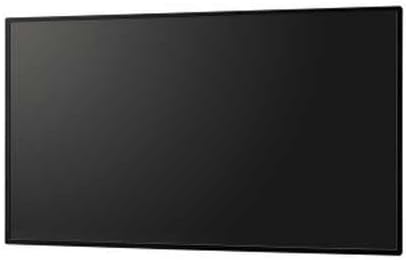
1. irudia: Aurrealdea view of the Sharp PNB501 50-inch monitor, showcasinbere diseinu dotorea.
Konfigurazioa
Follow these steps to set up your Sharp PNB501 monitor. Ensure all components are present and undamaged before proceeding.
1. Desontziratzea eta kokatzea
- Carefully remove the monitor from its packaging. Retain all packaging materials for future transport or storage.
- Place the monitor on a stable, flat surface or mount it securely using a compatible VESA mount (sold separately). Ensure adequate ventilation around the display.
2. Konektatzeko kableak
The PNB501 features various input ports for versatile connectivity.
2. Irudia: Atzealdea view of the monitor, highlighting the various input and output ports.
- Potentzia-konexioa: Connect the power cord to the monitor's AC inlet and then to a grounded electrical outlet.
- Bideoaren sarrera: Connect your video source (e.g., PC, media player) to the monitor using a DisplayPort cable (Display Port x 1 Mini) or other available video inputs.
- Audio konexioa: If your video source does not transmit audio via the video cable, connect an audio cable from your source to the monitor's audio input.
- Sare-konexioa: For network features or SoC functionality, connect an Ethernet cable to the LAN port.
3. Hasierako piztea
- Sakatu monitorearen edo urrutiko agintearen pizteko botoia.
- The monitor will display the Sharp logo and then search for an active input signal.
- If no signal is detected, ensure your source device is powered on and the correct input is selected on the monitor.
Funtzionamendu-argibideak
This section covers the basic operation of your Sharp PNB501 monitor.
1. Piztu/Itzali
- Monitorea pizteko, sakatu Boterea button on the monitor's control panel or the remote control.
- To turn off the monitor, press the Boterea button again. The monitor will enter standby mode.
2. Sarrera hautapena
Bideo iturri ezberdinen artean aldatzeko:
- Sakatu Sarrera or Iturria button on the remote control or monitor.
- Use the navigation buttons to select the desired input (e.g., DisplayPort, HDMI).
- Sakatu Sartu or OK hautapena berresteko.
3. Menuen nabigazioa
Access and adjust monitor settings using the On-Screen Display (OSD) menu:
- Sakatu Menua botoia sakatu OSD irekitzeko.
- Erabili Gora/Behera or Ezker/Eskuin navigation buttons to browse through menu options (e.g., Picture, Audio, System).
- Sakatu Sartu or OK to select a sub-menu or adjust a setting.
- Use the navigation buttons to change values or select options.
- Sakatu Menua berriro edo Irten to close the OSD.
Mantentzea
Proper maintenance ensures the longevity and optimal performance of your Sharp PNB501 monitor.
1. Pantaila garbitzea
- Always turn off and unplug the monitor before cleaning.
- Erabili lipurrik gabeko zapi leun bat dampUrarekin edo pantailak garbitzeko soluzio espezializatu batekin garbitu.
- Gently wipe the screen surface. Avoid applying excessive pressure.
- Do not use abrasive cleaners, alcohol, benzene, or thinners, as these can damage the screen surface.
2. Armairua garbitzea
- Garbitu monitorearen kaxa zapi leun eta lehor batekin.
- Zikinkeria egoskorrerako, erabili zapi arin batampened with a mild, non-abrasive detergent solution, then wipe dry.
3. Biltegiratzea
- If storing the monitor for an extended period, place it in its original packaging to protect it from dust and physical damage.
- Gorde leku fresko eta lehor batean, eguzki-argitik eta muturreko tenperaturatik urrun.
Arazoak konpontzea
This section provides solutions to common issues you might encounter with your Sharp PNB501 monitor. If the problem persists, please contact customer support.
Botererik ez
- Ziurtatu elikatze-kablea ondo konektatuta dagoela monitorera eta funtzionatzen duen entxufe elektriko batera.
- Egiaztatu entxufea aktibo dagoen beste gailu bat konektatuz.
- Press the power button firmly on the monitor or remote control.
Seinalerik ez / Pantaila hutsa
- Verify that the video cable (e.g., DisplayPort) is securely connected to both the monitor and the source device.
- Ensure the source device (e.g., computer) is powered on and outputting a signal.
- Use the monitor's input selection feature to ensure the correct input source is chosen.
- Try connecting a different video source or cable to rule out a faulty component.
Irudiaren kalitate eskasa
- Check the resolution settings on your source device. Ensure it is set to the monitor's native resolution (1920x1080).
- Adjust picture settings (brightness, contrast, sharpness) via the OSD menu.
- Ensure the video cable is not damaged or excessively long.
Audiorik ez
- Increase the volume on the monitor and the source device.
- Check if the audio cable is properly connected (if not using audio over DisplayPort).
- Ensure the audio output on your source device is not muted or set to an incorrect output.
Zehaztapenak
Detailed technical specifications for the Sharp PNB501 monitor:
| Ezaugarri | Zehaztapena |
|---|---|
| Marka | Zorrotza |
| Modelo zenbakia | PN-B501 |
| Pantailaren tamaina | 49.5 hazbete |
| Pantailaren bereizmena | 1920x1080 (FHD 1080p) |
| Aspektu-erlazioa | 16:9 |
| Pantailaren gainazalaren deskribapena | Distiratsua |
| Elementuaren pisua | 49 kilo |
| Produktuaren neurriak (LxWxH) | 44.21 x 2.76 x 25.47 hazbete |
| Prozesadore kopurua | 4 (Built-in SoC) |
| Fabrikatzailea | ELECTRONICS CORPORATION ZORROA |
| Eskuragarri dagoen lehen data | 2ko martxoaren 2018a |
Bermea eta Laguntza
Sharp stands behind the quality of its products. For specific warranty terms and conditions, please refer to the warranty card included with your product or visit the official Sharp website. General support information is provided below.
Bezeroarentzako Arreta
If you require technical assistance, have questions about your product, or need to arrange for service, please contact Sharp customer support. You can often find contact information on the official Sharp webgunearen bidez edo produktua erosi duzun dendariaren bidez.
For additional resources and product information, you may visit the official Sharp store page:
Visit the Sharp Store on Amazon
Please note that return policies, such as the 30-day easy returns, are typically handled by the retailer.


