Sarrera
This manual provides essential information for the safe and efficient operation of your Skyworth E-Series 40E2 40-inch 1080P LED TV. Please read it thoroughly before use and retain it for future reference. This television features a 1080P LED display, 60 Hz refresh rate, and DTS Dolby Audio Sound for an enhanced viewesperientzia.
Segurtasun Informazioa
Kalteak saihesteko eta funtzionamendu segurua bermatzeko, jarraitu segurtasun neurri hauek:
- Energia iturria: Connect the TV only to an AC 100-240V, 50/60Hz power supply.
- Aireztapena: Ziurtatu telebistaren inguruan aireztapen egokia dagoela. Ez blokeatu aireztapen-irekidurak.
- Ura eta hezetasuna: Ez jarri telebista euripean edo hezetasunean. Ez jarri likidoz betetako objekturik, hala nola loreontziak, telebistaren gainean.
- Garbiketa: Deskonektatu telebista garbitu aurretik. Erabili zapi leun eta lehor bat. Ez erabili garbitzaile likidorik edo aerosol-sprayrik.
- Lekua: Jarri telebista gainazal egonkor eta lau batean. Saihestu eguzki-argia zuzenean, bero-iturriak eta tenperatura altukoak.
- Zerbitzua: Ez saiatu produktu hau zuk zeuk ematen. Bidali zerbitzu guztiak zerbitzu kualifikatuko langileengana.
Kutxan dagoena
Egiaztatu osagai guztiak daudela paketea desontziratzean:
- Skyworth E-Series 40E2 40-inch LED TV
- Urrutiko agintea (2 AAA bateria behar ditu, ez daude barne)
- Elikatze kablea
- TV Stand Bases (2 pieces)
- Euskarri muntaketarako torlojuak
- Erabiltzailearen eskuliburua (dokumentu hau)
Konfigurazioa
1. Deskargatzea
Carefully remove the TV and all accessories from the packaging. Place the TV screen-down on a soft, clean, and flat surface to prevent scratches during stand assembly.
2. Stand-asanblada
To attach the stand bases:
- Align each stand base with the corresponding mounting holes on the bottom of the TV.
- Insert the provided screws into the holes and tighten them securely with a screwdriver.
- Ensure both stand bases are firmly attached and the TV is stable before placing it upright.

Irudia: Aurrealdea view of the Skyworth 40E2 TV with its two stand bases attached, displaying a hockey game.
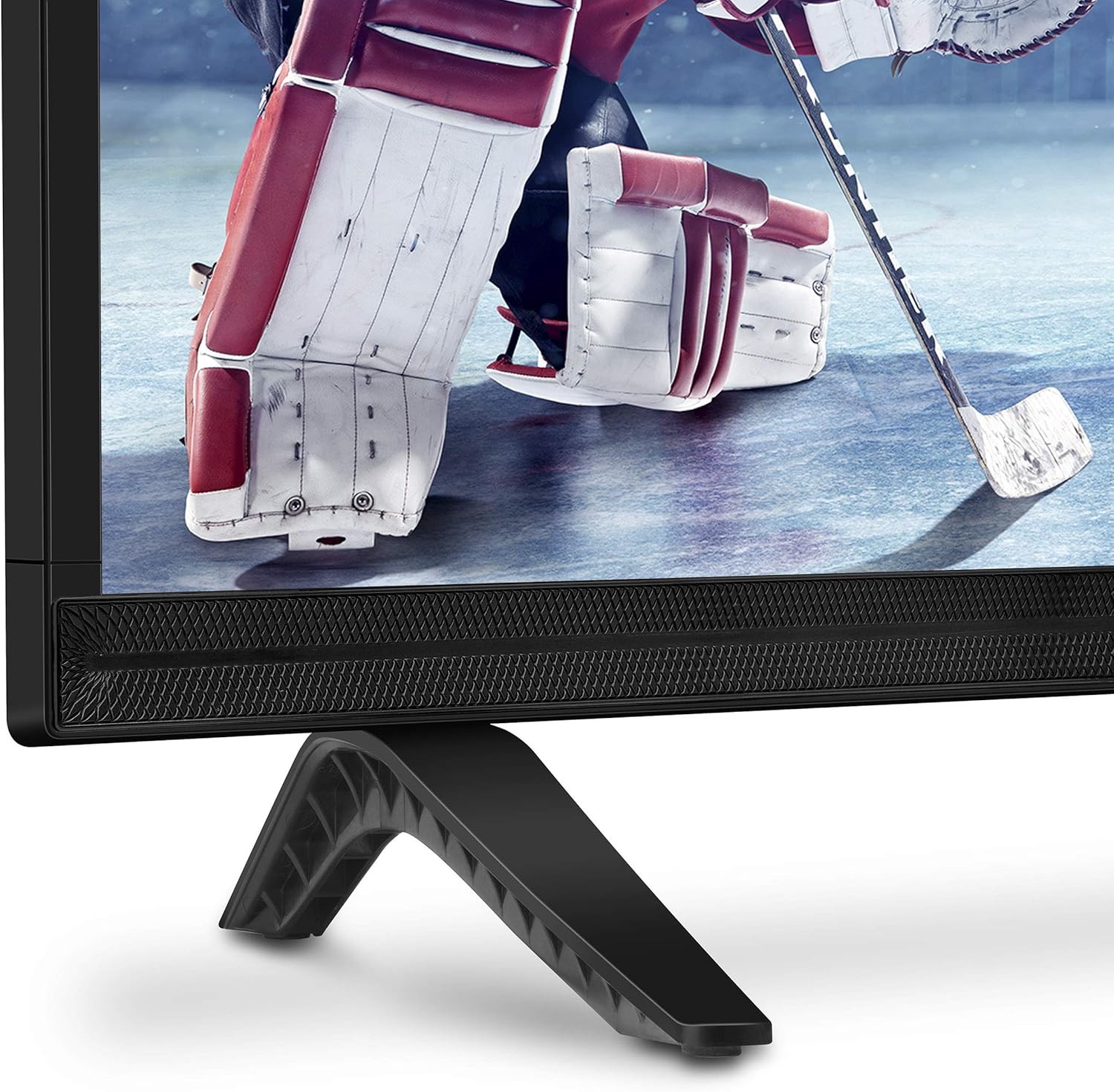
Irudia: Gertuko planoa view of the bottom right corner of the Skyworth 40E2 TV, showing the textured speaker grille and one of the black stand bases.
3. Horman muntatzea (aukerakoa)
If you choose to wall mount your TV, ensure you use a VESA-compatible wall mount (sold separately). It is crucial to verify that the wall mounting plate does not obstruct the power port or any other connection ports on the back of the TV. Professional installation is recommended for wall mounting.
4. Gailuak konektatzea
Connect your external devices (e.g., cable box, Blu-ray player, gaming console) to the appropriate ports on the back of the TV. The Skyworth 40E2 features HDMI and USB connectivity.

Irudia: Atzealdea view of the Skyworth 40E2 TV, showing the various input ports including HDMI and USB on the left side, and the power input on the right.
5. Potentzia konektatzea
Konektatu elikatze-kablea telebistaren elikatze-sarreran, eta gero beste muturra hormako entxufe batean.
6. Hasierako piztea
Press the Power button on the remote control or on the TV. Follow the on-screen instructions for the initial setup, which typically includes language selection, channel scanning, and network configuration (if applicable).
Funtzionamendua
Urruneko Kontrol Funtzioak
Ezagutu urrutiko agintearen botoiak:
- Potentzia: Telebista pizten edo itzaltzen du.
- Sarrera: Sarrera iturria hautatzen du (HDMI 1, HDMI 2, USB, etab.).
- +/- bolumena: Soinu maila doitzen du.
- Kanala +/-: Telebistako kateak aldatzen ditu.
- Menua: Ezarpenen menu nagusira sartzen da.
- Nabigazio botoiak (Gora/Behera/Ezkerra/Eskuina): Menu aukeren artean nabigatzen du.
- Ados/Sartu: Hautaketak berresten ditu.
- Irteera/Atzera: Aurreko pantailara itzultzen da edo menutik irteten da.
Irudiaren ezarpenak
Access the Picture menu to adjust settings for optimal viewesan:
- Irudi modua: Select from preset modes like Standard, Dynamic, Movie, or User.
- Distira: Irudiaren argitasun edo iluntasun orokorra doitzen du.
- Kontrastea: Eremu argitsuen eta ilunen arteko aldea kontrolatzen du.
- Kolorea: Koloreen intentsitatea doitzen du.
- Zorrotasuna: Enhances the edges of objects in the picture.
- Aspektu-erlazioa: Changes the screen display format (e.g., 16:9, 4:3).
Soinu ezarpenak
Access the Sound menu to customize audio output:
- Soinu modua: Choose from preset modes like Standard, Music, Movie, or User.
- Equalizer: Manually adjust audio frequencies.
- DTS Dolby Audio: Enable or disable advanced audio processing for enhanced sound quality.
- Balantzea: Adjust the volume balance between left and right speakers.
Konektibitatea
The TV supports various connections:
- HDMI: Connect high-definition devices such as Blu-ray players, game consoles, or set-top boxes.
- USBa: Multimedia erreproduzitu files (photos, music, videos) from a USB storage device.
Mantentzea
Proper care ensures the longevity of your TV:
- Pantaila garbitzea: Garbitu pantaila astiro-astiro zapi leun, lehor eta pelusik gabeko batekin. Orba egoskorrak izanez gero, garbitu astiro-astiro.ampBusti oihala urarekin (ez ihinztatu zuzenean pantailan).
- Armairuen garbiketa: Garbitu telebistaren armairua oihal leun eta lehor batekin. Saihestu garbitzaile edo disolbatzaile urratzaileak erabiltzea.
- Hautsa botatzea: Aldian-aldian, hautsa kendu aireztapen-irekiduretatik gehiegi berotzea saihesteko.
- Elikatze kablea: Periodically check the power cord for any damage. If damaged, replace it immediately.
Arazoak konpontzea
Arazoak badituzu, jo ezazu honako arazo eta irtenbide ohikoenei:
| Arazoa | Balizko Kausa / Irtenbidea |
|---|---|
| Botererik ez | Ensure the power cord is securely plugged into both the TV and a working electrical outlet. Check if the outlet has power. |
| Ez dago irudirik, baina soinua badago | Egiaztatu sarrera-iturria. Ziurtatu konektatutako gailua piztuta dagoela eta behar bezala funtzionatzen duela. Saiatu beste HDMI kable batekin. |
| Soinurik ez, baina irudia badago | Check the volume level. Ensure the TV is not muted. Verify audio settings in the menu. Try a different HDMI cable. |
| Urruneko kontrola ez dabil | Check and replace the batteries (2 AAA). Ensure there are no obstructions between the remote and the TV's IR sensor. |
| Irudiaren kalitate eskasa | Adjust picture settings (Brightness, Contrast, Sharpness). Ensure the input source is providing a high-quality signal. |
Zehaztapenak
| Ezaugarri | Xehetasuna |
|---|---|
| Marka | Skyworth |
| Modelo zenbakia | 40E2 |
| Pantailaren tamaina | 40 hazbete |
| Bistaratzeko Teknologia | LED |
| Ebazpena | 1080p (HD osoa) |
| Freskatze tasa | 60 Hz |
| Aspektu-erlazioa | 16:9 |
| Audio Teknologia | DTS Dolby Audio Sound |
| Konektibitate Teknologia | HDMI, USB |
| Produktuaren neurriak (euskarriarekin) | 35.7 x 8.8 x 22.9 hazbete (W x D x H) |
| Elementuaren pisua (euskarriarekin) | 14.5 kilo |
| Urruneko Kontroleko bateriak | 2 AAA bateria (ez daude barne) |
Bermea eta Laguntza
For warranty information, please refer to the warranty card included with your product at the time of purchase. For technical assistance, product registration, or to download the latest software updates, please visit the official Skyworth website or contact their customer support services. Keep your purchase receipt as proof of purchase for warranty claims.


