1. Sarrera
This manual provides essential information for the safe and efficient operation of your Digi International WR21-L52A-DE1-TB Cellular Wireless Router. Please read this manual thoroughly before installation and use, and retain it for future reference. This device is designed to provide reliable cellular connectivity for various applications.
2. Segurtasun informazioa
- Elikatze-iturria: Use only the power adapter supplied with the device. Using an incorrect adapter may damage the device and void the warranty.
- Aireztapena: Ensure adequate ventilation around the router. Do not block ventilation openings.
- Ingurumena: Avoid exposing the device to extreme temperatures, humidity, direct sunlight, or corrosive environments.
- Zerbitzua: Ez saiatu gailua zeuk irekitzen edo konpontzen. Mantendu konponketa guztiak langile kualifikatuen esku.
- antenak: Ensure antennas are securely connected before powering on the device.
3. Paketearen edukia
Egiaztatu elementu guztiak paketean daudela:
- Digi International WR21-L52A-DE1-TB Cellular Wireless Router
- Elikatze-moldagailua
- Antennas (quantity may vary)
- Ethernet kablea
- Hasiera Azkarreko Gida (barne badago)
Elementuren bat falta bada edo hondatuta badago, jarri harremanetan zure saltzailearekin berehala.
4. Produktua amaitu daview
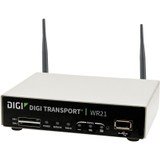
Irudia: Aurrealdea view of the Digi International WR21-L52A-DE1-TB Cellular Wireless Router. This image displays the compact form factor of the device, likely showing ports for antennas, power, and network connections.
The Digi International WR21-L52A-DE1-TB is a robust cellular wireless router designed for reliable and secure connectivity. It features multiple connectivity options and is suitable for various industrial and enterprise applications requiring remote access and data transfer over cellular networks.
5. Konfigurazioa
5.1. SIM txartelaren instalazioa
- Ziurtatu bideratzailea itzalita dagoela eta elikadura-iturritik deskonektatuta dagoela.
- Locate the SIM card slot(s) on the device. Refer to the device's physical markings for exact location.
- Insert the activated cellular SIM card into the slot with the gold contacts facing down and the notched corner oriented correctly. Push until it clicks into place.
- If applicable, secure the SIM card tray or cover.
5.2. Antena konexioa
- Identify the cellular antenna ports (typically labeled 'MAIN' and 'DIV' or similar).
- Screw the provided cellular antennas onto the corresponding ports until finger-tight. Do not overtighten.
- Kokatu antenak seinalearen harrera ezin hobea izateko.
5.3. Energia-konexioa
- Connect the power adapter to the router's power input port.
- Entxufatu korronte-egokigailua entxufe elektriko egoki batean.
- The router will power on automatically or may require pressing a power button. Observe the LED indicators for power status.
5.4. Sare konexioa (aukerakoa)
- To connect a device via Ethernet, plug one end of an Ethernet cable into an available LAN port on the router.
- Plug the other end of the Ethernet cable into the network port of your computer or other network device.
6. Funtzionamendu-argibideak
6.1. Piztu/Itzaltzea
- Piztu: Connect the power adapter. The device will typically power on automatically. Observe the power LED.
- Itzali: Disconnect the power adapter from the electrical outlet. For controlled shutdown, refer to the device's web interface or specific documentation for a software shutdown procedure if available.
6.2. Sartzea Web Interfazea
- Ensure your computer is connected to the router via Ethernet or Wi-Fi (if enabled).
- Ireki a web nabigatzailea (adibidez, Chrome, Firefox, Edge).
- Enter the router's default IP address (e.g., 192.168.1.1 or 192.168.0.1) into the address bar and press Enter. Refer to the Quick Start Guide or device label for the exact default IP address.
- Enter the default username and password when prompted. These are typically found on a label on the device or in the Quick Start Guide.
- Upon successful login, you will access the router's configuration interface.
6.3. Oinarrizko konfigurazioa
barruan web interfazean, hainbat ezarpen konfigura ditzakezu:
- Cellular Settings: Verify APN settings, signal strength, and connection status.
- Sarearen ezarpenak: Configure LAN IP address, DHCP server, and port forwarding.
- Segurtasuna: Change default login credentials, configure firewall rules, and VPN settings.
- Firmware eguneratzea: Check for and apply firmware updates to ensure optimal performance and security.
7. Mantentzea
- Garbiketa: Erabili zapi leun eta lehor bat bideratzailearen kanpoaldea garbitzeko. Ez erabili garbitzaile likidorik edo aerosolik.
- Firmware eguneraketak: Aldian-aldian egiaztatu fabrikatzailearen webfirmware eguneratzeetarako gunea. Firmwarea eguneratuta mantentzeak azken funtzioak, segurtasun adabakiak eta errendimendu hobekuntzak bermatzen ditu.
- Ingurumen-baldintzak: Ensure the router is operating within its specified temperature and humidity ranges to prevent overheating or damage.
8. Arazoak
8.1. No Cellular Connection
- Verify the SIM card is correctly inserted and activated with your cellular provider.
- Check antenna connections and ensure they are positioned for optimal signal.
- Hasi saioa web interface to check cellular signal strength and connection status.
- Berrabiarazi bideratzailea.
8.2. Ezin da sartu Web Interfazea
- Ensure your computer is directly connected to the router via Ethernet.
- Verify your computer's IP address is in the same subnet as the router (e.g., if router is 192.168.1.1, computer should be 192.168.1.x).
- Saiatu zure arakatzailearen cachea garbitzen edo beste arakatzaile bat erabiltzen.
- If you forgot the password, a factory reset might be necessary (refer to specific device documentation for this procedure, as it will erase all configurations).
8.3. Konexio-abiadura motela
- Check cellular signal strength in the web interface. Weak signal can lead to slow speeds.
- Ensure antennas are properly positioned and unobstructed.
- Verify your cellular data plan has not reached its data cap or is being throttled.
- Restart the router and connected devices.
9. Zehaztapenak
| Ezaugarri | Deskribapena |
|---|---|
| Eredua | WR21-L52A-DE1-TB |
| Marka | Digi International |
| Konektibitate-protokoloa | Zelularra |
| Konektibitate Teknologia | USBa |
| Kontrol-metodoa | Urrunekoa |
| Ezaugarri Berezia | WPS |
| Gailu bateragarriak | Ordenagailu pertsonala |
| Gomendatutako Erabilerak | Hasiera |
| UPC | 747356312219 |
10. Bermea eta Laguntza
For detailed warranty information, please refer to the warranty card included with your product or visit the official Digi International website. Technical support is available through the manufacturer's support channels. Please have your product model number (WR21-L52A-DE1-TB) and serial number ready when contacting support.


