1. Sarrera
This manual provides essential information for the safe and effective use of your Amcrest IP8M-2493EB Outdoor PoE Bullet Camera. Please read these instructions thoroughly before installation and operation to ensure optimal performance and to prevent damage to the device.
2. Produktua amaitu daview
2.1 Ezaugarri nagusiak
- 2MP IP PoE Bullet Camera
- 1920x1080p @30fps Video Resolution
- Nightvision up to 98 feet (30 meters)
- IP67 Weatherproof Rating for outdoor use
- Cloud Storage Capability
- Horman muntatzeko diseinua
- 4K Video Capture Resolution (for recording)
- Motion Sensor Special Feature
2.2 Paketearen edukia
Egiaztatu osagai guztiak zure paketean daudela:
- Amcrest IP8M-2493EB Outdoor PoE Bullet Camera
- Muntatzeko hardwarea (torlojuak, aingurak)
- Hasierako gida azkarra (eskuliburu hau)
2.3 Kameraren osagaiak
Kameraren osagai fisikoak ezagutu:

1. irudia: Aurrealdea view of the Amcrest IP8M-2493EB Bullet Camera, showing the lens, IR LEDs, and housing.
3. Konfigurazioa
3.1 Hasi aurretik
Ensure you have the following items and conditions:
- A Power over Ethernet (PoE) switch or PoE injector (802.3af/at compliant)
- Cat5e or Cat6 Ethernet cable
- A stable internet connection (recommended for remote viewing and cloud features)
- A drill and screwdriver for mounting
3.2 Instalazio fisikoa
- Aukeratu muntaketa-kokapen bat: Select a suitable wall location that provides the desired viewing angle and is within reach of your Ethernet cable.
- Markatu zulatzeko zuloak: Use the provided mounting template (if included) or the camera base to mark the positions for drilling.
- Zulatzeko zuloak: Drill pilot holes and insert wall anchors if mounting on drywall or masonry.
- Seguru kamera: Attach the camera base to the wall using the provided screws.
- Egokitu Angelua: Loosen the adjustment screws on the camera body to position the camera for optimal coverage, then tighten them securely.
3.3 Sareko konexioa
Connect one end of the Ethernet cable to the camera's Ethernet port and the other end to a PoE port on your PoE switch or injector. The camera will power on automatically.
3.4 Hasierako konfigurazioa
For initial setup and configuration, download the Amcrest View Pro app on your mobile device or use the Amcrest web interface via a computer connected to the same network. Follow the on-screen instructions to discover and add your camera to your system.
4. Kameraren funtzionamendua
4.1 Zuzeneko sarbidera View
Access the live video feed through the Amcrest View Pro app or the web interface. This allows real-time monitoring of your surveillance area.
4.2 Grabaketa eta biltegiratzea
Kamerak hainbat grabazio aukera onartzen ditu:
- Tokiko biltegiratzea: If equipped with a microSD card slot (card sold separately), recordings can be stored directly on the camera.
- Sareko bideo grabagailua (NVR): Connect the camera to a compatible Amcrest NVR for continuous recording and extended storage.
- Hodeiko biltegiratzea: Utilize Amcrest Cloud services for off-site storage of event-triggered recordings. Refer to the Amcrest website for subscription details.
4.3 Mugimendu-detekzioa
Configure motion detection settings via the camera's interface. You can define detection zones, sensitivity levels, and set up alerts (e.g., email notifications, push notifications to your phone) when motion is detected.
4.4 Gaueko ikusmena
The camera features infrared (IR) LEDs for night vision, providing clear surveillance footage in low-light or no-light conditions up to 98 feet. The camera automatically switches between day and night modes.
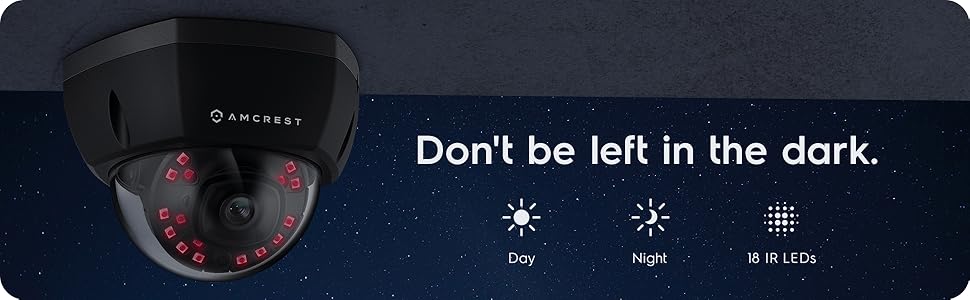
2. irudia: Adibample of night vision capability, illustrating clear image capture in dark conditions.
5. Mantentzea
5.1 Garbiketa
Aldian-aldian garbitu kameraren lentea eta karkasa zapi leun eta lehor batekinamp oihal. Saihestu lentea urratu edo akabera kaltetu dezaketen produktu kimiko gogorrak edo material urratzaileak erabiltzea.
5.2 Firmware eguneraketak
Regularly check for and install firmware updates from the Amcrest website. Firmware updates often include performance improvements, new features, and security enhancements.
5.3 Eguraldiaren babesa
The IP8M-2493EB camera has an IP67 weatherproof rating, meaning it is protected against dust ingress and can withstand immersion in water up to 1 meter for 30 minutes. While designed for outdoor use, ensure all cable connections are properly sealed to maintain water resistance.
6. Arazoak
6.1 Ohiko arazoak eta irtenbideak
- No Power/No Video: Ensure the Ethernet cable is securely connected to both the camera and a functioning PoE port. Check the PoE switch/injector for power.
- Irudiaren kalitate eskasa: Clean the camera lens. Check network bandwidth. Adjust resolution and compression settings in the camera interface. Ensure sufficient lighting for optimal image clarity.
- Night Vision Halo Effect: This can occur if the IR light reflects off nearby surfaces or the camera housing. Ensure there are no obstructions close to the lens.
6.2 Video Support
For visual guidance on resolving common issues, including potential IR reflection, please refer to the following video:
Video 1: This video from Amcrest Direct provides instructions on resolving IR reflection issues that can affect night vision clarity in Amcrest cameras.
7. Zehaztapenak
| Ezaugarri | Zehaztapena |
|---|---|
| Ereduaren izena | IP8M-2493EB |
| Barruko/Kanpoko erabilera | Kanpoan |
| Energia iturria | AC/DC (via PoE) |
| Konektibitate-protokoloa | Ethernet |
| Muntatze Mota | Hormako Muntaia |
| Bideo Harrapaketa Ebazpena | 4K |
| Kolorea | Beltza |
| Elementu kopurua | 1 |
| Kanal kopurua | 1 |
| Haririk gabeko Komunikazio Teknologia | POE (Ethernet bidezko elikadura) |
| Forma-faktorea | Bala |
| Gaueko Ikusmenaren barrutia | 98 oin (30 metro) |
| Fotograma-tasa | 30 fps |
| Elementuaren neurriak (L x W x H) | 6.1 x 6.1 x 5.4 hazbete |
| Elementuaren pisua | 1.3 kilo |
| Pilak behar dira? | Ez |
| Argi gutxiko teknologia | Gau Kolorea |
| Nazioarteko Babesteko Balorazioa | IP67 |
| Gehienezkoa Webcam Irudien Ebazpena | 2 MP |
| Kontrol-metodoa | Aplikazioa |
| Produkturako gomendatutako erabilerak | Kanpoko Segurtasuna |
| Konektibitate Teknologia | Kableatua |
| Ezaugarri Berezia | Mugimendu-sentsorea |
8. Bermea eta Laguntza
Amcrest products typically come with a limited warranty. For specific warranty terms, registration, and technical support, please visit the official Amcrest website or contact Amcrest customer service directly. Keep your purchase receipt for warranty claims.
Amcrest Support: https://amcrest.com/support