Sarrera
This manual provides essential information for the proper setup, operation, and maintenance of your Rapoo N1600 3-Button Quiet Wired Mouse. Designed for comfort and efficiency, the N1600 features a quiet click mechanism, ergonomic shape, and precise 1000 DPI optical tracking for a smooth user experience.
The Rapoo N1600 mouse is built for endurance, versatility, and comfort, helping you power through tasks with ease on various computer systems.
Bideoa: Amaitu daview of the Rapoo Wired Silent Mouse, highlighting its quiet operation and design.
Video: Demonstration of the RX100WH Rapoo Wired Silent Mouse, showcasinbere ezaugarriak g.
Konfigurazioa
The Rapoo N1600 mouse is designed for simple plug-and-play functionality, requiring no additional software or drivers for most operating systems.
- Konektatu USB kablea: Locate an available USB port on your computer (desktop or laptop). Insert the USB-A connector of the mouse cable into the USB port.
- Sistemaren Ezagutza: Your operating system (Windows, Mac OS, Linux, Chrome OS) will automatically detect and install the necessary drivers. This process usually takes a few seconds.
- Erabilera hasi: Behin ezagututa, sagua berehala erabiltzeko prest dago.

Image: The Rapoo N1600 wired mouse in white, showcasing its simple and clean design.

Image: A graphic illustrating the USB connection feature of the mouse.

Image: The Rapoo N1600 mouse featuring its 5-foot long cable, providing amphainbat konfiguraziotara iristea.
Funtzionamendu-argibideak
The Rapoo N1600 mouse offers standard 3-button functionality with a focus on quiet operation and ergonomic comfort.
- Ezkerreko botoia: Primary click function for selecting items, opening applications, and interacting with user interfaces. Features a 95% reduced click sound.
- Eskuineko botoia: Secondary click function, typically used for accessing context menus or special functions within applications. Also features a 95% reduced click sound.
- Korritzeko gurpila: Dokumentuetan bertikalki mugitzeko erabiltzen da eta web pages. The grille anti-slip pattern ensures accurate scrolling. The scroll wheel itself is designed for quiet operation.
- Jarraipen optikoa: The 1000 DPI high-definition optical tracking engine provides responsive and smooth cursor control on various surfaces.

Image: A diagram illustrating the soft click buttons (Left, Right, and Middle Roller) of the Rapoo N1600 mouse.

Image: The white Rapoo N1600 mouse with a graphic indicating that silent switches reduce click noise.

Image: A layered diagram showing the Rapoo N1600 mouse's high-performance engine can be used on various surfaces like resin, wood, paper, cloth, and cortex.
Mantentzea
To ensure the longevity and optimal performance of your Rapoo N1600 mouse, follow these simple maintenance guidelines:
- Garbiketa: Erabili leuna, lehorra edo apur bat damp cloth to wipe the exterior of the mouse. Avoid using harsh chemicals, solvents, or abrasive cleaners, as these can damage the surface.
- Sentsore optikoa: Periodically inspect the optical sensor on the underside of the mouse for dust or debris. Use a soft brush or compressed air to gently clean the sensor area. Do not touch the sensor directly with your fingers.
- Kableen zainketa: Avoid sharp bends or excessive pulling on the USB cable to prevent internal damage. Store the cable neatly when not in use.
- Biltegiratzea: Denbora luzez erabiltzen ez duzunean, gorde sagua leku garbi eta lehor batean, muturreko tenperaturetatik urrun.
Arazoak konpontzea
If you encounter issues with your Rapoo N1600 mouse, try the following troubleshooting steps:
- Saguak ez du erantzuten:
- Ziurtatu USB kablea ondo konektatuta dagoela ordenagailuko USB ataka funtzional batean.
- Saiatu sagua beste USB ataka batera konektatzen.
- Berrabiarazi ordenagailua.
- Cursor Movement is Erratic or Jumpy:
- Clean the optical sensor on the underside of the mouse for any dust or debris.
- Ziurtatu sagua gainazal egoki batean erabiltzen ari zarela. Gainazal oso islatzaileek edo gardenek jarraipena eragin dezakete. Sagu-alfonbra bat erabiltzea gomendatzen da.
- Botoiak edo korritze-gurpila ez dabil:
- Ziurtatu sagua behar bezala konektatuta dagoela.
- Probatu sagua beste ordenagailu batean arazoa saguarekin edo ordenagailuaren ezarpenekin den zehazteko.
- Noisy Clicks:
- The N1600 is designed for quiet clicks. If you experience unexpected noise, ensure the buttons are not obstructed.
Zehaztapenak
| Ezaugarri | Xehetasuna |
|---|---|
| Modelo zenbakia | 1014-07X03-800 (N1600) |
| Produktuaren neurriak | 4.65 x 2.48 x 1.57 hazbete (118 mm x 63 mm x 40 mm) |
| Elementuaren pisua | 3.46 ontza (84.46 g) |
| Konektibitate Teknologia | USB kableduna |
| Mugimenduak detektatzeko teknologia | Optikoa |
| DPI | 1000 DPI |
| Botoiak | 3 (Ezkerra, Eskuina, Gurpila/Erdiko botoia) |
| Ezaugarri bereziak | Ergonomic Design, Soundless (Quiet Click) |
| Bateragarritasuna | Mac OS, Linux, Windows, Chrome OS |
| Fabrikatzailea | Shenzhen Rapoo Technology Co., Ltd. |

Image: A diagram showing the dimensions of the Rapoo N1600 mouse: 118mm (4.65 inches) length, 63mm (2.48 inches) width, and 40mm (1.57 inches) height, with an item weight of 84.46g.
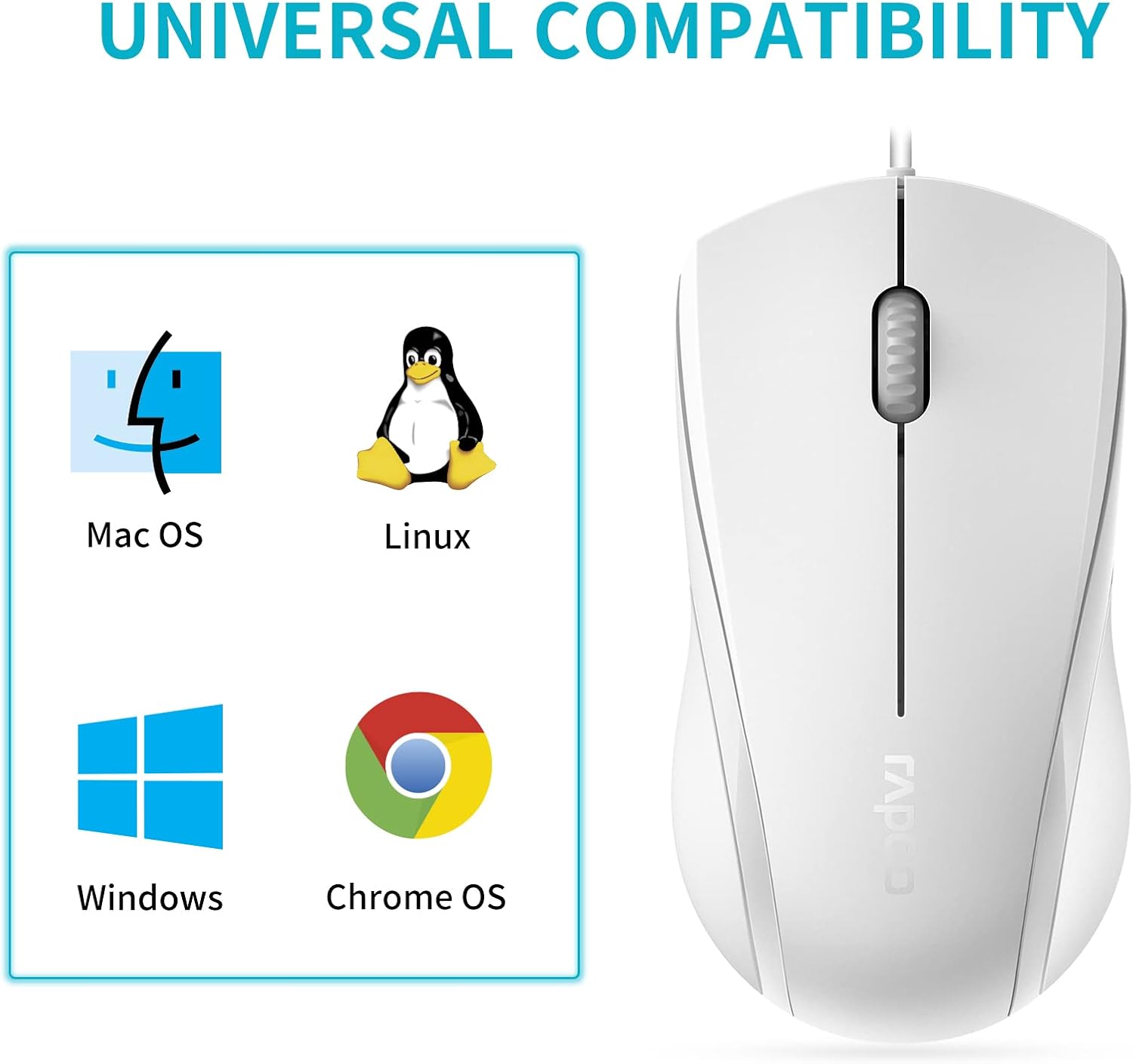
Image: A graphic illustrating the universal compatibility of the Rapoo N1600 mouse with Mac OS, Linux, Windows, and Chrome OS.
Bermea eta Laguntza
Rapoo is committed to providing quality products and customer satisfaction. The Rapoo N1600 mouse comes with a standard warranty, details of which can be found on the official Rapoo webwebgunean edo bezeroarentzako laguntzarekin harremanetan jarriz.
For any inquiries, technical assistance, or warranty claims, please contact Rapoo customer support. Rapoo offers 7/24 customer support to assist you with your product needs.
Informazio gehiagorako, bisita ezazu Rapoo Official Store.


