Sarrera
Thank you for choosing the AKASO V50 Pro Action Camera. This manual provides essential information for setting up, operating, and maintaining your camera to ensure optimal performance. The AKASO V50 Pro is designed to capture high-quality 4K/30fps video and 20MP photos, featuring Electronic Image Stabilization (EIS), a touch screen, and waterproof capabilities up to 100 feet (30 meters) with its included case. It supports an external microphone and remote control, making it ideal for various sports and outdoor activities.
Kutxan dagoena
Your AKASO V50 Pro package includes the following items:
- 1x AKASO V50 Pro Action Camera
- 1x Bateria kargagailua
- 2x 1100mAh bateria
- 1x Waterproof Case
- 1x Urruneko Kontrola
- 1x bizikleta euskarria
- 10x Mounts (various types)
- 2x Kasko euskarria
- 1x benda
- 5x Tethers
- 1x Protective Backdoor
- 1x USB kablea
- 1x Lens Cloth
- 1x Abiadura Gida Gida

Image: All accessories included with the AKASO V50 Pro Action Camera, neatly laid out.
Kamera amaitu daview
The AKASO V50 Pro features a compact design with intuitive controls and a responsive touch screen.
Funtsezko osagaiak:
- Lentea: High-quality lens for 4K video and 20MP photos.
- Aurrealdeko pantaila: For easy framing during selfies or vlogging.
- 2-Inch IPS Touch Screen: For intuitive navigation and settings adjustment.
- Pizteko / Modua botoia: To power on/off and switch between modes.
- Obturagailua/Hautatu botoia: To start/stop recording or take photos.
- USB-C ataka: Kargatzeko eta datuak transferitzeko.
- Mikro SD txartelaren zirrikitua: For storage (Micro SD card not included).
- Bateriaren konpartimendua: Houses the removable battery.

Irudia: Aurrealdea view of the AKASO V50 Pro Action Camera, highlighting the lens and front screen.
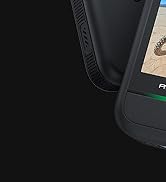
Image: A hand interacting with the 2-inch IPS touch screen of the AKASO V50 Pro, showing its responsive interface.
Konfigurazioa
1. Bateria kargatzea:
- Insert the 1100mAh batteries into the provided battery charger.
- Connect the charger to a USB power source using the USB cable.
- The indicator light on the charger will show charging status.
2. Mikro SD txartel bat sartzea:
- Ireki bateriaren konpartimenduaren estalkia.
- Bilatu Mikro SD txartelaren zirrikitua.
- Insert a Class 10 or higher Micro SD card (up to 64GB recommended) with the contacts facing down until it clicks into place.
- Itxi bateriaren konpartimenduaren estalkia.
- Note: Format the Micro SD card in the camera before first use.
3. Using the Waterproof Case:
- Ireki zorro iragazgaitzaren goiko aldean dagoen heldulekua.
- Carefully place the AKASO V50 Pro camera inside the case.
- Close the latch securely to ensure a watertight seal.
- Note: The camera is waterproof up to 100 feet (30 meters) with the case.

Image: AKASO V50 Pro Action Camera securely placed inside its transparent waterproof case.
Funtzionamendu-argibideak
1. Piztu/Itzali:
- Luze sakatu Pizteko/Modua botoia kamera pizteko edo itzaltzeko.
2. Aldaketa moduak:
- Press the Power/Mode button repeatedly to cycle through different modes (Video, Photo, Playback, Settings).
- Use the touch screen to select modes and adjust settings.
3. Recording Video/Taking Photos:
- In Video mode, press the Shutter/Select button to start recording. Press again to stop.
- In Photo mode, press the Shutter/Select button to take a photo.
4. Wi-Fi konexioa:
- Download the iSmart Pro+ App on your smartphone or tablet.
- On the camera, navigate to the Wi-Fi settings and turn Wi-Fi on.
- Connect your phone/tablet to the camera's Wi-Fi network (SSID and password will be displayed on the camera screen).
- Use the app to control the camera remotely, view footage, and share to social media.
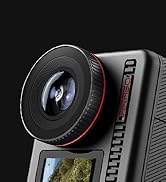
Image: A smartphone screen displaying the iSmart Pro+ app, connected to the AKASO V50 Pro for instant sharing.
5. Urruneko kontrola:
- The included remote control wristband allows for convenient operation from a distance.
- Use the buttons on the remote to switch between video/photo modes and start/stop recording.
- Note: The remote control is not waterproof.
Ezaugarri nagusiak
- Irudiaren kalitate bikaina: Capture every detail with 4K/30fps video and 20MP images.
- Electronic Image Stabilization (EIS): Built-in 6-axis gyroscope ensures stable videos even during motion or impact.
- Aukerakoa View Angelua: Adjust between Super Wide, Wide, Medium, and Narrow. Includes distortion calibration.
- Built-in Wi-Fi and HDMI Output: Easily share moments and connect to a TV.
- Ukipen-pantaila: Intuitive 2-inch IPS touch screen for easy navigation.
- Iragazgaitza: Camera is waterproof up to 100 feet (30 meters) with the included case.

Image: The AKASO V50 Pro capturing sharp 4K footage of a person kitesurfing, demonstrating its superb image quality.
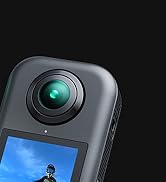
Image: A side-by-side comparison showing the effectiveness of Electronic Image Stabilization (EIS) on the AKASO V50 Pro, with one side blurred (EIS off) and the other clear (EIS on) during a cycling activity.
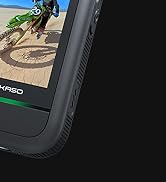
Image: The AKASO V50 Pro demonstrating its adjustable view angle lens, showing options from Super Wide to Narrow with a panoramic landscape view.
Zehaztapenak
| Ezaugarri | Xehetasuna |
|---|---|
| Bideo Ebazpena | 4K/30 fps |
| Argazki Ebazpena | 20MP |
| Irudi Egonkortzea | Electronic Image Stabilization (EIS) with 6-axis gyroscope |
| View Angelua | Super Wide, Wide, Medium, Narrow (with distortion calibration) |
| Pantaila | 2 hazbeteko IPS ukipen-pantaila |
| Sakonera iragazgaitza | 100 feet (30 meters) with waterproof case |
| Konektibitatea | Wi-Fi, HDMI |
| Bateria | 2x 1100mAh Lithium Polymer (included) |
| Biltegiratzea | Micro SD (Class 10+, up to 64GB, not included) |
| Bideo formatua | .MP4 |
| Argazki sentsoreen teknologia | CMOS |
| Elementuaren pisua | 2.89 ontza |
| Produktuaren neurriak | 2.36 x 0.94 x 1.57 hazbete |
Mantentzea
- Garbiketa: Use the provided lens cloth to clean the camera lens and screen. For the waterproof case, rinse with fresh water after use in saltwater and allow to air dry.
- Bateria zaintzea: Store batteries in a cool, dry place. Avoid extreme temperatures.
- Firmware eguneraketak: Regularly check the AKASO website or the iSmart Pro+ app for firmware updates to ensure optimal performance and new features.
Arazoak konpontzea
Kamera ez pizten:
- Ziurtatu bateria guztiz kargatuta eta behar bezala sartuta dagoela.
- Saiatu beste bateria kargatu bat erabiltzen.
Video/Photo Quality Issues:
- Egiaztatu lentea garbi eta orbanik gabe dagoen.
- Ziurtatu argiztapen-baldintza egokiak daudela.
- Verify that the correct resolution and frame rate settings are selected.
Wi-Fi konexio arazoak:
- Make sure Wi-Fi is enabled on the camera and your mobile device.
- Ensure your mobile device is within range of the camera's Wi-Fi signal.
- Berrabiarazi kamera eta zure gailu mugikorra.
Ur-ihesak:
- Always check the waterproof case for any damage or debris on the rubber seal before use.
- Ensure the latch is securely closed.
Bermea eta Laguntza
The AKASO V50 Pro Action Camera comes with a standard manufacturer's warranty. For detailed warranty information, product support, or service inquiries, please visit the official AKASO webgunera edo jarri harremanetan zuzenean bezeroarentzako arreta-zerbitzuarekin.
AKASO Store: Visit the AKASO Store on Amazon