1. Sarrera
Eskerrik asko erosketagatik.asing the CAIWEI A8AB-NEW Video Projector. This manual provides essential information for the safe and efficient operation of your device. Please read it thoroughly before use and retain it for future reference.
2. Segurtasun-argibideak
- Ez begiratu zuzenean proiektorearen lenteari l dagoenean.amp piztuta dago.
- Ziurtatu proiektorearen inguruan aireztapen egokia gehiegi berotzeko.
- Ez jarri proiektorea euri edo hezetasunpean.
- Erabili proiektorearekin batera datorren korronte-egokitzailea soilik.
- Keep the projector away from flammable materials.
- Deskonektatu proiektorea tximista-ekaitzetan edo denbora luzez erabili gabe dagoenean.
- Ez saiatu proiektorea zeuk konpontzen. Mantendu konponketa guztiak langile kualifikatuen esku.
3. Paketearen edukia
Mesedez, egiaztatu elementu guztiak bertan daudela paketea despaketatzean:
- CAIWEI A8AB-NEW Video Projector
- Elikatze-kablea
- Urruneko Kontrola
- HDMI kablea
- VGA kablea
- AV Kable
- Erabiltzailearen eskuliburua
4. Produktua amaitu daview
Ezagutu proiektorearen osagaiak:
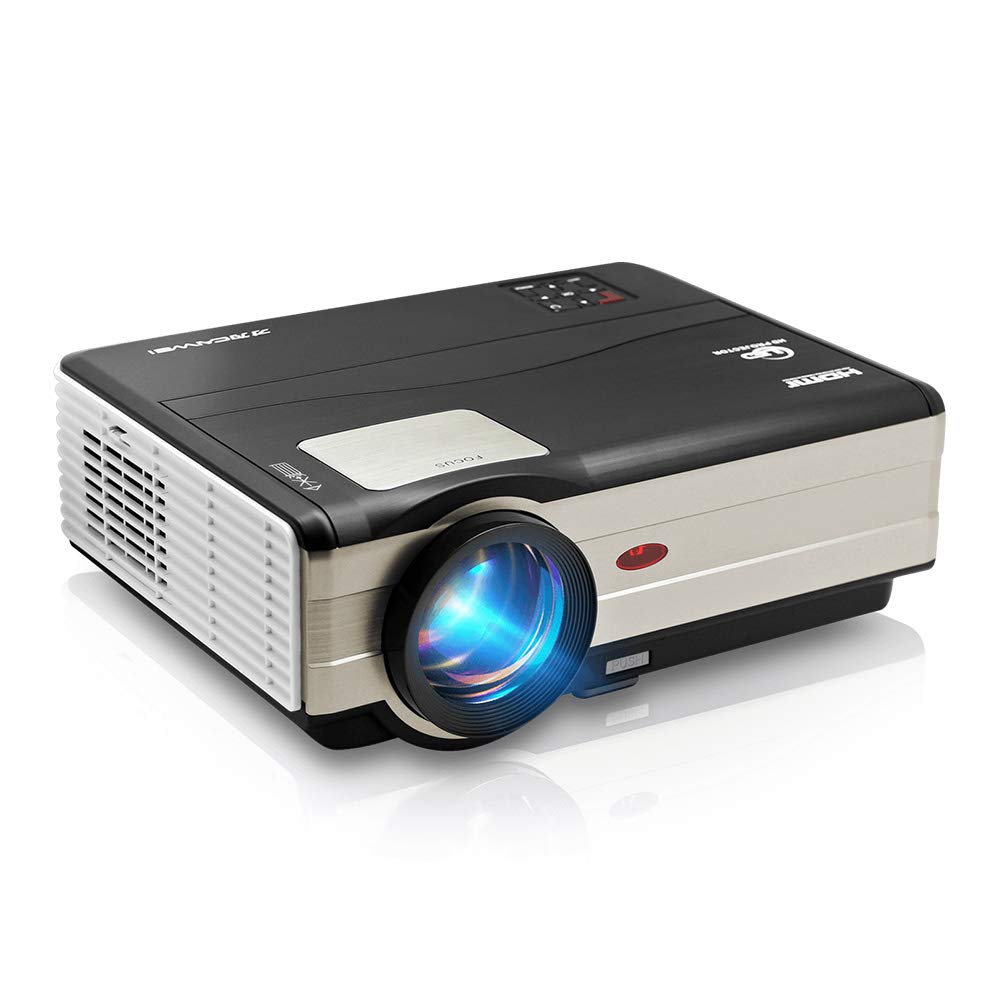
1. irudia: Aurrealdea view of the CAIWEI A8AB-NEW Video Projector, showing the lens and ventilation.
Aurrealdeko panela
- Proiekzio lentea: Irudia igortzen du.
- Fokatzeko eraztuna: Irudiaren argitasuna doitzen du.
- Keystone zuzenketa: Irudi trapezoidalaren distortsioa zuzentzen du.
Atzeko panela
- Potentzia ataka: Elikatze-kableari konektatzen zaio.
- HDMI atakak (x2): Connects to HDMI-enabled devices (e.g., Blu-ray player, game console).
- USB atakak (x2): Connects to USB storage devices or other USB peripherals.
- VGA ataka: Connects to computers or laptops with VGA output.
- AV ataka: Connects to older devices using composite video and stereo audio.
- Audio irteera (3.5 mm): Kanpoko bozgorailuetara edo entzungailuetara konektatzen da.
5. Konfigurazioa
5.1 Jartzea
Place the projector on a stable, flat surface or mount it to a ceiling. Ensure the projector is perpendicular to the projection screen or wall. The optimal projection distance varies, but generally, a larger distance yields a larger image.
5.2 Energia-konexioa
- Konektatu elikatze-kablea proiektorearen elikatze-atakara.
- Entxufatu korronte-kablearen beste muturra korronte-hartune batera.
- Potentzia adierazlearen argia piztuko da.
5.3 Sarrerako gailuak konektatzea
Proiektoreak hainbat sarrera-iturri onartzen ditu:
- HDMI: Connect an HDMI cable from your device (e.g., laptop, game console, streaming stick) to one of the projector's HDMI ports.
- USBa: Sartu USB flash unitate bat USB ataka batean multimedia erreproduzitzeko files zuzenean.
- VGA: Konektatu VGA kable bat ordenagailutik proiektorearen VGA atakara.
- OF: Use the provided AV cable to connect to devices with composite video output.
- Wireless (WiFi): For screen mirroring from smartphones or tablets, navigate to the 'Wireless Display' or 'Screen Mirroring' option in the projector's menu and follow the on-screen instructions. Ensure your device and the projector are on the same Wi-Fi network.
- Bluetootha: To connect external Bluetooth speakers, go to the Bluetooth settings in the projector's menu, enable Bluetooth, and pair with your desired audio device.
5.4 Fokua eta Keystone doikuntza
- Piztu proiektorea eta bistaratu irudi bat.
- Biratu Foku eraztuna on the lens until the image appears sharp and clear.
- If the image is trapezoidal (wider at the top or bottom), adjust the Keystone zuzenketa dial or setting until the image is rectangular.
6. Funtzionamendu-argibideak
6.1 Piztu/Itzali
- Piztu: Sakatu pizteko botoia proiektorearen edo urrutiko agintearen.
- Itzali: Sakatu berriro pizteko botoia. Berretsi itzaltzea eskatzen bazaizu.
6.2 Menu Nabigazioa
Use the navigation buttons (Up, Down, Left, Right, OK) on the projector or remote control to browse the on-screen menu. The 'Menu' button typically opens the main settings, and 'Exit' or 'Back' closes sub-menus.
6.3 Sarrera iturriaren hautaketa
Press the 'Source' or 'Input' button on the remote control or projector. A list of available input sources (HDMI1, HDMI2, USB1, USB2, VGA, AV, Wireless Display) will appear. Select the desired source using the navigation buttons and press 'OK'.
6.4 Audio ezarpenak
Access the audio settings through the main menu to adjust volume, select audio output (internal speaker, external via 3.5mm jack, or Bluetooth), and modify sound modes.
6.5 Wireless/Bluetooth Connection
Refer to section 5.3 for detailed instructions on connecting via Wi-Fi for screen mirroring or Bluetooth for audio output.
7. Mantentzea
7.1 Lentea garbitzea
Use a soft, lint-free cloth specifically designed for optical lenses. Gently wipe the lens surface. Avoid using abrasive cleaners or excessive force, which can scratch the lens.
7.2 Cleaning the Air Filter/Vents
Regularly check the air intake and exhaust vents for dust accumulation. Use a soft brush or a can of compressed air to gently clean the vents. This helps maintain proper airflow and prevents overheating.
7.3 Biltegiratzea
When not in use, store the projector in a cool, dry, and dust-free environment. Use the original packaging or a protective case to prevent damage.
8. Arazoak
| Arazoa | Kausa posiblea | Irtenbidea |
|---|---|---|
| Ez dago irudirik pantailan | Power not connected; Incorrect input source; Device not powered on. | Check power cable; Select correct input source; Ensure connected device is on. |
| Irudia lausoa da | Fokua ez da doitu; Proiektorea urrunegi/gertuegi dago. | Doitu fokatze-eraztuna; Berriro kokatu proiektorea. |
| Irudia trapezoidala da | Giltza-harria ez da doitu. | Doitu klabearen zuzenketa. |
| Soinurik ez | Volume too low; Muted; Incorrect audio output; Cable issue. | Increase volume; Unmute; Check audio settings; Verify cable connections. |
| Urruneko kontrola ez dabil | Batteries dead; Obstruction; Out of range. | Replace batteries; Remove obstructions; Ensure line of sight to IR receiver. |
| Gehiegizko berotze abisua | Blocked vents; Poor ventilation. | Clear vents; Ensure adequate space around projector. |
9. Zehaztapenak
- Eredua: A8AB-NEW
- Marka: CAIWEI
- Pantailaren bereizmena: 1280 x 800
- Konektibitate Teknologia: Bluetooth, HDMI, USB, VGA, Wireless
- Ezaugarri bereziak: Wi-Fi integratua, eramangarria, haririk gabekoa
- Gomendatutako erabilerak: Gaming, Home Theater
- Elementuaren pisua: 6.1 kilo
- Produktuaren neurriak: 11.2 x 14.7 x 5 hazbete
10. Bermea eta Laguntza
CAIWEI products are designed for reliability and performance. For specific warranty details, please refer to the warranty card included with your purchase or contact CAIWEI customer support. If you encounter any issues not covered in this manual, please reach out to our support team for assistance.
Bezeroarentzako laguntza: Please visit the official CAIWEI website or contact your retailer for support information.