Sarrera
This manual provides essential information for the safe and efficient operation of your Skyworth 49 M20 Full HD LED Smart TV. Please read it thoroughly before using the product and retain it for future reference.
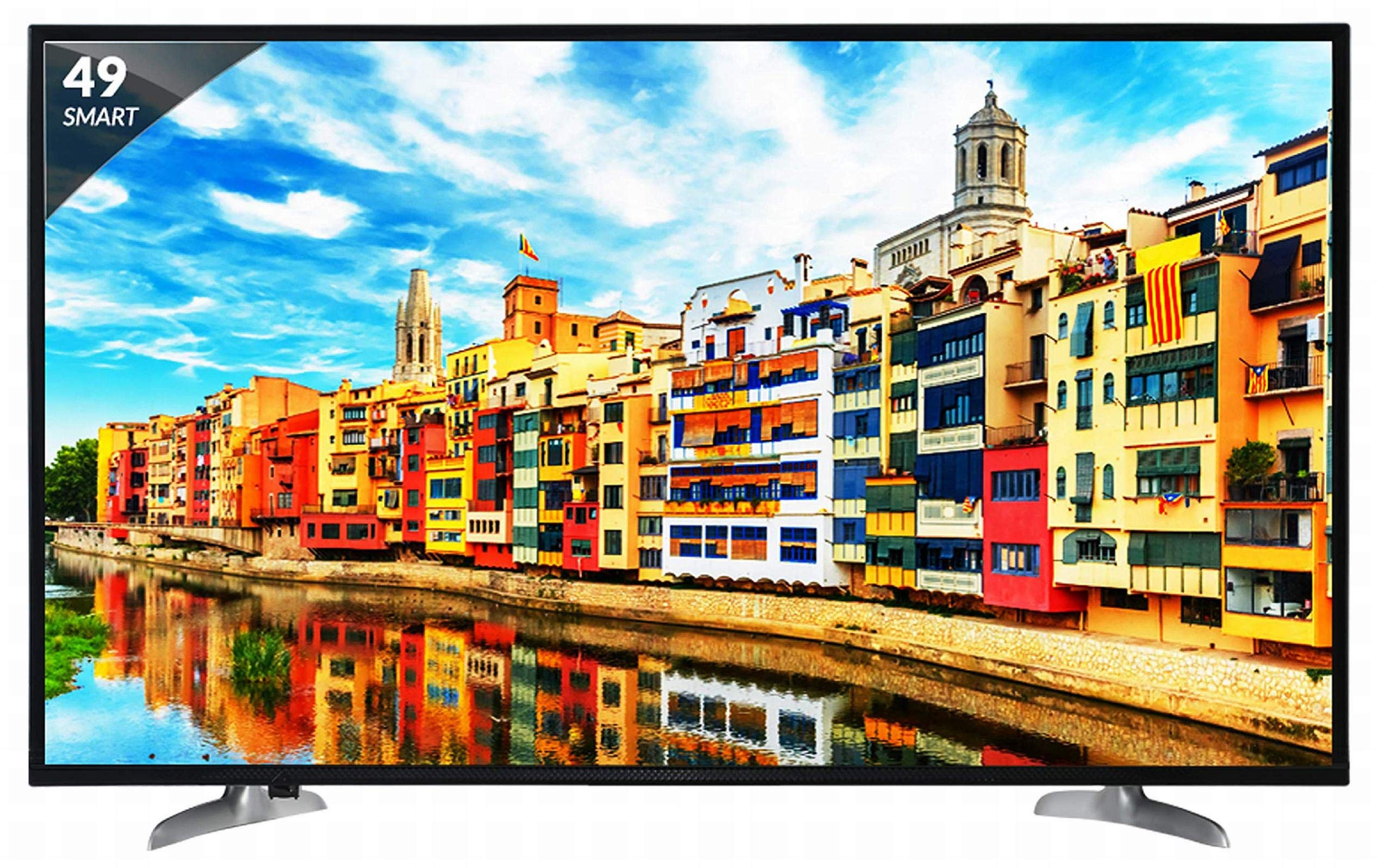
1. irudia: Aurrealdea view of the Skyworth 49 M20 Full HD LED Smart TV.
Konfigurazioa eta Instalazioa
Unpacking the TV
Kontu handiz atera osagai guztiak paketetik. Ziurtatu behean zerrendatutako elementu guztiak daudela.
Zer dago Kutxan:
- 1 LED telebista
- Mahai gaineko euskarri 1
- 1 Hormako euskarria
- 1 Erabiltzailearen eskuliburua
- 1 Berme Txartela
- 1 Urruneko kontrola
- 2 AAA bateria
- 1 Power Cable / Power Supply Adapter
1. bideoa: Kutxa irekitzea eta hasierako bertsioaview of the Skyworth 49 M20 Smart TV.
Standaren instalazioa
If using the table-top stand, attach it securely to the base of the TV using the provided screws. Refer to the diagram for correct orientation.
Horman Muntatzea
For wall mounting, use the included wall mount bracket. It is recommended to seek professional assistance for wall mounting to ensure safety and proper installation. Contact Skyworth at 18001210108 for installation services.

2. irudia: Aldea view of the TV, illustrating the slim design and stand attachment points.
Konektibitatea
Your Skyworth 49 M20 TV offers various ports for connecting external devices.
Eskuragarri dauden portuak:
- 3 HDMI ataka: For connecting set-top boxes, Blu-Ray players, gaming consoles, and other HDMI-enabled devices.
- 2 USB ataka: For connecting hard drives, USB flash drives, and other USB devices to play media files.
- 1 VGA ataka: For connecting laptops or desktop computers.

Figure 3: Rear panel of the TV, highlighting the various input and output ports.

4. irudia: Xehetasuna view of the connectivity ports including HDMI, USB, and VGA.
Zure telebista adimenduna erabiltzea
Piztu/Itzaltzea
Connect the power cable to the TV and a power outlet. Press the power button on the remote control or on the TV to turn it on or off.
Hasierako konfigurazio morroia
Lehen aldiz piztean, telebistak hasierako konfigurazio prozesu osoan gidatuko zaitu, hizkuntza hautatzea, sareko konexioa eta kanalen eskaneatzea barne.
Smart TV Ezaugarriak
The Skyworth 49 M20 is an Android-based Smart TV with built-in Wi-Fi, offering access to a variety of applications and online content.
- Wi-Fi integratua: Konektatu zure etxeko sarera interneterako sarbidea izateko.
- Netrange App Store: Download and install applications for movies, music, games, and more.
- Install APK: Allows installation of additional applications via APK files.
- Sky Share: Share media files (videos, pictures) from your mobile phone to the TV.
- Home Network: Access media content from other devices on your home network.
- Onartutako Interneteko zerbitzuak: Includes Twitter and YouTube.

Figure 5: The Smart TV home screen interface, showing various app icons.

Figure 6: The Netrange App Store interface, displaying available applications.
2. bideoa: Amaitu daview of the Skyworth Full HD IPS Smart LED TV features, including display, smart functions, and connectivity.
Pantaila eta audioa
Bistaratzeko Teknologia
The TV features a 49-inch Full HD (1920x1080p) IPS LED panel with a 60 Hz refresh rate. The IPS technology provides a wide 178-degree viewing angle, ensuring consistent picture quality from various positions.
Audio Sistema
Equipped with 20 Watts output and down-firing speakers, the TV delivers clear audio. DTS Sound technology enhances the audio experience.
Zehaztapen Teknikoak
| Ezaugarri | Xehetasuna |
|---|---|
| Eredua | 49 M20 |
| Pantailaren tamaina | 49 hazbete (124.5 cm) |
| Bistaratzeko Teknologia | IPS LED panela |
| Ebazpena | Full HD (1920 x 1080p) |
| Freskatze tasa | 60 Hertz |
| Viewangelua | 178 gradu |
| Sistema eragilea | Android |
| Prozesadorea | ARM Quad Core Processor |
| GPU | Dual Core 3D GPU |
| RAM | 512MB |
| ROM | 4 GB |
| Konektibitatea | 3 HDMI, 2 USB, 1 VGA, Built-in Wi-Fi |
| Audio Irteera | 20 Watt |
| Soinuaren teknologia | DTS Sound, Down Firing Speakers |
| Produktuaren neurriak (LxWxH) | 111.1 x 27.1 x 68.9 cm |
| Elementuaren pisua | 16 kg |
| Pilak | 2 AAA bateria (urrutiko agintearentzat barne) |

Figure 7: Summary of key TV features including screen size, connectivity, display, sound, and smart TV capabilities.
Arazoak konpontzea
This section addresses common issues you might encounter with your TV. For more complex problems, please contact customer support.
Botererik ez
- Ziurtatu kablea telebistara eta funtzionatzen duen entxufe batera ondo konektatuta dagoela.
- Egiaztatu entxufea funtzionatzen duen beste gailu bat konektatuz.
- Verify that the power indicator light on the TV is on.
Irudi/soinurik ez
- Confirm the correct input source is selected (e.g., HDMI 1, AV).
- Check all cable connections (HDMI, AV, etc.) between the TV and external devices.
- Ziurtatu bolumena ez dagoela isilarazita edo baxuegia ezarrita.
Wi-Fi konexio-arazoak
- Restart your Wi-Fi router and the TV.
- Ensure the TV is within range of your Wi-Fi router.
- Egiaztatu sartutako Wi-Fi pasahitza zuzena dela.
Urruneko kontrola ez dabil
- Ordeztu AAA bateriak urrutiko agintean.
- Ensure there are no obstructions between the remote control and the TV's IR sensor.
Zainketa eta Mantentzea
Pantaila garbitzea
Garbitu pantaila astiro-astiro zapi leun eta pelusik gabeko batekin. Orba egoskorrak izanez gero, garbitu apur batampGarbitu zapi bat urarekin edo pantaila-garbitzaile espezializatu batekin. Saihestu produktu kimiko gogorrak edo material urratzaileak erabiltzea.
Garbiketa orokorra
Wipe the TV's frame and stand with a soft, dry cloth. Do not spray cleaning liquids directly onto the TV.
Aireztapena
Ziurtatu telebistaren inguruan behar bezalako aireztapena dagoela gehiegi berotzea saihesteko. Ez blokeatu telebistaren atzealdeko aireztapen-irekidurak.
Bermea eta Laguntza
Bermearen informazioa
Your Skyworth 49 M20 TV comes with a 2-year standard manufacturer warranty from Skyworth. Please retain your purchase invoice for warranty claims.
Bezeroarentzako Arreta
For installation, wall mounting, product demonstration, or any service-related queries, please contact Skyworth directly at 18001210108. Provide the product's model name (49 M20) and seller's details from your invoice.
This product is eligible for replacement/refund within 10 days of delivery in case of any product defects, damage, or features not matching the description provided.


