1. Sarrera eta Overview
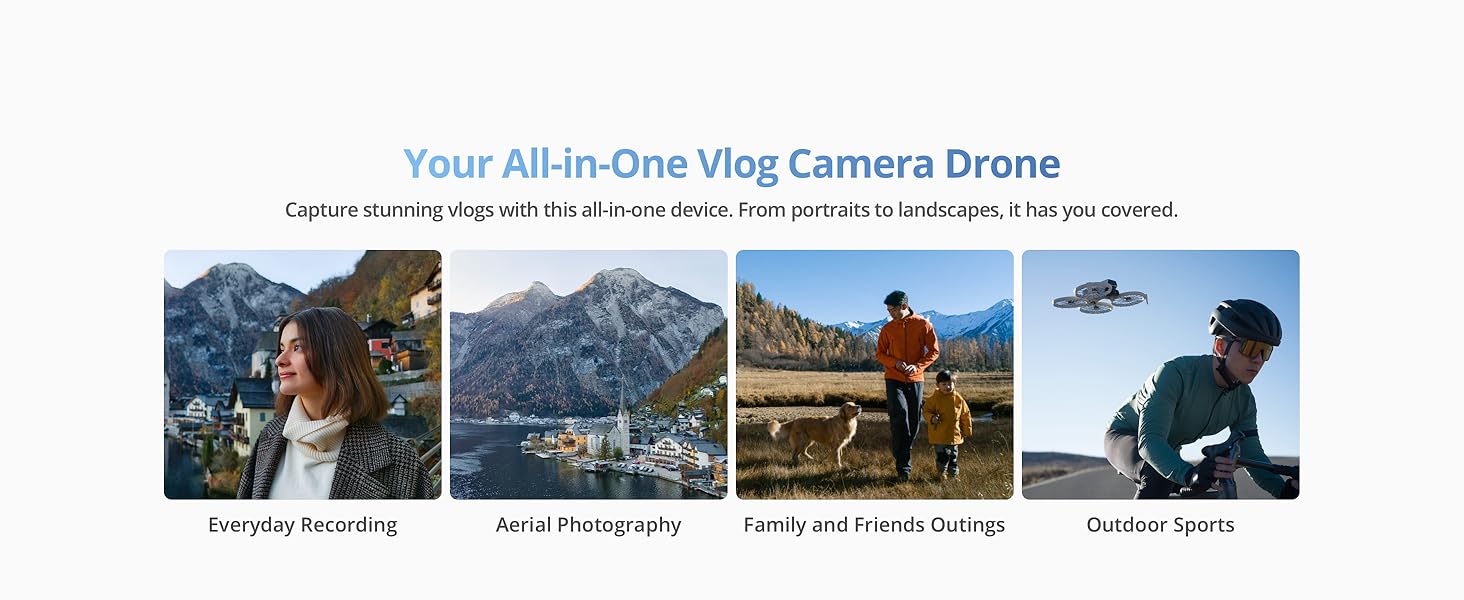
The DJI Flip combines a compact design with exceptional imaging capabilities. It features palm takeoff functionality, eliminating the need for a remote controller for initial launch. Subject tracking ensures your desired subject remains in focus during flight. Foldable propeller guards enhance both portability and safety during operation and transport.
Ezaugarri nagusiak:
- Full-Coverage Propeller Guards: Made from lightweight carbon fiber for comprehensive protection.
- Lightweight and Regulation Friendly: Weighs under 249 g, often exempting it from FAA registration or Remote ID requirements in many regions.
- Subject Tracking: Keeps your subject in focus, acting as a personal cinematographer.
- 1/1.3-inch CMOS Sensor: Captures more light for clearer images with vivid detail.
- 4K/60 fps HDR bideoa: Delivers ultra-high-definition video for stunning visuals.
- 31-Min Max Flight Time: Provides extended flight duration for capturing more moments.
- RC 2 Remote Controller: Includes a high-bright screen for an upgraded flying experience.
Bideoaren deskribapena: Aurkezpen bideo emanaldi batasing the DJI Flip drone's features, including palm takeoff, quick shots, and its compact design. It highlights the drone's ability to capture dynamic footage in various environments.
2. Zer dago kutxan
The DJI Flip (RC 2) package includes the following components:
- DJI Flip x 1
- DJI RC 2 x 1
- DJI Flip Intelligent Flight Battery x 1
- DJI Flip Spare Propellers (Pair) (Screws Included) x 1
- Bihurkina x 1
- DJI Flip Gimbal Protector x 1
- Type-C to Type-C PD Cable x 1
* Battery charger sold separately. It is recommended to purchase the DJI 30W USB-C Charger/DJI 65W Portable Charger.
Irudiaren deskribapena: A visual representation of the DJI Flip package contents, showing the DJI Flip drone, the DJI RC 2 remote controller, and the DJI Flip Intelligent Flight Battery.
3. Konfigurazioa
3.1 Dronea zabaltzea
Gently unfold the propeller arms until they lock into place. The drone will automatically power on once fully unfolded.
Irudiaren deskribapena: A three-panel image illustrating the steps to prepare the DJI Flip for flight: 1. Unfold the arms, 2. Select mode, 3. Takeoff and start filming.
3.2 Activating the DJI Flip
To activate your DJI Flip with the RC 2 Remote Controller:
- For first-time use, connect the RC 2 to the internet via Wi-Fi or a smartphone hotspot.
- Follow the on-screen instructions in the DJI Fly app to activate the device.
- After activating the RC 2, connect it with the DJI Flip via the DJI Fly app, and then follow the instructions in the app to activate the aircraft.
For the DJI RC-N3 Remote Controller:
- Connect your mobile device (connected to the internet) with the remote controller.
- Then connect to DJI Flip via the DJI Fly app.
- Follow the instructions in the app to activate DJI Flip.
3.3 DJI Fly App Installation
The DJI Flip can only be used with the DJI Fly app. Due to platform compatibility issues, the DJI Fly app has been removed from Google Play. Visit the official DJI website to download the user manual and the latest DJI Fly app for a better experience.
4. Operating the DJI Flip
4.1 Hegaldi Moduak eta Ezaugarriak
- Palm Takeoff: Launch the drone directly from your palm. Ensure your hand does not block the camera and there are no obstacles.
- Subject Tracking: The drone automatically tracks and keeps a designated subject in focus.
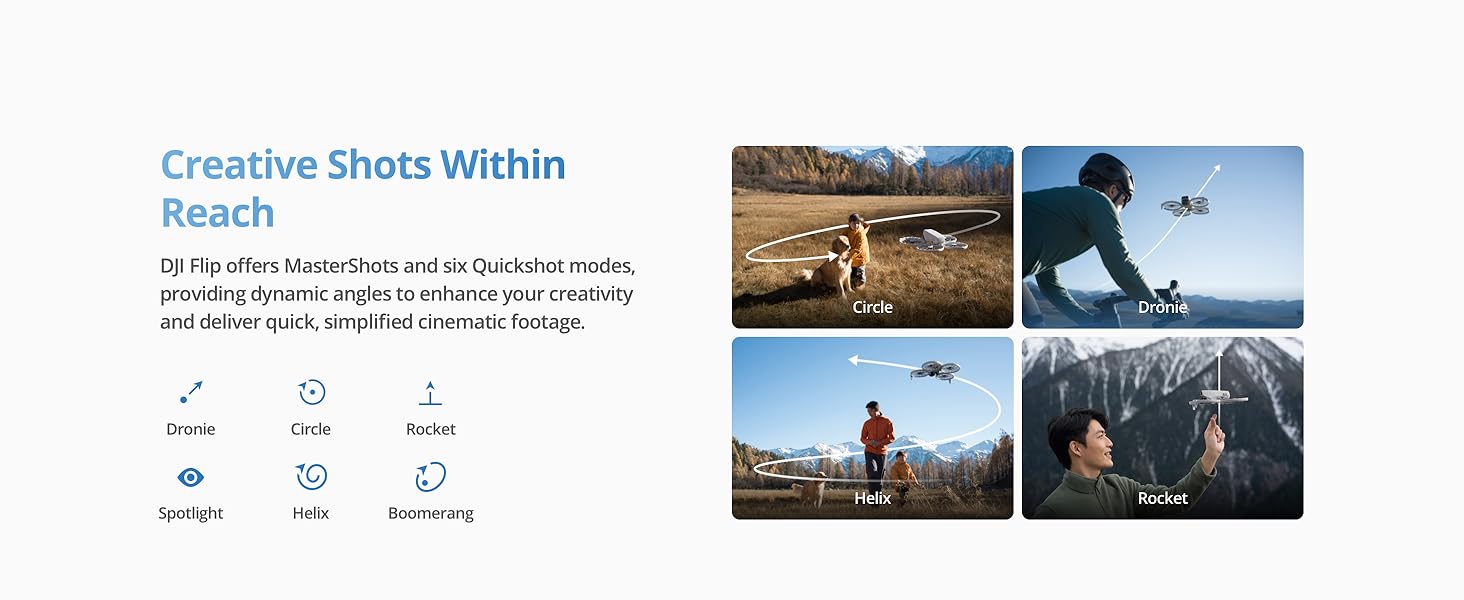
- QuickShots: Offers six dynamic shooting modes (Dronie, Circle, Rocket, Spotlight, Helix, Boomerang) for quick, cinematic footage.
- Balazta automatikoa: Equipped with a 3D Infrared Sensing System for enhanced safety, enabling automatic braking even at night.
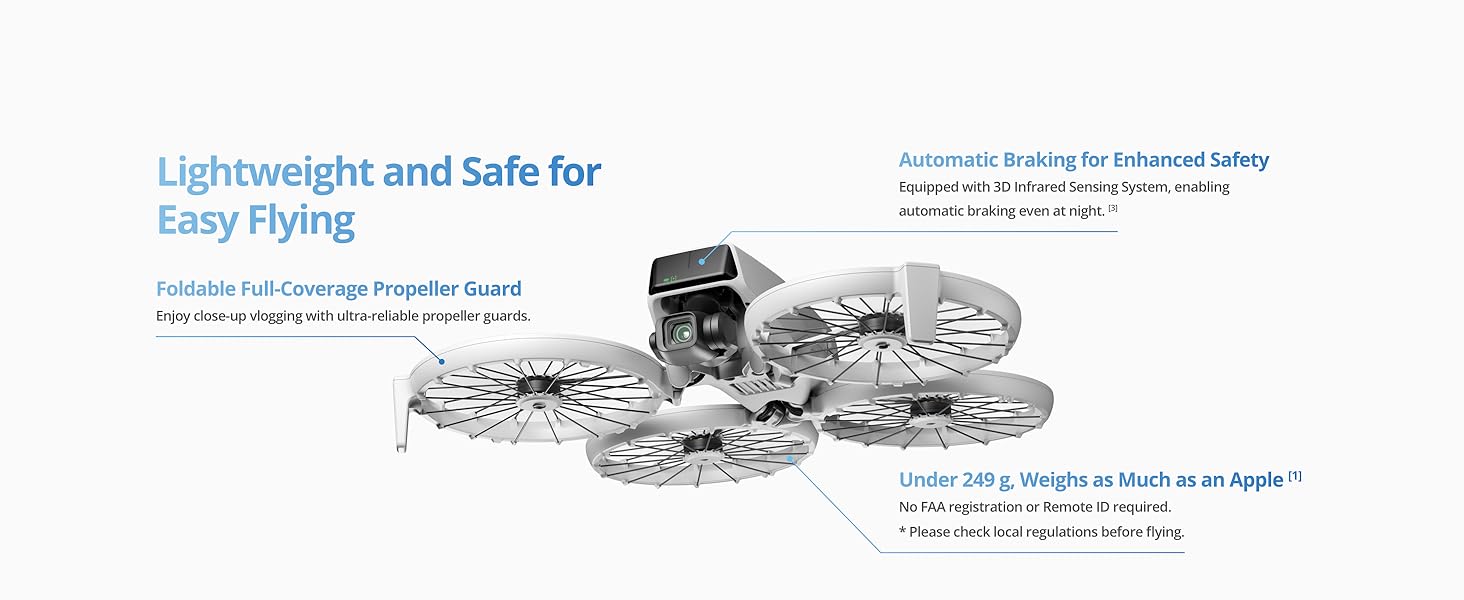
Irudiaren deskribapena: A collage highlighting key ease-of-use features: Foldable Propeller Guard, Under 249g (Regulation Friendly), Palm Takeoff for Easy Capture, and Automatic Braking for Enhanced Safety.
Irudiaren deskribapena: Irudi erakustaldi batasing the DJI Flip's Creative Shots Within Reach, illustrating various QuickShot modes like Dronie, Circle, Rocket, Spotlight, Helix, and Boomerang.
4.2 Kameraren Ezaugarriak
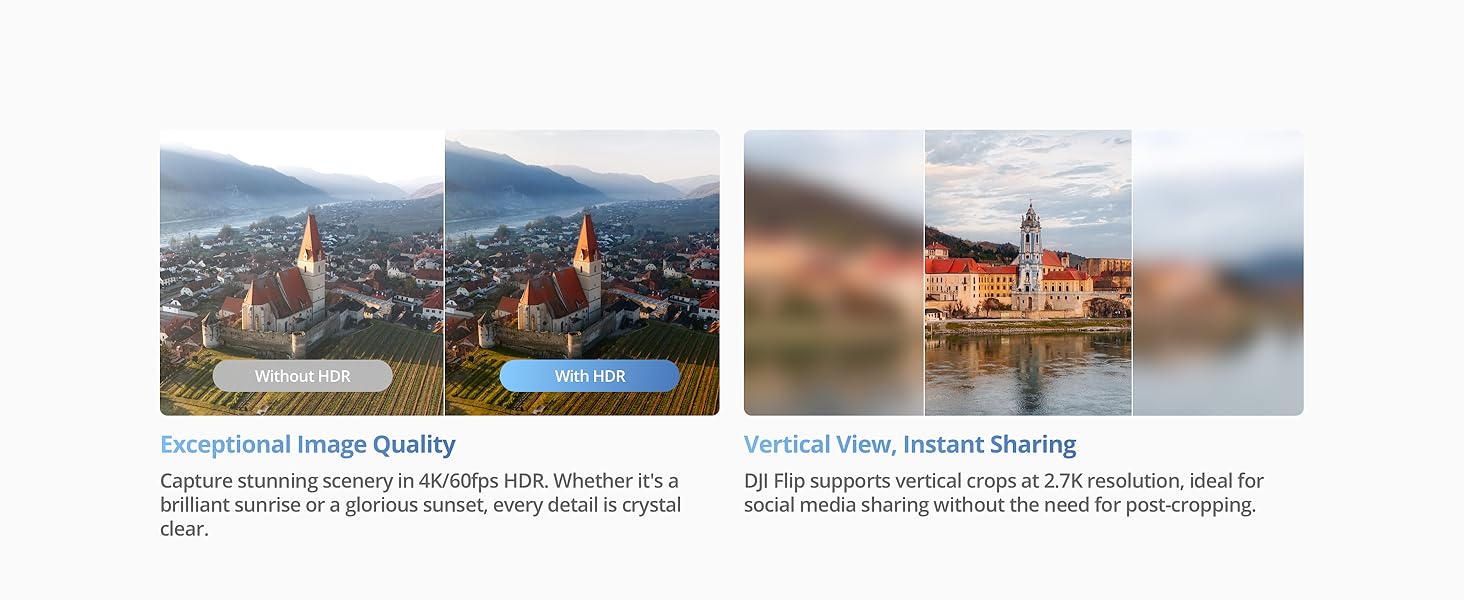
- 48MP-ko argazkiak: Capture high-resolution photos with the 1/1.3-inch CMOS sensor, featuring Dual Native ISO Fusion, f/1.7 aperture, and 2.4μm 4-in-1 pixels.
- 4K/60 fps HDR bideoa: Record stunning scenery with ultra-high-definition video.
- 2.7K Bertikaleko Grabaketa: Supports vertical crops at 2.7K resolution, ideal for social media sharing.
- 10 biteko D-Log M: Records up to one billion colors, delivering natural color gradations for flexible editing.
- 4K Slow-Motion: Supports 4K slow-motion recording at 100 fps for smooth, detailed highlights.
- 3 ardatzeko gimbal mekanikoa: Ensures smooth and stable footage, with up to level-5 wind resistance.

Irudiaren deskribapena: A collage illustrating the DJI Flip's imaging capabilities: 1/1.3-inch CMOS Sensor, 4K/60fps HDR Video, 2.7K Vertical Shooting, and 10-bit D-Log M color profile.
Irudiaren deskribapena: A split image demonstrating the effectiveness of the DJI Flip's 3-Axis Stabilization, comparing footage captured without and with stabilization.
4.3 Remote Controller and Transmission
The DJI Flip (RC 2) comes with the RC 2 remote controller, featuring a high-bright screen for clear visibility even in direct sunlight. It utilizes DJI O4 video transmission, supporting up to 44,000 feet (13 km) of 1080p/60fps video transmission with excellent anti-interference capabilities.

Irudiaren deskribapena: An image illustrating the DJI Flip's Next Level Video Transmission, showing the RC 2 controller and the drone with a maximum video transmission distance of 44,000 feet / 13 km.
4.4 Bateria eta karga
The Intelligent Flight Battery provides up to 31 minutes of flight time. For faster charging, the DJI Flip Parallel Charging Hub (sold separately) can charge two batteries simultaneously.

Irudiaren deskribapena: A split image showing the DJI Flip drone with an indicator of 31 minutes flight time, and a DJI Parallel Charging Hub charging two batteries.
4.5 Data Transfer and Editing
Connect DJI Flip to your phone via Wi-Fi to transfer footage at up to 30MB/s to the DJI Fly app. Edit swiftly with templates in the app, saving phone space and sharing videos easily.

Irudiaren deskribapena: A two-panel image showing efficient and effortless transfer of footage from the DJI Flip to a phone via Wi-Fi, and simple editing within the DJI Fly app.
4.6 Kontrol-aukerak
The DJI Flip offers multiple control methods:
- Ahots kontrola: Simply wake the DJI Fly app with "Hey Fly" to enable voice commands.
- Aplikazioen kontrola: Easily connect DJI Flip to the DJI Fly app using Wi-Fi Direct for single-handed control.
- RC Kontrola: Operate DJI Flip using DJI RC-N3/RC 2 to capture professional-level shots.
Irudiaren deskribapena: A three-panel image demonstrating the various control methods for the DJI Flip: Voice Control, App Control via smartphone, and RC Control using a dedicated remote controller.
5. Mantentzea
Regular maintenance ensures optimal performance and longevity of your DJI Flip drone:
- Helizearen ikuskapena: Regularly check propellers for any cracks, bends, or damage. Replace damaged propellers immediately using the provided screwdriver and spare propellers.
- Gimbalaren babesa: Always use the DJI Flip Gimbal Protector when the drone is not in use or during transport to prevent damage to the camera and gimbal.
- Bateria zaintzea: Store Intelligent Flight Batteries in a cool, dry place. Avoid overcharging or fully discharging batteries. Follow charging recommendations (DJI 30W USB-C Charger/DJI 65W Portable Charger).
- Garbiketa: Use a soft, dry cloth to clean the drone body, camera lens, and remote controller. Avoid using harsh chemicals or abrasive materials.
- Firmware eguneraketak: Keep the drone and remote controller firmware updated via the DJI Fly app to ensure access to the latest features and performance improvements.
6. Arazoak konpontzea (Maiz egiten diren galderak)
Which remote controllers are compatible with DJI Flip?
The DJI Flip is compatible with the DJI RC 2 Remote Controller, DJI RC-N3 Remote Controller, and DJI RC-N2 Remote Controller.
Is DJI Flip waterproof?
No. Avoid contact with water during use, as it may damage the device. If it rains during the flight, return and land as soon as possible, and wait until the aircraft is fully dry inside and out before using it again.
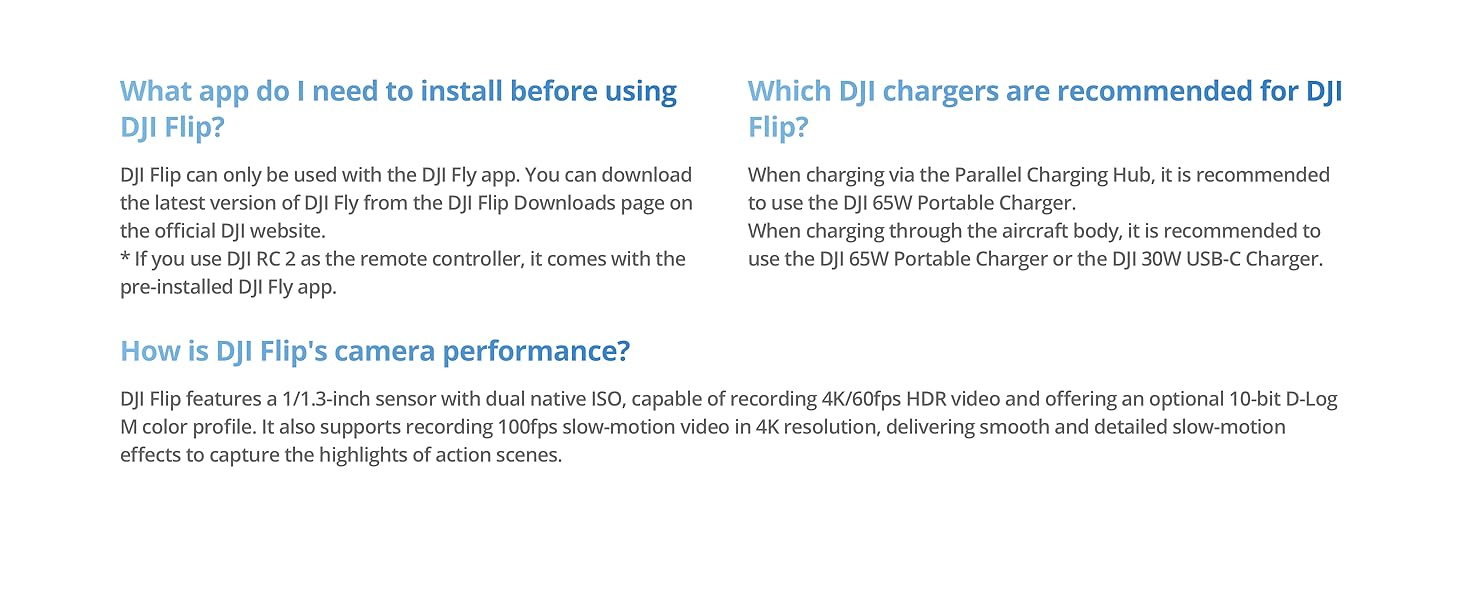
Which DJI chargers are recommended for DJI Flip?
When charging via the Parallel Charging Hub, it is recommended to use the DJI 65W Portable Charger. When charging through the aircraft body, it is recommended to use the DJI 65W Portable Charger or the DJI 30W USB-C Charger.
How is DJI Flip's camera performance?
DJI Flip features a 1/1.3-inch CMOS sensor with dual native ISO, capable of recording 4K/60fps HDR video and offering an optional 10-bit D-Log M color profile. It also supports recording 100fps slow-motion video in 4K resolution, delivering smooth and detailed slow-motion effects to capture the highlights of action scenes.
7. Zehaztapenak
| Ezaugarri | Zehaztapena |
|---|---|
| Marka | DJI |
| Ereduaren izena | DJI Irauli |
| Ezaugarri bereziak | Built-In Full-Coverage Propeller Guards, Extended Flight Time, O4 Transmission with up to 8-Mile Range, Portable, Subject Tracking and Auto Flight Modes |
| Adin tartea (Deskribapena) | Heldua |
| Kolorea | Grisa |
| Bideo Harrapaketa Ebazpena | 4K |
| Ebazpen finko eraginkorra | 48 MP |
| Konektibitate Teknologia | Bluetooth konexioa, Wi-Fi |
| Bateria Edukiera | 3110 mAh |
| Gehienezko irismena | 13 Kilometro |
| Elementuaren pisua | 0.74 kilogramo |
| Elementuaren neurriak L x W x H | 11"L x 9.2"Z x 3.1"A |
| Materiala | Karbono-zuntza |
8. Bermea eta Laguntza
The DJI Flip comes with a standard DJI warranty. For detailed warranty information, service requests, or technical support, please visit the official DJI webgunea. Baliabide gehigarriak, maiz egiten diren galderak eta bezeroarentzako arreta-zerbitzuko harremanetarako informazioa ere aurki ditzakezu bertan.
Official DJI Webgunea: www.dji.com


