1. Sarrera
This manual provides detailed instructions for the DIERYA DK63 Wireless Mechanical Gaming Keyboard. Please read this manual thoroughly before using the product to ensure proper operation and to maximize your user experience. The DK63 is a compact 60% mechanical keyboard designed for versatility across various platforms, offering both wired and wireless connectivity options.

Image 1.1: DIERYA DK63 60% Mechanical Keyboard showcasing its compact layout and dimensions (292.8mm width, 101mm height).
2. Ezaugarri nagusiak
- % 60ko diseinu trinkoa: The DK63 features a streamlined 60% layout, optimizing desk space while retaining essential functionality through function layer keys.
- Konexio bikoitzeko moduak: Seamlessly switch between wired (USB-C) and wireless (Bluetooth 5.1) connections.
- Gailu anitzeko laguntza: Connects to up to 3 devices via Bluetooth, compatible with Mac, Windows, and Android operating systems.
- Benetako etengailu mekanikoak: Equipped with durable mechanical switches (available in Blue, Brown, or Red variants) for a responsive typing and gaming experience.
- RGB atzeko argiztapen dinamikoa: Features 8 distinct lighting effects and supports 16.8 million colors for personalized aesthetics.
- Software pertsonalizagarria: Utilize the DIERYA customizable software for macro recording and remapping keyboard buttons.

Image 2.1: The DIERYA DK63 keyboard demonstrating its ability to connect to up to 3 devices via Bluetooth, compatible with Mac, Windows, and Android.

2.2. irudia: Plano hurbila view of the true mechanical switches on the DIERYA DK63 keyboard, highlighting their design for durability and responsiveness.
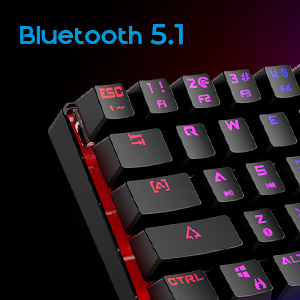
Image 2.3: Detail shot indicating Bluetooth 5.1 connectivity on the DIERYA DK63 keyboard.
3. Konfigurazio gida
3.1 Kable bidezko konexioa
- Bilatu USB-C ataka teklatuan.
- Konektatu emandako USB-C kablea teklatura.
- Konektatu USB-C kablearen beste muturra zure ordenagailuko USB ataka erabilgarri batean.
- The keyboard will be automatically recognized by your system and is ready for use.
3.2 Bluetooth haririk gabeko konexioa
- Ensure the keyboard is charged or connected via USB-C initially.
- To switch to wireless mode, press Fn + R. The keyboard's indicator light will change to signify Bluetooth mode.
- Gailu batekin parekatzeko, sakatu eta eutsi Fn+Z, Fn + X, edo Fn + C for 3-5 seconds. The corresponding key's backlight will flash rapidly, indicating pairing mode.
- On your device (computer, tablet, or smartphone), enable Bluetooth and search for available devices.
- Select "DIERYA DK63" from the list of available devices to complete the pairing process.
- Once paired, the key's backlight will stop flashing and remain steadily lit.
- Bluetooth gailu parekatutakoen artean aldatzeko, sakatu Fn+Z, Fn + X, edo Fn + C (short press) to select the desired device.
4. Funtzionamendu-argibideak
4.1 Funtzio-teklen konbinazioak
The DK63 utilizes the Fn key to access secondary functions printed on the keycaps. Hold down the Fn key and press the desired key to activate its secondary function.
- Fn + 1! to 0): F1 to F10 keys.
- Fn + -_ and =+: F11 and F12 keys.
- Fn + P: Inprimatu pantaila.
- Fn + [: Hasiera.
- Fn + ]: Amaiera.
- Fn + ;: Orria gora.
- Fn + ': Orria behera.
- Fn + Gezi-teklak: Navigation (e.g., Fn + Up Arrow for Page Up, Fn + Down Arrow for Page Down, etc., depending on specific keycap legends).
4.2 RGB atzeko argiztapenaren kontrola
The keyboard offers various lighting effects and customization options:
- Fn + \| Cycle through different lighting effects.
- Fn + Gora gezia: Handitu atzeko argiaren distira.
- Fn + Beheko gezia: Atzeko argiaren distira txikitu.
- Fn + Ezkerreko gezia: Adjust lighting effect speed.
- Fn + Eskuineko gezia: Adjust lighting effect speed.
- Specific keys may have additional lighting controls indicated on their keycaps.

Image 4.1: Screenshot of the DIERYA customizable software, showing options for lighting effects, color selection, macro recording, and key remapping.
4.3 Customizable Software
The DIERYA DK63 supports dedicated software for advanced customization. This software allows users to:
- Record and assign macros to specific keys.
- Remap individual key functions.
- Doitu RGB argiztapen efektuak, koloreak eta ereduak.
Please refer to the DIERYA official website for software download and detailed instructions on its usage.
4.2. bideoa: Produktu ofizialaren bideo-erakustaldiaasing the DIERYA DK63 60% Mechanical Gaming Keyboard, highlighting its design and RGB lighting effects.
5. Mantentzea
To ensure the longevity and optimal performance of your DIERYA DK63 keyboard, follow these maintenance guidelines:
- Garbiketa: Regularly clean the keyboard with a soft, dry cloth. For deeper cleaning, use a can of compressed air to remove dust and debris from between the keycaps. If necessary, gently wipe keycaps with a slightly damp cloth and mild soap solution, ensuring no liquid enters the keyboard.
- Saihestu likidoak: Ez isuri likidorik teklatuaren gainean. Isurketa bat gertatzen bada, deskonektatu berehala teklatua eta utzi guztiz lehortzen berriro konektatu aurretik.
- Biltegiratzea: Gorde teklatua leku fresko eta lehor batean, eguzki-argitik eta muturreko tenperaturetatik babestuta.
- Kableen zainketa: Kalteak ekiditeko, saihestu USB-C kablea gehiegi tolestea edo bihurritzea.
6. Arazoak
If you encounter issues with your DIERYA DK63 keyboard, refer to the following common solutions:
6.1 Keyboard Not Responding (Wired)
- Ziurtatu USB-C kablea ondo konektatuta dagoela teklatura eta ordenagailura.
- Saiatu teklatua ordenagailuko beste USB ataka batera konektatzen.
- Probatu teklatua beste USB-C kable batekin, eskuragarri badago.
- Berrabiarazi ordenagailua.
6.2 Bluetooth konexio arazoak
- Ziurtatu teklatua Bluetooth moduan dagoela (Fn + R).
- Egiaztatu Bluetootha gaituta dagoela zure gailuan.
- Make sure the keyboard is sufficiently charged. Low battery can affect Bluetooth performance.
- Dagoeneko parekatuta badago, saiatu teklatua gailuaren Bluetooth ezarpenetatik desparekatzen eta berriro parekatzen.
- Ensure the keyboard is within the effective range of your Bluetooth device (typically up to 10 meters).
- Saihestu beste haririk gabeko gailuen interferentziak.
6.3 Atzeko argiztapena ez dabil edo okerra da
- Handitu distira erabiliz Fn + Gora gezia.
- Argiztapen efektuak erabiliz txandakatu Fn + \|.
- Ensure the keyboard is not in a mode where backlighting is intentionally off or dimmed.
- If using the customizable software, check the lighting settings within the application.
7. Produktuaren zehaztapenak
| Ezaugarri | Xehetasuna |
|---|---|
| Modelo zenbakia | DK63 |
| Marka | DIERYA |
| Haririk gabeko mota | Bluetooth 5.1 |
| Konektibitate Teknologia | USB-C, Bluetootha |
| Hardware Plataforma | Ordenagailu eramangarria, ordenagailua |
| Elementuaren pisua | 1.5 libra (gutxi gorabehera 0.68 kg) |
| Produktuaren neurriak (LxWxH) | 12 x 5.6 x 1.9 hazbete (gutxi gorabehera 30.5 x 14.2 x 4.8 cm) |
| Energia iturria | Bateriaren funtzionamendua (litio-ioizko bateria 1 barne) |
| Switch Type Options | Blue (Clicky), Brown (Tactile), Red (Linear) |
| Dakarten osagaiak | USB kablea |
8. Bermea eta Laguntza
DIERYA products are manufactured to high-quality standards. For information regarding warranty coverage, technical support, or service inquiries, please refer to the official DIERYA webwebgunera edo jarri harremanetan bezeroarentzako arreta-zerbitzuarekin zuzenean. Gorde erosketa-agiria erosketaren frogagiri gisa berme-erreklamazioetarako.


