Sarrera
Eskerrik asko erosketagatik.asing the VTech VT1091 Cordless Phone. This manual provides essential information for setting up, operating, and maintaining your new phone. Please read these instructions carefully to ensure proper use and to fully benefit from its features.
Paketearen edukia
Hasi aurretik, ziurtatu elementu guztiak paketean daudela:
- Haririk gabeko eskugailua
- Oinarri Unitatea
- Oinarrizko unitaterako energia-egokigailua
- Telefono Linearen Kablea
- Bateria kargagarriak (aurrez instalatutakoak edo bereizita)
- Erabiltzailearen eskuliburua (dokumentu hau)
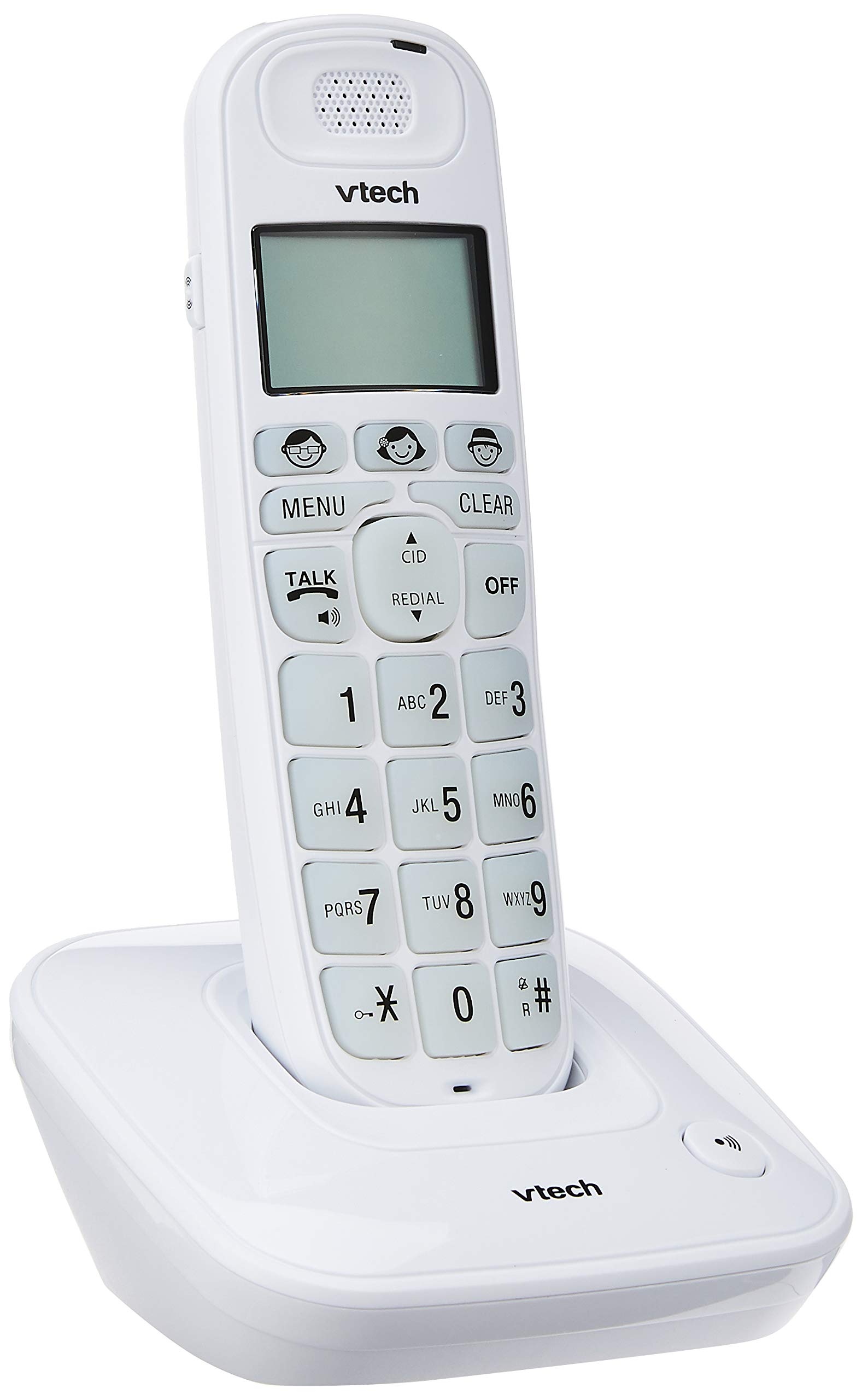
Image: The VTech VT1091 cordless phone handset resting in its base unit, showing the front view of the keypad and screen.
Konfigurazioa
1. Bateriaren instalazioa
- Bilatu bateriaren konpartimentuaren estalkia telefonoaren atzealdean.
- Irristatu estalkia behera irekitzeko.
- Sartu emandako bateria kargagarriak, polaritate zuzena errespetatuz (+ eta -).
- Jarri bateriaren konpartimentuaren estalkia.
2. Oinarrizko unitatea konektatzea
- Konektatu telefono-kablearen mutur bat oinarrizko unitatearen atzealdeko TEL LINE hartunera.
- Konektatu telefono-kablearen beste muturra zure telefono-hormako entxufeari.
- Connect the small end of the power adapter to the DC IN jack on the back of the base unit.
- Konektatu korronte-egokitzailearen mutur handia entxufe elektriko estandar batera.

Irudia: Atzealdea view of the VTech VT1091 base unit, showing the ports for the telephone line cord and the power adapter.
3. Telefonoa kargatzea
Place the handset on the base unit with the display facing forward. The handset will begin charging. For optimal battery performance, allow the handset to charge for at least 16 hours before initial use.

Irudia: Albokoa view of the VTech VT1091 cordless phone handset securely placed in its charging base.
Ezaugarri nagusiak
- Amplifikazioa: Amplification of incoming sounds by up to 30 decibels.
- Ultra-low Radiation Mode: Operates with reduced radiation levels.
- BOOSTER Button: One-touch button for easy sound amplifikazioa.
- Teklatu Handia: Big buttons with backlit keypad for improved visibility.
- Argiztatutako LCD pantaila: Large display with orange backlight.
- Telefonoa bozgorailua: Eskurik gabeko komunikaziorako.
- Page/Handset Locator: Helps locate a misplaced handset.
- Auto Answer/Keypad Lock: Convenient call handling and security features.
- Alarm/Secrecy: Includes alarm function and call secrecy feature.
- GAP Compliant: Compatible with other GAP-enabled DECT devices.
- Telefono-gidaren direktorioa: 20 name and number entries.
- Deitzailearen IDa: Displays the last 10 caller numbers.
- Berriro markatzea: Stores the last 5 numbers dialed.
- Ringer Melodies: 10 selectable ringer melodies (5 polyphonic and 5 standard).
- Bateriaren iraupena: Approximately 10 hours talk time / 100 hours standby time.
- Memory Buttons: 3 one-touch memory buttons.
- Markaketa bizkorra: 8 number (2-9) speed dial memories.
- Entzumen-aparatua bateragarria: Designed for use with hearing aids.
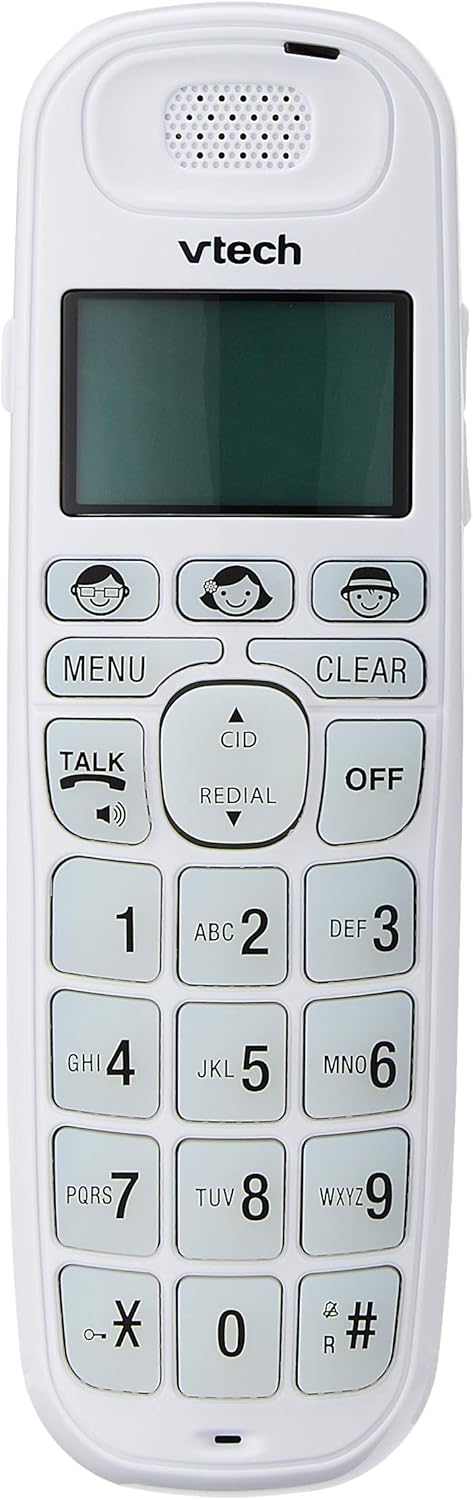
Image: Close-up of the VTech VT1091 handset, highlighting the large backlit keypad, LCD display, and dedicated function buttons.
Funtzionamendu-argibideak
Dei bat egitea
- Sakatu HITZALDI button to get a dial tone.
- Markatu nahi duzun telefono zenbakia.
- Deia amaitzeko, sakatu OFF botoia sakatu edo jarri telefonoa berriro oinarrian.
Dei bati erantzutea
Telefonoak jotzen duenean, sakatu HITZALDI deiari erantzuteko botoia.
Bozgorailua erabiliz
Dei batean zehar, sakatu HITZALDI button again (with the speaker icon) to activate the speakerphone function. Press it again to switch back to the earpiece.
Bolumena doitzea
Dei batean zehar, erabili UP eta BEHERA arrow buttons on the side of the handset to adjust the earpiece or speakerphone volume.
Phonebook Directory
- Sakatu MENUA botoia.
- Navigate to "Phonebook" using the arrow buttons and press MENUA hautatzeko.
- Jarraitu pantailan agertzen diren argibideei sarrerak gehitzeko, editatzeko edo ezabatzeko.
Birmarkatzeko funtzioa
Sakatu ERREPOSTUA botoia view a list of the last 5 dialed numbers. Use the arrow buttons to select a number and press HITZALDI markatzeko.
Deitzailearen IDa
When the phone rings, the caller's number (if available) will be displayed on the screen. Press the CID botoia berriroview the caller ID list. Use the arrow buttons to scroll through entries.
BOOSTER Function
During a call, press the dedicated BOOSTER button (if available, often integrated with volume or a specific key) to instantly amplify the incoming audio by up to 30 decibels. Press again to deactivate.
Telefonoaren bilatzailea
To locate a misplaced handset, press the ORRIA button on the base unit. The handset will ring.
Mantentzea
Garbiketa
Garbitu telefonoa eta oinarri-unitatea zapi leun batekin,amp cloth. Do not use cleaning sprays or abrasive cleaners, as these can damage the finish or electrical components.
Bateria zaintzea
- Only use the supplied rechargeable batteries.
- Telefonoa denbora luzez erabiliko ez baduzu, kendu bateriak isuriak saihesteko.
- Ez bota bateriak sutara.
Arazoak konpontzea
| Arazoa | Irtenbidea |
|---|---|
| Markatze-tonurik ez |
|
| Telefonoa ez da kargatzen |
|
| Soinu-kalitate eskasa |
|
| Deitzailearen IDa ez da bistaratzen |
|
Zehaztapenak
| Marka | VTech |
| Eredua | VT1091 |
| Telefono Mota | Haririk gabekoa |
| Kolorea | Zuria |
| Materiala | Plastikoa |
| Energia iturria | Corded Electric (for base unit) |
| Markagailu mota | Teklatu bakarra |
| Erantzungailu mota | Digital (Note: This model's primary features do not highlight an integrated answering machine, but refers to general digital phone capabilities.) |
| Lerro anitzeko eragiketa | Bakarra |
| Telefonoz hitz egiteko denbora | 10 ordu |
| Telefonoaren zain egoteko denbora | 100 ordu |
| Deitzailearen IDa | Bai |
| UPC | 735078026569 |

Image: The VTech VT1091 cordless phone in its base, with a measurement overlay indicating a height of 8.3 inches (21 cm).
Bermea eta Laguntza
This VTech VT1091 Cordless Phone comes with a Urtebeteko tokiko fabrikatzailearen bermea (Singapur). For warranty claims or technical support, please refer to the contact information provided with your purchase documentation or visit the official VTech Singapore webgunea.
For further assistance, please contact VTech customer service.